Generate LOD Chain
How to automatically generate a LOD chain in Asset Transformer Studio
Read time 2 minutesLast updated 13 hours ago
Description
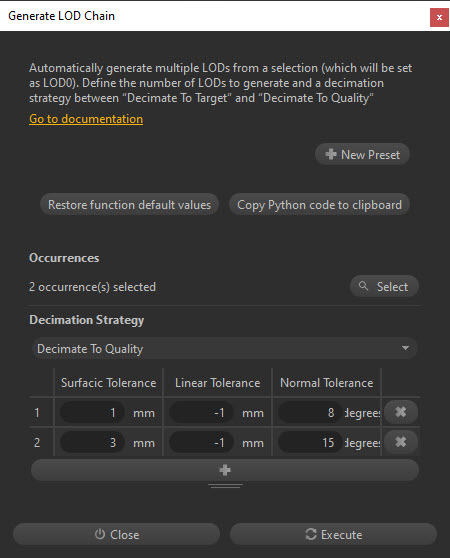
Generate LOD Chain is a ready-to-use process to automatically create LODs from a high-poly model.
Generated LODs (LOD1, LOD2…) are clones of the original high-poly model (LOD0), which are decimated (each time with stronger, more destructive values) to lower their polycount, to be used as optimized versions for performance.
The user can choose the decimation strategy to generate the LODs, between Decimate To Quality and Decimate To Target.
Parts are renamed with a suffix () to fit the naming convention handled by most game engines to automatically apply LOD behaviors.
\LODnHow To
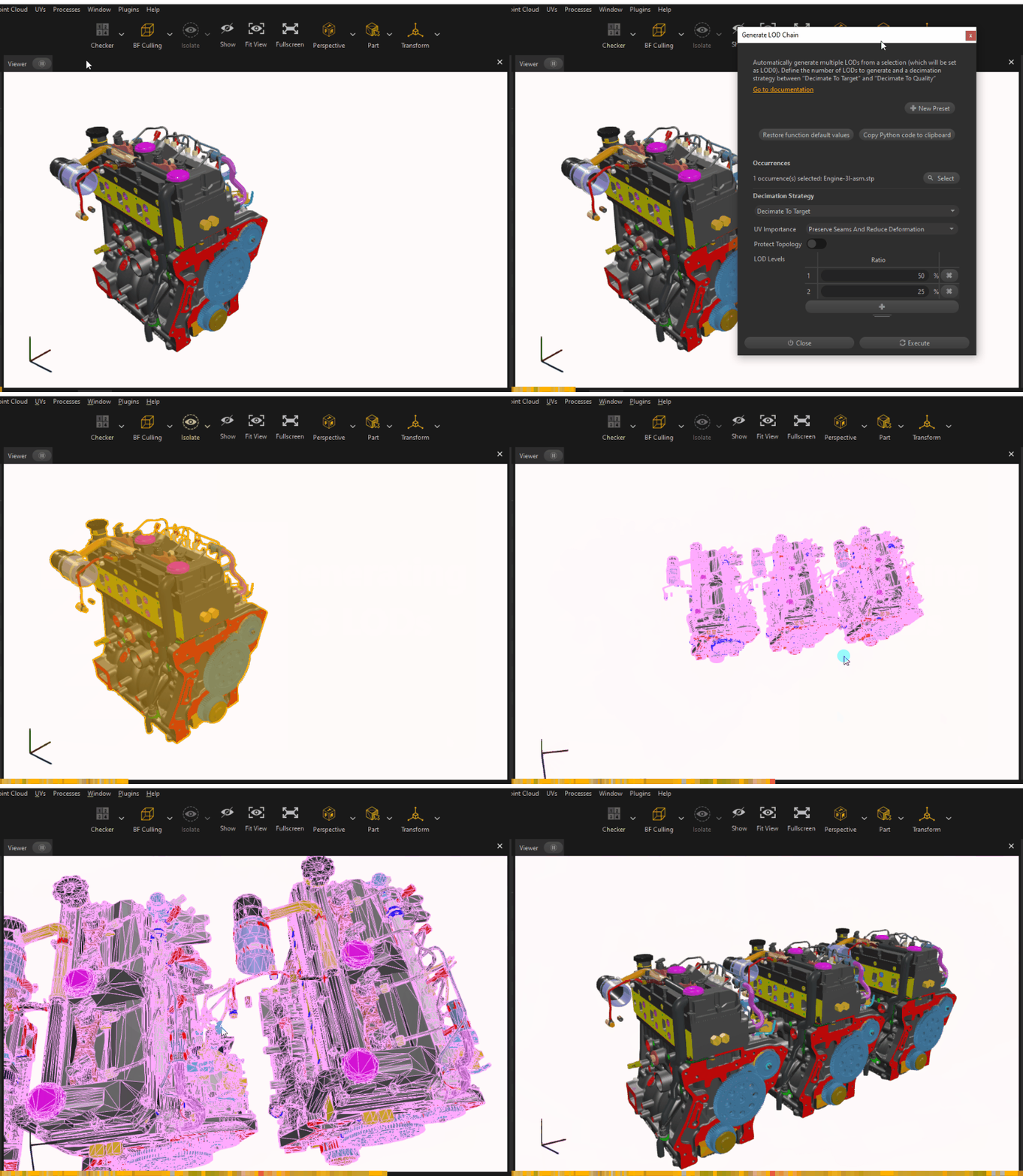
- Select the portion of the hierarchy for which you wish to create LODs (a group of parts or a root node).
- Launch the Generate LOD Chain feature from the Optimize Mesh menu (or using the Python command in a script).
- Choose the decimation strategy, between Decimate To Quality and Decimate To Target.
- Define the number of LODs generated by adding or removing rows in the table.
- Fine-tune the default values if necessary.
- Click : the process is launched and for each part in the Product Structure (hierarchy):
Execute-
A group occurrence (or assembly occurrence in Asset Transformer Studio vocabulary) is created with the name of the Part.
-
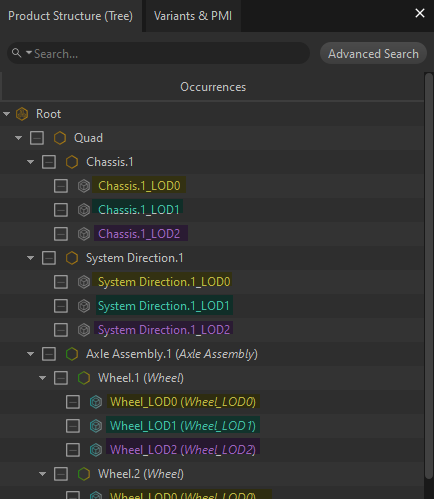
The Part is cloned in the generated group as many times as the number of LODs defined as input, with the following structure:
PartNamePartName\LOD0PartName\LOD1PartName\LODn
-
Each LOD group is decimated using the chosen strategy and the input values for the LOD: all the parts of the LODn are selected and processed together.
-
The result is a hierarchy as below:
-