About UVs
What UVs are and how to create them in Asset Transformer Studio
Read time 3 minutesLast updated 13 hours ago
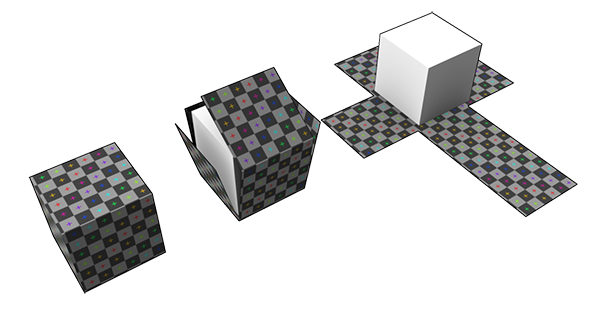
To bring realism and quality to a 3D model in a Real-Time 3D experience or to create CGI content, textures are often used in the materials applied to the 3D model. To define how these 2D textures are wrapped around the 3D model meshes, texture coordinates, also called UVs, are required. UV Mapping is the action of creating UVs for 3D meshes.
Here is an example of a CAD model transformed into a mesh with UVs to correctly display textured materials:
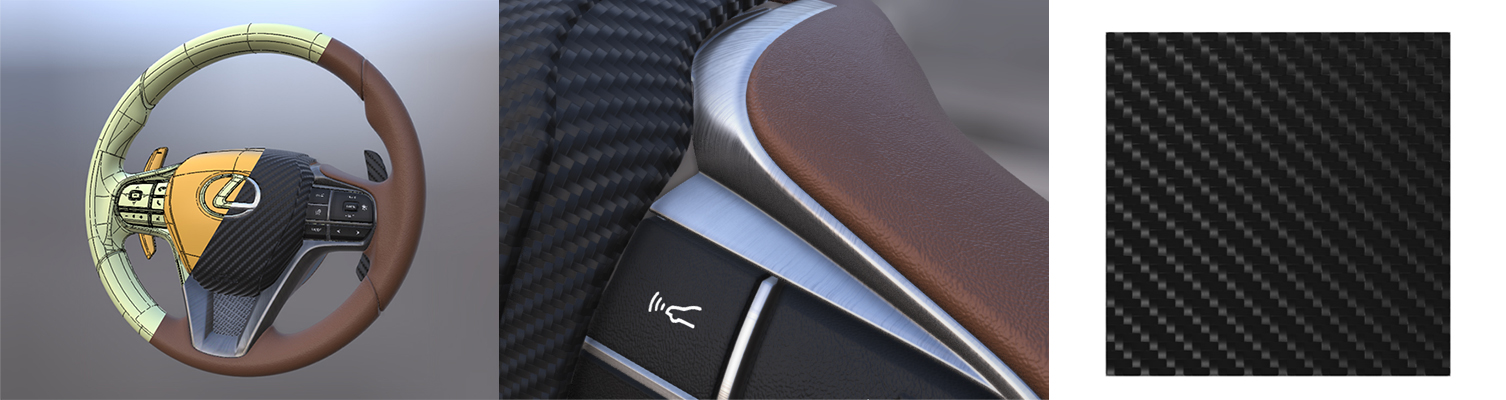
UVs are required for:
- Repeatable textures (also called seamless or tileable textures): images made of repeatable patterns, used to mimic how materials such as wood, carbon, fabric, brushed aluminum… behave in the real world. They generally use the first UV channel stored in a mesh (UV channel 0).
- Lightmaps, used to store lighting/shadows, Ambient Occlusion, Global Illumination… They generally use the second UV channel stored in a mesh (UV channel 1).
Both participate in bringing quality and realism to a 3D model in a virtual scene.
UVs and CAD models
CAD models come from CAD software where textures and UVs are generally not required, because realism is not a key aspect.
But for customers willing to leverage their CAD data to create realistic content for Real-Time 3D experiences, a correct texturing becomes a necessity.
In Asset Transformer Studio, there are several ways to create UVs:
- Using the UV Projection Tool (interactive tool allowing to create UVs using the projection of primitives — not automatic)
- Using the Automatic UV Mapping function (automatic unwrapping solution)
- Using the basic UV (triplanar) projection (mapUvOnAABB)
- Creating Continuous UVs from CAD Models
Please note that very high standards of quality can only be reached with manual UV unwrapping, with tools available in DCC software like Autodesk 3DSMax and Maya, Blender…
Additionally, manually unwrapping tessellated CAD models can be challenging for the computer's processor, as they are generally denser (higher polycount) than 3D objects created with polygonal modeling.
Basic Projected UVs
When it comes to dress CAD/3D models with textured materials and lightmaps, basic (triplanar) UV projection is used most of the time, because it's fast, can be automated and does not require much expertise.
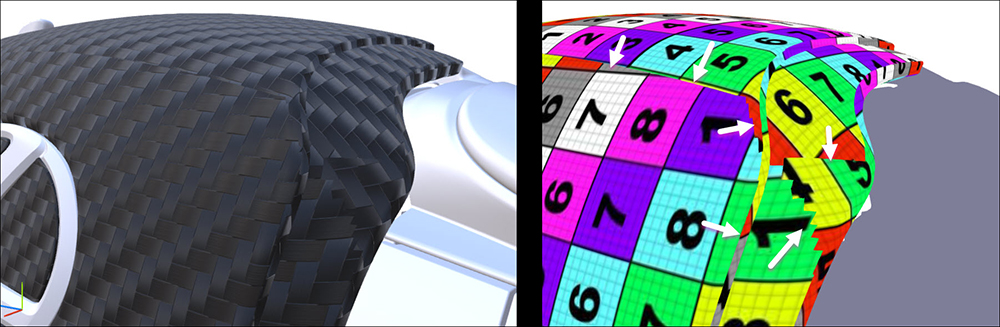
For repeatable/tileable textures, basic projection gives acceptable results when perfectly aligned repeatable textures are not required, but gives limited results when advanced quality is required.
Where UVs obtained by projection meet, they result in texture discontinuity:
For lightmaps, UVs can also be obtained by basic projection combined with a UV repack, which gives acceptable results, but may produce suboptimal islands for baking — small and stretched.
Generate continuous UVs from CAD models
Asset Transformer Studio offers a way to create good UVs for CAD models, usable for repeatable textures, which is better than basic UV projection: see Continuous UVs from CAD Models.