User Interface
Overview of the Asset Transformer Studio user interface
Read time 1 minuteLast updated a month ago
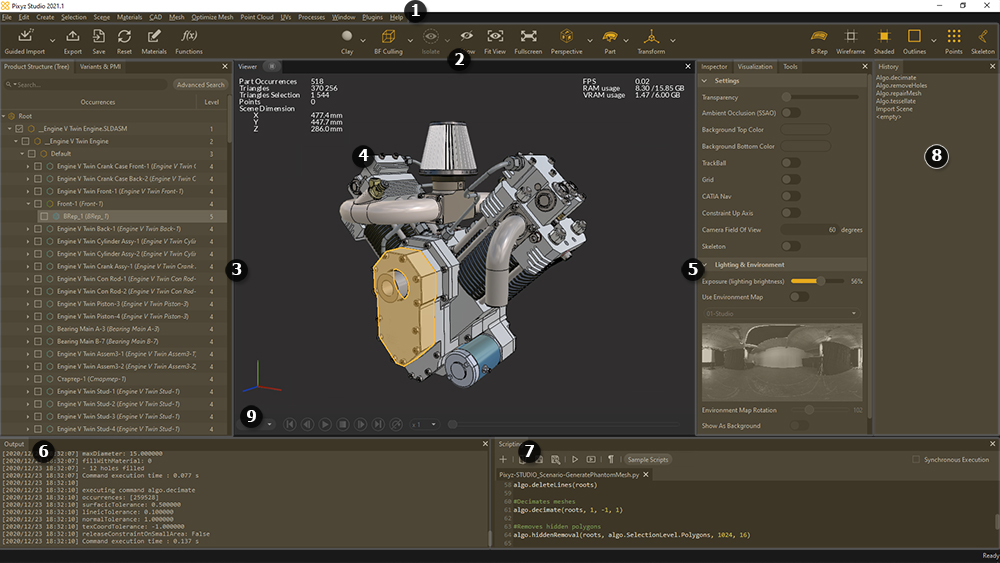
Asset Transformer Studio user interface is divided in several panels:
- (1) Menu Bar
- (2) Main Toolbar
- (3) Product Structure (Tree) - Variants & PMI
- (4) Viewer
- (5) Inspector - Visualization - Tools
- (6) Output
- (7) Scripting editor
- (8) Undo/Redo History
- (9) Animation Player
It is entirely customizable: the position and the size of each panel can be adjusted and clipped on each corner of the interface.