Merge Parts By Regions
How to merge parts by physical proximity in Asset Transformer Studio
Read time 2 minutesLast updated 9 hours ago

Description
Merge Parts By Regions is different from other automatic parts merging functions (Scene menu), which rely on the hierarchical organization.
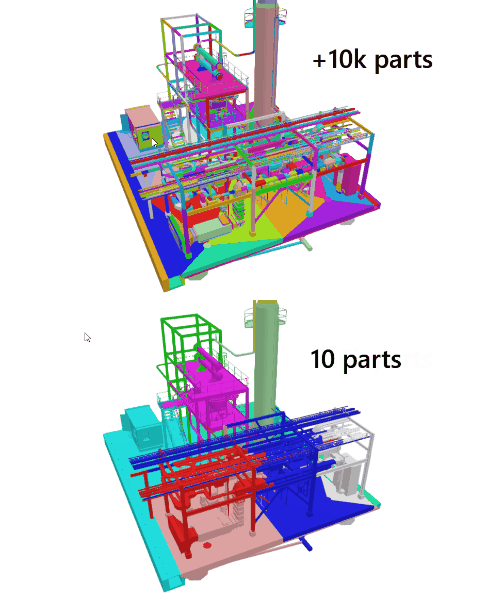
Merge Parts By Regions enables you to merge parts together (assemble a collection of parts into a single resulting part), based on their physical proximity in the scene, meaning by region.
With this algorithm, you can quickly merge groups of parts gathered by region, without needing to manually select them through the viewer or the hierarchy (Product Structure), which can be tedious, especially with very large models.
The Merge Parts By Regions function is particularly suited for large AEC models coming from Revit, AutoCAD, Navisworks or RVM files.
Usage strategies
Merge Parts By Regions can be very powerful with real-time 3D engines like Unity.
For example, this merging strategy can be used as a starting point to generate HLODs, by creating regions before combining materials region by region (using ProxyMesh + Bake for example).
Also, it can help take advantage of occlusion culling capabilities: merging lowers the number of draw calls while benefiting from Unity's frustum culling (contrary to other functions that do not merge by location/region but by hierarchy). This is particularly interesting with large AEC buildings where the user is more likely to be inside a model than outside, thus culling the invisible outer pieces. One drawback though is that merging like this generally destroys instances.
Merge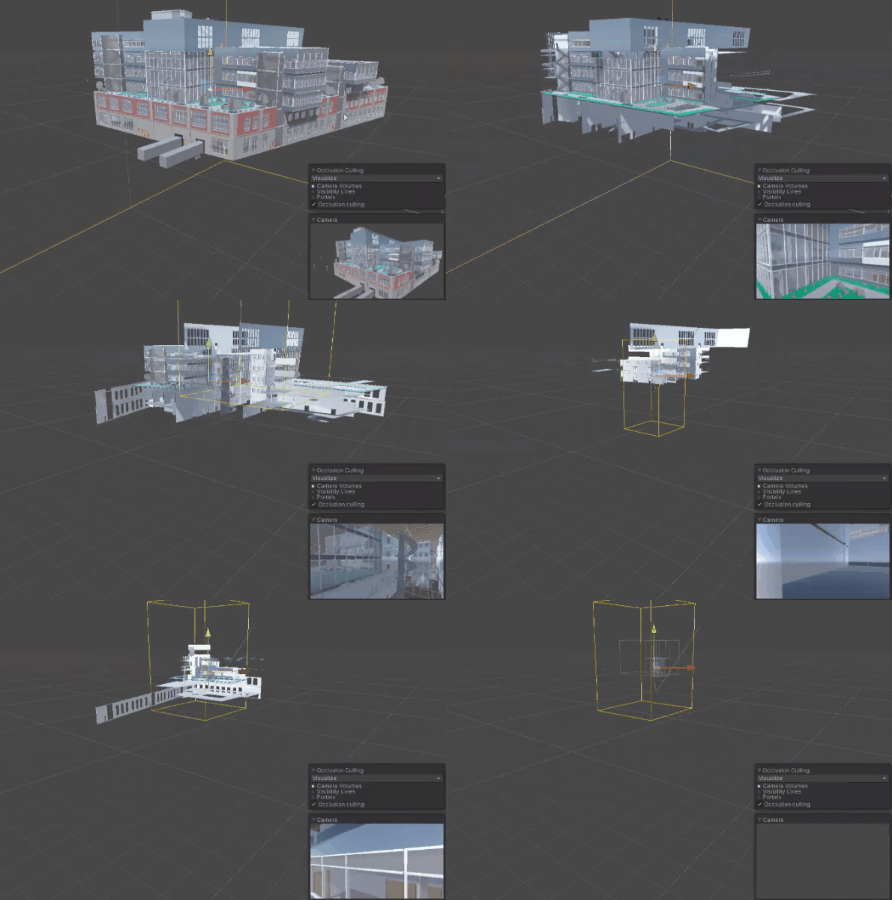
How To
-
Go to the Scene menu and select.
Merge Parts By Regions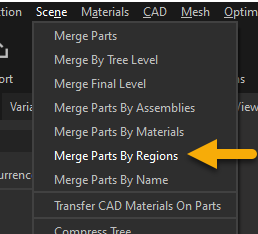
-
Choose how the segmentation is guided:
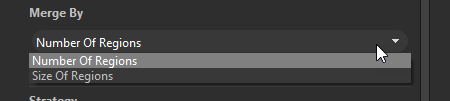
- : sets how many resulting regions will be created
Number Of Regions - : defines the number of regions by a predefined region size
Size of Regions
-
Choose a merging strategy:
- : for each computed region, all parts included in this region are merged together as one unique resulting part
Merge Parts - : for each computed region, all parts included in this region are merged together based on their material (can result in multiple parts, depending on the number of materials of the model)
Merge By Materials
Scripting
This function can also be used in a Python script:
pxz.scene.mergePartOccurrencesByRegions([1], ["NumberOfRegions", 10], 0)