Bake Ambient Occlusion
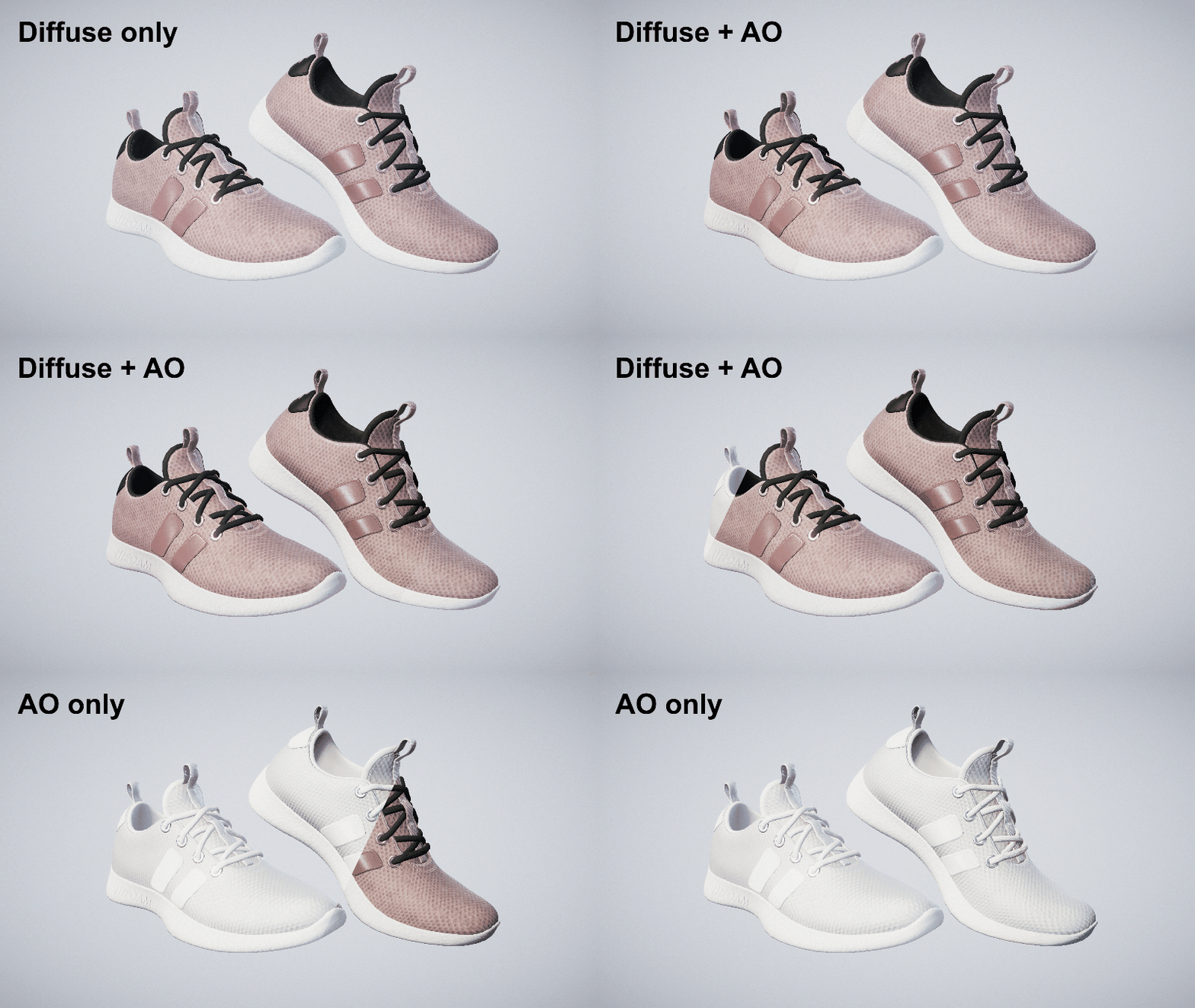
Ambient occlusion (AO) is a rendering technique increasing realism by simulating real-world shadowing. To limit the computational cost in your real time application, you can precompute the self occlusion of an object, and store these values to a dedicated texture.
Read time 4 minutesLast updated 9 months ago
API functions:
- algo.beginBakingSession
- algo.endBakingSession
- algo.bakeAOMap
- algo.filterMeshVertexColors
- algo.convertNormalMap
- material.filterAO
Computation
Similarly to any other map baking, ambient occlusion can be baked thanks to the dedicated function algo.bakeAOMap called within a session lifecycle:
sessionId = algo.beginBakingSession(destinations, sources, 0, 1024)aoMaps = algo.bakeAOMap(sessionId, samples = 32)algo.endBakingSession(sessionId)
Occlusions are detected by ray tracing, where the number of rays cast for each texel is given by the parameter . This is the only map baking function for which the biggest part of the computation load is not held by algo.beginBakingSession, but by the function itself, due to these additional rays.
samplesDepending on the required map resolution and number of samples, ambient occlusion computation can be time consuming. It is strongly recommended, if possible, to enable the GPU back-end for this operation.
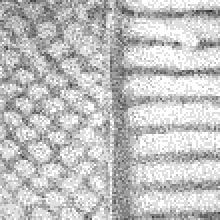
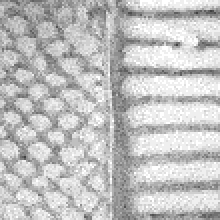
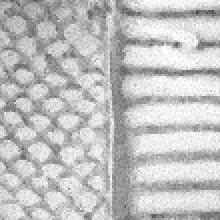
Note however that samples are generated so as to ensure a blue noise distribution of the error in texture space, which has pretty nice properties:
- Error is scattered in such a way that it is perceptually less significant,
- It shows good behavior with respect to smoothing (see Filtering).
This allows to get good quality results, even with quite a few samples.
The figure below shows the impact of blue noise on AO baking results for different sample counts per pixel (spp):
 |  |  |
|---|---|---|
| 8 spp | 16 spp | 32 spp |
Bent normals
The bent normal at a given surface point corresponds to the axis of the cone defined by non-occluded directions. It is used by some rendering engines for advanced shadowing techniques.
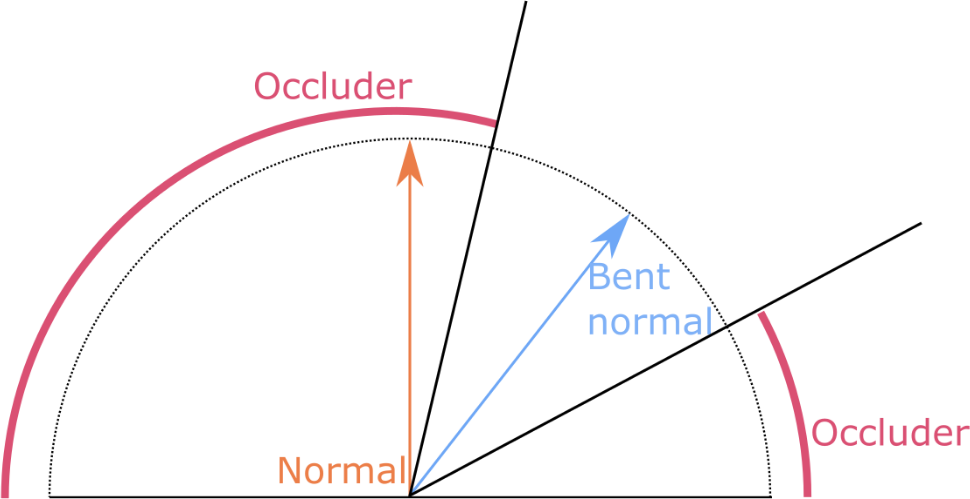
Bent normals are usually computed contemporaneously with ambient occlusion, thus avoiding additional cost. This is why there is no dedicated function to bake them, but just a flag in the algo.bakeAOMap function:
aoMaps = algo.bakeAOMap(sessionId, samples = 32, bentNormals = True)
If the flag is enabled, the returned list contains both AO and bent normal maps, stored in an interleaved manner:
- : first AO map
aoMaps[0] - : first bent normal map
aoMaps[1] - : second AO map
aoMaps[2] - : second bent normal map
aoMaps[3] - ...
Note that, by default, bent normals are baked in World space. To convert them to Object or Tangent space, please look at the function algo.convertNormalMap.
Filtering
Filtering AO baked to a texture map
To get a smoother result without requiring to drastically increase the number of samples, the ambient occlusion map can be filtered by using function material.filterAO, which preserves signal discontinuities by combining three Gaussian blurs, respectively depending on:
- texel coordinates (controlled by parameter ),
sigmaPos - ambient occlusion or bent normal values (controlled by parameter ),
sigmaValue - normal orientations (controlled by parameter ).
sigmaNormal
The higher the sigma value, the stronger the related blur (see this paper for more details). Note that the third criterion requires a normal map to be provided to the function as well.
material.filterAO works either on an array of ambient occlusion maps or on an interleaved array of ambient occlusion and bent normal maps, as in the case described above. The code below shows a classic usage of AO filtering:
sessionId = algo.beginBakingSession(destinations, sources, 0, 1024)# normalMaps = [normalMap[0], ..., normalMap[n-1]]normalMaps = algo.bakeNormalMap(sessionId)# aoMaps = [AOMap[0], bentNormalMap[0], ..., AOMap[n-1], bentNormalMap[n-1]]aoMaps = algo.bakeAOMap(sessionId, samples = 32, bentNormals = True)algo.endBakingSession(sessionId)# filteredAO = filtered copy of both ambient occlusion and bent normal maps.filteredAO = material.filterAO(aoMaps, normalMaps) # apply filter with default values.
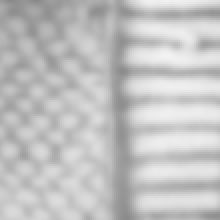
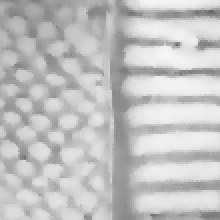
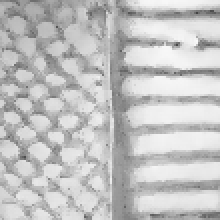
The following image illustrates the effect of each component of the filter:
|  |  |  |
|---|---|---|---|
| 16 spp No filtering | | | |
Filtering along positions only is equivalent to applying a Gaussian smoothing to the texture. As expected, most of the details are lost.
Combining it with value filtering makes the result looks like the one of a bilateral filter. Together with normal filtering, it allows to remove noise from the texture while preserving its most salient features.
Filtering AO baked to vertex colors
When ambient occlusion is baked to mesh vertex colors, the function algo.filterMeshVertexColors can be used to smooth the result similarly to the process described above: it combines different filters in order to reduce noise in the signal while preserving features.
sessionId = algo.beginVertexBakingSession([destination], sources)algo.bakeAOMap(sessionId, samples = 128)algo.endBakingSession(sessionId)meshes = scene.getPartOccurrences(destination)algo.filterMeshVertexColors(meshes) # apply filter with default values.aoValues = algo.getMeshVertexColors(meshes)