Remove holes
Use this feature to delete holes in your mesh model to reduce its polygon count, with options to select hole types (through, blind, or surface), maximum size, and sealing material.
Read time 2 minutesLast updated 10 months ago
API function: algo.removeHoles
As part of your mesh optimization process, you can delete holes in your mesh model to reduce its polygon count. This feature deletes holes from identified patch data.
This example shows a model before and after processing:
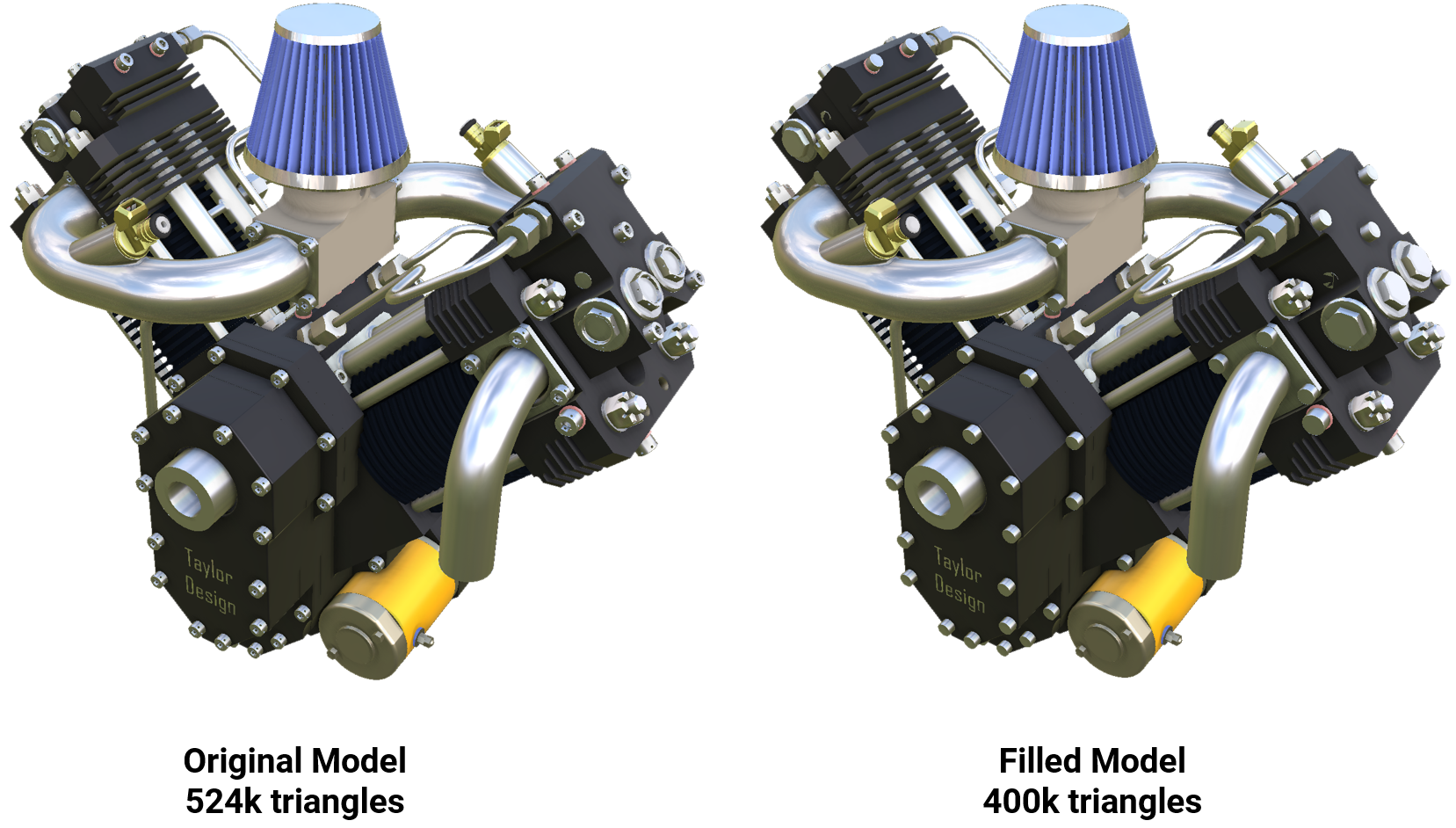
You can choose which types of holes to delete:
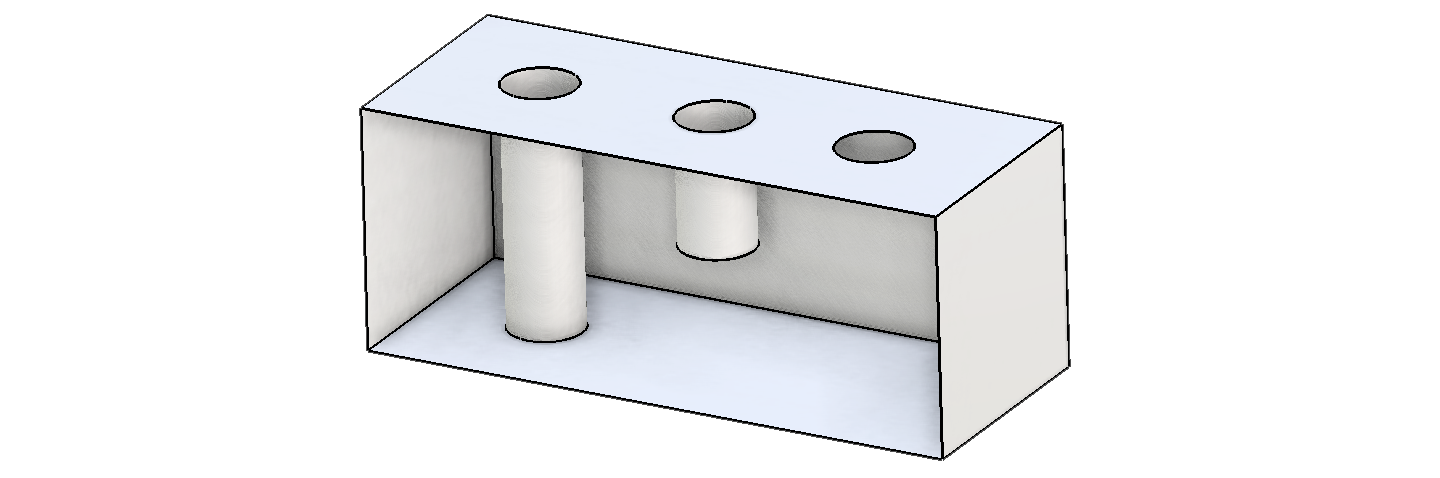
- Through holes entirely go through the volume of an object and come out on the other side.
- Blind holes partly go through the volume of an object.
- Surface holes are cut into a surface and don’t have depth. Their edges are boundaries (shown in blue when viewing edges). Read more.
You can choose the maximum size of holes to be processed and the material with which to seal holes.
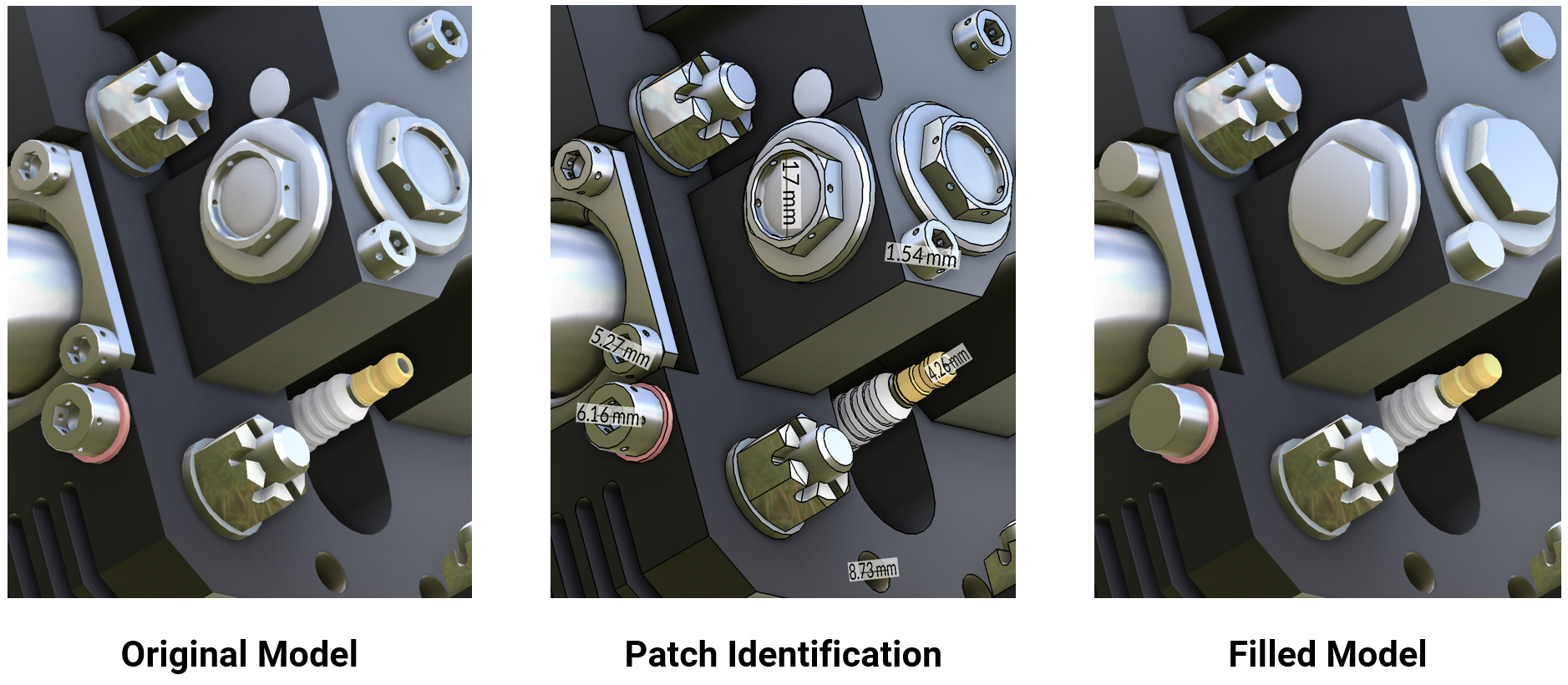
This example illustrates the deletion of holes with a diameter of at most 30 mm. Close-up images show which holes are processed:
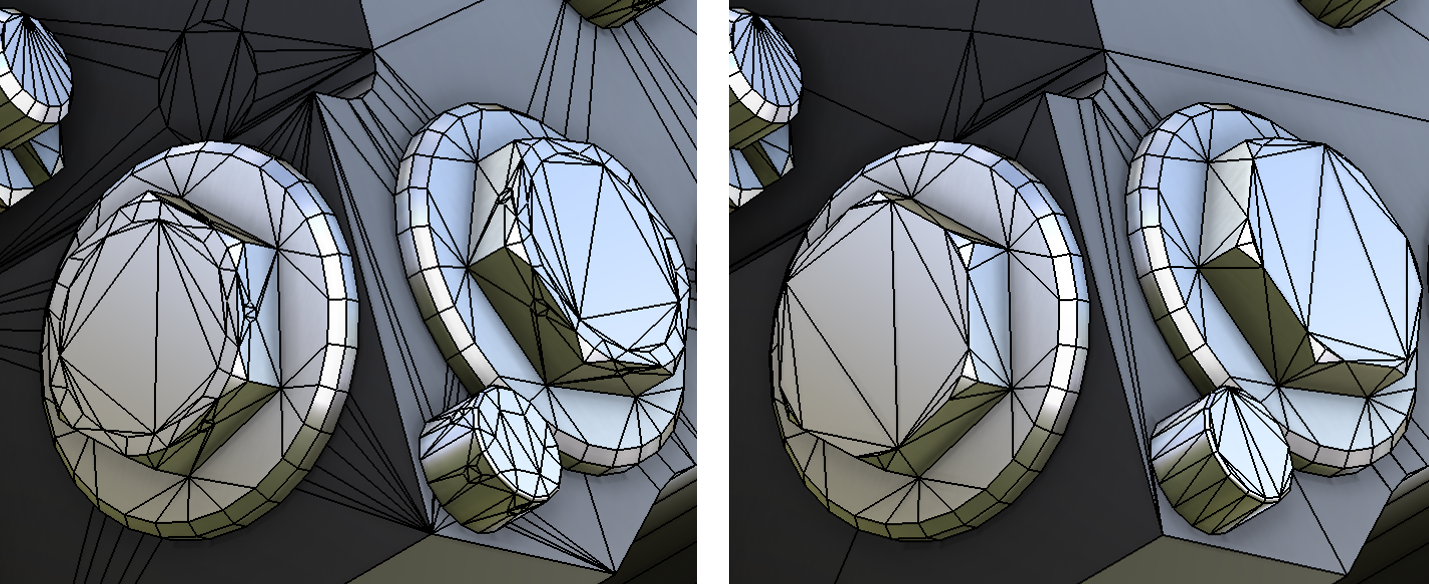
The topology around the processed holes remains unchanged. For example, the polygon count may be unnecessarily high in areas where new polygons are flush with the existing mesh.
This example shows the results of decimation with such parameters: