Python SDK
This guide provides step-by-step instructions for installing and setting up the Pixyz Python SDK, including prerequisites, pip installation, and running your first script.
Read time 2 minutesLast updated 10 months ago
Prerequisites
- Compatible system
- Python 3.1 minimum. 3.10 or newer recommended
- A valid Pixyz SDK license on your Pixyz license portal
Setup
Setup using pip (recommended)
- Run
pip install pxz --extra-index-url https://unity3ddist.jfrog.io/artifactory/api/pypi/pixyz-pypi-prod-local/simple - Setup your license
- Run your first script
SDK without UI frontend
In this case, you will only have access to the Python API/SDK and not the UI frontend.
- Run
pip install pxz --no-deps --extra-index-url https://unity3ddist.jfrog.io/artifactory/api/pypi/pixyz-pypi-prod-local/simple - Setup your license
- Run your first script
Setup without pip
PyCharm
- Download SDK from archive
- Open project
- Locate your Pixyz SDK binaries folder on your machine or local dev environement
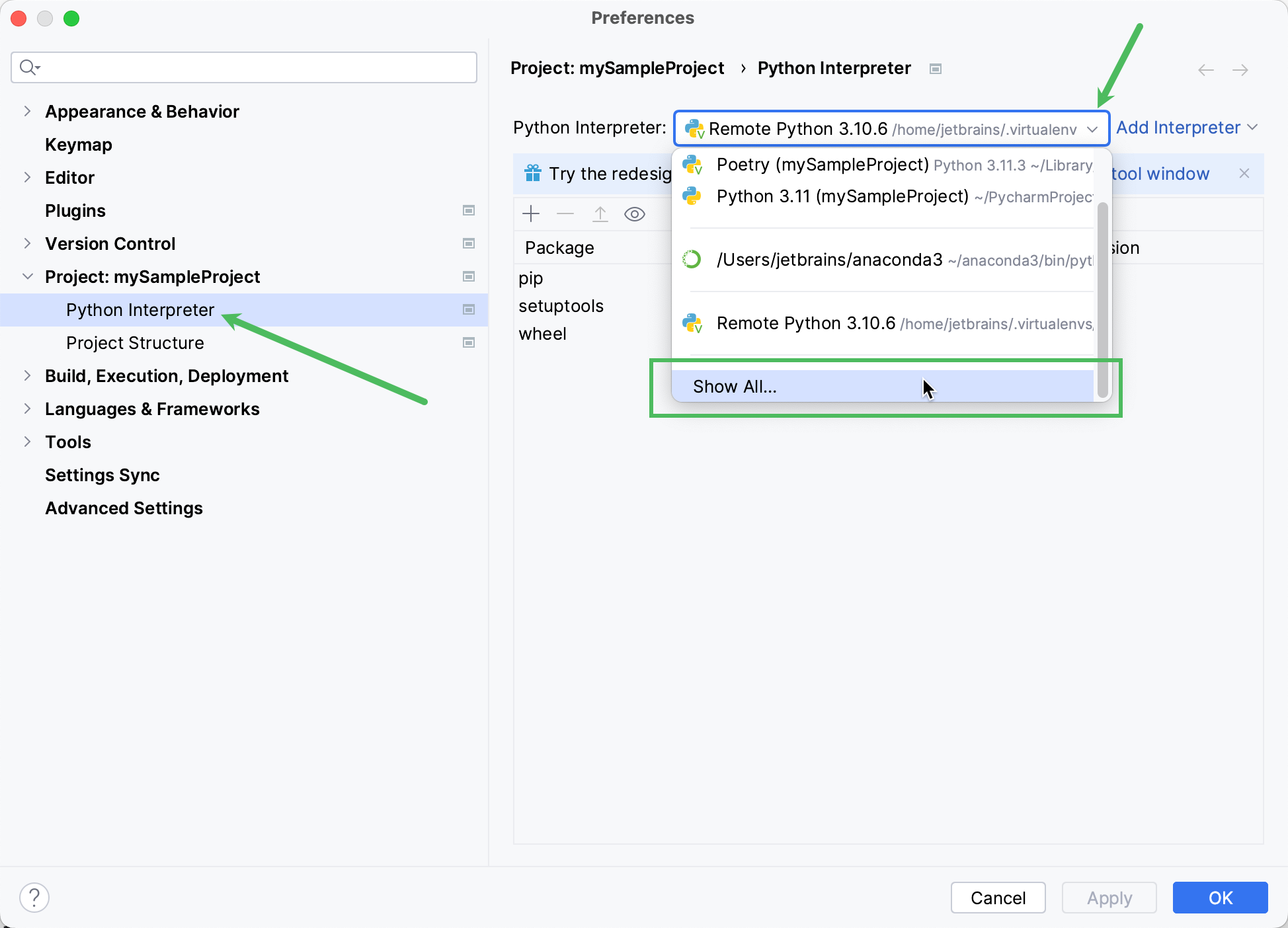
- Add Pixyz binaries folder to your interpreter path (check PyCharm documentation)
Visual Studio Code
- Download SDK from archive
- Open project
- Create a Python environment
- Set to the Pixyz binaries folder path (by adding an .env file to the project for example)
PYTHONPATH - Setup your license
- Run your first script
Run your first script
import pxzfrom pxz import core# init Pixyzpxz.initialize()# print Pixyz versionprint(core.getVersion())# set log level to INFO so you can see the logs in the consolecore.configureInterfaceLogger(True, True, True)core.addConsoleVerbose(core.Verbose.INFO)# if no license is found, try to configure a license serverif not core.checkLicense(): core.configureLicenseServer("company-server-hostname", 27000, True)# use io.importScene to import a file and enjoy :)