Importing VRED Files
Learn how to import VRED .vpb files into Pixyz, including configuration, best practices, and handling variants, animations, and materials.
Read time 3 minutesLast updated 9 months ago
VRED models usually are pretty advanced scenes including a lot of manual work and knowledge. Those scenes can be imported within Pixyz for seamless usage in various virtual experiences.
made with other realtime engines, such as Unity.
Importing a .vpb file in Pixyz requires Autodesk VRED Pro or Design to be installed (with a valid license) on the same computer on which Pixyz is running.
Configuring Pixyz API
To start importing .vpb files in Pixyz, the software needs to be configured when executing a Python file. See the preferences:
pxz.core.setModuleProperty("IO", "VredExecutablePath", "C:/Program Files/Autodesk/VREDPro-11.0/bin/WIN64/VREDPro.exe")
Best practices when importing a VRED model using Pixyz
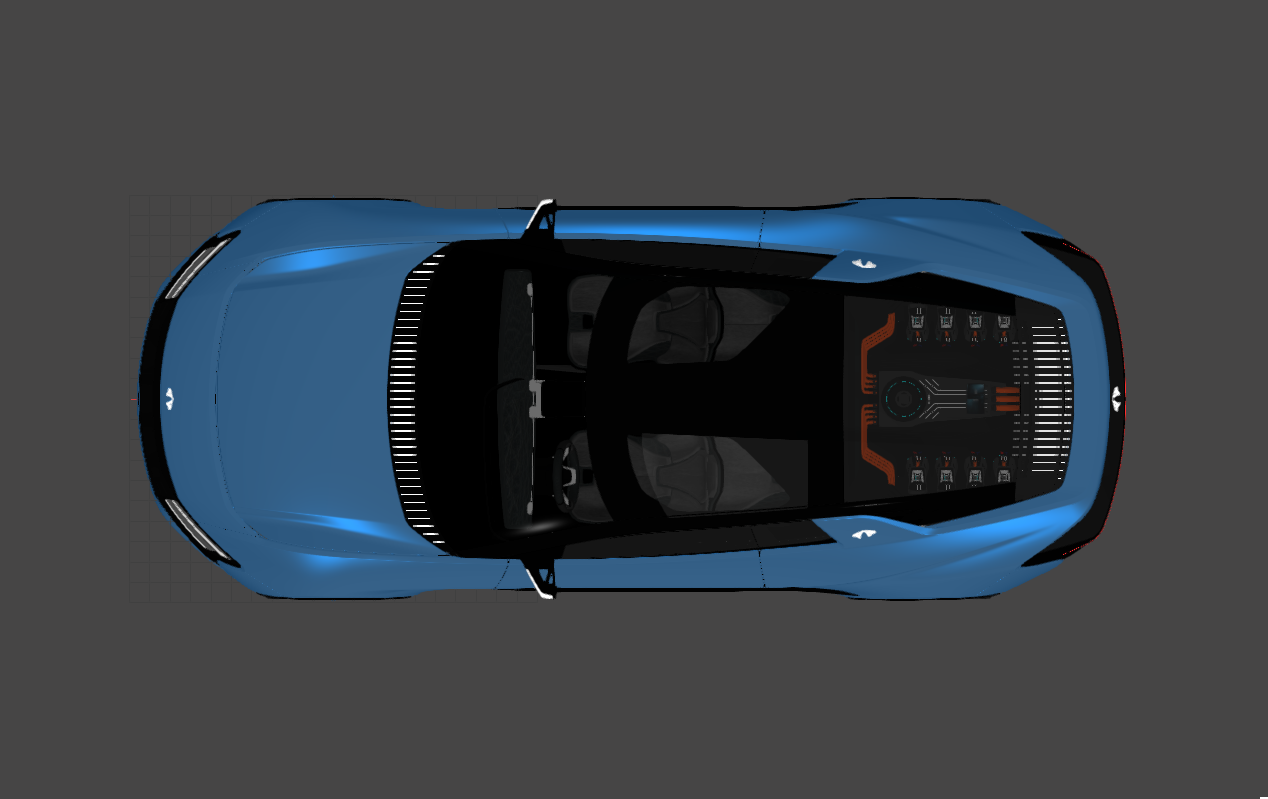
Without PreferLoadMesh
PreferLoadMesh- If the .vpb model contains NURBS data , you can choose to import these by setting your Pixyz IO preferences as follow:

pxz.core.setModuleProperty("IO", "PreferLoadMesh", "False")
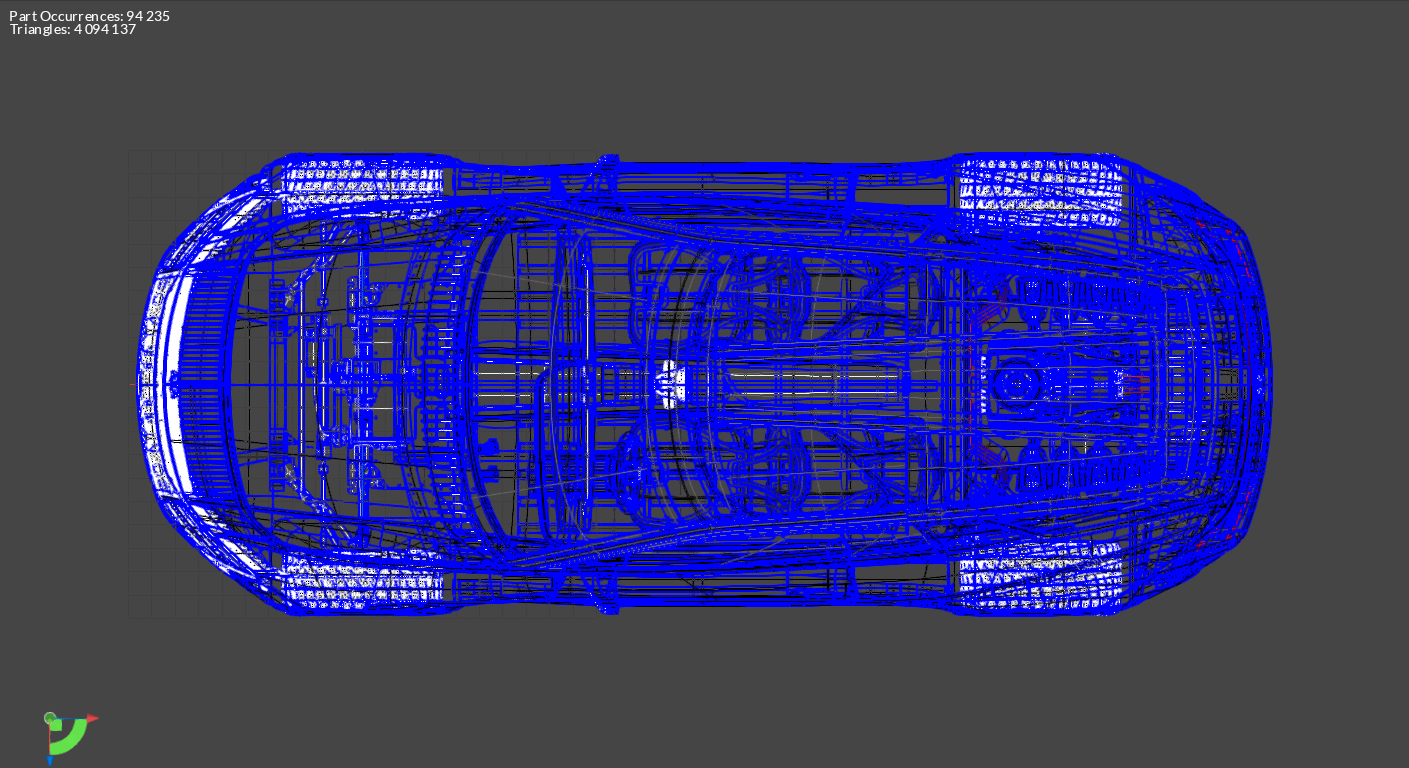
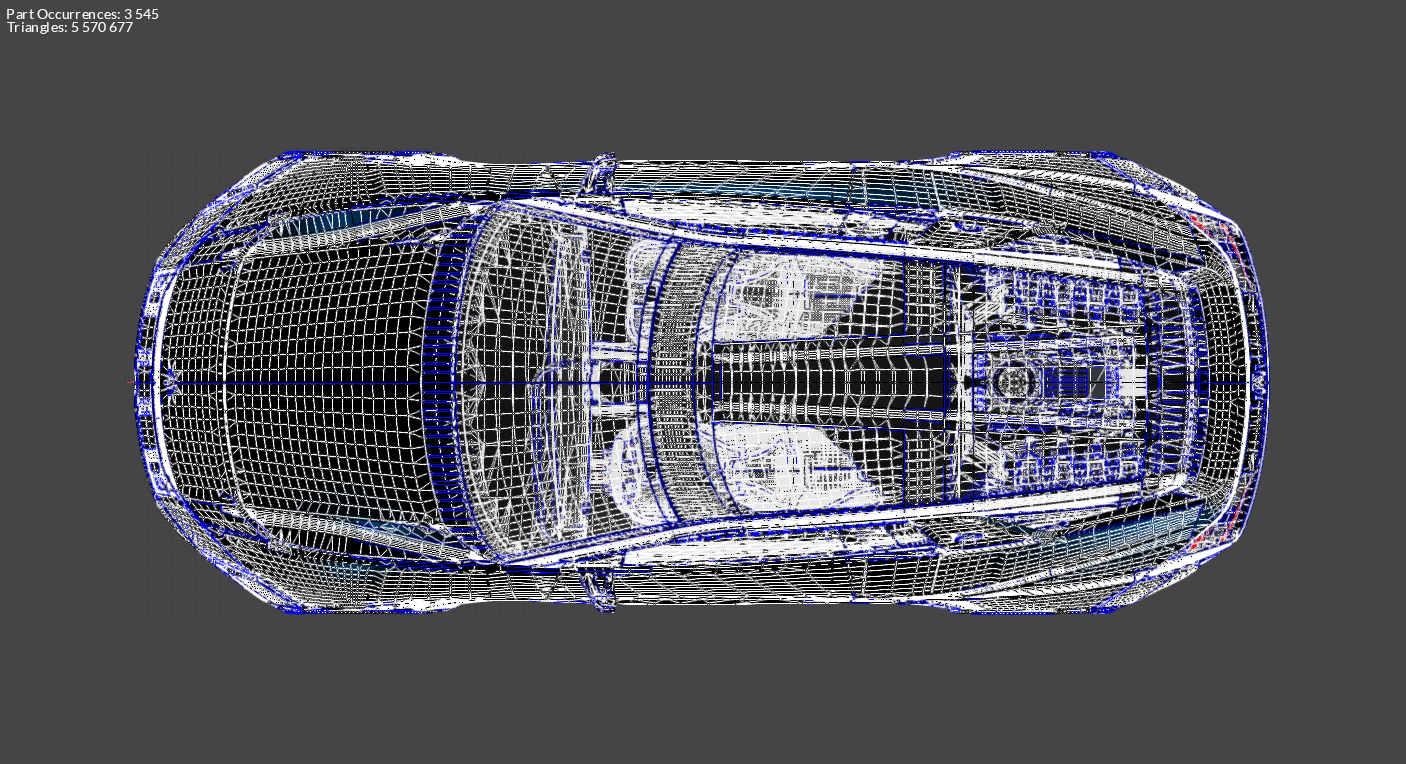
- Due to the nature of .vpb files, all surfaces will be divided in different occurrences. This will considerably increase the import time and the number of parts. We strongly advise to use the Merge Final Occurences , followed by a CAD repair (orient = False) functions after importing:
a. Importing (wireframe view): 94 235 parts, surfaces are not stitched together
b. MergeFinalLevel, RepairCAD and meshing: 3 545 parts and surfaces are stitched together. Part Occurrences number is significantly lower:
With PreferLoadMesh
set to True
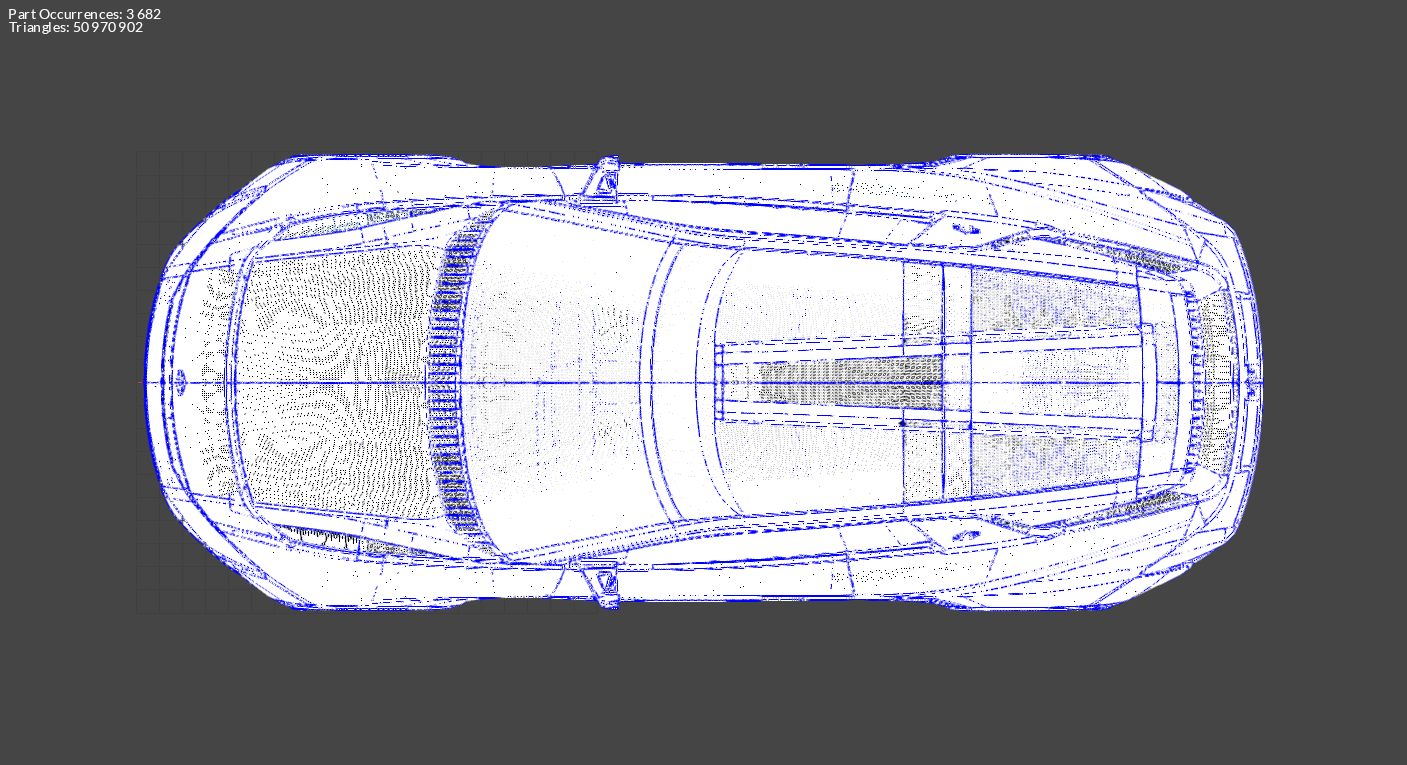
PreferLoadMeshTrueIf the preference setting is set to , the mesh displayed in VRED will be imported (any existing UVs and ambient occlusion maps are then preserved).
PreferLoadMeshTrueVRED existing mesh → 50M triangles:
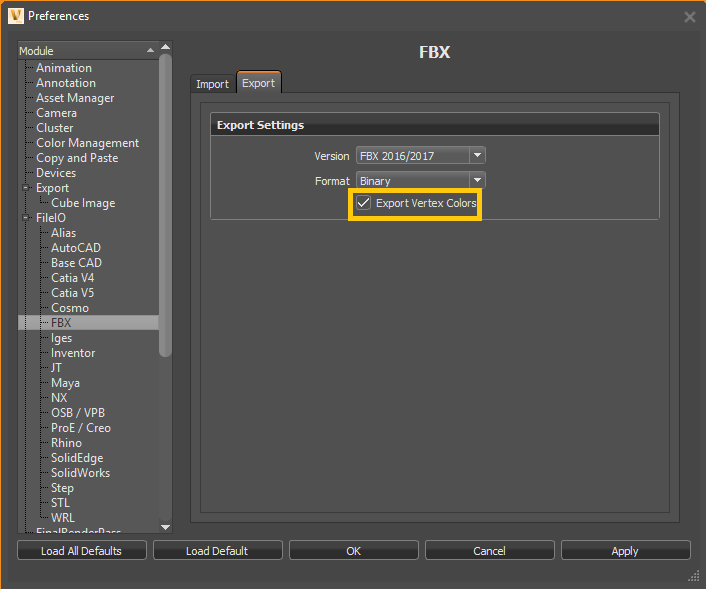
To import ambient occlusion as vertex colors, open Autodesk VRED and set ExportVertexColors to True in Preferences > FileIO > FBX > Export:
Importing Variants
If the preference setting is set to True, geometrical variants and material variants are imported:
LoadVariant- The custom property is added to the switch occurrences
_PIXYZ_TRANSFORM_SWITCH_TAG - The custom property is added to occurrences having a material switch
<_PIXYZ_MATERIAL_SWITCH_TAG, *switch material name*> - Material variants can be retrieved in the material library or in the occurrence in the Product Structure:
_Pixyz_MATERIAL_POOL
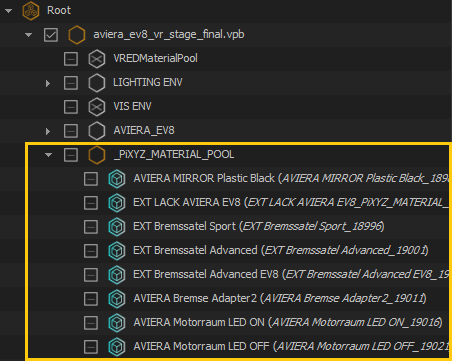
- More information regarding the imported vpb materials and variants can be found in additional files (created at import). Their links are attached to the node as custom properties:
Root

Importing animations
An .fbx file containing information on the .vpb animations is exported during the process (animations are preserved when importing a .vpb file). The link is attached to the node as a custom property:
Root
Importing Realistic materials
Properties of VRED shaders included in a .vpb file can now be retrieved at import as "Custom Materials", by enabling the ImportRealisticMaterial parameter:
pxz.core.setModuleProperty("IO", "ImportRealisticMaterials", "True")
The purpose of keeping this information is for digital continuity. For example, if a user wants to recreate VRED-like shaders in an application like Unity and its HDRP renderer (HD Render Pipeline)