Manage Plugins
How to manage plugins in Asset Transformer Studio using the Manage Plugins window
Read time 1 minuteLast updated a day ago
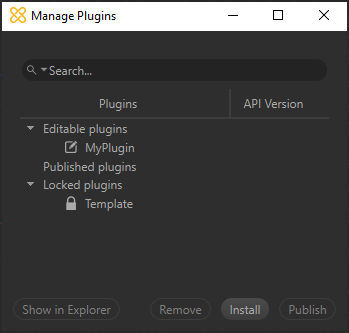
All plugins installed along with Asset Transformer Studio can be managed from the window.
Manage PluginsPlugins are organized into three categories: Editable Plugins, Published Plugins, and Locked Plugins.
Available actions
Action | Description |
|---|---|
| Show in Explorer | Opens the folder on disk containing the selected plugin's sources |
| Remove | Removes the currently selected plugin (destroys the folder containing all the files related to this plugin) |
| Install | Opens a dialog box to install a Published plugin ( |
| Publish | Publishes an Editable plugin as a Published plugin ( |