UV Pipelines
This documentation aims to assist in finding the right functions to use when managing UVs, especially for creating them automatically.
Read time 13 minutesLast updated 7 months ago
Why UVs?
To start, it is essential to define what UVs are used for. Primarily, there are two main uses.
It is customary (but not mandatory) to use channel 0 for UVs intended for material application (with repeatable textures) and channel 1 for UVs used for baking (for example, to bake lightmaps).
Tileable Textures
Tileable textures are image patterns designed to seamlessly repeat without visible seams or interruptions. This property allows them to cover large surfaces by replicating the texture in a grid-like manner, making them ideal for backgrounds, terrains, and surfaces where continuity is essential.
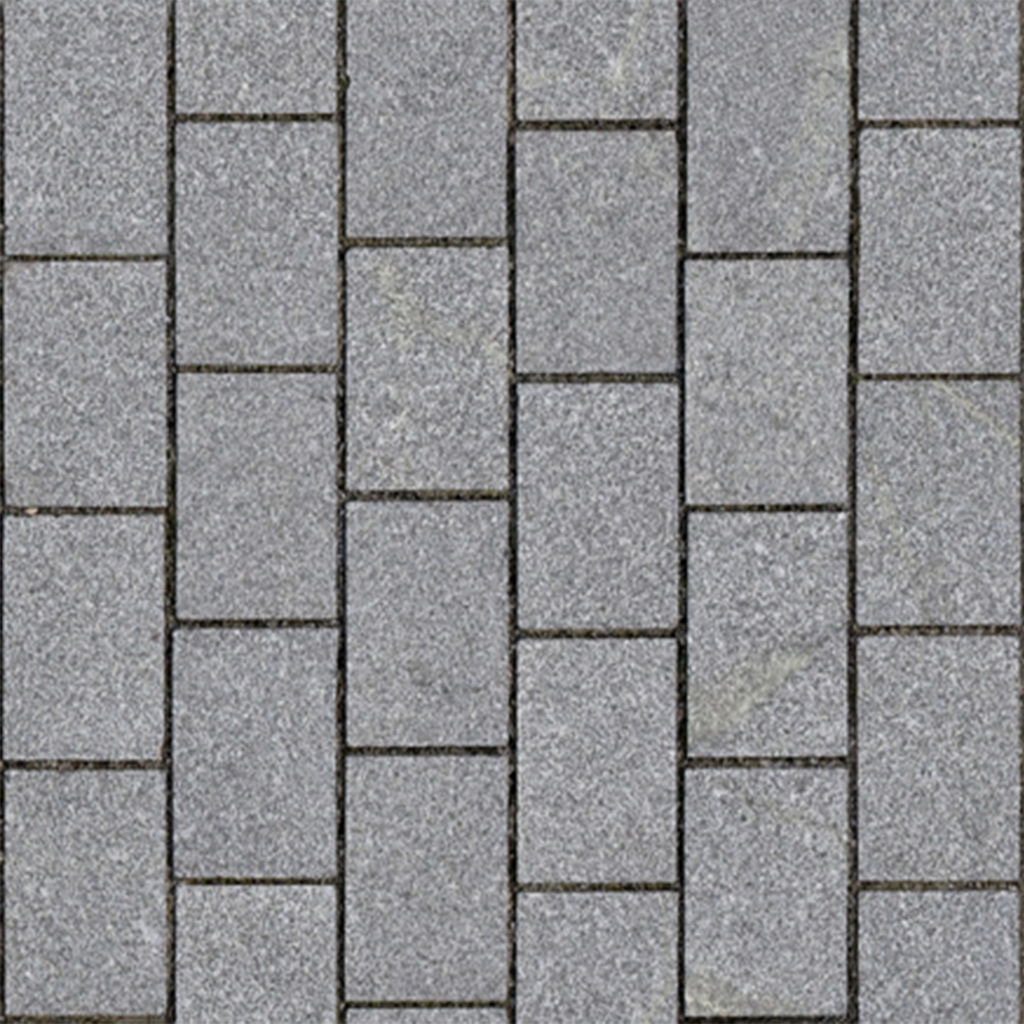 | 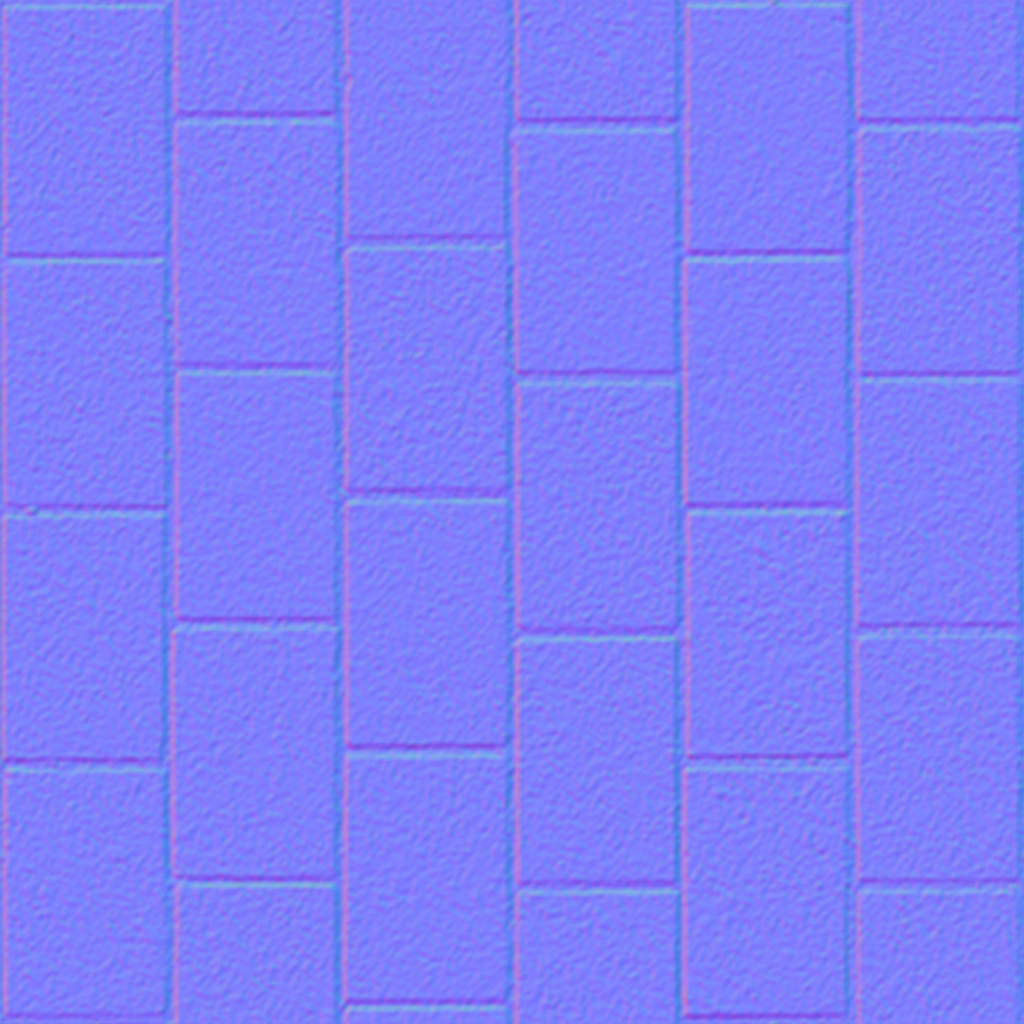 | 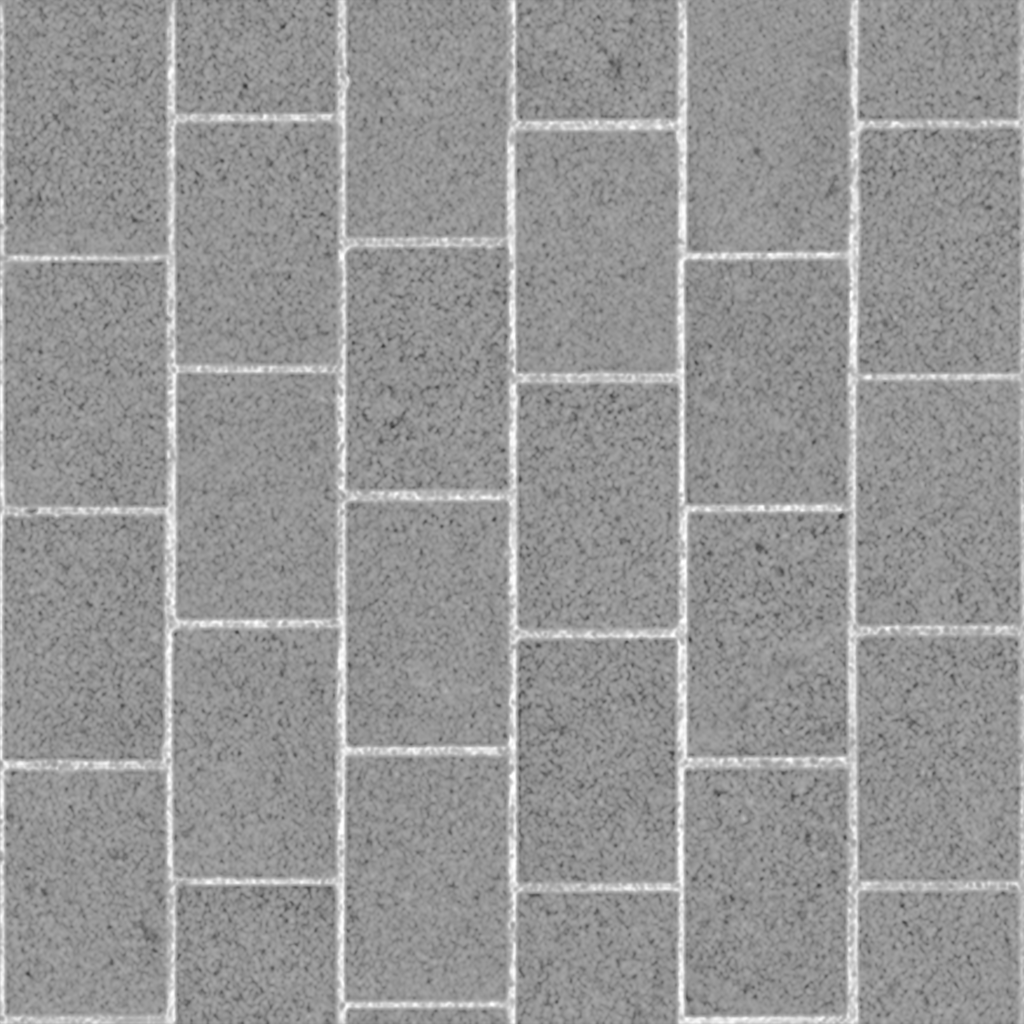 |
|---|---|---|
| Albedo | Normal | Roughness |
The characteristics of UVs meant for tileable textures are:
- Good UV continuity
- UV alignment and direction
- Low distortion
- Overlapping allowed
Non-tileable textures
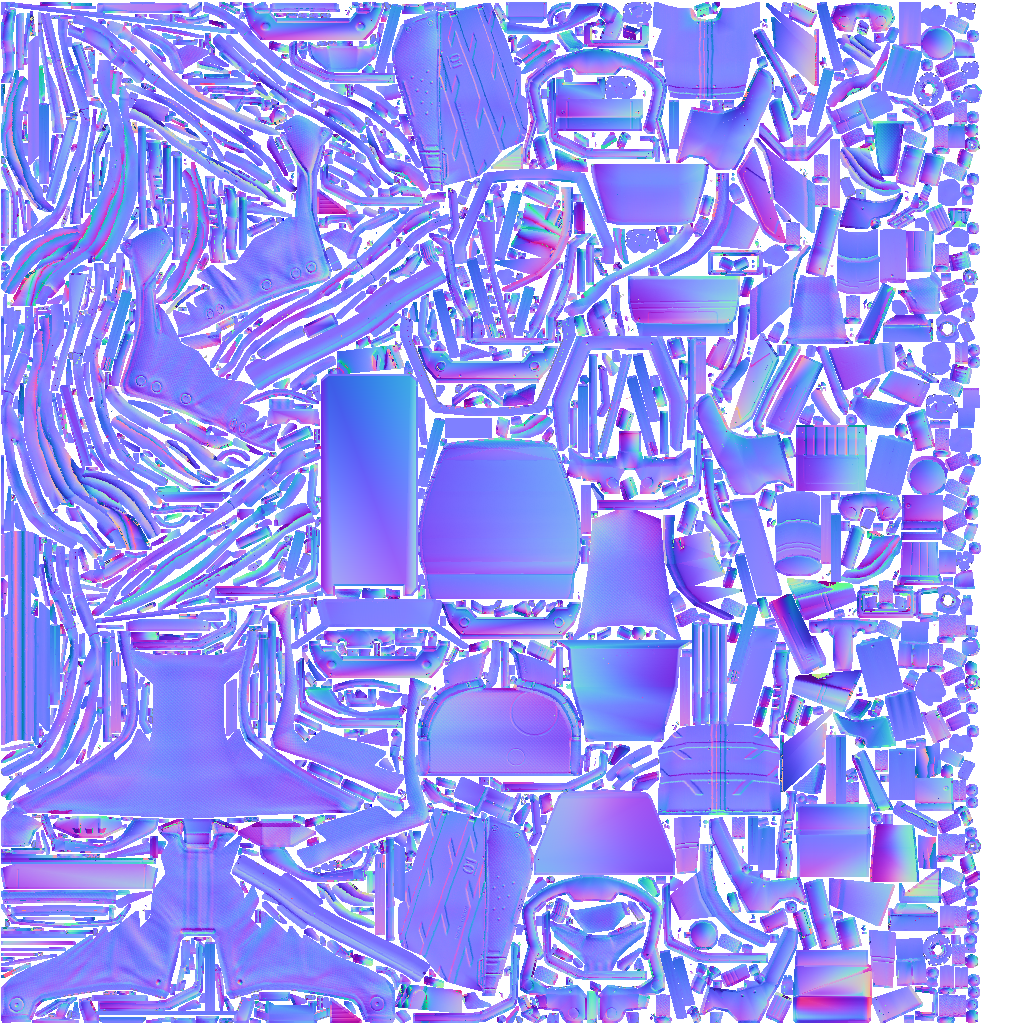
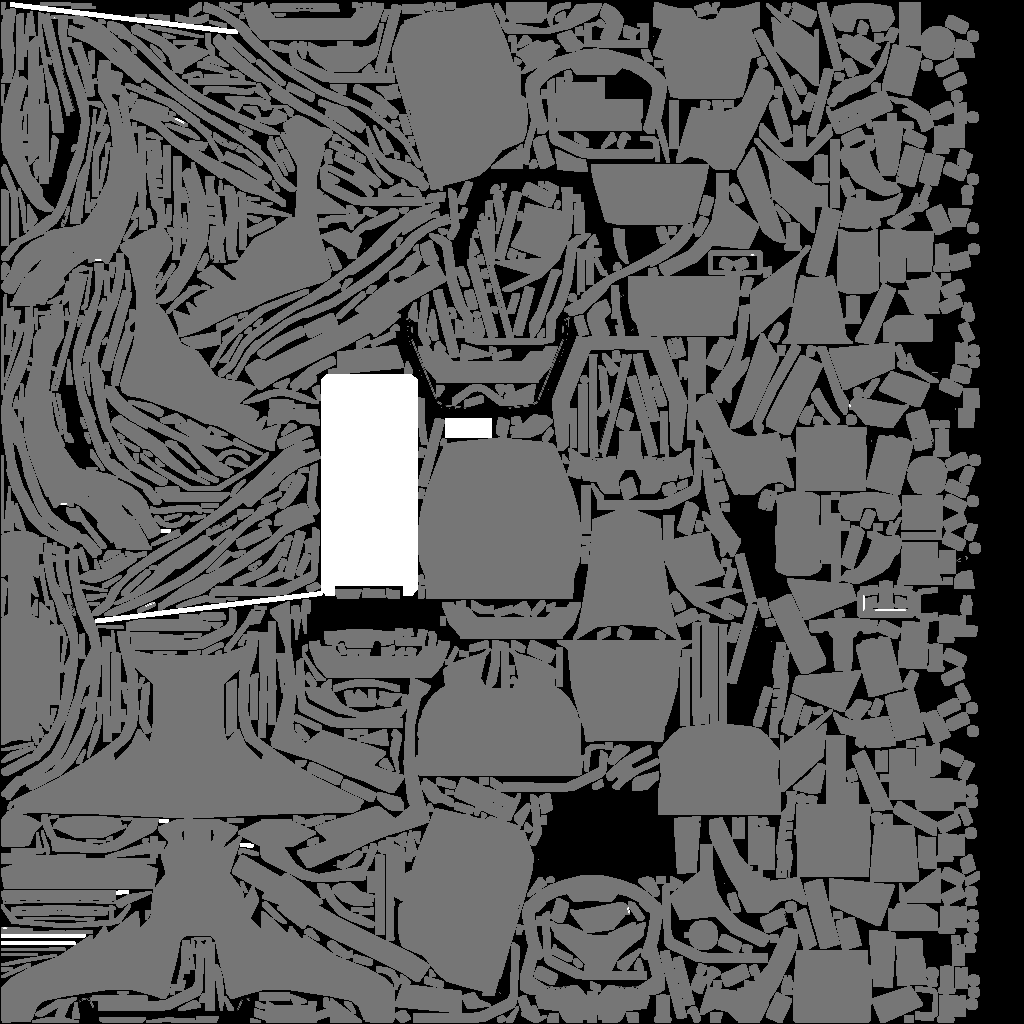
Non-tileable textures are specifically mapped to a 3D model, providing a one-to-one correspondence between each texel (texture pixel) and a precise part of the mesh. Unlike tileable textures, these textures are unique and contain detailed information (such as color, metallic, roughness, etc.) that exactly matches the geometry of the model. This precise mapping ensures that every part of the texture corresponds directly to a specific area on the surface, capturing intricate details without repetition. The results of baking processes, such as lighting and material properties, are often stored in non-tileable textures to maintain these exact details.
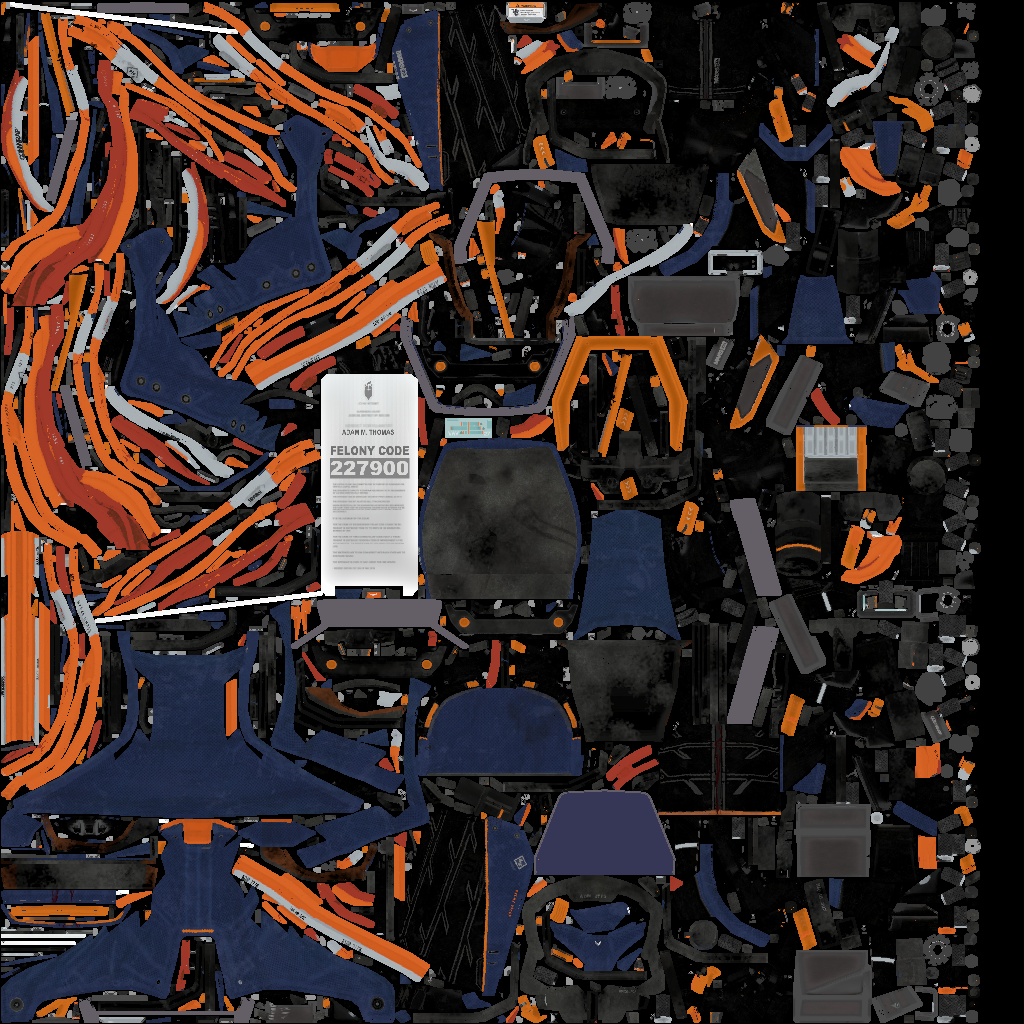 |  |  |
|---|---|---|
| Albedo | Normal | Roughness |
The characteristics for UVs intended to hold a baking result are:
- No overlapping
- Fit to unit square
- Maximum use of UV space
- Padding between islands
- Controlled distortion
Tileable texture | Baking | |
|---|---|---|
| UV Continuity | Seams will be noticeable in 3D | Not mandatory |
| UV Distorsion | Texture size must match UV size | Driven by importance area |
| Value range | Any | Unit square [0,1] |
| Overlaps | Not a problem | Forbidden |
Typical UV pipeline
The main building blocks of a UV pipeline are:
- Segmentation: How the model will be cut to allow UV unwrapping (UV seams).
- Unwrapping: Each island is flattened i.e. parameterized in 2D
- Merging: Optionally, multiple UV islands can be merged to reduce the number of seams. Whether this step is necessary depends on the initial segmentation.
- Alignment: Optionally, a pass to align UV islands can be added, especially in the case of tileable textures.
- Packing: Particularly for baking UVs, it is necessary to position each UV island within the unit square to use as many pixels as possible without overlapping.
graph LR
A[Segmentation] ---> B[Unwrap]
B ---> C((Merging))
C ---> D((Alignment))
B ---> E(Packing)
D ---> E
The method used for the initial segmentation (or even the unwrapping) will depend heavily on the type of input data.
Kind of Data Matters
Each step will be detailed but strategies can differ depending of the kind of data. It will be described for the more commons input type of data which are CAD B-Rep, Hard-surface meshes, Organic meshes and a generic approach for other kind of meshes (e.g. scan, photogrammetry, non-catmull clark modelisation, ...).
BRep
BRep models come with intrinsic segmentation. Indeed, a BRep model is composed of many Faces that can be used as a basic form of segmentation.
Moreover, since CAD surfaces are inherently based on mathematical formulas that allow the calculation of a 3D point based on a 2D parameter, they already have a parametrization, and consequently, a flattening.
Generally, the patches comprising CAD data should not be deformed; this should be taken into account when merging UV islands. Additionally, the parameterization direction of CAD surfaces often reflects the desired alignment for applying a tileable material, so it is preferable to maintain this alignment even if it results in more UV islands.
Overview
This diagram shows a short overview of the BRep UV pipeline. Each step will be explained right after.
graph LR
A[CAD] -->|Tessellate| B((UV0))
B -->|Copy| C((UV1))
C -->|Repack| D((UV1))
D -->|Normalize| E[UV1]
B -->|Merge| F((UV0))
F -->|Resize| G[UV0]
Segmentation and initial unwrap
During tessellation, it is possible to create an initial set of UVs based on this parametrization, which will serve as the foundation for further steps. The function algo.tessellate exposes the parameter uvMode, which can take the values NoUV, IntrinsicUV, or ConformalScaledUV.
IntrinsicUV generates UVs directly from the parametrization domain of each surface. For example, a cylinder will be parameterized between 0 and 2π on the U-axis, and V will depend on its height. The UV parameters of a PlaneSurface will correspond to its 3D dimensions, and so on.
The issue with intrinsic parametrization is that, depending on the type of surface, the change in the parameter can represent a varying distance in 3D, potentially causing significant distortion in the UVs. This is why it is recommended to use ConformalScaledUV, which adjusts the parametrization to make it more consistent with the 3D dimensions.
The following illustration shows the differences in terms of distortion between the two modes on a cylinder.
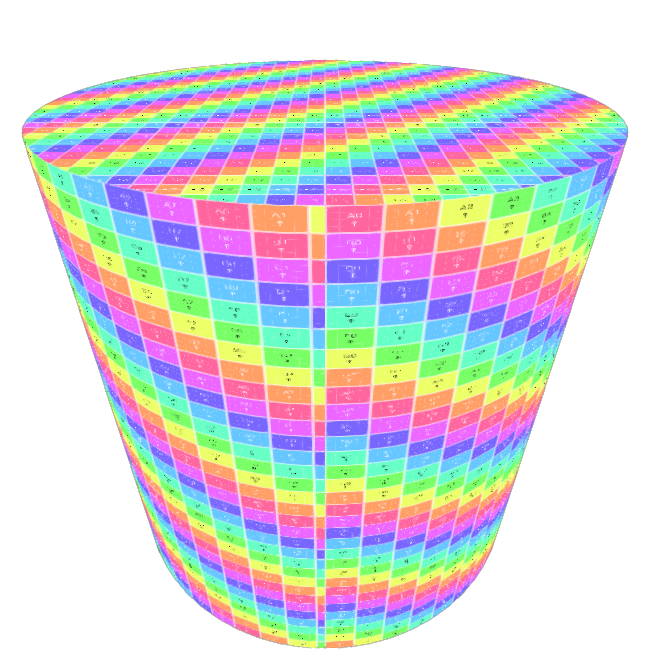 | 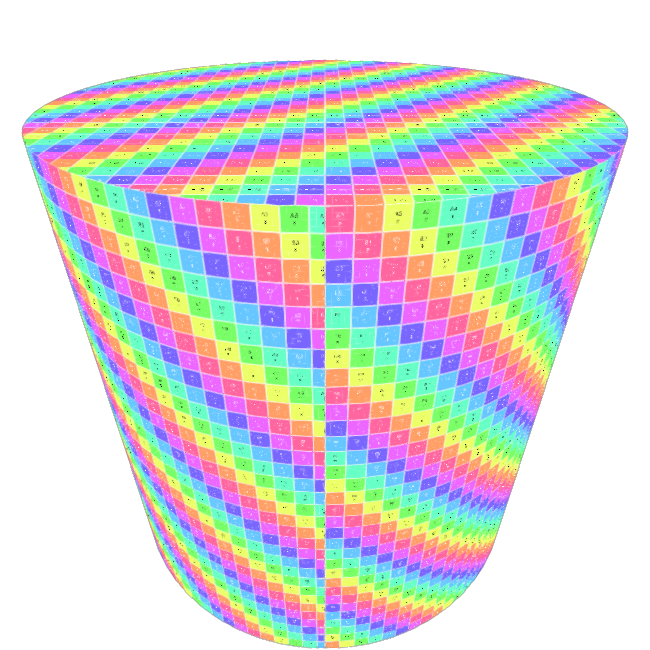 |
|---|---|
| IntrinsicUV | ConformalScaledUV |
The following snippet show how to use the uvMode parameter to use the ConformalScaledUV UV generation mode.
pxz.algo.tessellate( [occ], maxSag=0.002, maxAngle=-1, maxLength=-1, uvMode=pxz.algo.UVGenerationMode.ConformalScaledUV # uvMode = pxz.algo.UVGenerationMode.IntrinsicUV # This one will produce more deformation)
At this stage, we have an initial segmentation and unwrapping
Applying a checkerboard pattern to the model reveals a uniformity in the UV density, but also highlights numerous discontinuities. ()
UV seams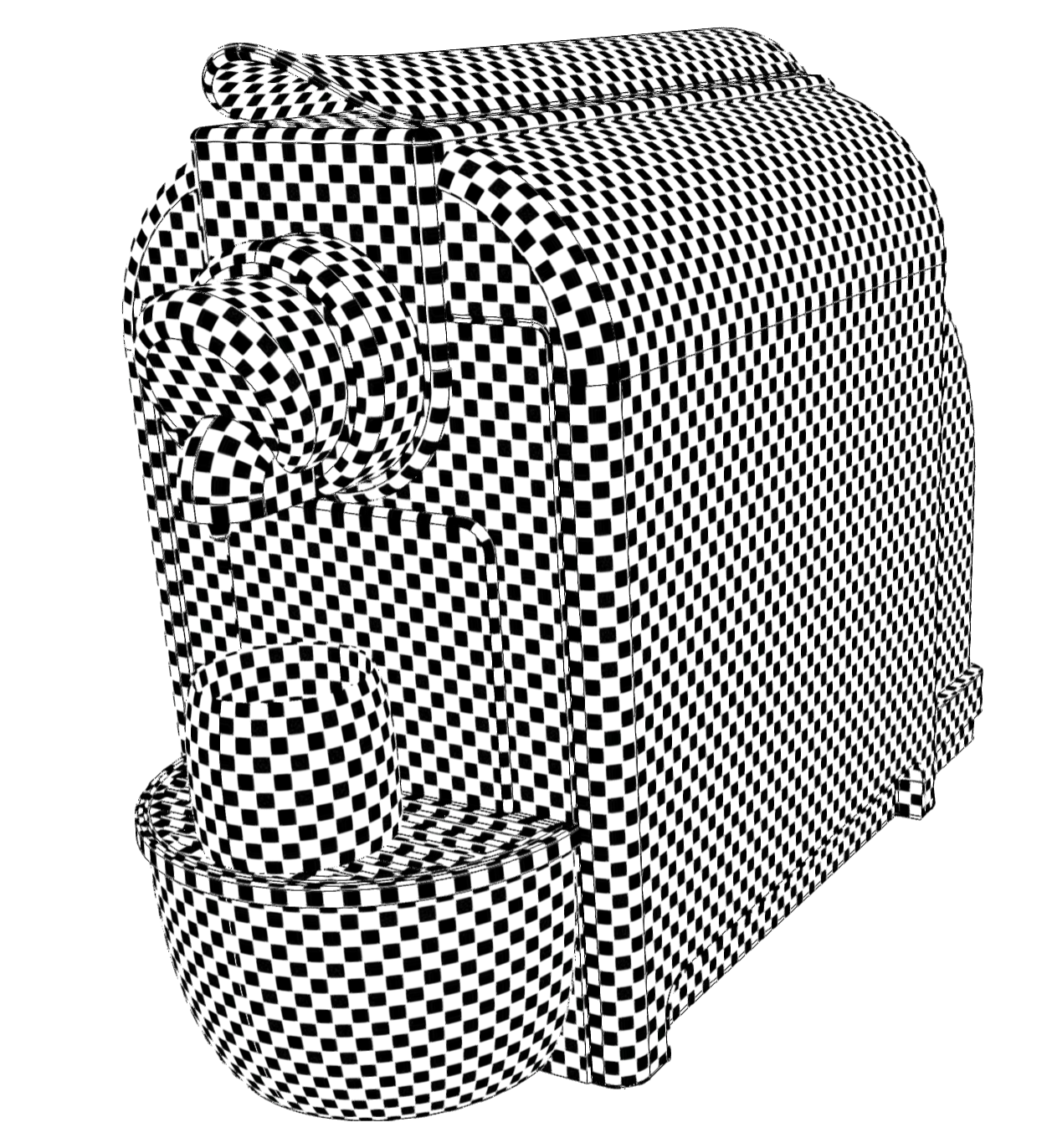 | 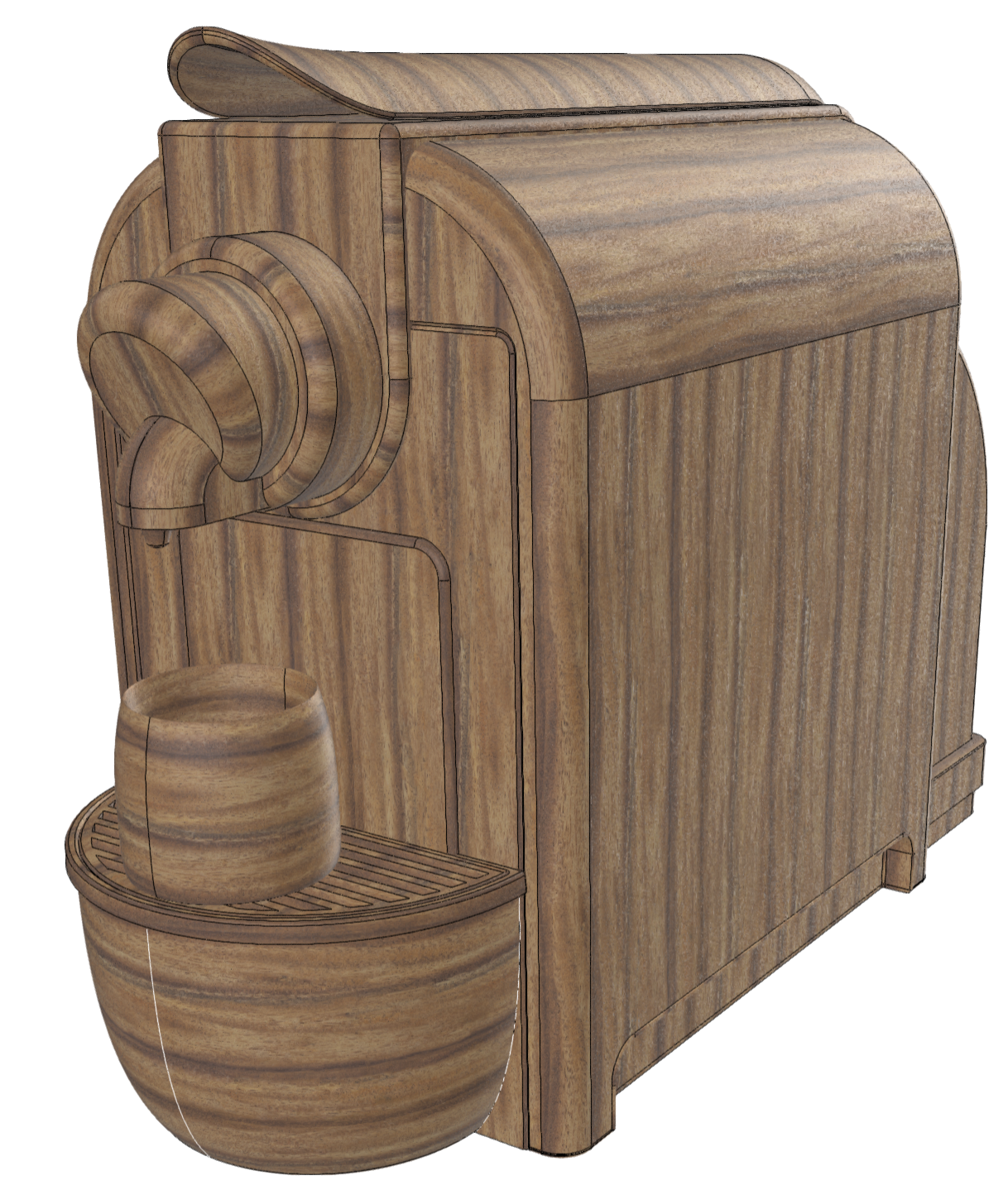 |
|---|---|
| Checker | Wood |
As seen in the UV layout, the different UV islands overlap. This is not an issue in the case of tileable materials. However, to facilitate the visualization of these islands for this documentation, we can use the repack function.
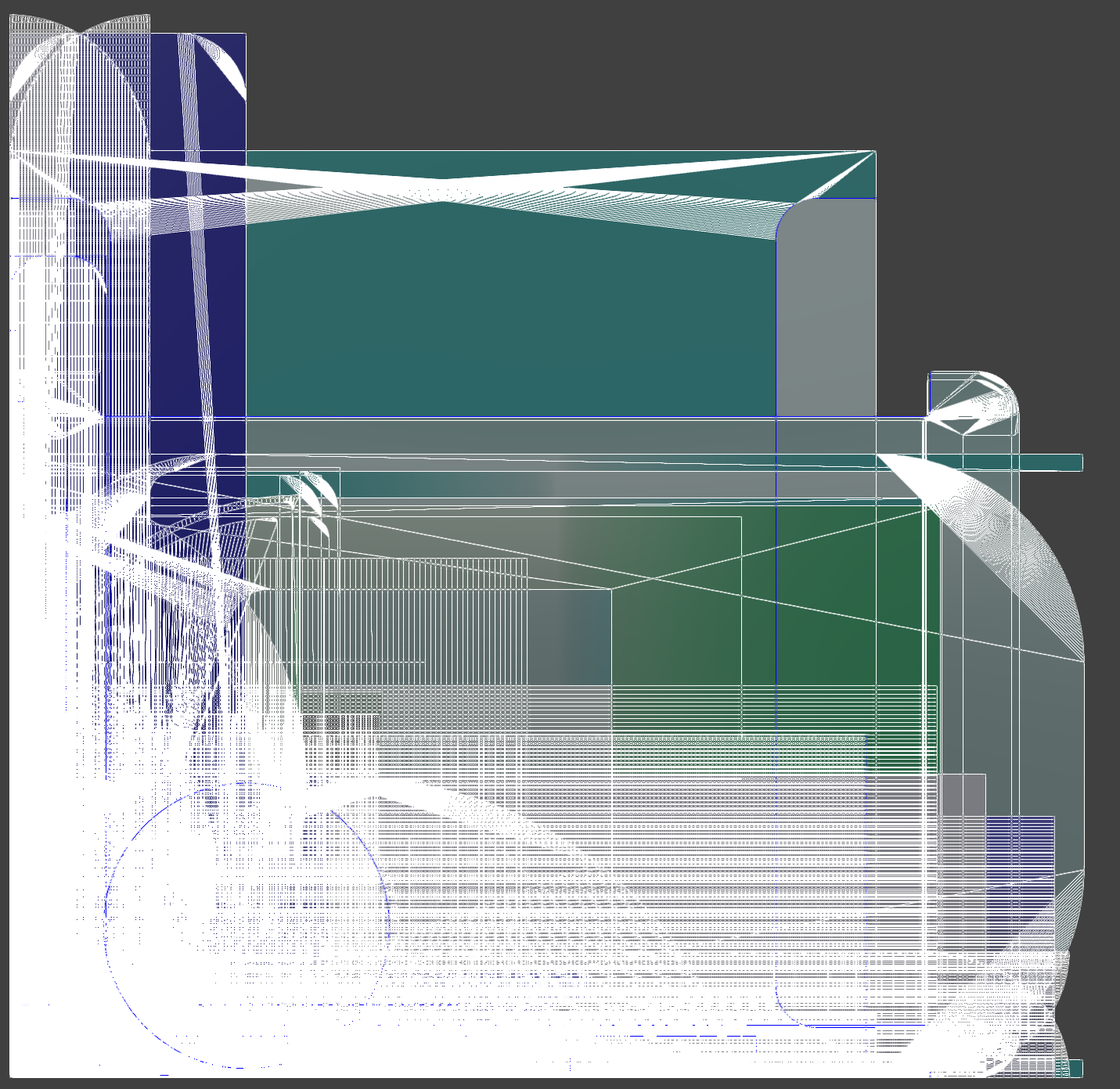 | 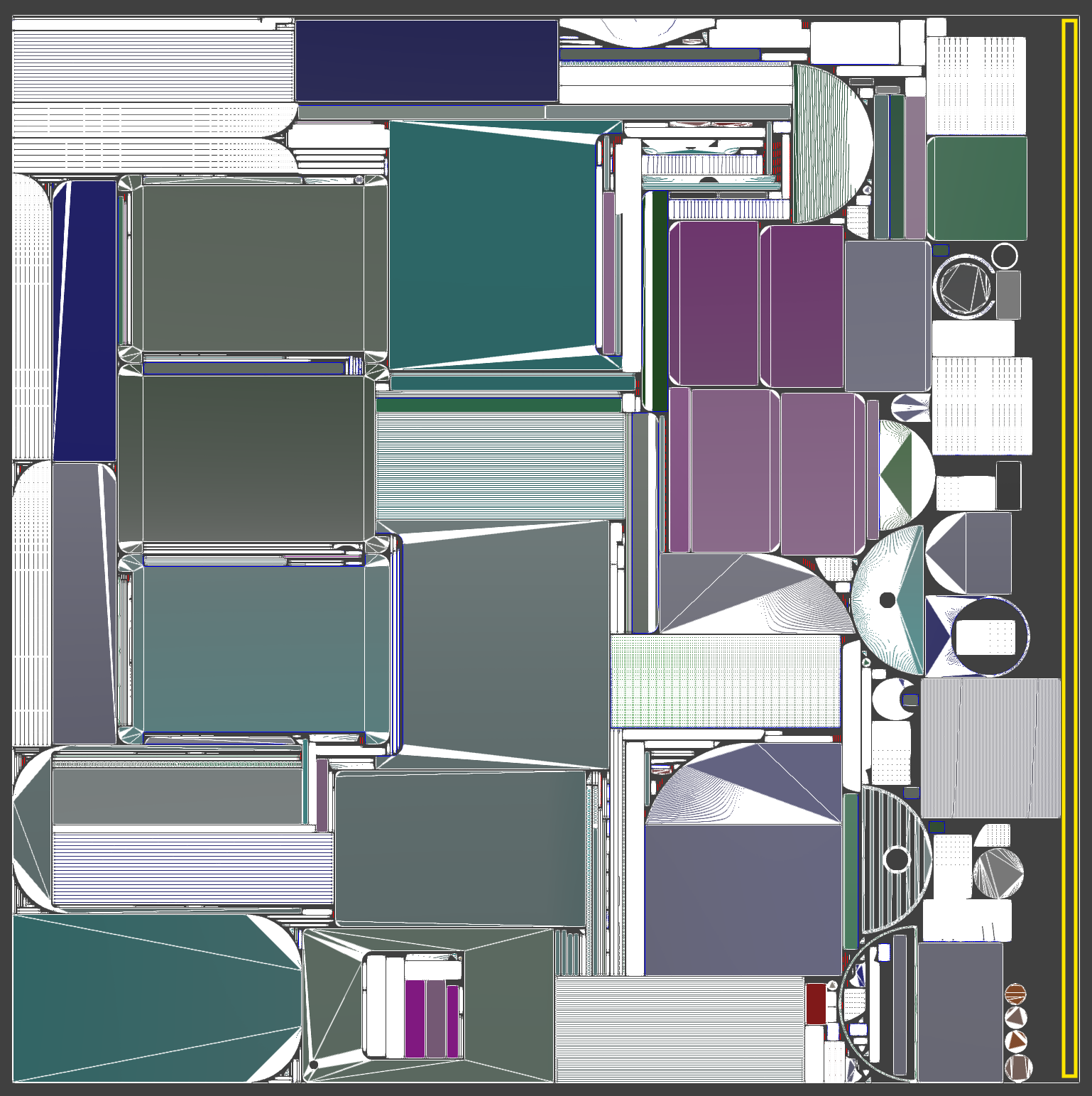 |
|---|---|
| UV Layout | Repacked |
Copy UV0 to UV1
Both UV0 (tileable) and UV1 (baking) will be generated from this initial segmentation.
As it has been generated in UV0, we can just copy it to UV1 to obtain our initial UVs for both usages.
pxz.algo.copyUV( occurrences, sourceChannel=0, destinationChannel=1)
Merge UV0 islands
To reduce the number of islands for UV0, and thus UV seams, and to improve the continuity of the UVs, the affine island merging feature is preferred over the relaxed method in this case.
By allowing only translations, rotations, and scaling, algo.mergeUVIslandAffine will maintain stable UV directions on each surface while improving the continuity between the islands.
This function can handle polygon weights, it means that if there is some importance weights set on the polygon, the merge will prefer to merge line one polygons with more weight than others.
These weights can be set manually but in an automatic workflow, we can set them from visibility. It means that we will take some screenshot from different viewpoints, and store which polygons have been seen in more pixels.
The following snippet will create these polygon weights:
def generatePolygonWeightsFromVisibility(occurrences, resolution, viewpointCount): # Create visibility information from multiple viewpoint around the bounding sphere pxz.algo.createVisibilityInformation( occurrences, pxz.algo.SelectionLevel.Polygons, # store visibility information per polygon resolution, viewpointCount ) # Transfer visibility information to polygon weights # the weights on each polygon will be relative to the number # of pixels that have seen it from the different viewpoints pxz.algo.transferVisibilityToPolygonalWeight( occurrences, Mode=pxz.algo.VisibilityToWeightMode.FrontCountOnly ) # Delete visibility attributes created from createVisibilityInformation # We don't longer need them since they have been transferred to poly weights pxz.algo.deleteVisibilityAttributes(occurrences)
The algo.mergeUVIslandsAffine is polygon weight aware and will use them to select which seam to merge.
It also allows constraining the rotation step using the parameter. A value of 90° is used to maintain the alignment of the original UVs along the main axes
rotationSteppxz.algo.mergeUVIslandsAffine( occurrences, channel=0, allowedTransformations=pxz.algo.TransformationType.TRSOnly, usePolygonsWeights=1, rotationStep=90)
As the polygon weights will not be used anymore, we can just delete them now
pxz.algo.deletePolygonalWeightAttribute(occurrences)
Resize UV0 to texture size
As we will use a tileable texture, to match the UVs to the size of this texture, it is possible to either adjust the tiling when applying the texture or resize the UVs so that the 0-1 UV space corresponds to the texture size in millimeters.
To do this, we use the function algo.resizeUVsToTextureSize by providing the size of the texture in millimeters. For example, here 100mm
pxz.algo.resizeUVsToTextureSize( occurrences, TextureSize=textureSize)
After merging and resize, this is the result we get with a checker or a tileable wood material.
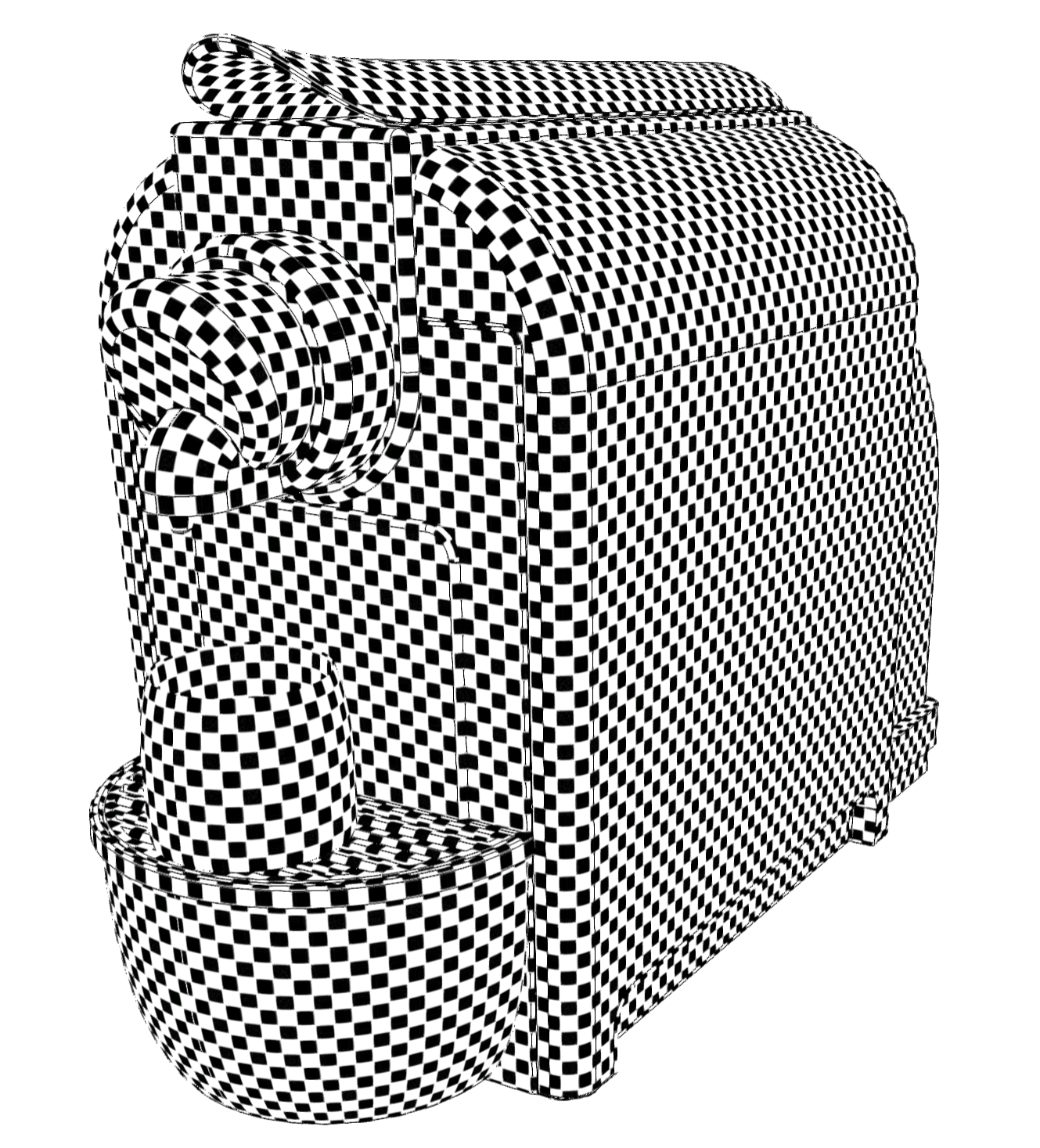 | 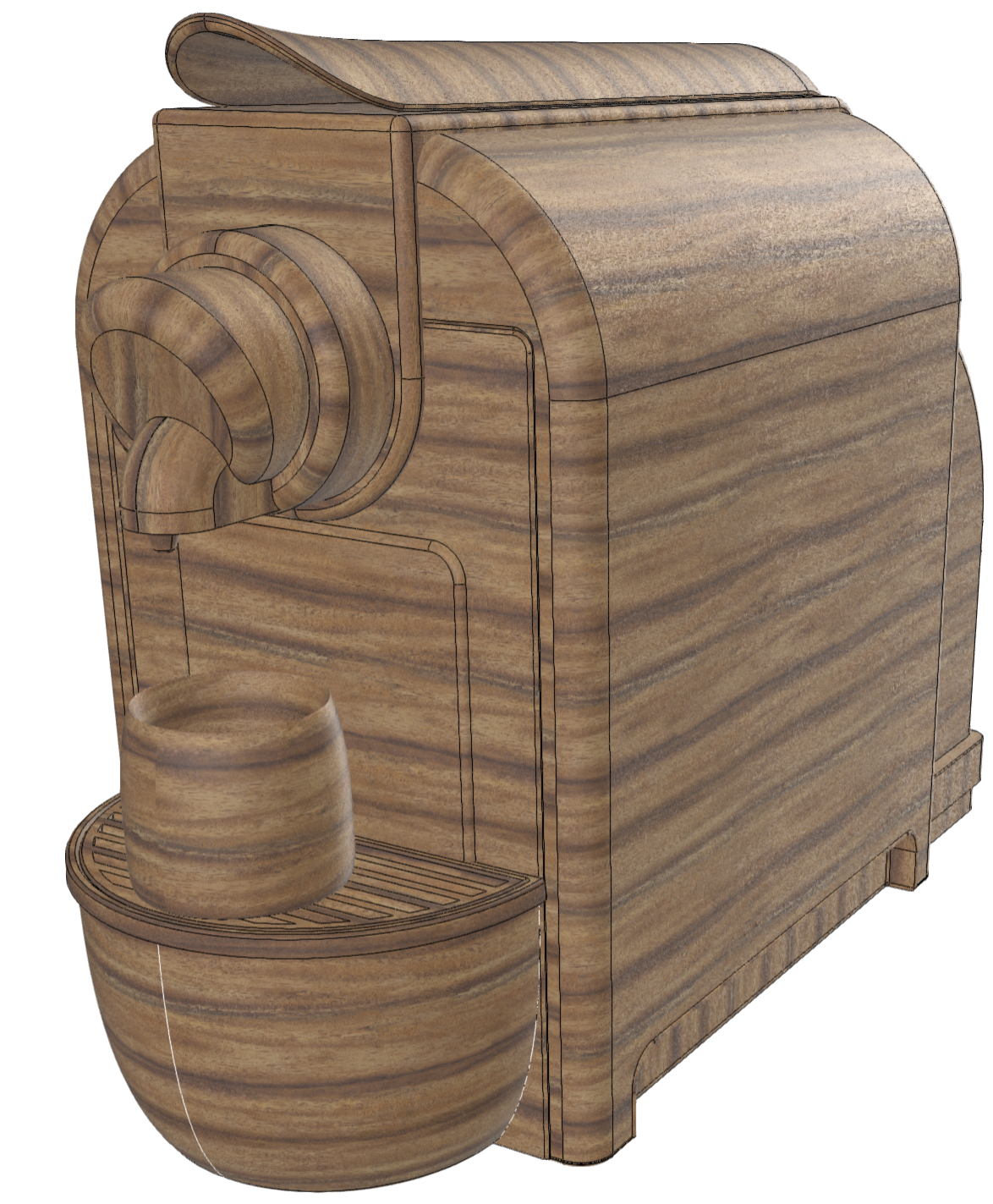 |
|---|---|
| Checker | Wood |
At this stage, we have an UV0 usable for tileable materials
Repack UV1
UV1 is now populated with a copy of UV0 before merging.
The function algo.repackUV will generate UVs without overlap and fit them into the unit UV square.
It is better to use the unmerged UVs in this case because they will pack together more efficiently.
The function algo.mergeUVIslandAffine tends to create elongated islands that may be more difficult to repack.
As seen in the left image, after a repack, there is often unused UV space remaining on the right.
Each unused pixel in the texture can be considered wasted GPU memory. A simple way to optimize this space is to normalize the UVs, meaning to scale them so that their bounding rectangle fits within (0,0) and (1,1).
The function algo.normalizeUV allows you to apply this transformation uniformly (the same scale in U and V) or non-uniformly (different scales for U and V).
Applying a non-uniform transformation will optimize space usage but slightly distort the UVs. In the context of baking, this slight distortion is not problematic, which is why we call the function with the uniform parameter set to False.
| 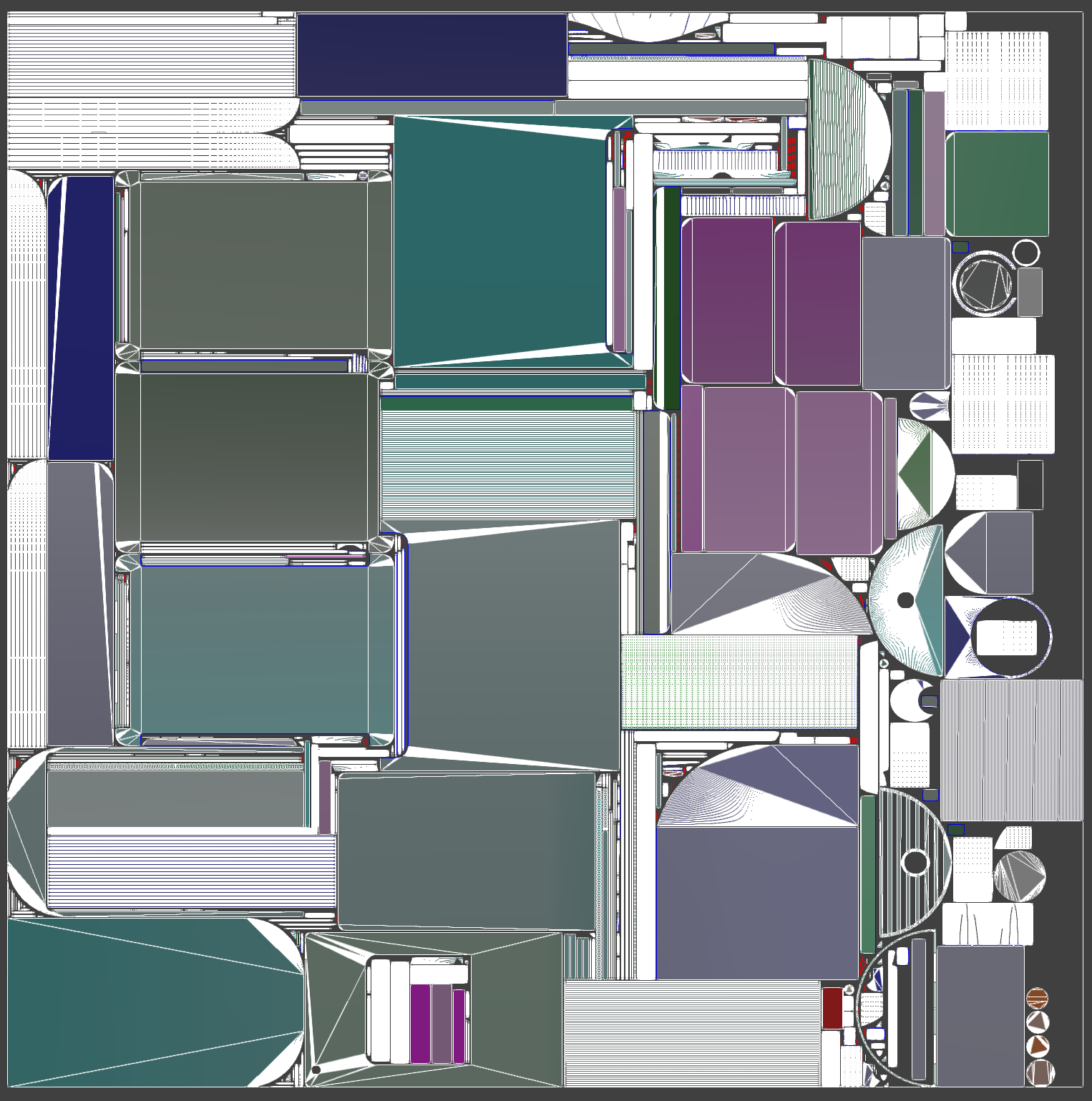 |
|---|---|
| UV1 Repacked | UV1 Normalized |
pxz.algo.repackUV( occurrences, channel=1, shareMap=not oneMapPerOccurrence, resolution=1024, # the resolution can be changed to a greater value if there is too much islands padding=1)pxz.algo.normalizeUV( occurrences, sourceUVChannel=1, uniform=False # allow non-uniform scaling)
At this stage, we have a UV1 channel usable for baking purpose.
Result
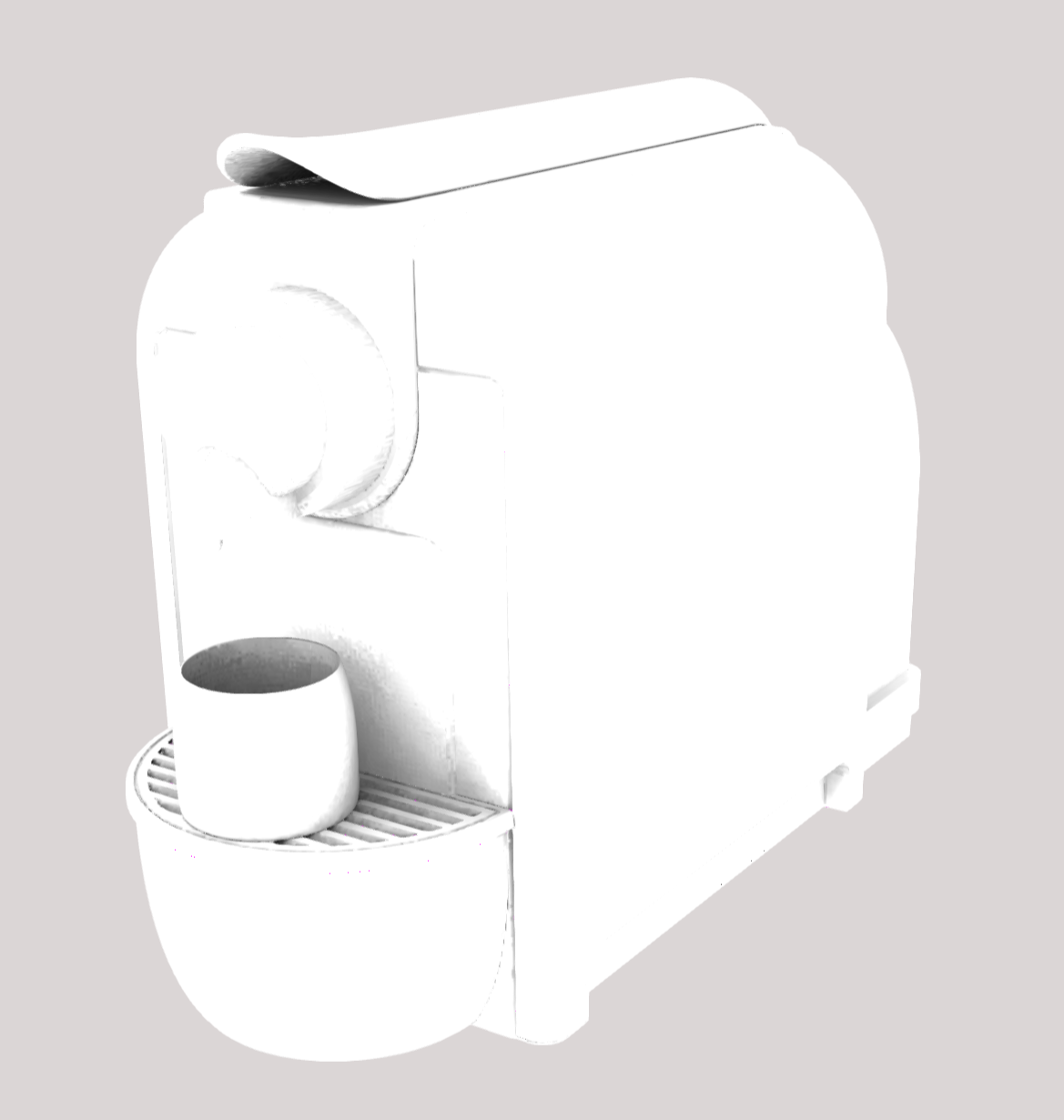
Let's see how the UVs behave by baking Ambient Occlusion (AO) and adding it to the wood material PBR.
# channel 1 has been created to receive baking so use itbakingChannel=1sessionId = algo.beginBakingSession([scene.getRoot()], [], bakingChannel, 1024)# normalMaps = [normalMap[0], ..., normalMap[n-1]]normalMaps = algo.bakeNormalMap(sessionId)# aoMaps = [AOMap[0], ..., AOMap[n-1]] since bentNormals is FalseaoMaps = algo.bakeAOMap(sessionId, samples = 32, bentNormals = False)algo.endBakingSession(sessionId)# filteredAO = filtered copy of both ambient occlusion and bent normal maps.filteredAO = material.filterAO(aoMaps, normalMaps) # apply filter with default values.
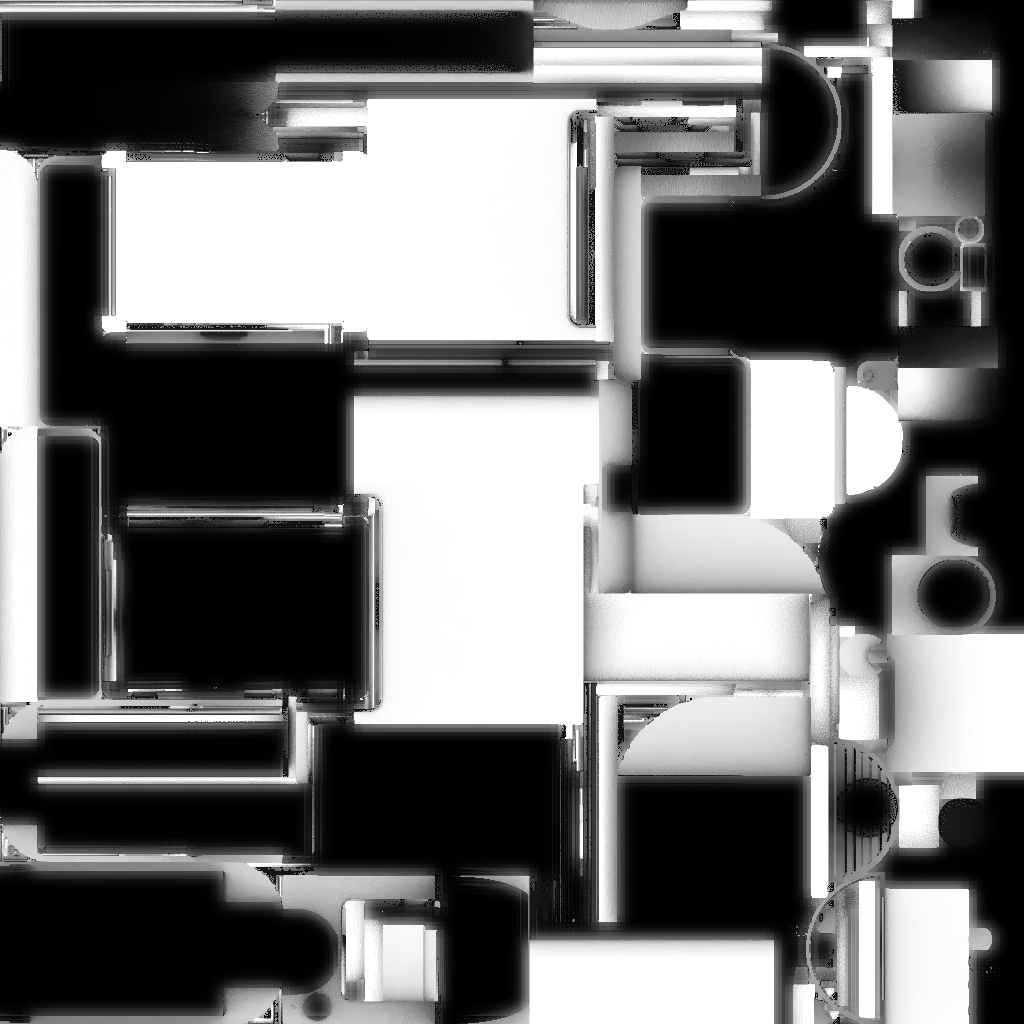 |  |
|---|---|
| Baked AO Map (UV space) | AO Mapped in 3D |
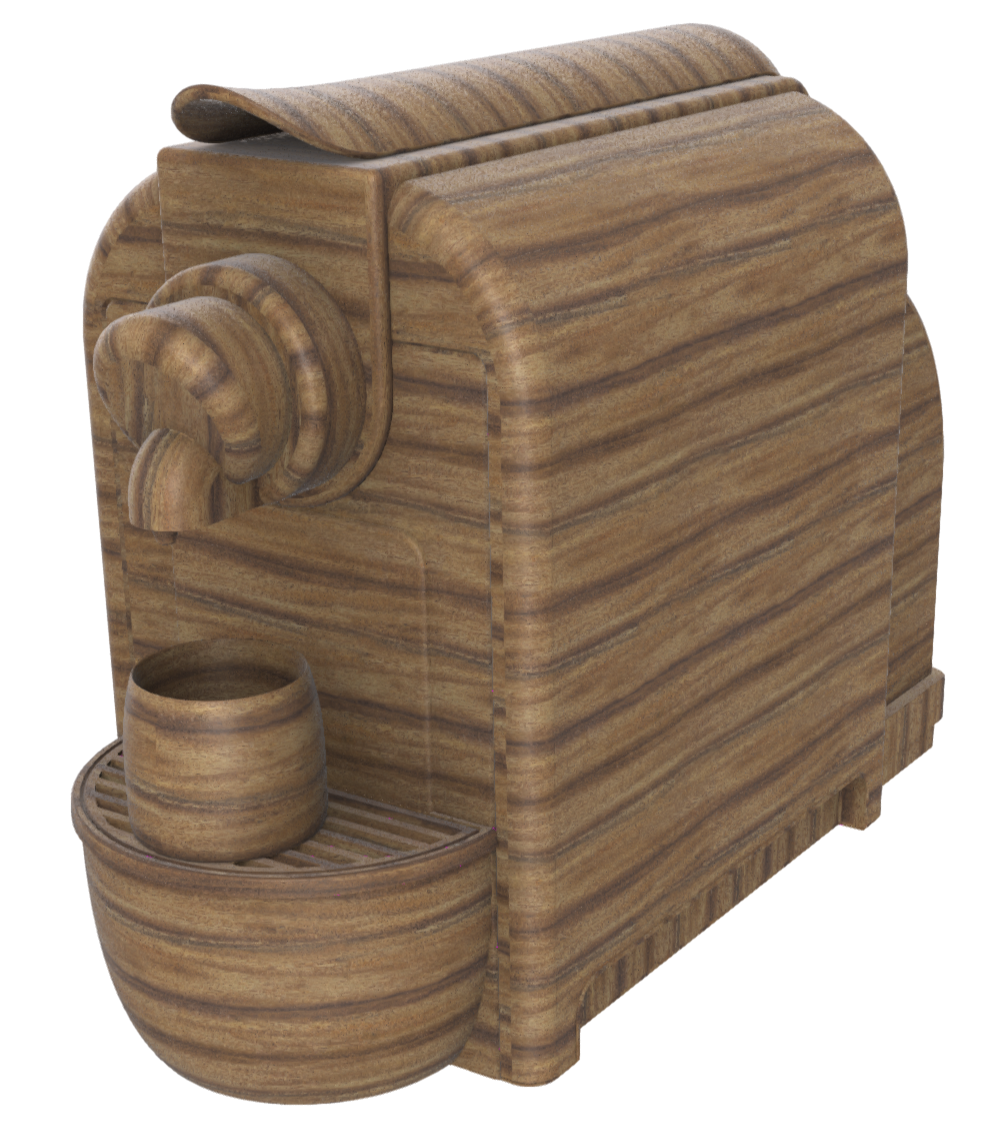
And here the result after the creation of a PBR using the wood material and the baked AO:
# Import albedo and normal textureswoodAlbedo = pxz.material.importImage("C:/path/to/bamboo-wood-albedo.png")woodNormal = pxz.material.importImage("C:/path/to/bamboo-wood-normal.png")# Create a PBR materialmtl = pxz.material.createMaterial("AOFiltered", "PBR")# Assign the texture to corresponding UV channeltileableUV = 0 # UV0 for tileablebakeUV = 1 # UV1 for baked'pxz.core.setProperty(mtl, "ao", f"TEXTURE([[1,1],[0,0],{filteredAO[0]},{bakeUV}])")pxz.core.setProperty(mtl, "albedo", f"TEXTURE([[1,1],[0,0],{woodAlbedo},{tileableUV}])")pxz.core.setProperty(mtl, "normal", f"TEXTURE([[1,1],[0,0],{woodNormal},{tileableUV}])")# Apply the new material to the root occurrencepxz.core.setProperty(pxz.scene.getRoot(), "Material", f"{mtl}")
 |
|---|
| Final 3D view |
B-Rep UV pipeline Python code
The following python snippet can be used to reproduce all the UV creation steps above.
# UV Pipeline BRepimport pxzdef generatePolygonWeightsFromVisibility(occurrences, resolution=1024, viewpointCount=32): # Create visibility information from multiple viewpoint around the bounding sphere pxz.algo.createVisibilityInformation( occurrences, pxz.algo.SelectionLevel.Polygons, # store visibility information per polygon resolution, viewpointCount ) # Transfer visibility information to polygon weights # the weights on each polygon will be relative to the number # of pixels that have seen it from the different viewpoints pxz.algo.transferVisibilityToPolygonalWeight( occurrences, Mode=pxz.algo.VisibilityToWeightMode.FrontCountOnly ) # Delete visibility attributes created from createVisibilityInformation # We don't longer need them since they have been transferred to poly weights pxz.algo.deleteVisibilityAttributes(occurrences)# The uvPipelineBRep will tessellate the model and create UV0 and UV1# UV0 will be used to apply tileable textures.# We can generate UV accordingly to the size of the texture in mm. This is not mandatory# but will prevent to have to use a tiling during the texture application# UV1 will be used for baking# Set the parameter oneMapPerOccurrence parameter to# - True: if each occurrence will receive is proper baked texture# - False: if all occurrences will use the same baked texturedef uvPipelineBRep(occurrences, textureSize=100, oneMapPerOccurrence=False): # Tessellate using the ConformalScaledUV UV Generation Mode to generate UV0 pxz.algo.tessellate( occurrences, maxSag=0.002, maxAngle=-1, maxLength=-1, uvChannel=0, uvMode=pxz.algo.UVGenerationMode.ConformalScaledUV ) # Use UV0 as input to generate UV1 # Copy UV0 to UV1 pxz.algo.copyUV( occurrences, sourceChannel=0, destinationChannel=1 ) # Generate polygon weights from visibility # theses weights will be used to drive the island merging generatePolygonWeightsFromVisibility(occurrences) # Merge UV0 Islands to reduce the number of seams and improve continuity between faces # Don't allow skew deformation (TRS Only) # Constrains rotation to 90° to keep alignment from CAD # Use precedently generated polygons weights with a factor 1.0 pxz.algo.mergeUVIslandsAffine( occurrences, channel=0, allowedTransformations=pxz.algo.TransformationType.TRSOnly, usePolygonsWeights=1, rotationStep=90 ) # Resize UV0 so they fit the actual size of the tileable texture that will be applied pxz.algo.resizeUVsToTextureSize( occurrences, TextureSize=textureSize, channel=0 ) # Repack UV1 to make it fit in the unit square and avoid overlaps pxz.algo.repackUV( occurrences, channel=1, shareMap=not oneMapPerOccurrence, resolution=1024, # the resolution can be changed to a greater value if there is too much islands padding=1 ) # After the repack, some space may be lost/unused on the right side, normalizing the UV will better use the UV space pxz.algo.normalizeUV( occurrences, sourceUVChannel=1, uniform=False # allow non-uniform scaling ) # Clean polygon weights pxz.algo.deletePolygonalWeightAttribute(occurrences)uvPipelineBRep([pxz.scene.getRoot()])
Hard-surfaces
Models created from hard-surface modeling share many properties with BRep models.
Segmentation and initial unwrap
Sharp edges can be used for initial segmentation. However, although the seams of UV islands can be determined from the geometry (using algo.identifyLinesOfInterest), they currently lack any parametrization. The function algo.unwrapUV will enable the creation of an initial parametrization for these UV islands.
TODO: code snippet
TODO: image
Python code of UV Pipeline for Hard-surfaces
The following python snippet can be used to reproduce all the UV creation steps above.
Generic
This category encompasses other types of meshes for which obtaining an initial segmentation based solely on topology is not straightforward (e.g., meshes from scans, meshes that have undergone decimation, etc.). The method presented here will also work on the other types of data mentioned previously but will yield lower quality results.
Segmentation and initial unwrap
While the previous methods utilized topology to achieve initial segmentation, here it is necessary to base the segmentation on what remains, namely the geometry.
The function algo.segmentMesh should be used in this case to obtain an initial segmentation before using algo.unwrapUV.
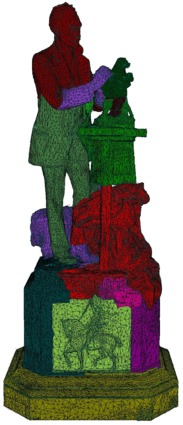
At this stage, we have an initial segmentation and unwrapping