Unity 向けインテグレーションヘルパー
インテグレーションヘルパーを使用して、LevelPlay SDK とアダプタが正常にインテグレーションされ、すべての依存関係とフレームワークが正しく追加されていることを確認します。
読み終わるまでの所要時間 3 分最終更新 1ヶ月前
LevelPlay SDK と Unity プラグインは、LevelPlay SDK と追加のアダプタが正常に統合されたことを確認する簡単な方法です。また、さまざまなメディエーション広告ネットワークに必要なすべての依存関係とフレームワークが追加されていることも確認します。
インテグレーションヘルパーは、SDK とアダプターのバージョン間の互換性を示します。
インテグレーションヘルパーメソッド
インテグレーションヘルパーには、SDK とアダプタのバージョン間の互換性も表示されます。インテグレーションが終了したら、以下の静的メソッドを呼び出し、インテグレーションのすべてが VERIFIED とマークされていることを確認します。
LevelPlay.ValidateIntegration();
デバイス広告 ID
AID/GAID は、 メソッドの呼び出し後にログの下部で取得できます (例を参照)。
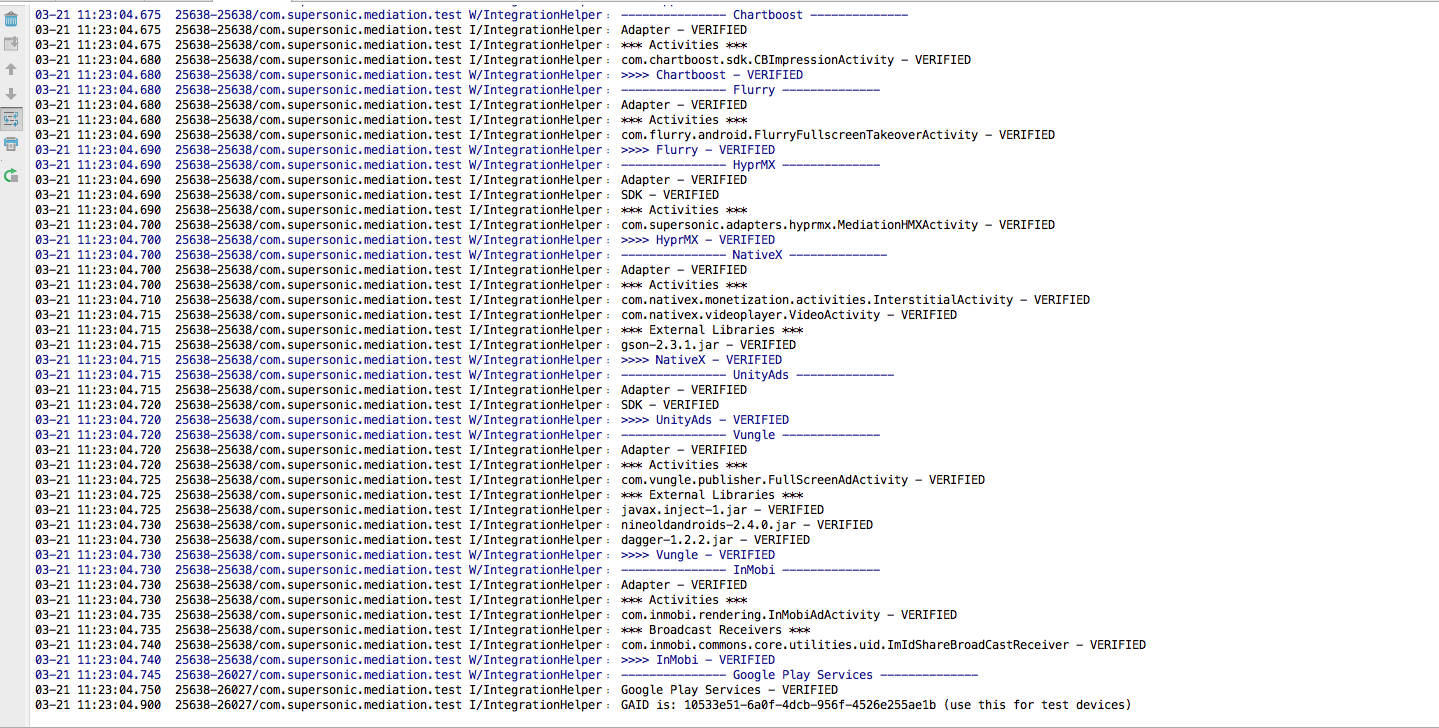
インテグレーションヘルパーツールは、アプリケーションに意図的に含めないように選択した広告ネットワークなど、すべてのものを確認します。これらは MISSING と表示され、懸念する必要はありません。広告ネットワークのインテグレーションが正常に完了していない場合は、NOT VERIFIED (未検証) とマークされます。