Builds cancel immediately upon start
Resolve issues with Unity Build Automation builds canceling immediately upon start.
Read time 1 minuteLast updated 10 months ago
Symptoms
- When a build triggers in the Unity Build Automation (UBA) service, the build cancels immediately.
- You're unable to start new builds with UBA.
- UBA doesn't produce logs when you trigger a new build.
Environment
When you launch builds from either the Build Automation configuration page or the build history in the Unity Dashboard, builds cancel immediately when they trigger.
Causes
The most common causes for this issue are the following:
- The organization is on a Free DevOps plan and needs to convert to a consumption-based plan as the build exceeds the free usage available.
- You have a build minute cap in place and if the build starts, it exceeds the pre-set usage cap.
- The build configuration is invalid. For example, the connection to source control isn't available or the Xcode version isn't available.
Resolution
Change to a pay-as-you-go plan
On the DevOps menu from the Unity Cloud Dashboard, if the dashboard displays Free Plan instead of a consumption-based plan, as displayed in the following screenshot, you can register for a consumption based plan. To sign up for the service, navigate to the Unity Dashboard > DevOps > and select Upgrade plan.
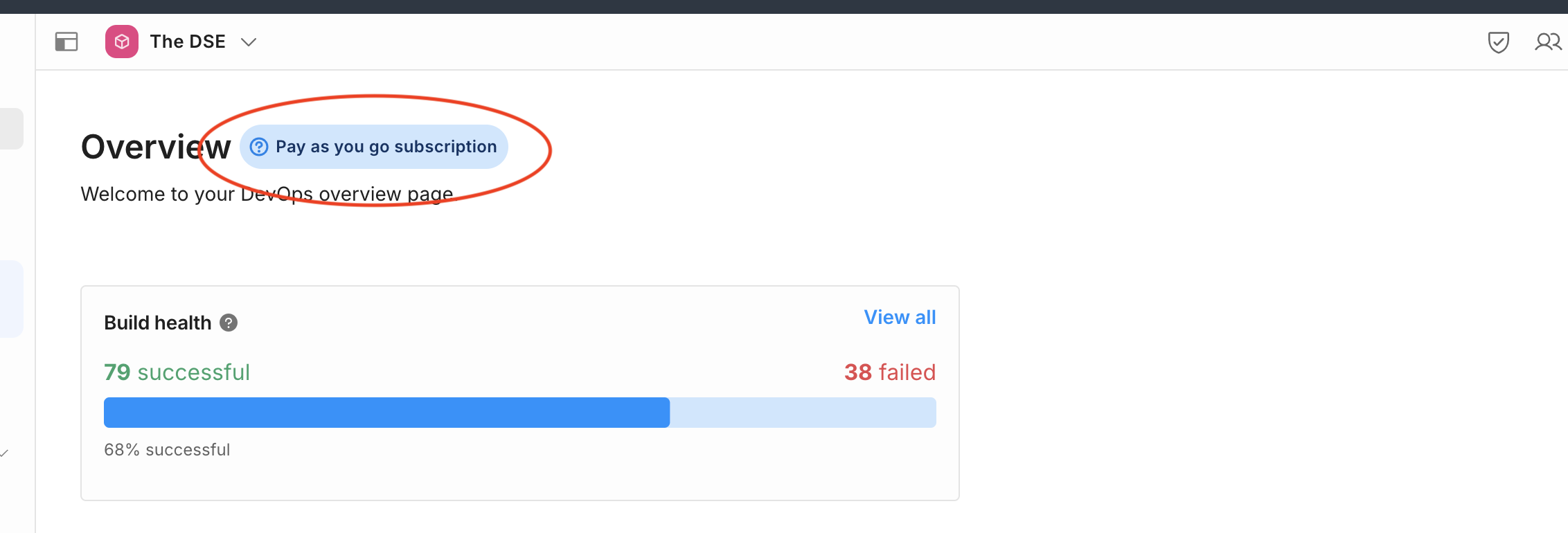
UBA - Pay as you go
Change your build minute cap
If you have an active subscription, the next thing to check is if you have a build minute cap and whether your build exceeds that cap. To check this in the Unity Dashboard, navigate to Devops > Build Automation > Settings, and select the Build Consumption tab.
If the Build minutes monthly cap is enabled and you're near the limit, you can either disable or increase the cap to continue to use the service.
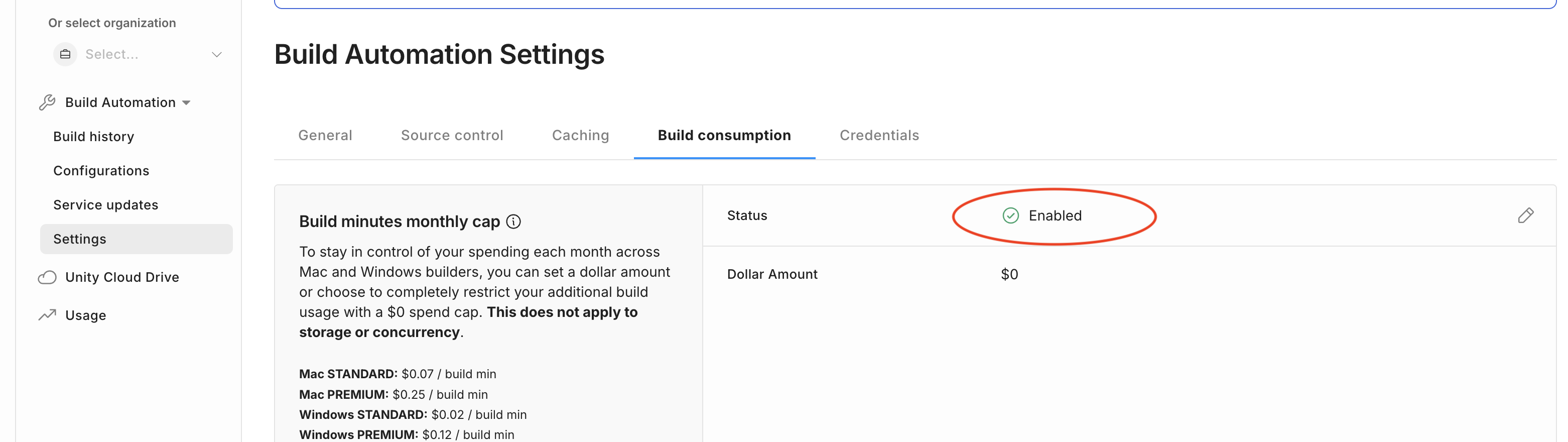
UBA - Manage monthly cap
Contact the support team
If you have validated your plan and build minute cap, and there are no current reported issues with the service (visible on the Build Automation sidebar under the DevOps menu), please contact to the Service Support team. To submit a ticket from the Unity Cloud Dashboard, open DevOps and select Help & Support > Ticket > File a ticket.