Documentation

​
​

Development

User Acquisition

Monetization

Industry

Build Automation

DevOps

Build Automation REST API

Build Automation Editor Package

Open Unity Dashboard

Build Automation

​
​
Build Automation
  • Overview
  • Get started with Build Automation
  • Build Automation Glossary
  • Build configuration
  • Advanced build configuration
    • Advanced settings configuration
    • Build Addressables using Build Automation
    • Run custom scripts during the build process
    • Specify the scene to build
    • Customize Fastlane configurations for iOS builds
    • Configure dedicated server build target
    • Use environment variables
  • Run builds
  • Build results
  • Optimize build speed
  • Manage artifact retention rules
  • Manage concurrent builds
  • Sign build artifacts
  • Build Automation integrations
  • Build Automation API
  • Build Automation Editor Package
  • Reference
  1. Unity Build Automation
  2. Advanced build configuration

Configure Dedicated server Build Target

Use a dedicated server build target for optimized builds.
Read time 1 minute
Last updated 10 months ago

The Dedicated server is a specialized desktop sub target that removes unnecessary assets and code during the build process to optimizes server build efficiency. This results in reduced build size and improved processing efficiency, which benefits server operators because it lowers operating costs when running Unity server applications.

Prerequisites

The Dedicated server build target is available in Unity version 2021.3 and above. Ensure that you set your project to this version or later.

Configure the Dedicated server Build Target

  1. Go to DevOps > Build automation > Configurations and select Target setup to set up a new build configuration.
  2. Select a desktop platform (Windows, Linux, or macOS) as the target.
  3. Navigate to the Advanced settings.
  4. Enable Dedicated server:
    1. Under the Build output section, locate the Enable dedicated server checkbox.
    2. Select the checkbox to Enable dedicated server to configure the target for Dedicated Server optimization.
  5. Set any other configurations as necessary and select Save configuration to apply these settings to your build configuration.
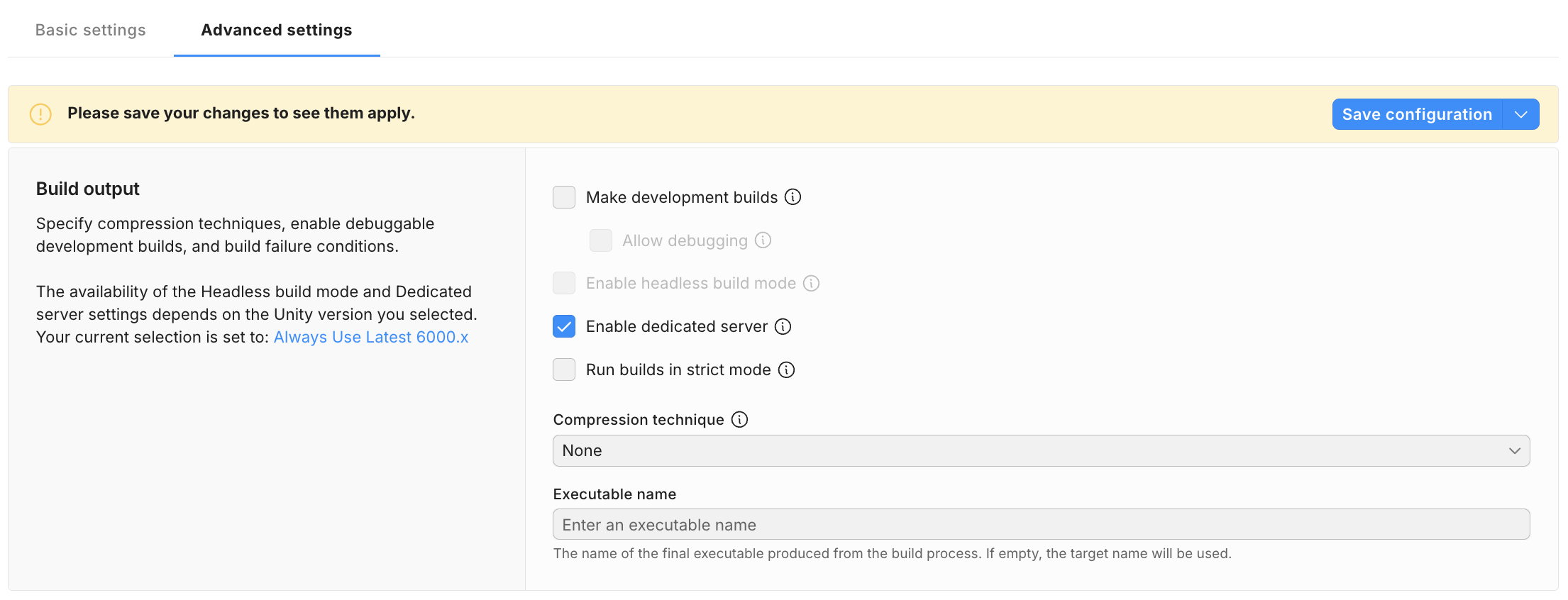
A screenshot of the configuration window for a Dedicated Server Build Target.

A screenshot of the configuration window for a Dedicated Server Build Target.


Copyright © 2026 Unity Technologies
LegalPrivacy PolicyCookiesDocumentation Terms of UseDo Not Sell or Share My Personal InformationYour Privacy Choices (Cookie Settings)

"Unity", Unity logos, and other Unity trademarks are trademarks or registered trademarks of Unity Technologies or its affiliates in the U.S and elsewhere (more info here). Other names or brands are trademarks of their respective owners.

Some pages are machine-translated for convenience, and may contain inaccuracies. In the event of conflicting information, the English version is authoritative.

  • On this page
    • Prerequisites

    • Configure the Dedicated server Build Target


Report a problem with this page