Sample Folder Watcher
Expands the previous script and enables a "batch processing" of 3D assets into a folder watcher configuration. Any compatible 3D files copied into an "input" folder will automatically be transformed according to a specific optimization scenario.
Read time 1 minuteLast updated a day ago
Sample #2 - Folder Watcher
GitHub That second sample expands the previous script and enables a "batch processing" of 3D assets into a folder watcher configuration. Any compatible 3D files copied into an "input" folder will automatically be transformed according to a specific optimization scenario.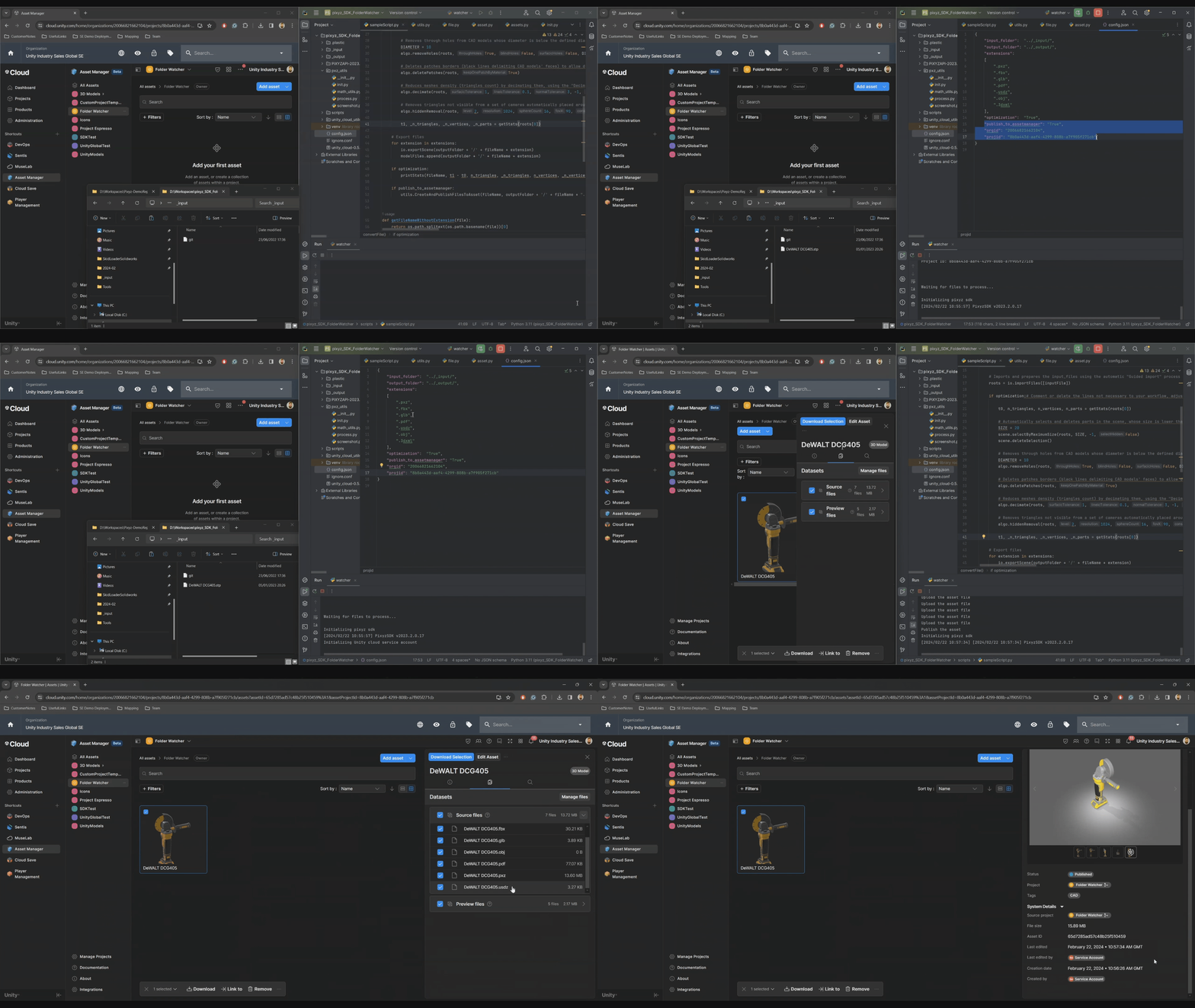
What to do?
Simply configure your Pixyz Python environment and download the GitHub sample folder on your machine. Then execute thepython/Windows/FolderWatcher/watcher.py
What it does?
That sample script will:- configure and initialize your Pixyz SDK python instance
- connect to an existing Pixyz Flexlm license server (IP adress/hostname and port must be set as per your existing licensing setup)
- monitor an as per the config.json configuration.
inputFolder - load and process any native CAD or un-processed 3D model available in the folder and supported by Pixyz
- export locally in the all processed models
outputFolder - UNITY CLOUD ONLY Assuming proper configuration of your Unity Cloud and Asset Manager information: upload all transformed assets onto the Asset Manager.