Visual Footprint
Use this feature to compute the visual footprint of 3D assets, providing a 2D representation of their spatial extent for efficient rendering and analysis in the Pixyz SDK.
Read time 2 minutesLast updated 8 months ago
API function: algo.getVisualComparisonFootprint
This function is used in order to compare the visual difference between two sets of occurrences. The result is in millimeters, in the world space.
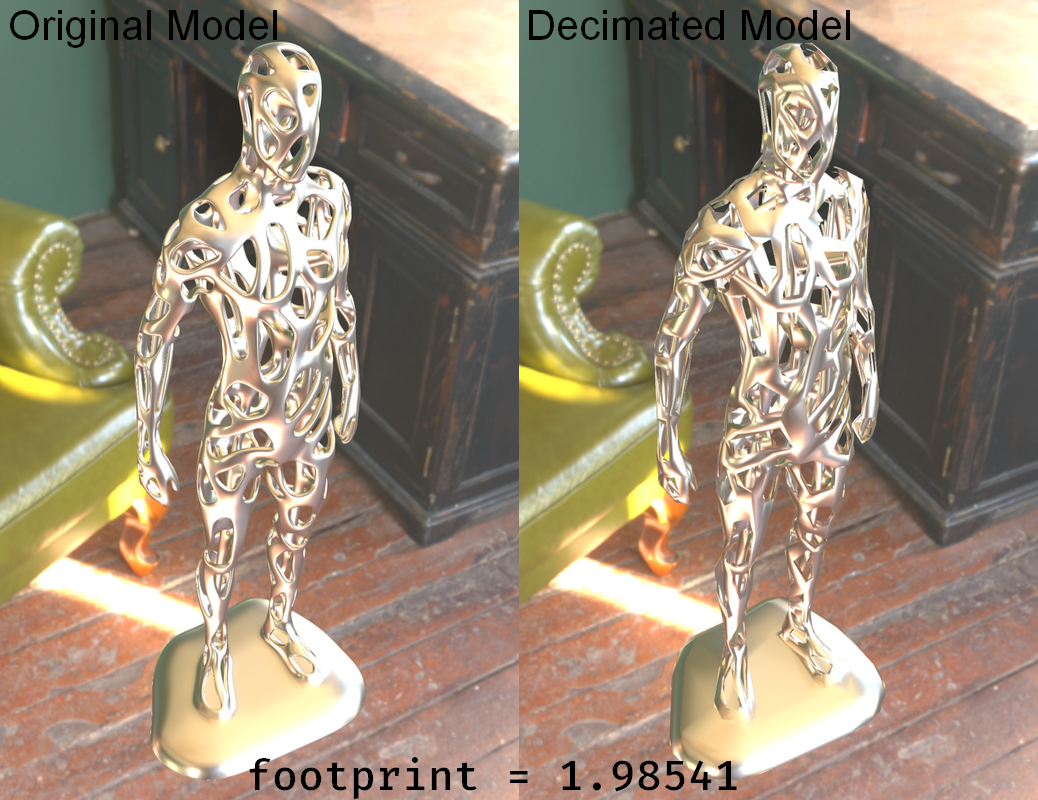
For instance, here we have an original model and a decimated version of it. We may want to create a HLOD based on the visual error between these two models. To do so, we use the algo.getVisualComparisonFootprint function.
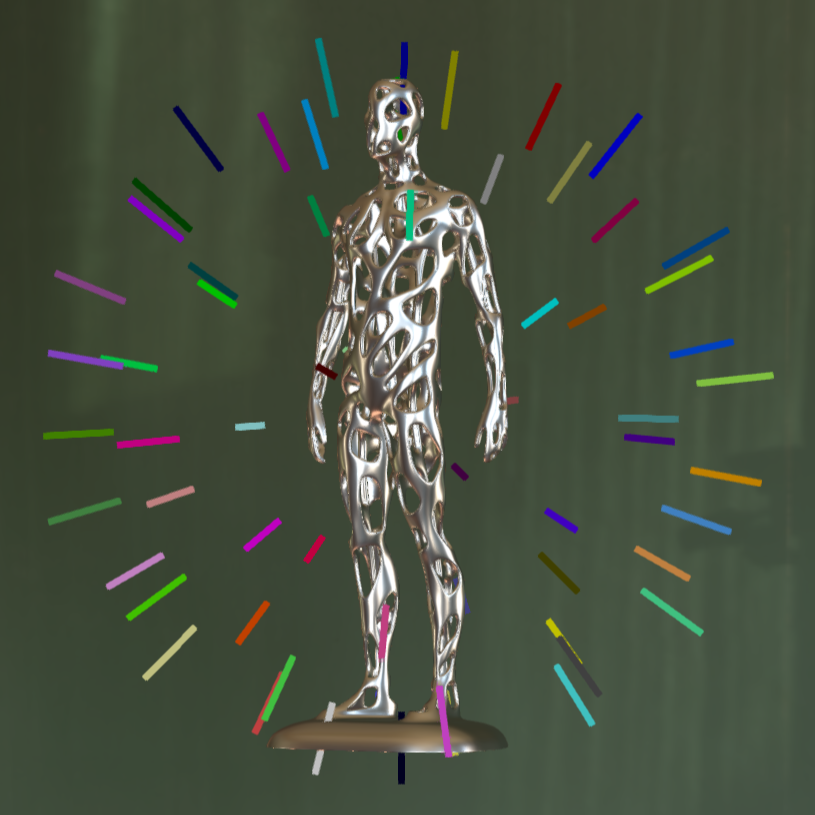
It takes two sets of occurrences that will be visually compared. It will create viewpoints around the scene from where a visual difference footprint will be computed based on an image size controlled by the parameter .
nb_viewpointsresolution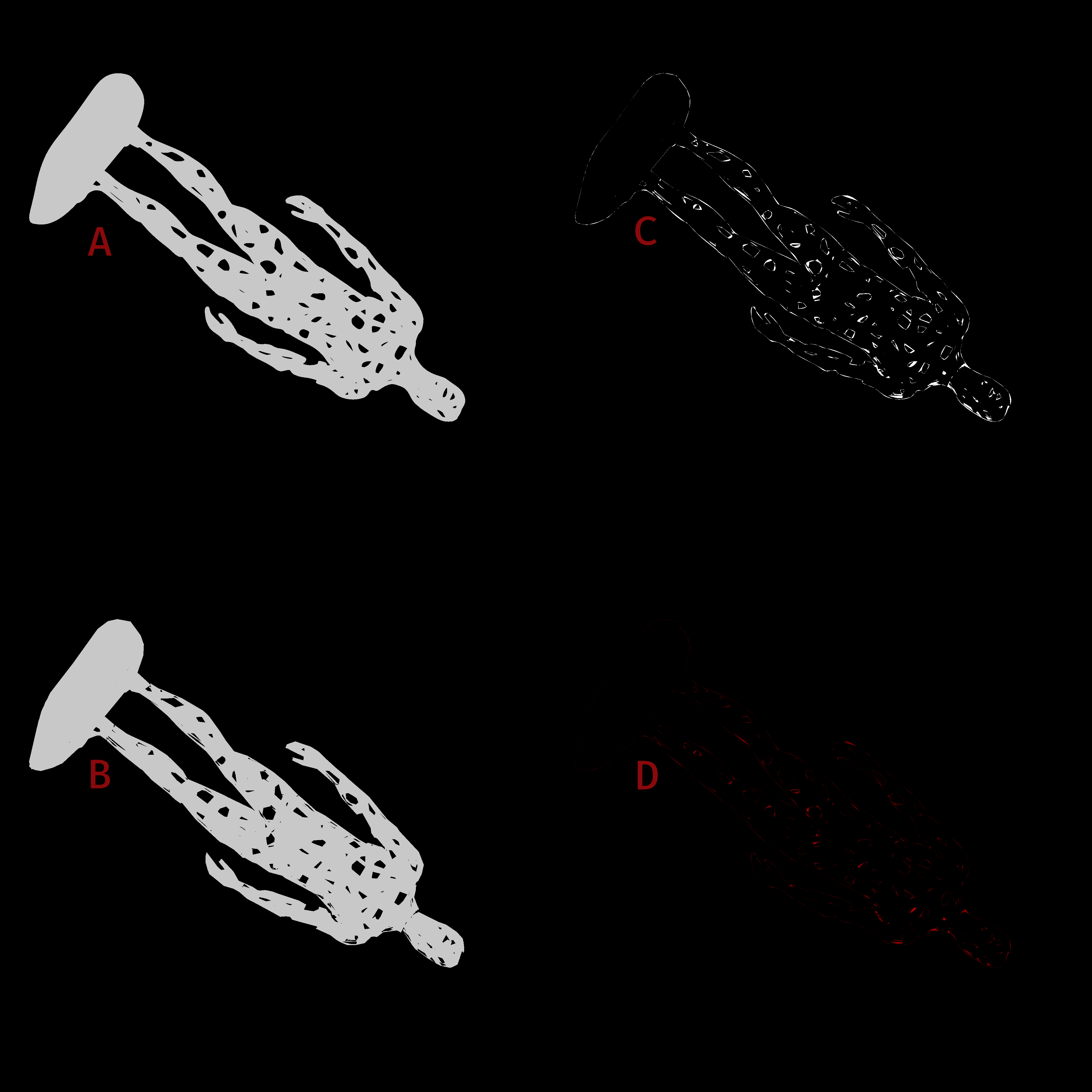
On the image above, we see one of these viewpoints, where is the original model and is a decimated version of it. The "visual difference" is then computed and shown in . Finally, we compute the maximum error between the two images based on this "visual difference", as shown in . The maximum error of all viewpoints is returned.
ABCDWe can use the result to create a HLOD with the right visual error.
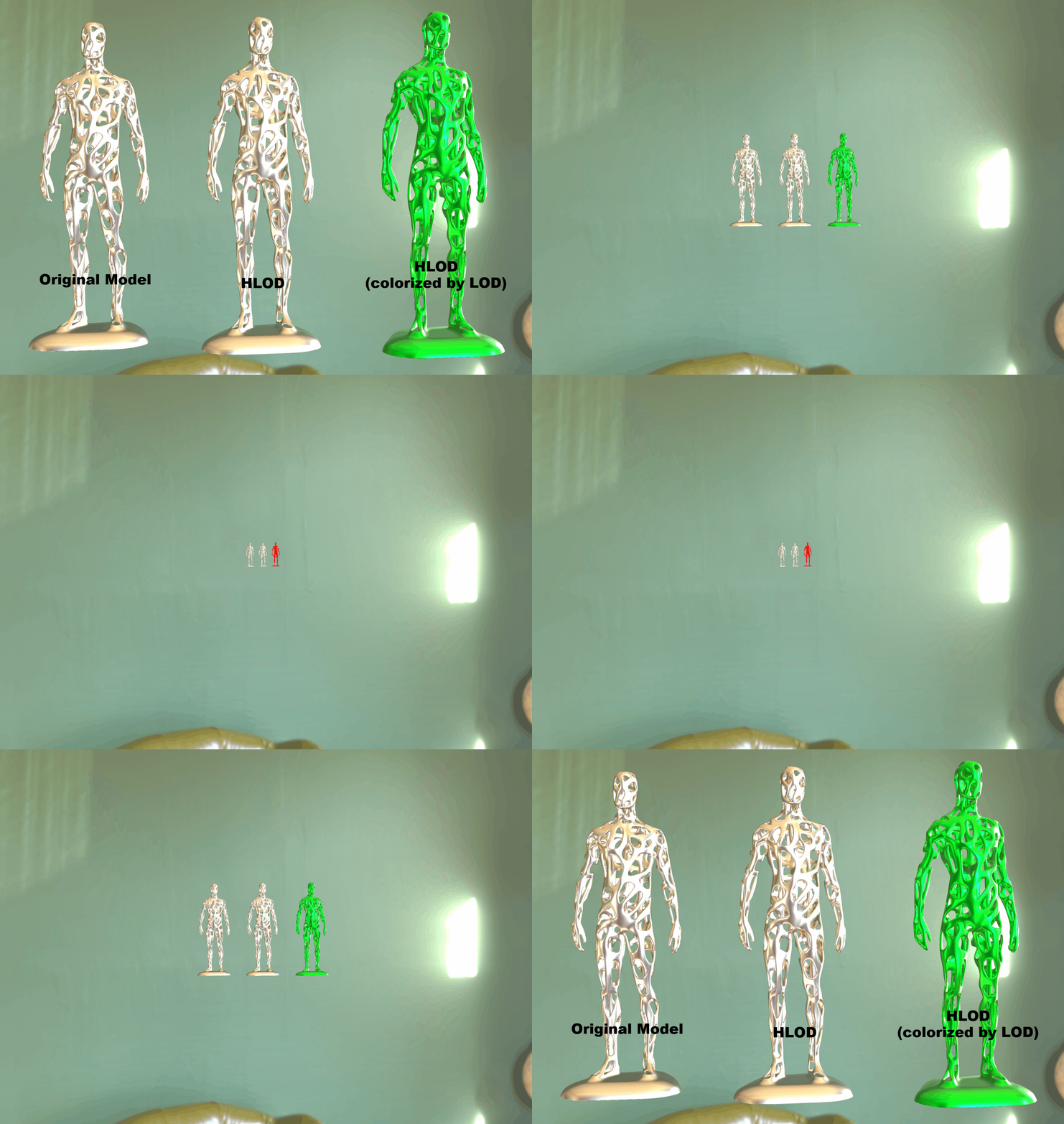
See for an example usage:
createHLODChainUsingVisualFootprint.pyimport pxzdef create_hlod_chain(files: list[str], resolution: int = 512, nb_viewpoints: int = 256) -> int: """Creates a chain of hlods given an list of files to import. Parameters ---------- files : list[str] The files to import. The first in the list is the "original" file. The others are low-quality version of it. The order of the LODs doesn't matter, they will be ordered in the HLOD chain based on their resemblance with the original model. resolution: int Size of the viewer to compute the footprint. nb_viewpoints: int Numbers of points generated around the bounding sphere of the scene to compute the footprints. Returns ------- int The occurrence representing the root of the created hlods chain. """ print(f"Creating a HLOD chain of {len(files)} files:") print(" - Importing files... ", end="") occurrences = [] for filename in files: occurrences.append(pxz.io.importScene(filename)) print("Done") print(" - Computing footprints... ", end="") footprints = [0] for occ in occurrences[1:]: # Visual comparison between the first occurrence, which is the real model, and the current lod of the loop footprints.append(pxz.algo.getVisualComparisonFootprint([occurrences[0]], [occ], resolution, nb_viewpoints)) print("Done") # Sorting occurrences by footprints footprints, occurrences = zip(*sorted(zip(footprints, occurrences))) # Creating HLOD chain hlods = [] for i in range(len(files)): hlod = pxz.scene.createOccurrence(f"HLOD {i:03}") pxz.scene.setParent(occurrences[i], hlod) cmp_hlod = pxz.scene.addComponent(hlod, pxz.scene.ComponentType.HLODComponent) pxz.core.setProperty(cmp_hlod, "Error", str(footprints[i])) hlods.append(hlod) for i in range(len(files) - 1): pxz.scene.setParent(hlods[i], hlods[i + 1]) print("Chain creation is done!") return hlods[-1]files = [ "path_to_original_model.pxz", "path_to_heavily_decimated_version_of_it.obj", "path_to_slightly_decimated_version_of_it.glb", "path_to_more_decimated_version_of_it.fbx", # ... "path_to_impostor_version_of_it",]hlod_chain = create_hlod_chain(files)pxz.scene.setParent(hlod_chain, pxz.scene.getRoot())