Documentation

​
​

Development

User Acquisition

Monetization

Industry

Asset Transformer SDK

2026.1

Supported
​

User Manual

Python API

C# API

Changelog

Discussions

Asset Transformer SDK

2026.1

Supported
​

​
​
Get started
  • System requirements
  • Licensing
  • Setup
  • Migrate from Scenario Processor
Framework
  • Framework
  • Preferences
Input/output files
  • Supported formats
  • Import files
  • Export files
  • Export textures
  • CAD vs Mesh
Scene
  • Product structure
  • Occurrence
  • Component
  • Material
  • Image
Algorithms
  • CAD
  • Healing
    • Repair meshes
    • Merge vertices
    • Delete degenerated polygons
  • Optimization
  • Combine and bake
  • Reconstruction
  • UVs
Viewer
  • Viewer
Pixyz UI
  • Setup
  • Overview
  • Create a custom UI
Guidelines
  • Data preparation
  • Process point clouds
Debug and diagnose
  • Log files
  • Debug best practices
Other
  • Samples
  • Glossary
  1. Asset Transformer SDK (ex Pixyz)

Repair meshes

Use this feature to repair meshes, mesh per mesh.
Read time 2 minutes
Last updated 9 months ago

API function: algo.repairMesh
We strongly recommend that you repair meshes before optimizing models.
Meshes may have various issues:
  • Gaps and cracks
  • Z-fighting, that is, overlapping surfaces
  • Non-manifold edges, that is, edges that are shared by more than two faces
  • An unnecessarily high polygon count
  • An increased frame rate
This feature performs these operations:
  • Delete duplicate polygons.
  • Repair connectivity:
    • Merge vertices that are closer than the specified tolerance. Read more.
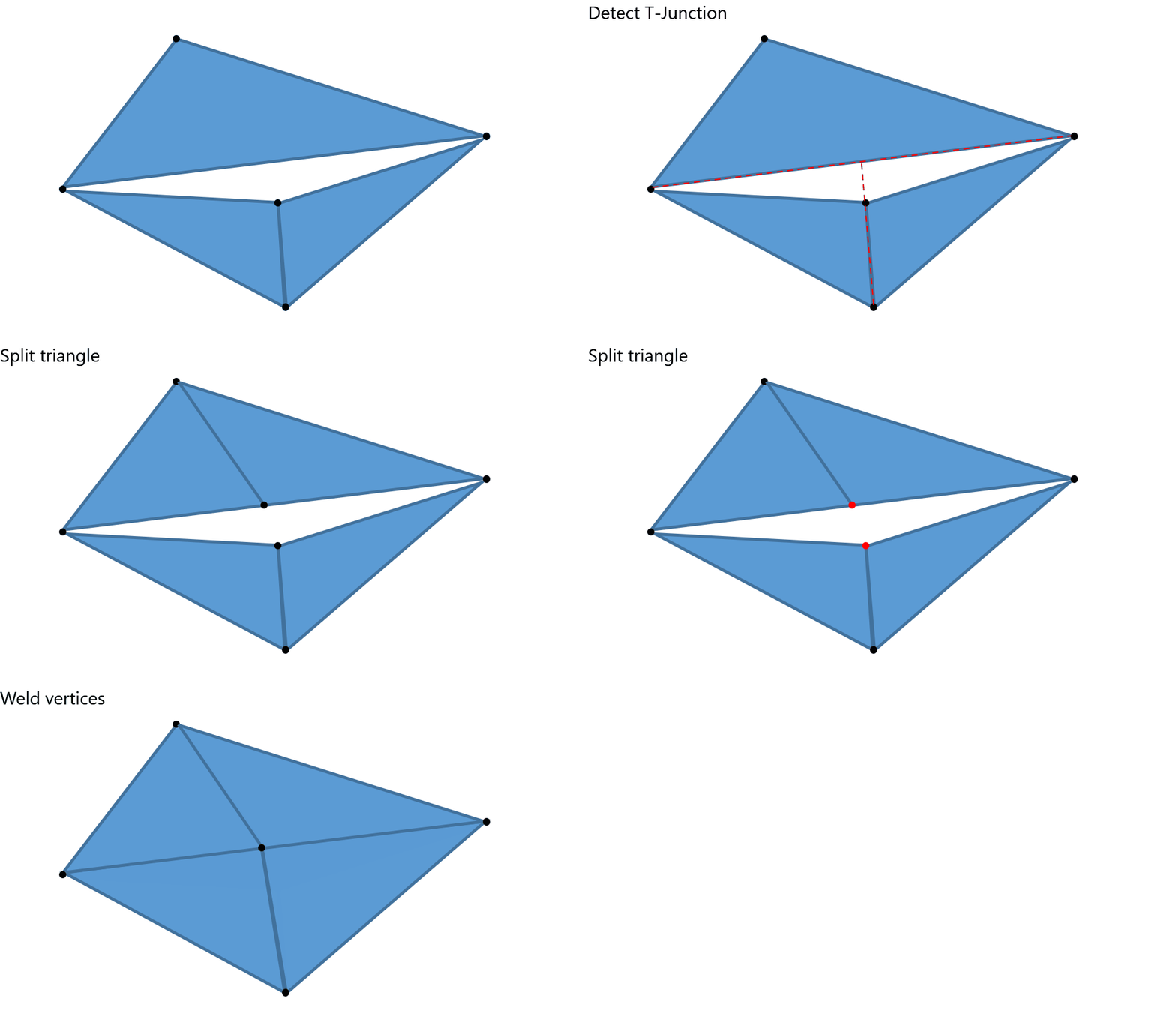
    • Fix T-junctions and sew boundaries that are closer than the specified tolerance.
  • Delete degenerate polygons. Read more.
  • Optionally, crack non-manifold surface edges, that is, split them into two or more manifold edges, if possible.
  • Optionally, flip adjacent faces consistently to the same side.

Duplicate polygons

Duplicate polygons overlap. Their vertices coincide but aren't connected. As a result, the polygon count may be unnecessarily high. Visual artifacts, such as Z-fighting, may affect the mesh quality.
This feature maintains only one polygon.

T-junctions

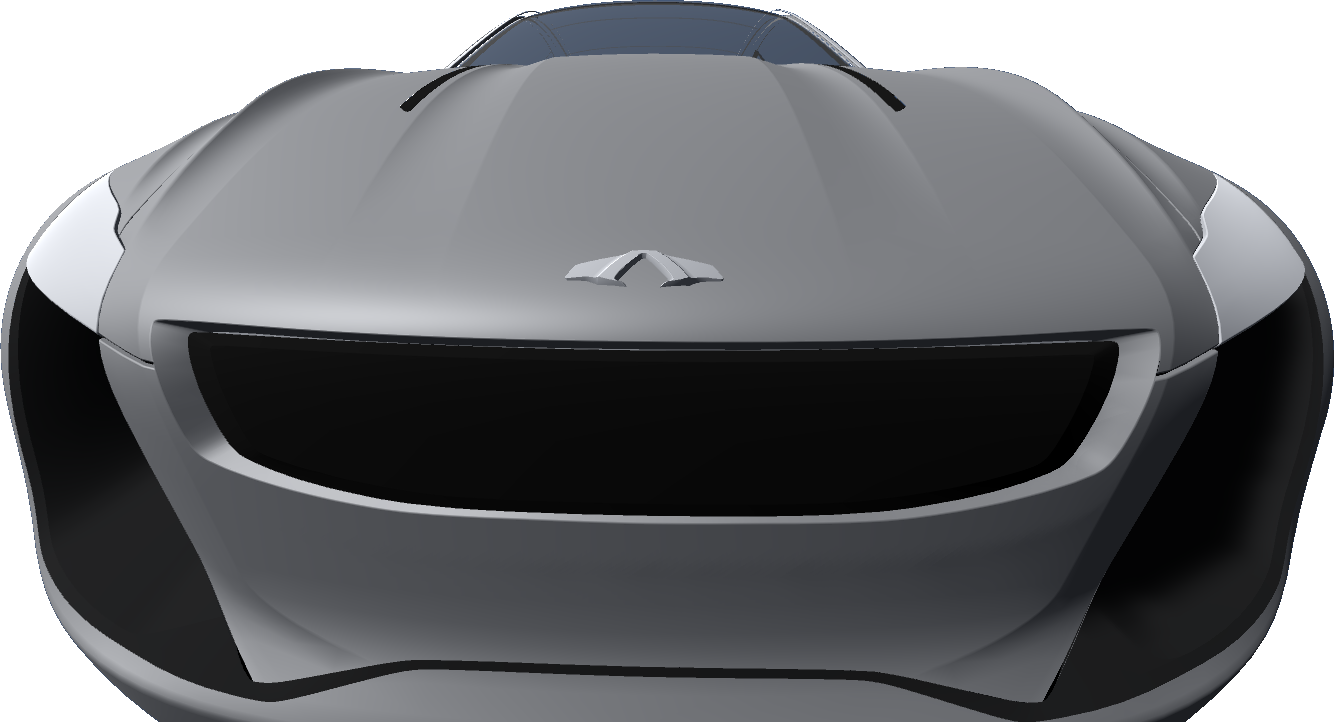
This feature sews the boundaries of the selected meshes even if the vertices don't coincide.
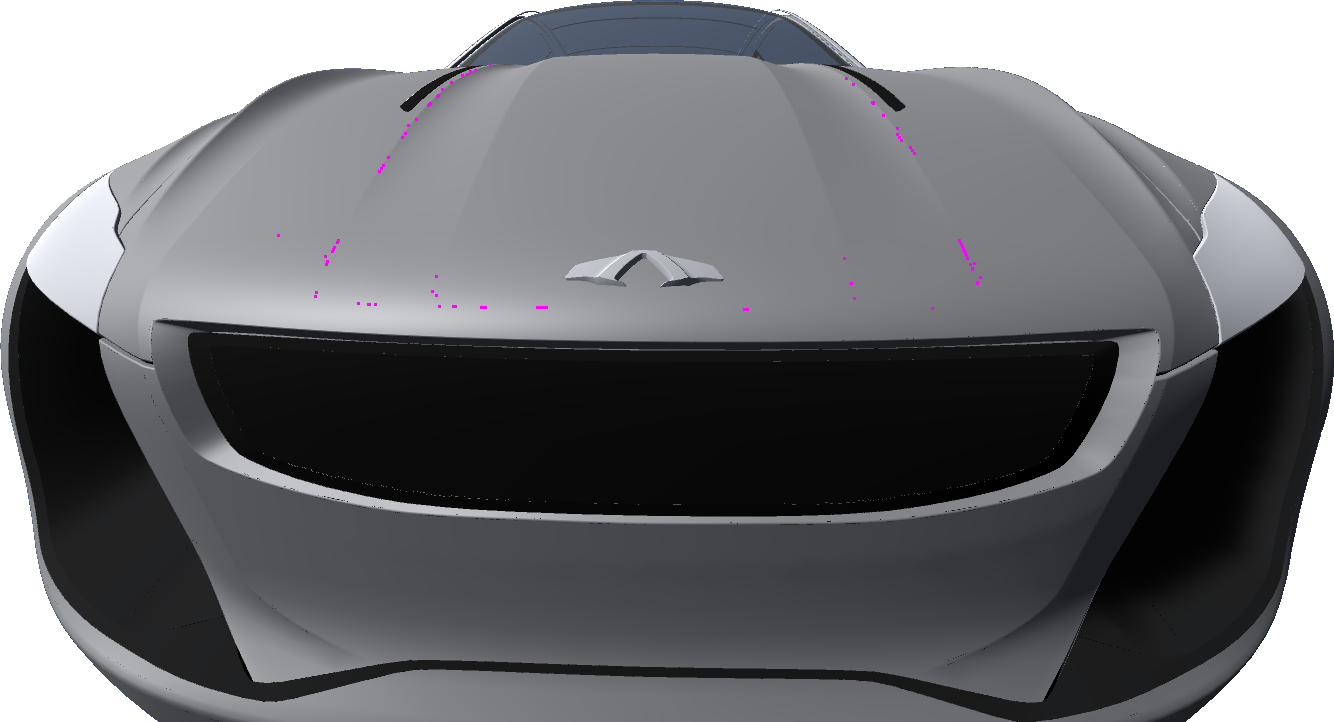
This feature prevents visible gaps.
Non-manifold edges

This illustration shows the difference between manifold edges and non-manifold edges:
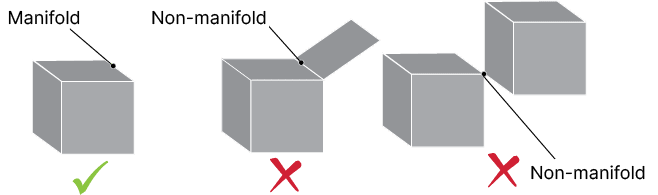
An example of a non-manifold edge is an edge that's shared by a cube and a square. Another example is an edge that's shared by two cubes.
Non-manifold edges cause these issues in polygon meshes:
  • Irregular mesh
  • An unnecessarily high polygon count on curves
  • Other issues in subsequent processing that requires manifold topology, for example decimation

Face orientation

This feature flips adjacent faces consistently to the same side, in two steps:
  1. Crack Möbius strips of polygons
  2. Flip the polygons of a strip consistently to the same side
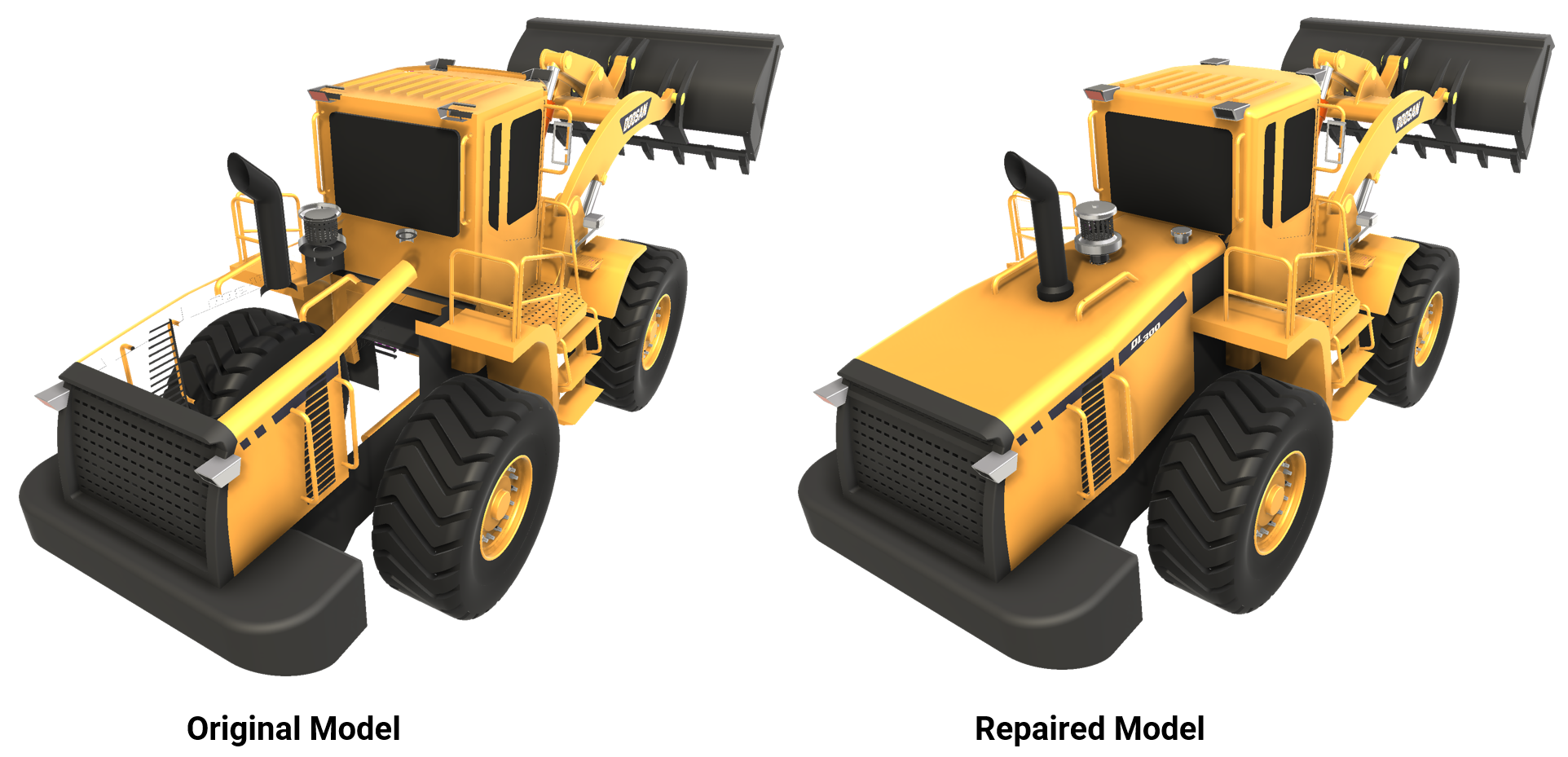
Before repair, part of the tractor body isn't displayed because some faces aren't properly oriented.
Important
The correct orientation of a face is subjective, because it depends on the viewer's standpoint. The processing result might be incorrect. You can use other features to flip faces based on the viewer's standpoint.
We recommend that you disable this parameter if the face orientation is correct.

Copyright © 2026 Unity Technologies
LegalPrivacy PolicyCookiesDocumentation Terms of UseDo Not Sell or Share My Personal InformationYour Privacy Choices (Cookie Settings)

"Unity", Unity logos, and other Unity trademarks are trademarks or registered trademarks of Unity Technologies or its affiliates in the U.S and elsewhere (more info here). Other names or brands are trademarks of their respective owners.

Some pages are machine-translated for convenience, and may contain inaccuracies. In the event of conflicting information, the English version is authoritative.

  • On this page
    • Duplicate polygons

    • T-junctions

    • Non-manifold edges

    • Face orientation

  • Additional resources
  • Merge vertices
  • Delete degenerate polygons

Report a problem with this page