Floating License
Learn how to deploy and use floating licenses for Pixyz SDK, including FlexLM setup and license token management.
Read time 2 minutesLast updated 8 months ago
Deploy and use Flexnet License Manager
To use floating licenses with Pixyz SDK, a FLexLM license Server is required.
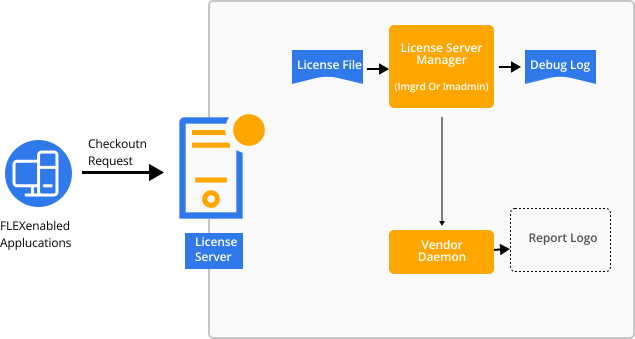
About FlexLM License Server Manager
lmadminlmgrdAbout Pixyz Vendor Daemon
Specific to Unity x Pixyz Products, job is to process the license request and to either grant it or deny it, depending on the number of available licenses, and predefined license usage constraints.
Pixyz Vendor DaemonAbout Pixyz License File
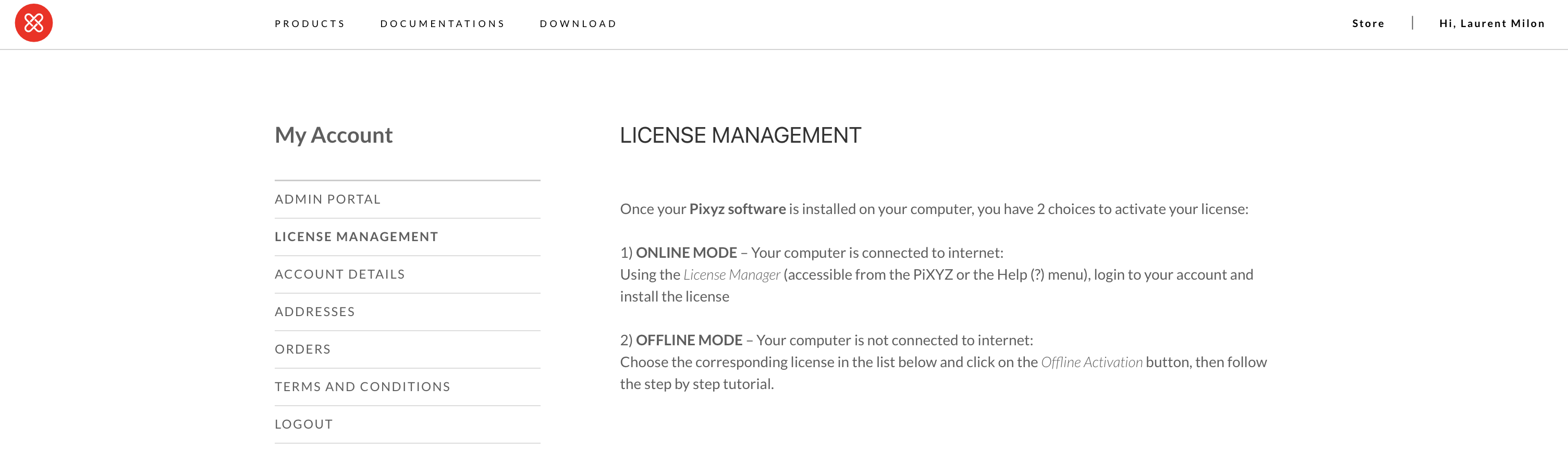
Available after completed Unity license purchase for a Pixyz entitlement, and available for generation on your Pixyz user portal, this license file holds detailed license information such as the quantity and time extent of the license.
About Pixyz license token(s)
Pixyz relies on a token-based licensing mechanism to protect its software integrity and compartimentalize its software portoflio.
Pixyz SDK automatically configures itself at startup, during the initialization and license configuration phases. See Setup Guides samples.
While exploring Pixyz SDK, Pixyz-based Products or FlexLM license server, you might come across the following concepts and license tokens:
TOKEN NAME | Brief description |
|---|---|
| AllFormats | Enables Import and Export capabilities within Pixyz |
| Format Name | Enables Import and/or Export capabilities for a given file format |
| Format Name | Eg: 'Catia', 'Step', ... Enables Import and/or Export capabilities for a given file format |
| PxzImport | Enables Pixyz native scenes import/load |
| PxzExport | Enables Pixyz native scenes export/save |
| ImportBundleX | Enables Import specific capabilities |
| ImportBundleX | Enables Export specific capabilities |
| Algo | Enables Pixyz algorithms |
| Process | Enables Pixyz process |