Blueprint integration
Learn how to use the Blueprint Visual Scripting system in the Unreal Engine to integrate with the Multiplay Game Server SDK. The Multiplay Game Server SDK can interact with the following interfaces:
Install the Multiplay Game Server SDK plug-in
Before proceeding, make sure the Multiplay Game Server SDK plug-in is properly installed.Multiplay server configuration subsystem
This subsystem has the server configuration for the current session. This subsystem retrieves this information from theserver.json- A server ID
- An allocation ID
- A Server Query Protocol Port
- A connection port for the session
- A directory in which the game server saves log files
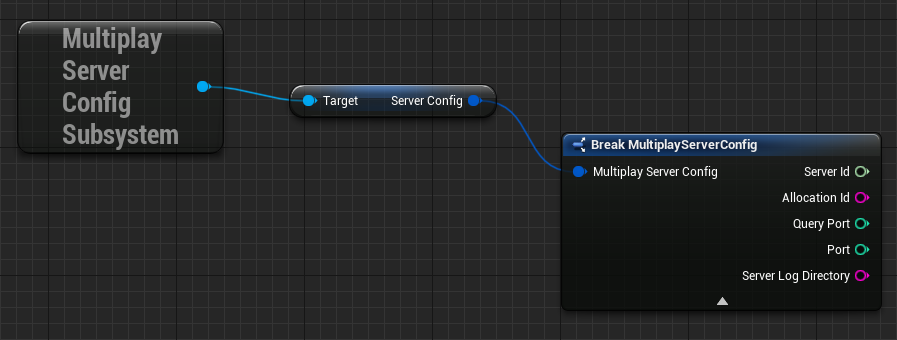
A diagram representing the setup of a multiplayer server's configuration.
Multiplay Game Server Subsystem
The Multiplay Game Server Subsystem allows you to subscribe (and respond) to game server events, such as when a game server becomes allocated and when a game server is ready for players. Refer to Game server lifecycle and Server readiness.SubscribeToServerEvents
After you have an instance of MultiplayGameServerSubsystem, you can use the Subscribe Blueprint to subscribe to Multiplay events, including OnAllocate, ReadyServerForPlayers, UnreadyServer, and OnDeallocate.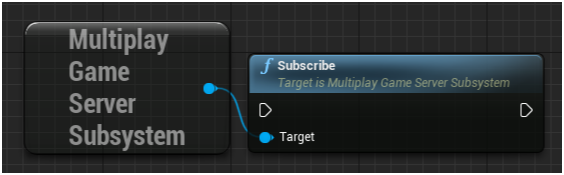
A diagram showing the Multiplay game server subsystem node connecting to the Subscribe node to subscribe to Multiplay events.
OnAllocate
Use this Blueprint as an opportunity to perform any setup logic necessary before players can join the game server for a game match, such as loading game assets and starting backfill with ReadyServerForPlayers.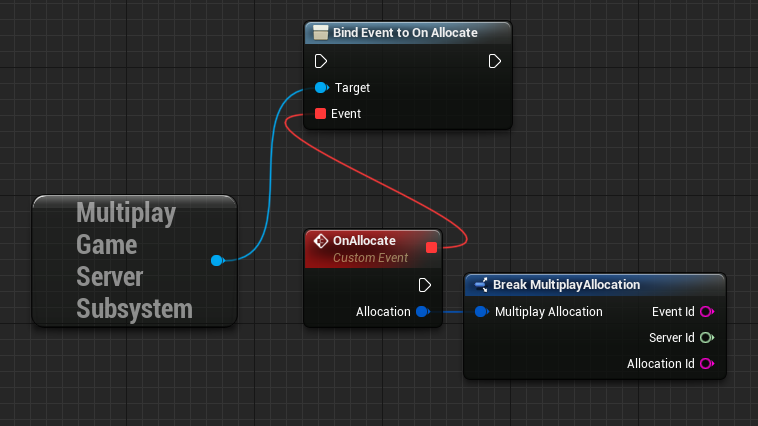
A diagram showing the process of subscribing to allocation events and breaking down allocation details into Event ID, Server ID, and Allocation ID. This setup is used for managing server allocation in multiplayer games.
ReadyServerForPlayers
Use this Blueprint to let Multiplay know when a game server is ready to accept players for a game match.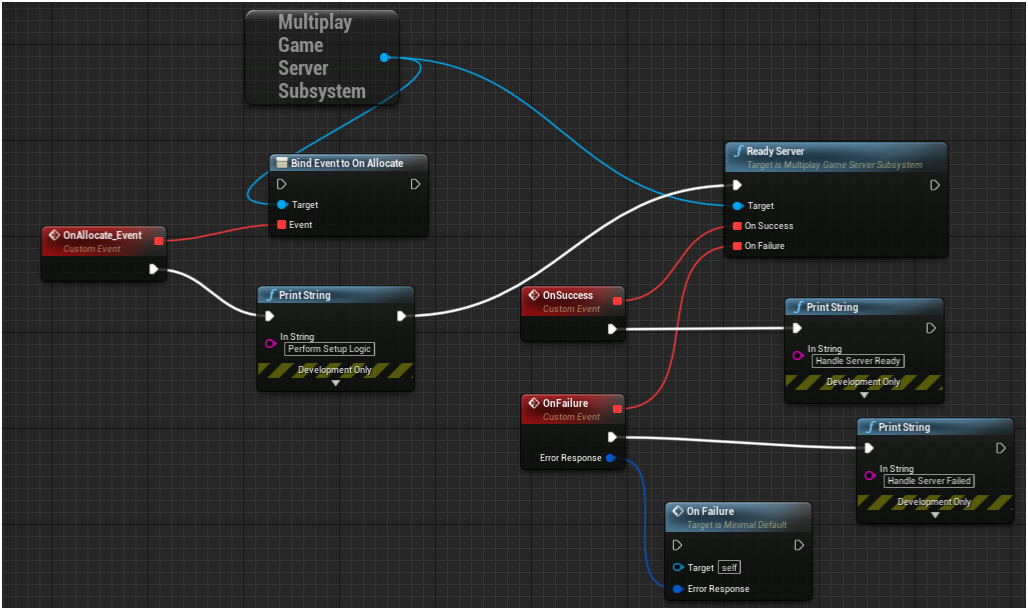
A diagram depicting the node connections necessary to manage server readiness and allocation processes to accept players for a match.
UnreadyServer
Use this Blueprint to let Multiplay know that the game server is no longer ready to accept players. Scenarios in which you might want to use the UnreadyServer Blueprint include:- A game match is almost complete
- A game match is complete
- The game server is full
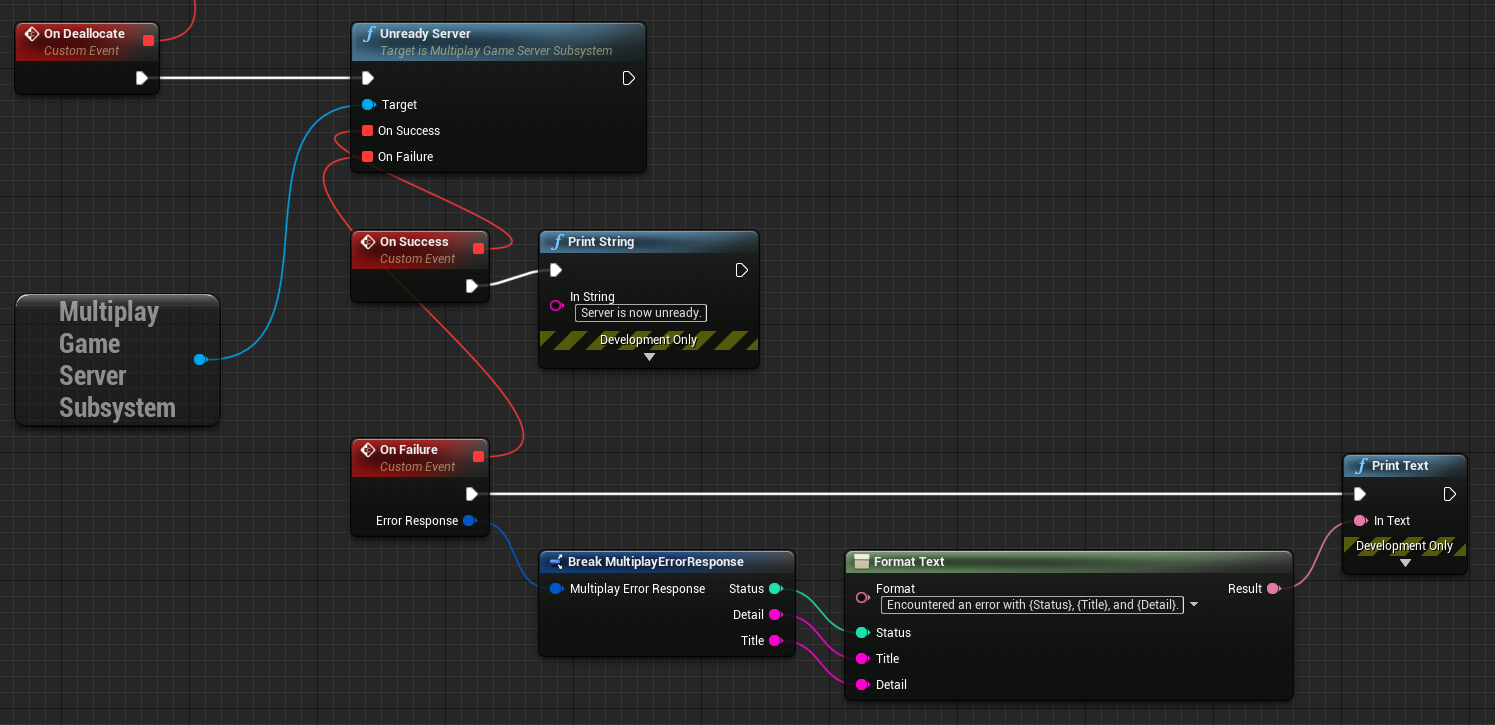
A diagram demonstrating the node connections to let Multiplay know that the server is not ready to accept players.
OnDeallocate
Use this Blueprint to know when Multiplay is deallocating the game server. The OnDeallocate Blueprint provides an opportunity to perform any last-minute cleanup or bookkeeping necessary before the game server shuts down.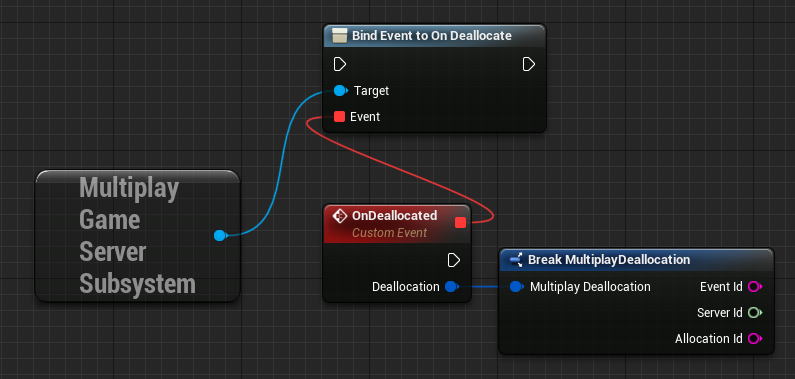
A node diagram representing the setup for handling server deallocation events in multiplayer games.
Multiplay Server Query Handler Subsystem
The Multiplay Server Query Handler Subsystem allows you to set game server variables monitored by the game server query protocol. This implementation uses SQP. Refer to Server Query Protocol. You can use theUMultiplayServerCheckSubsystem- Connect to game servers
- Disconnect from game servers
- Configure game server query values using the setting Blueprints
- Access game server query values using the accessor Blueprints
Setting Blueprints
Use the following setting Blueprints to set the query values for the game server. These setting Blueprints include SetCurrentPlayers, SetMaxPlayers, SetServerName, SetGameType, SetBuildId, SetMap, and SetPort.SetCurrentPlayers
Use this Blueprint to set the number of players connected to the game server.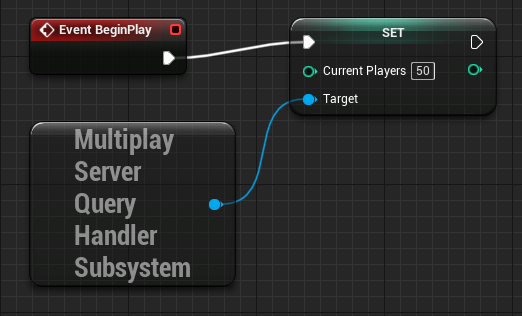
A node diagram providing a workflow for initiating player count on a multiplayer server at the beginning of gameplay.
SetMaxPlayers
Use this Blueprint to set the maximum number of players that can connect to the game server.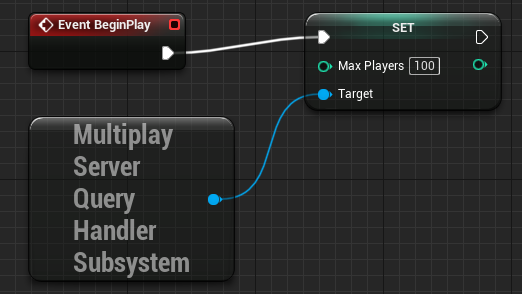
A node diagram providing a workflow for initiating the maximum player limit on a multiplayer server at the beginning of gameplay.
SetServerName
Use this Blueprint to set the current name of the game server.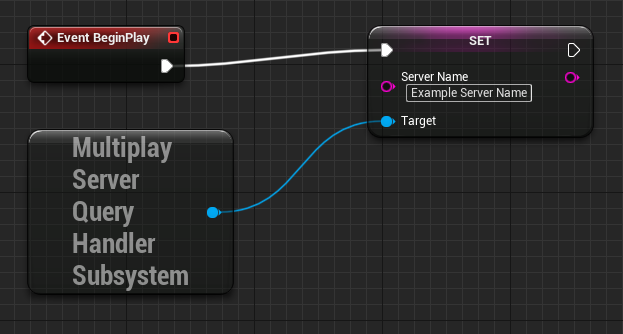
A node diagram representing setting the server name in a multiplayer game.
SetGameType
Use this Blueprint to set the game type that the game server is running.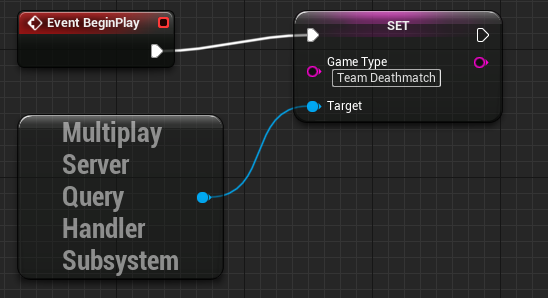
A node diagram representing setting the game type of a multiplayer game, for example, Team Deathmatch.
SetBuildId
Use this Blueprint to set the current build ID of the game server.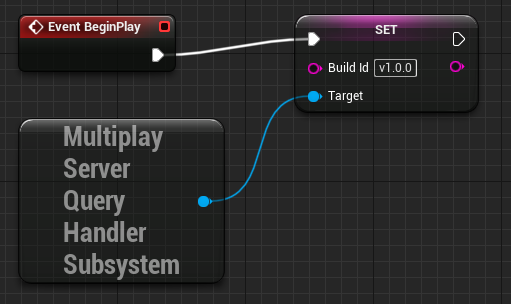
A node diagram representing setting the build ID of the game server, for example, v 1.0.0.
SetMap
Use this Blueprint to set the current map of the game server.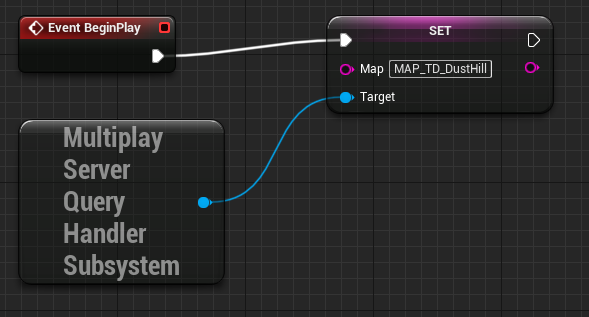
A node diagram representing setting a specific map of a multiplayer game when gameplay begins.
SetPort
Use this Blueprint to set the port number of the game server.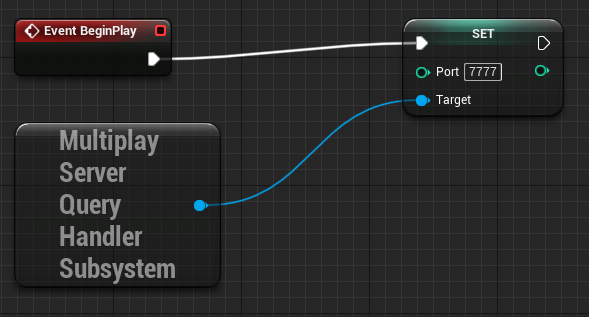
A node diagram representing setting the port number from which the game client can connect to the game server.
Connect Blueprint
Use this Blueprint to establish a connection to the game server. You must establish a connection to the game server before using any of the Accessor Blueprints.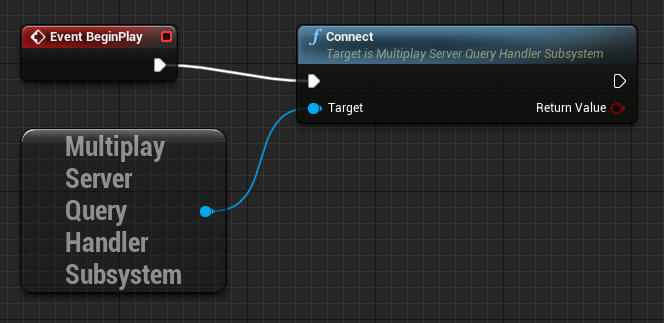
A node diagram representing conncting a Blueprint to the game server.
Accessor Blueprints
Use this Blueprint to access the values you set. These Accessor Blueprints include GetCurrentPlayers, GetMaxPlayers, GetServerName, GetGameType, GetBuildId, GetMap, and GetPort.GetCurrentPlayers
Use this Blueprint to get the current number of players connected to the game server.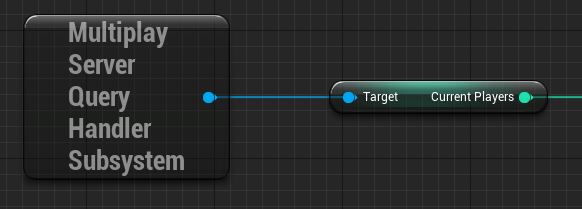
A node diagram representing the connection process to get the current number of players connected to the game server.
GetMaxPlayers
Use this Blueprint to get the maximum number of players allowed to connect to the game server.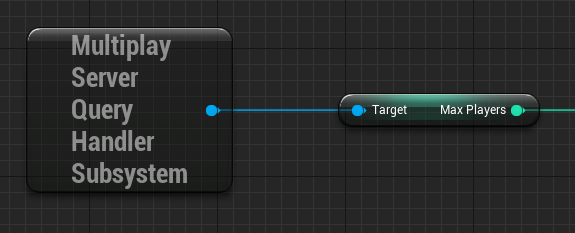
A node diagram representing the connection process to get the maximum number of allowable players connected to the game server.
GetServerName
Use this Blueprint to get the current name of the game server.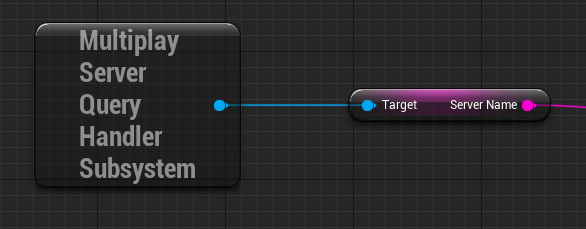
A node diagram representing the connection process to get the current name of the game server.
GetGameType
Use this Blueprint to get the game type the game server is running.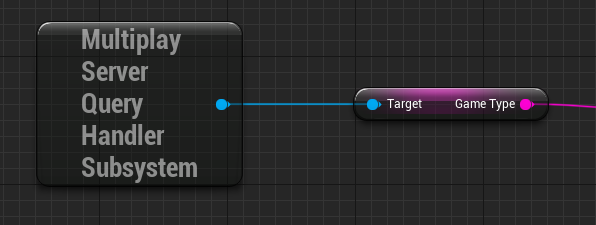
A node diagram representing the connection process to get the game type that the server is running.
GetBuildId
Use this Blueprint to get the ID of the build the game server is running.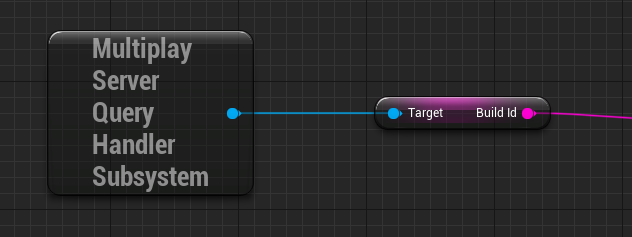
A node diagram representing the connection process to get the build ID that the game server is running.
GetMap
Use this Blueprint to get the current map of the game server.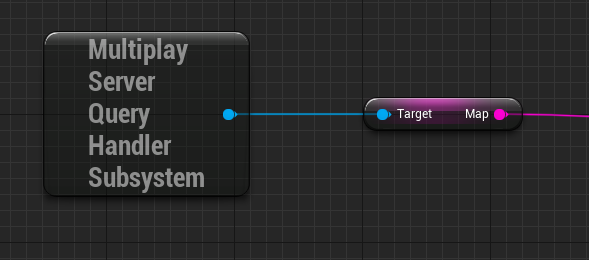
A node diagram representing the connection process to get the current map of the game server.
GetPort
Use this Blueprint to get the current port of the game server.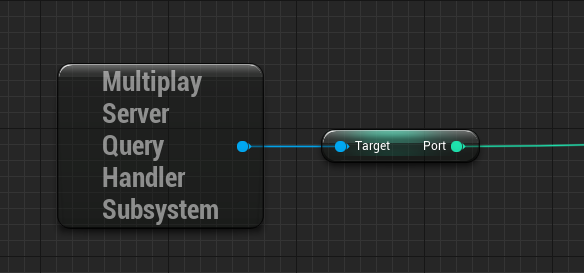
A node diagram representing the connection process to get the current port that the game client uses to connect to the game server.
Disconnect Blueprint
Use this Blueprint to disconnect from the game server before shutting it down.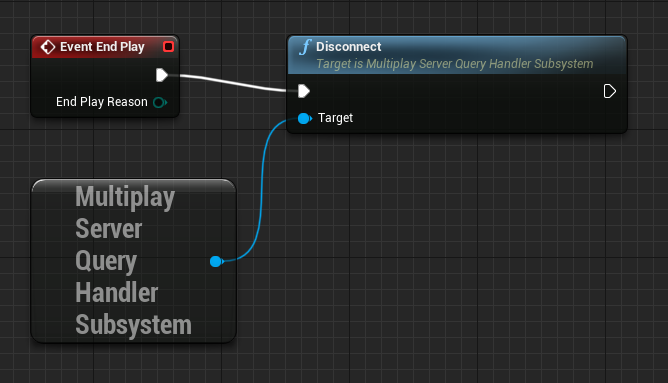
A node diagram illustrating a server disconnection upon the end play event.