Build configuration workflow
Follow this workflow to create and manage build configurations using the API.
Read time 2 minutesLast updated 3 days ago
The build configurations workflow covers getting a build, getting (or creating) a build configuration, and updating a build configuration.
Before using the Build workflow, you must have a CCD API key and a UGS service account with the following roles:
- Multiplay API Viewer
- Multiplay API Editor
The following diagram shows a simplified version of the workflow:
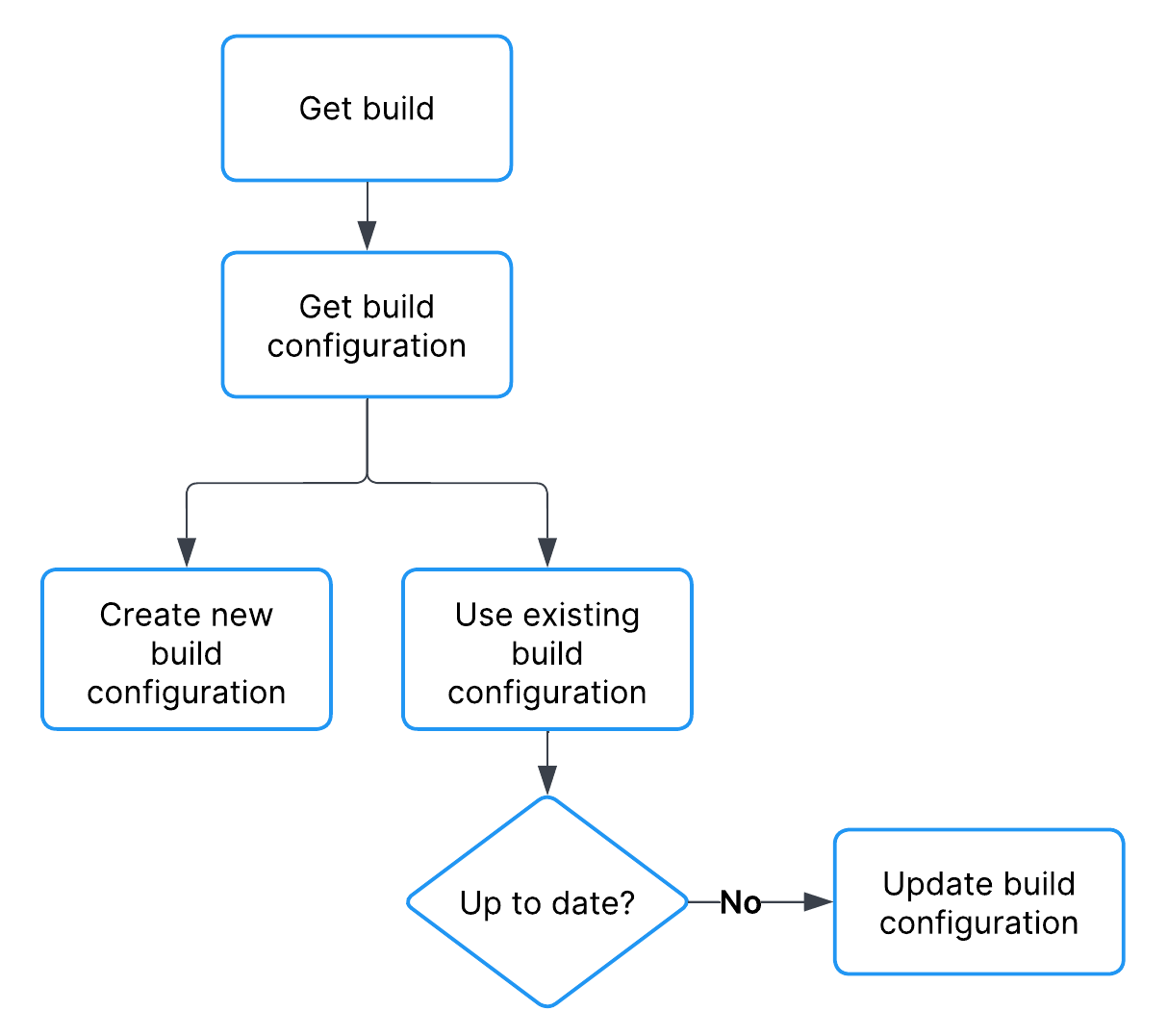
build configuration workflow diagram
Get a build
You can get a build ID by its name using the Get a list of builds API. Refer to Build upload workflow.Get a build configuration
The process for getting a build configuration varies depending on whether you want to use an existing build configuration or create a new one. If you opt to use an existing build configuration but want to update it, refer to Update a build configuration.Get an existing build configuration by name
You can get a build configuration ID by its name using the List build configurations API. If you want to update an existing build configuration, refer to Update a build configuration. The following code sample shows how to get an existing build using curl:Refer to the List build configurations API documentation for example response bodies and parameter documentation.curl -X GET -H "Authorization: Basic <SERVICE_ACCOUNT_CREDENTIALS>"https://services.api.unity.com/multiplay/build-configurations/v1/projects/{projectId}/environments/{environmentId}/build-configurations
Create a new build configuration
You can create a build configuration using the Create a build configuration API. The following code sample shows how to get an existing build using curl:Refer to the Create a build configuration API documentation for example response bodies and parameter documentation.curl -X POST -H "Authorization: Basic <SERVICE_ACCOUNT_CREDENTIALS>" -H "Content-Type: application/json" \-d '{"binaryPath": "/path/to/bin", "buildID": <BUILD_ID>, "commandLine": "--init game.init", "configuration": [{}], "cores": 2,"memory": 4000, "name": "Foo name", "queryType": "sqp", "speed": 400}' \https://services.api.unity.com/multiplay/build-configurations/v1/projects/{projectId}/environments/{environmentId}/build-configurations
Update a build configuration
You can update a build configuration using the Update a build configuration API.
The following code sample shows how to get an existing build using curl:
Refer to the Update a build configuration API documentation for example response bodies and parameter documentation.curl -X PUT -H "Authorization: Basic <SERVICE_ACCOUNT_CREDENTIALS>" \-d '{"binaryPath": "/path/to/bin", "buildID": <BUILD_ID>, "commandLine": "--init game.init", "configuration": [{"id": 5, "key": "game_mode", "value": "death_match"}], "cores": 2, "memory": 4000, "name": "Foo name", "queryType": "sqp", "speed": 400}' \https://services.api.unity.com/multiplay/build-configurations/v1/projects/{projectId}/environments/{environmentId}/build-configurations/{buildConfigurationId}