Builds
Understand what builds are and how they contain the files needed to run your game on servers.
Read time 2 minutesLast updated 4 days ago
A build has the files to run your game or application on Multiplay Hosting’s servers. To link a build to a fleet and tell it how to run, you need to attach a build configuration to the build.
Multiplay Hosting prompts you to upload your build files when you create a build. If you’re using a direct file upload, the files must be a loose set of unarchived (unzipped) files. The build won't work if it’s zipped into an archive.
Before you can use your build, you must create it into a release, which is a version of your build that’s ready to release to servers to run your game or application. The first version you create is Release 1.
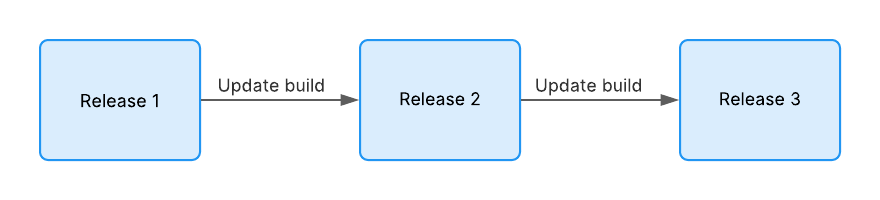
A flowchart showing the naming convention of releases, starting with Release 1 then Release 2 then Release 3, after each successive build update.
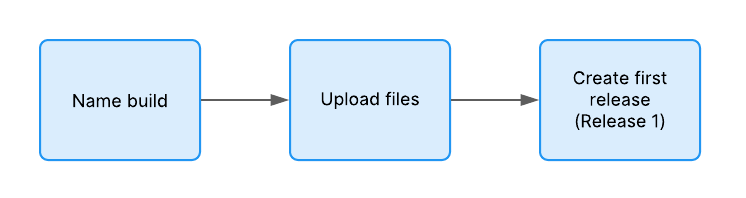
A flowchart showing the stages of creating your first release, from naming the build to uploading the files then finally creating the release.
Progression rollout
A progressive rollout is a method of deploying a build update where you update servers only when they're empty. Multiplay Hosting waits for your matchmaker to deallocate the server if it has any connected players.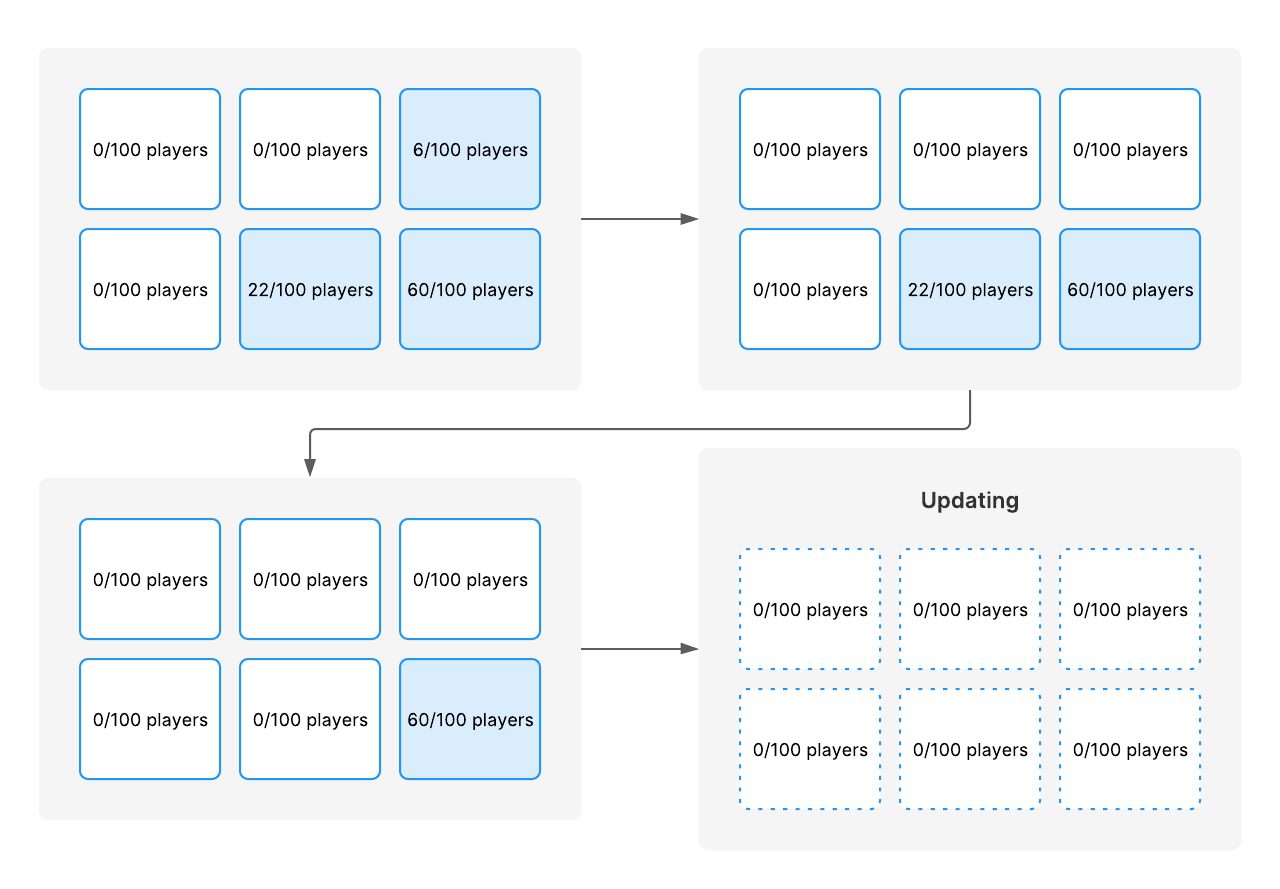
A flowchart showing that Multiplay Hosting's progressive rollout only deploys a build update when the server has no more players.
Forced rollout
A forced rollout is a method of deploying a build update where you force servers to update even if the server has connected players. If players are connected when you start a forced rollout, Multiplay Hosting kicks the players from the server.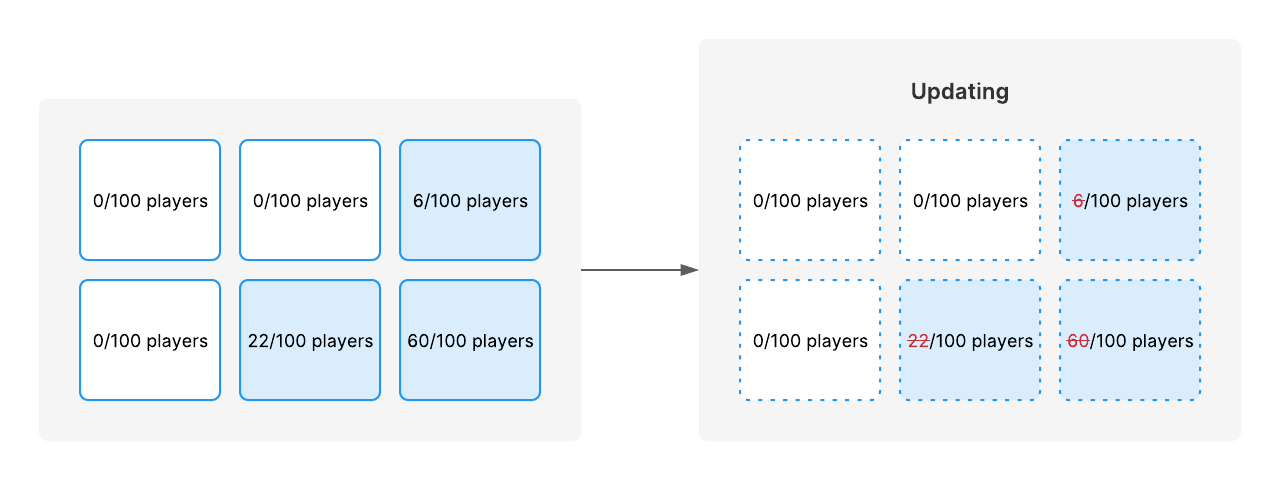
A flowchart showing that Multiplay Hosting's forced rollout deploys a build update by removing active players from the server.