Loot Boxes
Build a loot box system with randomized rewards to improve retention and engagement.
Read time 3 minutesLast updated 2 months ago
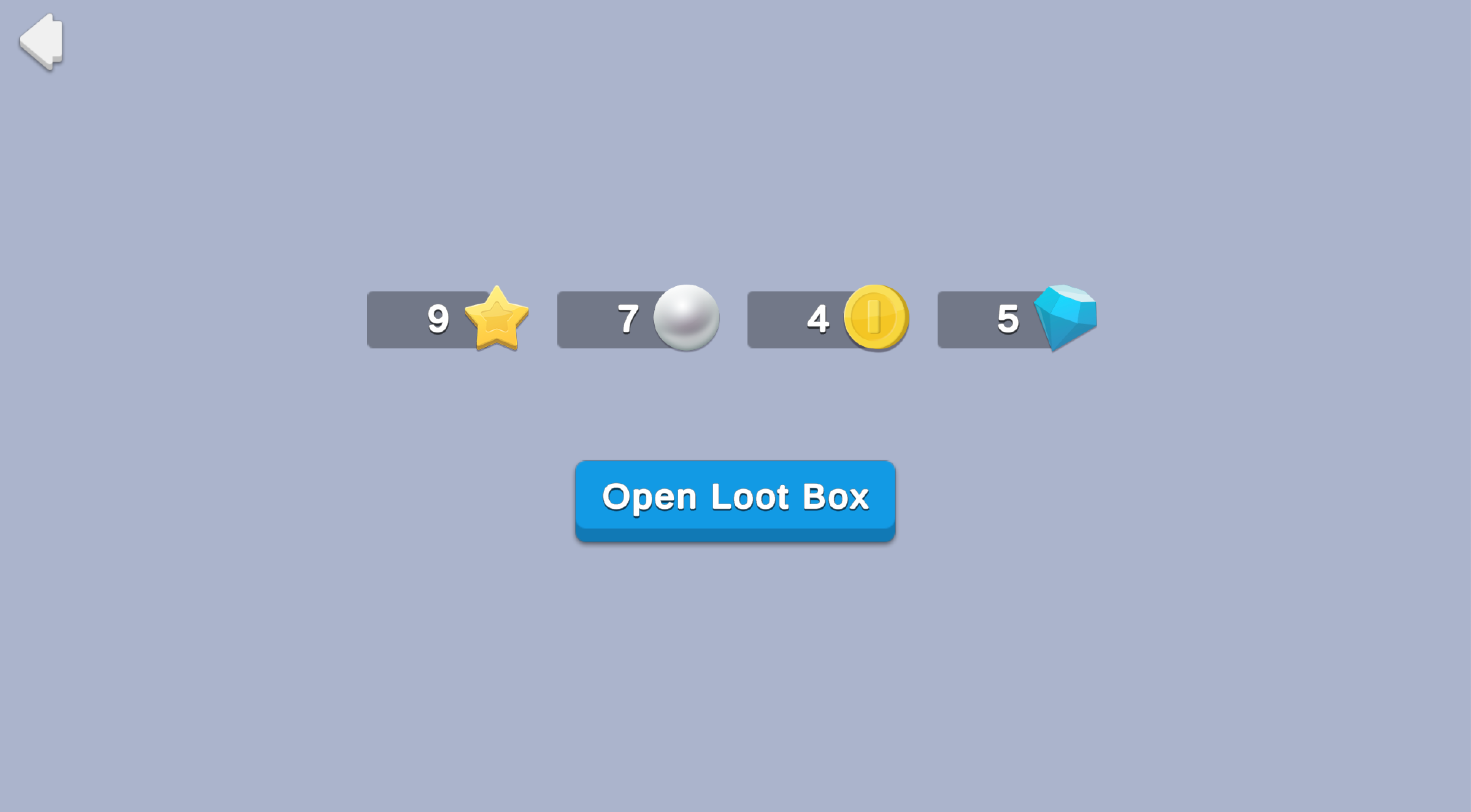
Loot boxes are virtual items that players can win, earn, or purchase, and then open to receive a randomized selection of items. Rewards can vary greatly depending on the game's genre, theme, and virtual economy. They can positively impact retention, supplement live events, and pique the curiosity of old and new players alike. This sample demonstrates how to set up a basic loot box that grants random currency to players.
Prerequisites
To use this sample use case, you must download and install the UGS Use Cases project in your Unity project.
Overview
To see this use case in action, open the samples menu and navigate to Loot Boxes. To open this scene directly and interact with the use case:
- In the Unity Editor Project window, select Assets > Use Case Samples > Loot Boxes, then double-click to open the sample scene.
LootBoxesSample.unity - Press Play to enter Play mode.
Initialization
The script performs the following initialization tasks in its function:
LootBoxesSceneManager.csStart- Initializes Unity Gaming Services.
- Signs in the player anonymously using the Authentication service. If you’ve previously initialized any of the other sample scenes, Authentication will use your cached Player ID instead of creating a new one.
- Retrieves and updates the player's currency balances from the Economy service.
Functionality
When you click the Open Loot Box button, you receive a random amount of rewards from the available pool (indicated in the currency HUD). The following occurs:
- The button's method calls the
OnClickscript from the Cloud Code service, which picks a random quantity of a random currency from an internal list to reward the user.GetRandomCurrency - Cloud Code calls the Economy service directly to grant the awarded currency and update the player's balance.
- Cloud Code returns the results to the client and updates the UI.
Setup
Requirements
To replicate this use case, you'll need the following Unity packages in your project:
Package | Role |
|---|---|
| Authentication | Automatically signs in the player as an anonymous user to keep track of their data server-side. |
| Cloud Code | Picks and grants random currency for the loot box through the Economy server and returns the result. |
| Deployment | Provides a cohesive interface to deploy assets for Cloud Services. |
| Economy | Retrieves the starting and updated currency balances at runtime. |
To use these services in your game, activate each service for your Organization and project in the Unity Dashboard.
Unity Cloud services configuration
To replicate this sample scene's setup in your own Unity project, configure the following items:
- Cloud Code scripts
- Economy items
To configure these items you can use the Deployment package, or manually enter them using the Unity Dashboard.
The recommended best practice is to use the Deployment package as it greatly accelerates this process.
Using the Deployment package
To deploy configurations using the Deployment package:
- Open the Deployment window.
- Check in and
Common.Loot Boxes - Click .
Deploy Selection
This deploys all the necessary items.
Using the Unity Dashboard
You can use the Unity Dashboard to manually configure your services by project and environment.
Refer to the following sections to configure this sample.
Economy
Configure the following Currencies in the Unity Dashboard:
Resource type | Resource name | ID | Description |
|---|---|---|---|
| Currency | Coin | | A loot box reward item. |
| Currency | Gem | | A loot box reward item. |
| Currency | Pearl | | A loot box reward item. |
| Currency | Star | | A loot box reward item. |
These comprise the potential reward pool for your loot box. For more information, see documentation on configuring Economy resources.
Cloud Code
Publish the following script in the Unity Dashboard:
Script | Parameters | Description | Location in project |
|---|---|---|---|
| None | Picks a random quantity of a random currency from an internal list to reward the user, grants it on the Economy service, and returns the result. | |
Economy
Configure the following resources in the Unity Dashboard:
Resource type | Resource name | ID | Description |
|---|---|---|---|
| Currency | Coin | | A potential loot box reward. |
| Currency | Gem | | A potential loot box reward. |
| Currency | Star | | A potential loot box reward. |
| Currency | Pearl | | A potential loot box reward. |