Introduction to the Unity Dashboard
Understand how to navigate the Unity Dashboard to manage your organization and services.
Read time 2 minutesLast updated 5 months ago
The Unity Dashboard is your primary point for managing your organization and the services you use in your projects.
Navigate the Dashboard
The main Dashboard navigation menus persist across every page in the Dashboard, so you can access your tools and spaces at any time, from anywhere in your workflow.
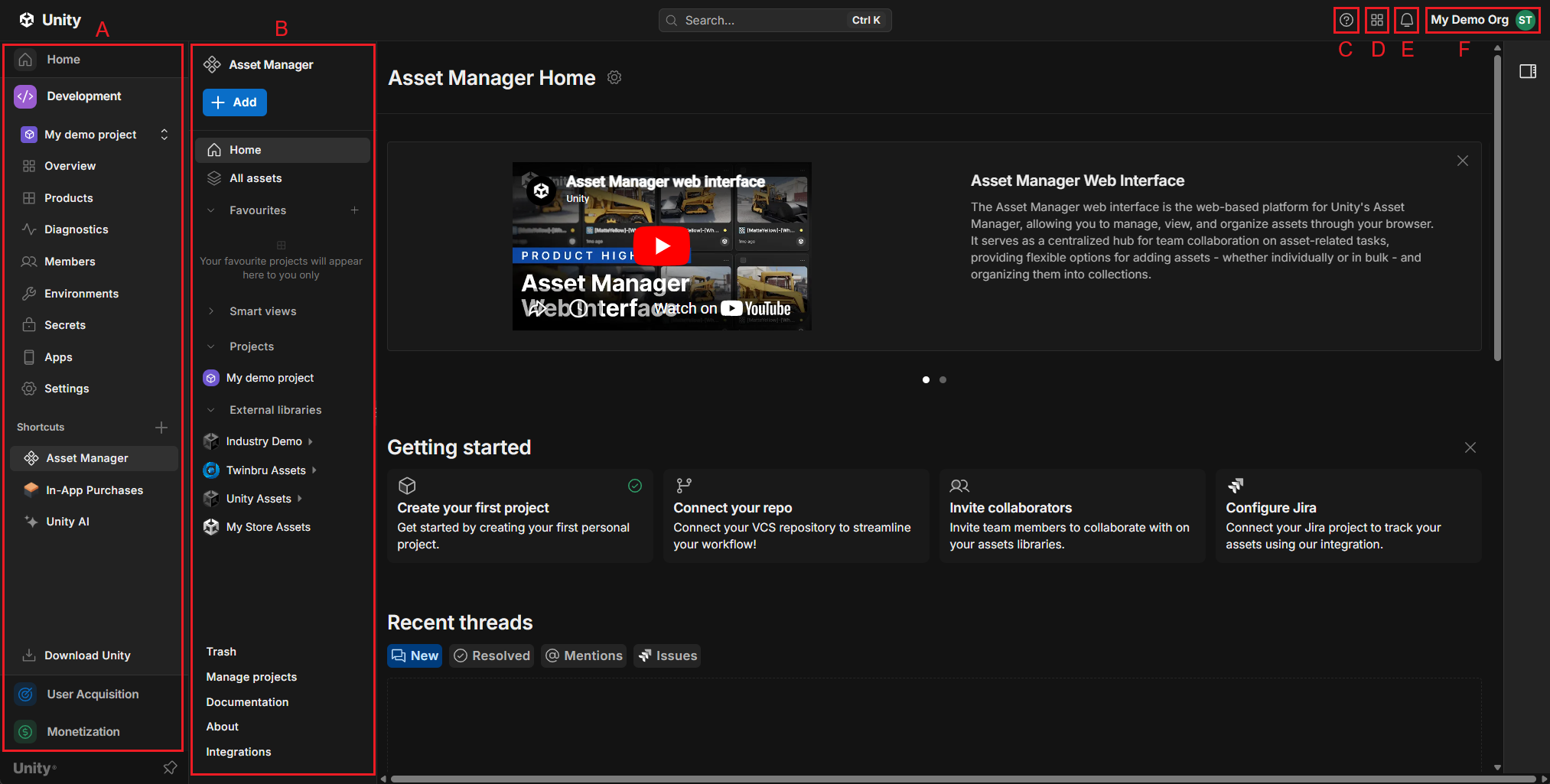
- A: Primary navigation menu
- B: Feature navigation menu
- C: Help and Support
- D: Applications menu
- E: Notifications menu
- F: Account menu
Primary and feature navigation menus
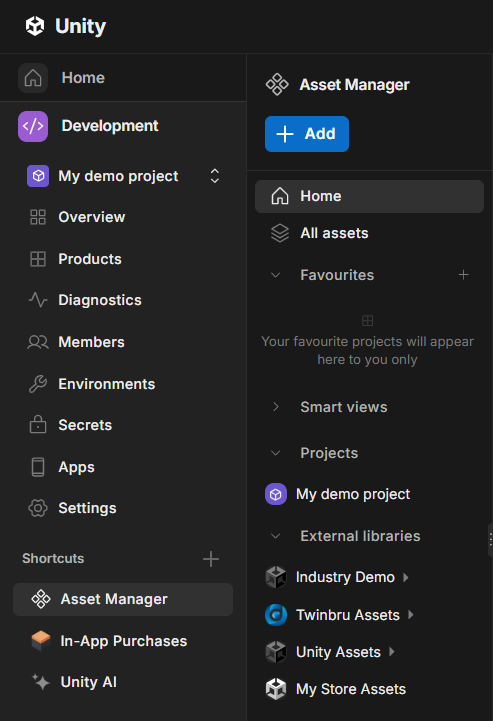
Use the primary navigation menu (left) to browse the main menu or switch between service suites. Selecting an item from the primary navigation menu expands its feature navigation menu, if applicable, with more context-specific selections.
Help and support
Select the help icon to view the Unity Dashboard Support page. This page contains links to:
- Check service statuses.
- View product and API documentation.
- Unity Learn tutorials.
- Product forums.
- File a customer support ticket.
Applications menu
Select the grid icon to access useful Unity sites, such as the Asset store or Learn tutorials.
Notifications menu
Select the Notifications icon to view notifications related to your account.
Account menu
Select the Account menu to switch between Organizations associated with your Unity ID, manage settings, and customize your Dashboard experience, for example change language or display theme.
When you select Manage organization in the Account menu, the Dashboard displays a separate Administration view. Use the Administration menu to manage settings and information for your organization.