音频设备管理
Allow players to select audio input and output devices.
阅读时间4 分钟最后更新于 9 个月前
Vivox SDK 会自动使用系统默认音频输入和输出设备。您可以尝试覆盖此行为,让用户能够选择要用于群组语音聊天的音频设备(独立于用于游戏的音频设备)。
若要执行这种覆盖,请在游戏中构建一个用户界面,向用户显示他们可以从中选择设备的可用设备列表。请为 InputDevices 和 OutputDevices 构建此用户界面,并利用 和 返回 或 的一个 ReadOnlyCollection,然后使用这些设备的名称填充此 UI。
VivoxService.Instance.AvailableInputDevicesVivoxService.Instance.AvailableOutputDevicesVivoxInputDevicesVivoxOutputDevices此用户界面应订阅 和 操作,并使用 和 中的新列表刷新 UI,以捕获 AudioDevices 列表中的任何添加或移除操作。
VivoxService.Instance.AvailableInputDevicesChangedVivoxService.Instance.AvailableOutputDevicesChangedVivoxService.Instance.AvailableInputDevicesVivoxService.Instance.AvailableOutputDevices用户从列表中选择设备后,使用 V 设置输入设备,使用 设置输出设备。
ivoxService.Instance.SetActiveInputDeviceAsync(VivoxInputDevice device)VivoxService.Instance.SetActiveOutputDeviceAsync(VivoxOutputDevice device)以下示例说明从列表中选择音频设备后应如何设置该设备。此处还包括一项检查,确保音频设备仍在设备列表中,进而确保在加载用户界面时音频设备未发生变化。
async void SetVivoxInputDeviceAsync(VivoxInputDevice device){ if(VivoxService.Instance.AvailableInputDevices.Contains(device)) { await VivoxService.Instance.SetActiveInputDeviceAsync(device); }}await void SetVivoxOutputDeviceAsync(VivoxInputDevice device){ if(VivoxService.Instance.AvailableOutputDevices.Contains(device)) { await VivoxService.Instance.SetActiveOutputDeviceAsync(device); }}
Chat Channel Sample 有一个 UI 对象的示例在 中控制 AudioDevice 列表。
AudioDeviceSettings.cs识别有效设备
参与者可以使用虚拟设备(例如 或 )作为进行语音聊天时的活动设备。有时,您可能需要虚拟设备所代表的物理设备的相关信息,例如在尝试对特定于设备的错误进行故障排除时。
Default System DeviceDefault Communication Device物理设备在 Vivox SDK 中称为有效设备。
Vivox SDK 包含的一些属性和事件可以检查有效输入和输出设备并订阅相关更改。
VivoxService.Instance.EffectiveInputDeviceChanged;VivoxService.Instance.EffectiveOutputDeviceChanged;VivoxService.Instance.EffectiveInputDevice;VivoxService.Instance.EffectiveOutputDevice;
例如,当玩家选择 作为其游戏内输入设备时,在玩家系统设置中设置为 的底层麦克风将成为实际使用的设备。在这种情况下, 返回一个代表正在使用的真实输入设备的对象。下图是 Chat Channel Sample 中的相关设置:
Default System DeviceDefault System DeviceVivoxService.Instance.EffectiveInputDevice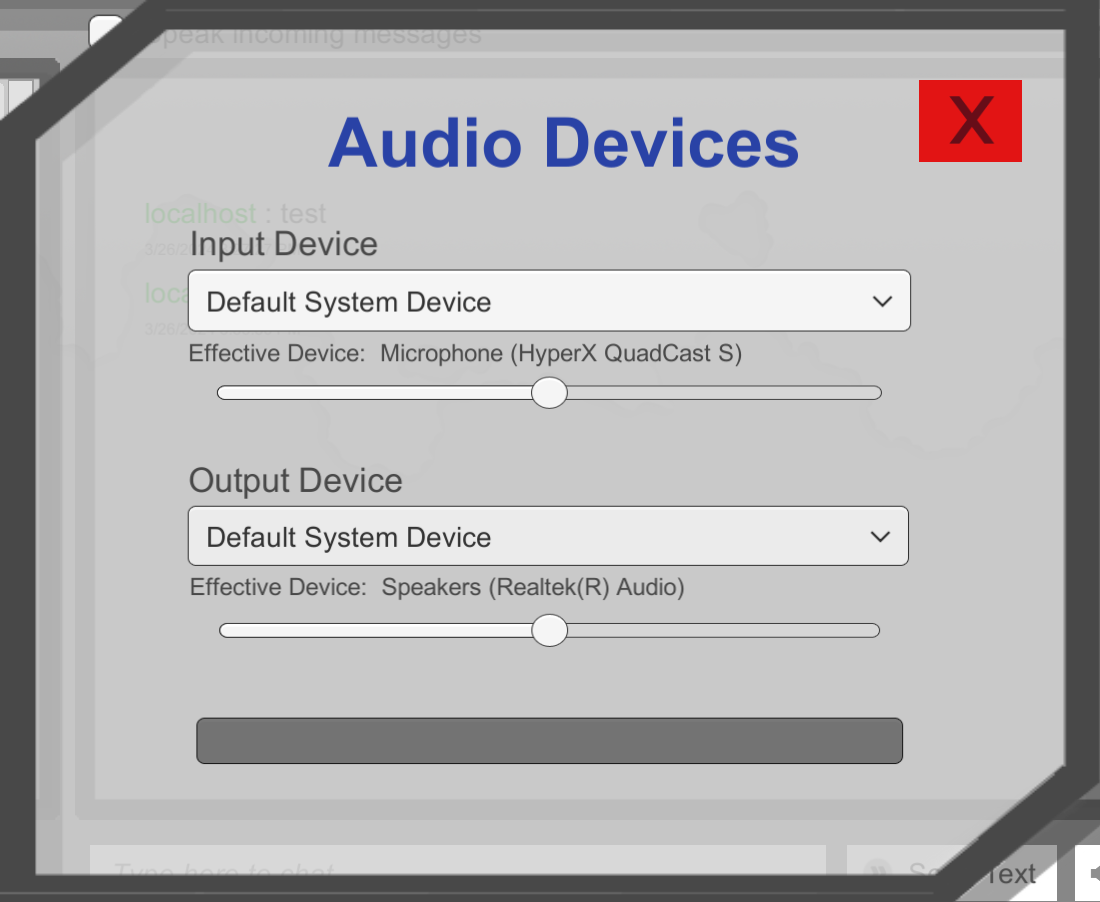
Chat Channel Sample 音频设备选择菜单的屏幕截图,其中显示了有效设备。
即使可用设备列表或活动设备没有改变,有效设备也可能改变,例如用户在 Windows 计算机上的 System Settings 中调整 。在这种情况下,可用设备列表和活动设备都不会改变,但有效设备会改变,因为 使用的实际设备已经改变。
Default System DeviceDefault System Device