Anatomy of a Plugin
The files and folder structure that make up an Asset Transformer Studio plugin
Read time 1 minuteLast updated 12 hours ago
A plugin is made up of at least two files:
- An XML file: Plugin user interface definition. Without this file, no plugin will be detected by Asset Transformer Studio.
- A Python file: script to be executed.
And has to be organized as followed:
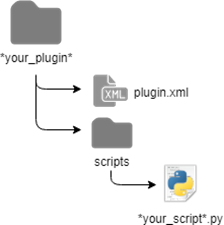
The plugin folder must be placed at one of these locations (see Plugins):
- folder (
ProgramData): place a plugin folder here to make it available for all computer users (see Creating a Plugin) — recommended location%programdata%/PixyzStudio/plugins - folder (
AppData): place a plugin folder here to restrain plugin access to the concerned user (see Creating a Plugin)%appdata%/PixyzStudio/plugins
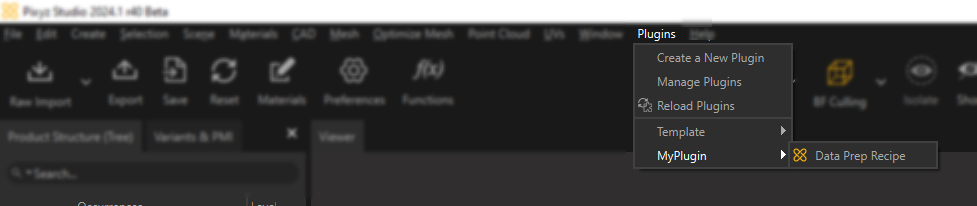
Once loaded in Asset Transformer Studio, it is accessible directly from the Plugins menu:
For more information regarding user interface customization using plugins, see Plugins and Menu Customization.