Managing Plugins
How to manage plugins in Asset Transformer Studio
Read time 1 minuteLast updated 10 hours ago
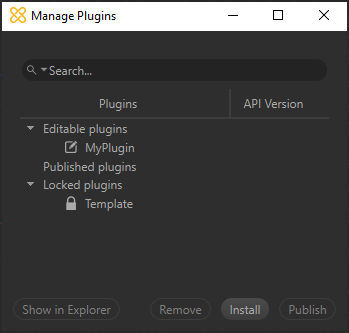
All plugins installed along with Asset Transformer Studio can be managed from the window.
Manage PluginsThe plugins are sorted by category, depending on their nature: , or .
Editable PluginsPublished PluginsLocked PluginsPlease see Plugins for more information about plugins and plugin categories.
Here are the available actions:
Item | Description |
|---|---|
| Show in Explorer | Opens the folder on disk containing the selected plugin's sources |
| Remove | Removes the currently selected plugin (destroys the folder containing all the files related to this plugin) |
| Install | Opens a dialog box to install a Published plugin (binarized *.pxzext files), to then run it in Asset Transformer Studio |
| Publish | Used to publish an Editable plugin (not yet published) as a Published plugin, meaning a *.pxzext file |