Selection Tool
Using the Selection Tool in Asset Transformer Studio
Read time 1 minuteLast updated a month ago
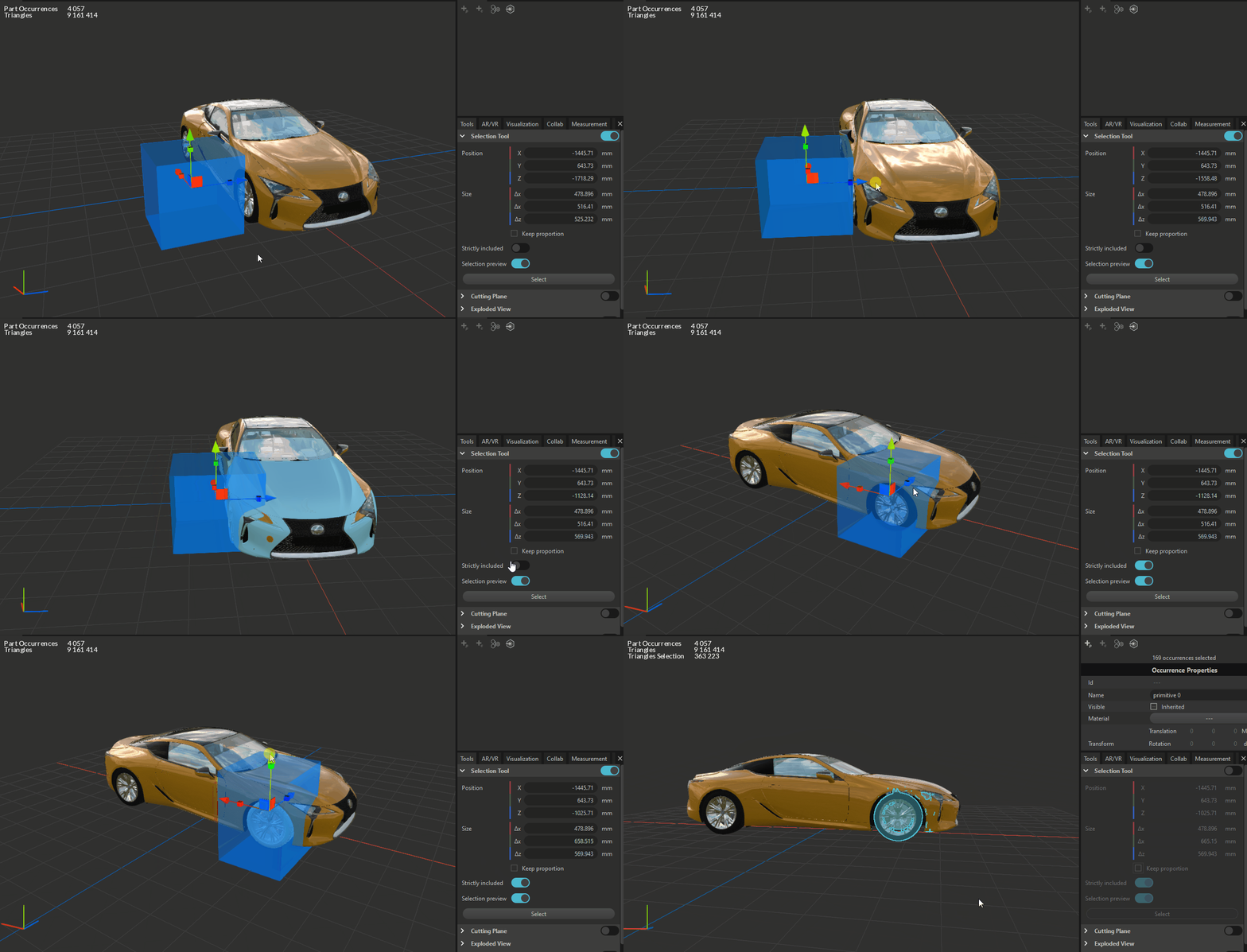
The Selection Tool allows you to select Parts from the viewer using an interactive Bounding Box.
When the tool is activated, a box appears with a dedicated manipulation gizmo, allowing to define the selection box by moving and scaling it, using the arrows or the little boxes respectively.
Box position and size can be directly set by entering values in the dedicated fields.
Other settings:
- When enabled, the parameter ensures that when changing one box dimension, other dimensions will scale keeping the same box proportion.
Keep proportion - When enabled, the parameter ensures that the selection affects only the parts that are fully included within the box.
Strictly included - When enabled, the parameter gives a real-time indication of which parts are affected by the selection box.
Selection Preview
When the selection box is correctly set, you need to validate the selection by clicking the button at the bottom of the tool.
Select