Tencentインテグレーション
アカウント設定、アプリケーション登録、SDK設定など、Unity LevelPlayを使用して、FlutterアプリケーションにTencentを広告ネットワークとして統合します。
読み終わるまでの所要時間 1 分最終更新 1ヶ月前
このガイドでは、LevelPlay MediationプラットフォームでTencentネットワークを広告ネットワークとして稼働させる方法について、ステップバイステップで説明します。
前提条件
- リワード広告、インタースティシャル広告、またはバナー広告をアプリケーションに正しく統合していることを確認します。インテグレーション手順については、以下のプラットフォーム固有のガイドを参照してください。
- TencentはiOSとCNのトラフィックのみをサポートします。必要な iOS の最低バージョンは 10.0 です。
ステップ 1. Tencentネットワークアカウントの作成
- ironsourceのメディエーションプラットフォームからTencentの広告インベントリにアクセスするには、Tencentのアカウントを作成する必要があります。ここで行うことができます。
ステップ 2. Tencentネットワークでのアプリケーションの作成
- Tencentアカウントにアプリケーションとプレースメントを作成するには、Tencent**ヘルプセンター**を使用します。
ステップ 3. Tencent ネットワーク のアクティベート
ironsource プラットフォーム内で、SDK Networks 設定にアクセスして、LevelPlay アカウントに Tencent のパラメータを設定します。
-
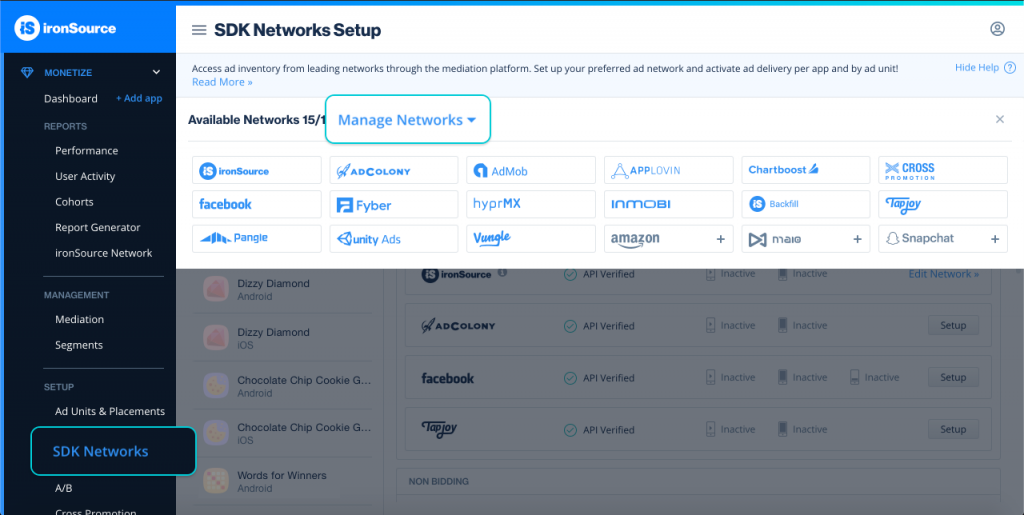
App ID とスロット ID を取得したら、LevelPlay アカウントにログインし、Monetize> 設定> SDK Networks に移動します。
-
[Available Networks] のテーブルから Tencent を選択し、アクティベートを選択します。次に、Save (保存) を選択します。
-
広告ネットワークのリストからTencentを選択し、設定を選択します。
-
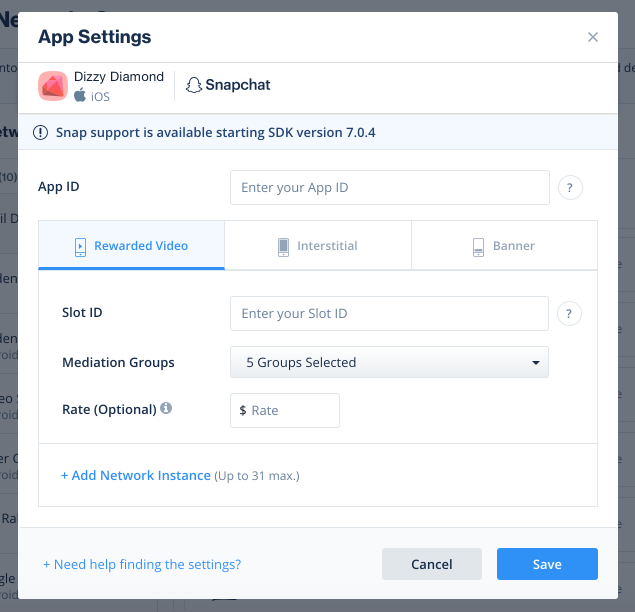
Tencent App IDと配置IDを入力します。状態を Active (アクティブ) に設定し、Save (保存) を選択します。Tencentの設定ダッシュボードにメディエーションのアクティブと表示されます。
ステップ 4. Tencentアダプタをビルドに追加する
iOS 用のネイティブアダプタを使用してインテグレーションを継続します。
広告ネットワークインテグレーションの確認
LevelPlay SDK を使用すると、メディエーションのインテグレーションが正常に完了したことを簡単に確認できます。ironsource とその他の広告ネットワークのインテグレーションを検証するには、このドキュメントを参照してください。
これで、アプリケーション内で Tencent を提供できるようになりました。