Documentation

​
​

Development

User Acquisition

Monetization

Industry

Asset Transformer Studio

2026.5.0

Supported
​

User Manual

Python API

Changelog

Asset Transformer Studio

2026.5.0

Supported
​

​
​
Get started
  • About Asset Transformer Studio
  • Getting started
  • Additional Resources
User Interface
  • Overview
  • Menu Bar
  • Toolbars
  • Window
  • Customizing the User Interface
Data Preparation Fundamentals
  • Overview
  • General Information
  • Typical Data Preparation Workflow
  • About 3D Models Types
  • About the Product Structure (Tree)
  • About Occurrences
    • Occurrence Id
    • Occurrence Types
    • Occurrence Properties
    • Occurrence Components
  • About Instances & Prototypes
  • About Face and Vertex Normals
  • About UVs
  • About Tessellation
  • About Decimation
  • About Animation
  • Glossary
Working With Asset Transformer Studio
  • Overview
  • Videos and Tutorials
  • Supported File Formats
  • Importing Files
  • Exporting Files
  • Scripting With the Python API
  • Interrupting a Process
  • Plugins
  • Errors in Asset Transformer Studio
Python API Reference
  • Overview
Changelog
  • Changelog
  1. Asset Transformer Studio
  2. Data Preparation Fundamentals
  3. About Occurrences

Occurrence Components

The components that can be attached to occurrences in Asset Transformer Studio
Read time 2 minutes
Last updated 9 hours ago

Components in Inspector
An occurrence can receive
components
to modulate its behavior (just like in Unity).
An occurrence is by default an empty node that does not contain any geometry. It does not accomplish much by itself, but it acts as a container for
components
, which implement the real functionality.

Accessing components

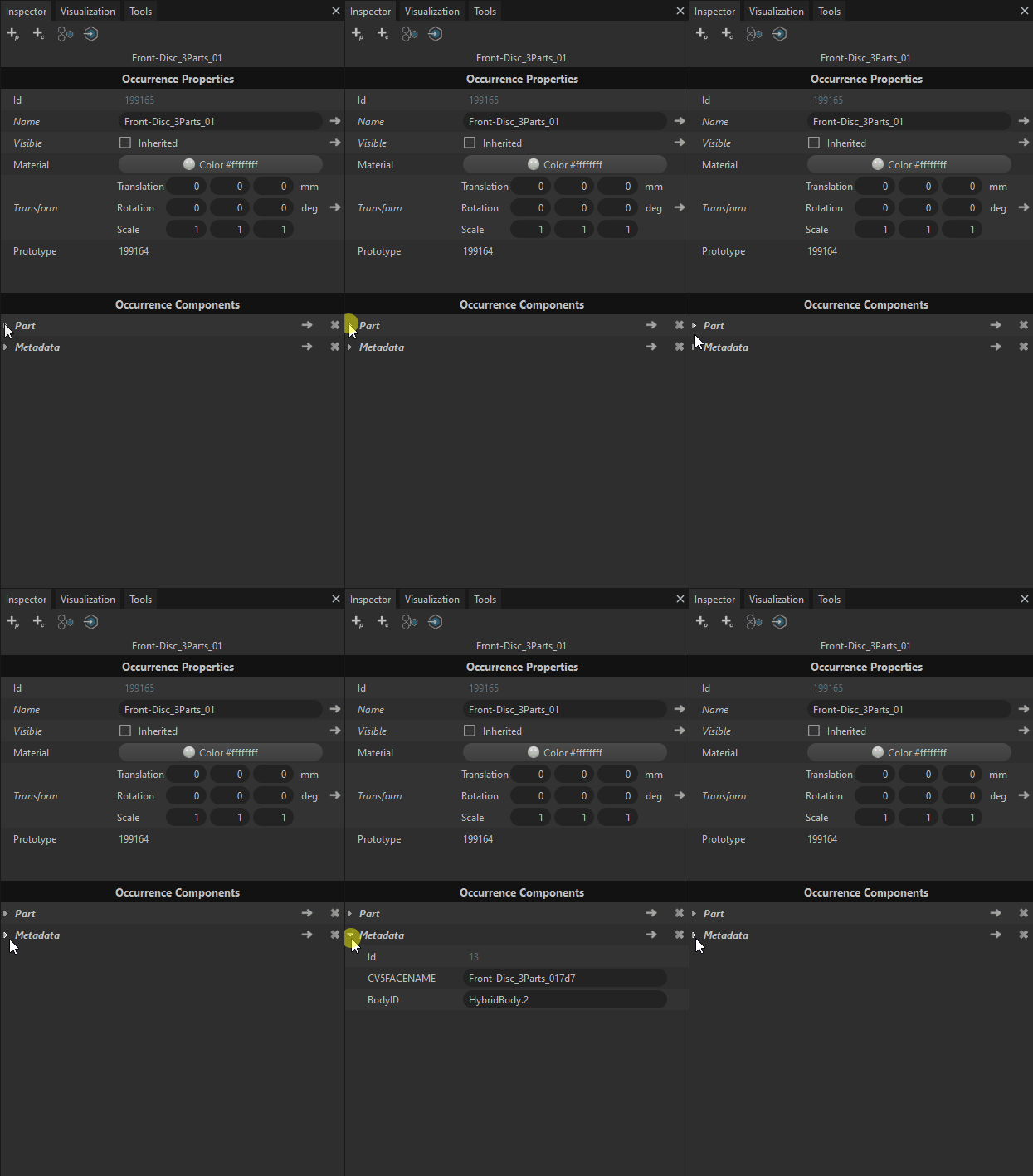
The components of the selected occurrence can be visualized in the Inspector panel, in a dedicated widget called
Occurrence Components
(below the
Occurrence Properties
widget).
This widget lists one foldable row per component (
Part
row,
Light
row, etc.).
Note
Components can be manipulated through the scripting API using functions like
getComponent
,
hasComponent
,
listComponents
… More information here.

Component types

There are multiple component types, and an occurrence can own a maximum of one of each component type.

Component type

Description

PartA Part component contains geometry information (CAD, mesh, lines, UVs…).
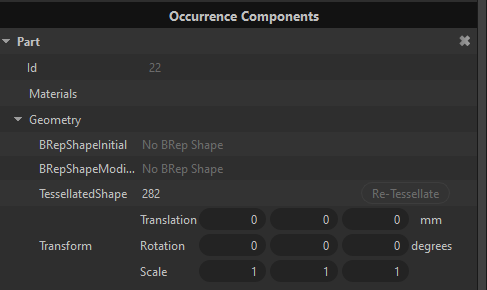
Part component
To retrieve mesh definitions from a list of occurrences using the Python API, see here.
PMIAn occurrence can have a
PMI
component, allowing to display PMI information. PMI can be displayed from the Variants panel, where all scene PMI and views are listed. See also Variants and PMI.
LightAn occurrence with a Light component stores a light object, which can be used to modify the lighting of the scene. Available light objects are:
Directional light
,
Point light
and
Spot light
.
MetadataAn occurrence can have a Metadata component that stores Metadata information, which is a list of basic key/value pairs, called metadata properties, retrieved when importing a file.
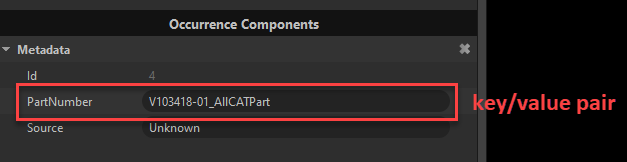
Metadata component
You can add/modify/delete metadata through the API: see here.
VariantAn occurrence can have a Variant component, which links the occurrence to the variants that use this occurrence. See also Variants and PMI.
AnimationAn occurrence can have an Animation component, which stores the position information in time of this occurrence for a given animation clip. See also About Animation.
JointAn occurrence can have a Joint component, which links animation attributes stored in a mesh with a Joint from a skeleton. See also About Animation.

Copyright © 2026 Unity Technologies
LegalPrivacy PolicyCookiesDocumentation Terms of UseDo Not Sell or Share My Personal InformationYour Privacy Choices (Cookie Settings)

"Unity", Unity logos, and other Unity trademarks are trademarks or registered trademarks of Unity Technologies or its affiliates in the U.S and elsewhere (more info here). Other names or brands are trademarks of their respective owners.

Some pages are machine-translated for convenience, and may contain inaccuracies. In the event of conflicting information, the English version is authoritative.

  • On this page
    • Accessing components

    • Component types