HyprMX インテグレーション
LevelPlay SDK を使用して、HyprMX を React ネイティブ アプリケーションにメディエーションネットワークワークとして統合します。
読み終わるまでの所要時間 5 分最終更新 1ヶ月前
このガイドでは、LevelPlay Mediation で HyprMX を広告ネットワークとして稼働させる方法についてステップバイステップで説明します。
前提条件
- LevelPlay SDK の Rewarded Video または Interstitial がアプリケーションに正しく統合されていることを確認します。
- アダプタのバージョンが低いものから 4.1.2 以降にアップグレードする場合は、プラットフォーム内の HyprMX パラメータを新しいものに再設定してください。HyprMX の新しいパラメータを取得するには、インテグレーション@hyprmx.com に連絡する必要があります。
HyprMX アカウントの作成
HyprMX はマネージサービスを提供します。アカウントを作成するには、インテグレーション@hyprmx.com に直接接触してください。アカウントを作成すると、アプリケーションの設定や LevelPlay アカウントで HyprMX をアクティベートするために必要なパラメータの取得のヘルプになります。
LevelPlay ネットワークワーク設定モジュールで HyprMX をアクティベートする
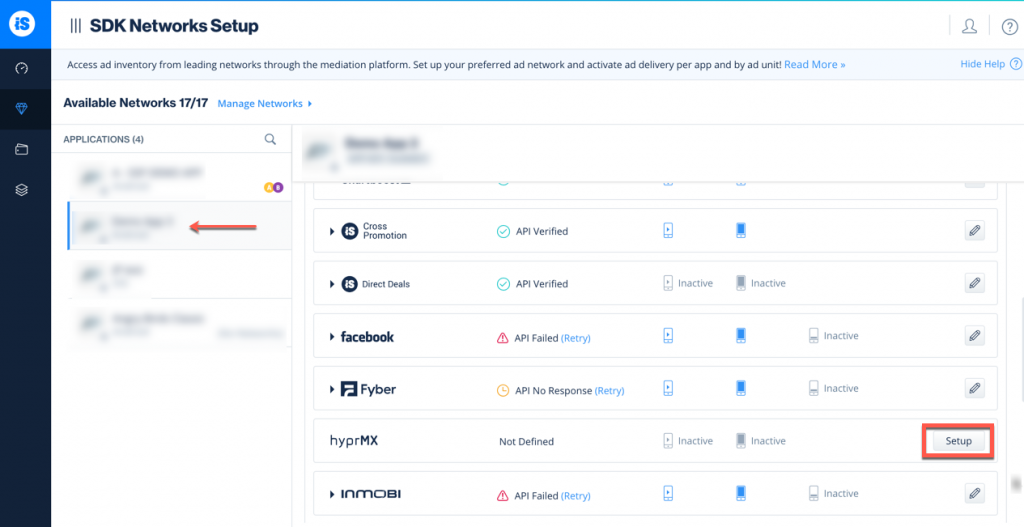
HyprMX アカウントから 3 つのデータを LevelPlay ネットワーク設定モジュールに挿入する必要があります。これは、HyprMX を LevelPlay に接続して正しく機能させるために必要です。
パラメーター | 説明 |
|---|---|
| APIキー | これは、HyprMX システムでのアカウントの一意の識別子です。 |
| ディストリビューター ID | これは、HyprMX が広告を配信する一意のアプリケーション識別子です。 |
| Placement Name (プレースメント名) | これは、HyprMX を使用した配置の一意の識別子です。 |
この情報を取得したら、LevelPlay アカウントで HyprMX のパラメータを設定する必要があります。上記の情報を正しく追加することで、HyprMX の広告インベントリと LevelPlay Mediation に関するレポートデータを最大限に活用できるようになります。
LevelPlay アカウントへの HyprMX のパラメータの設定
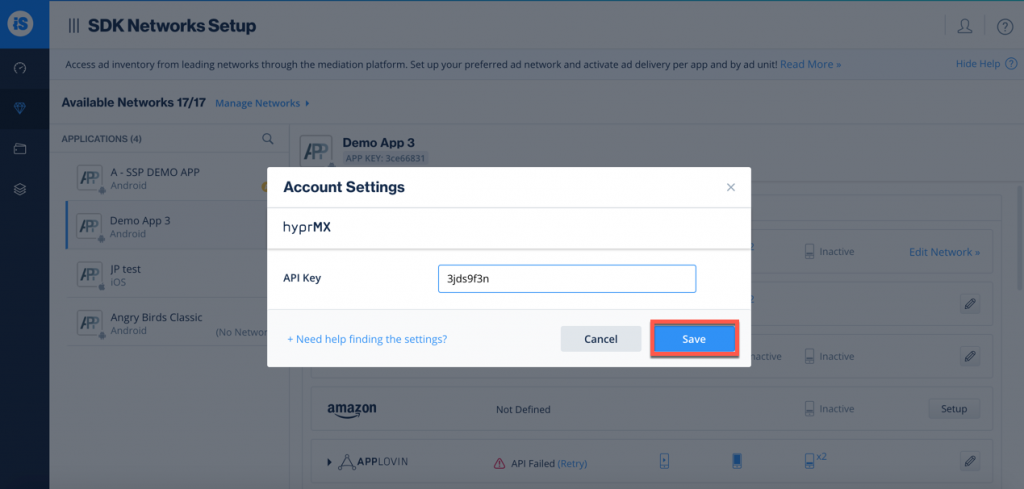
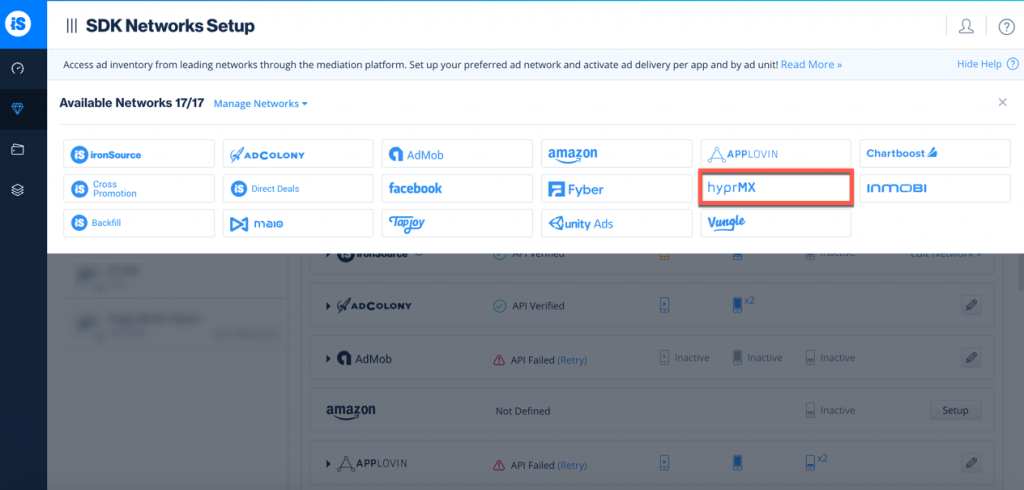
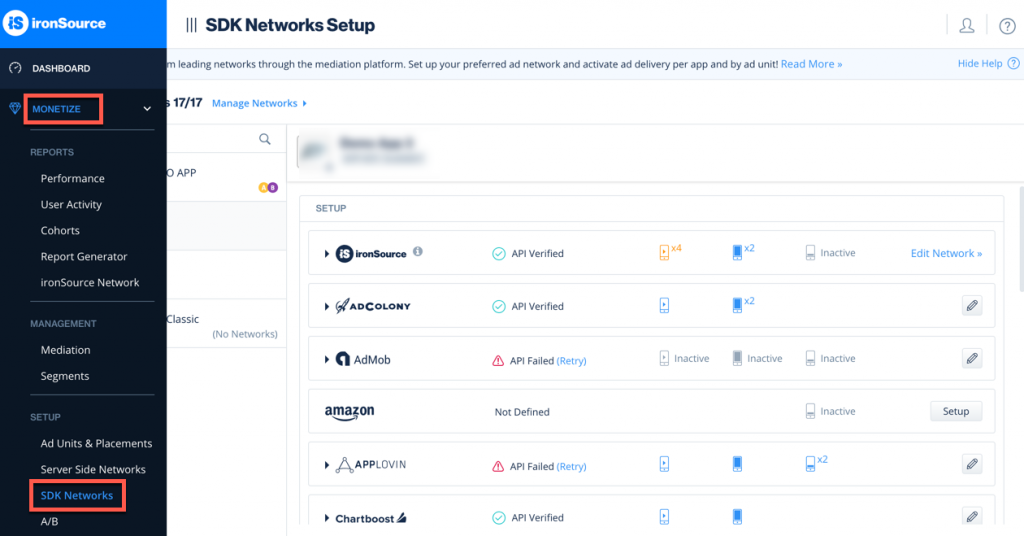
- 上記のパラメータを取得したら、LevelPlay アカウントにログインし、Monetize (収益化) > SDK Networks に移動します。
- 使用可能な広告ネットワークのリストから HyprMX を選択し、HyprMX API キーを入力します。
- 次に、HyprMX で LevelPlay Mediation を実行するアプリケーションを選択し、設定を選択します。次に、関連するフィールドにディストリビューター ID と配置名を入力します。
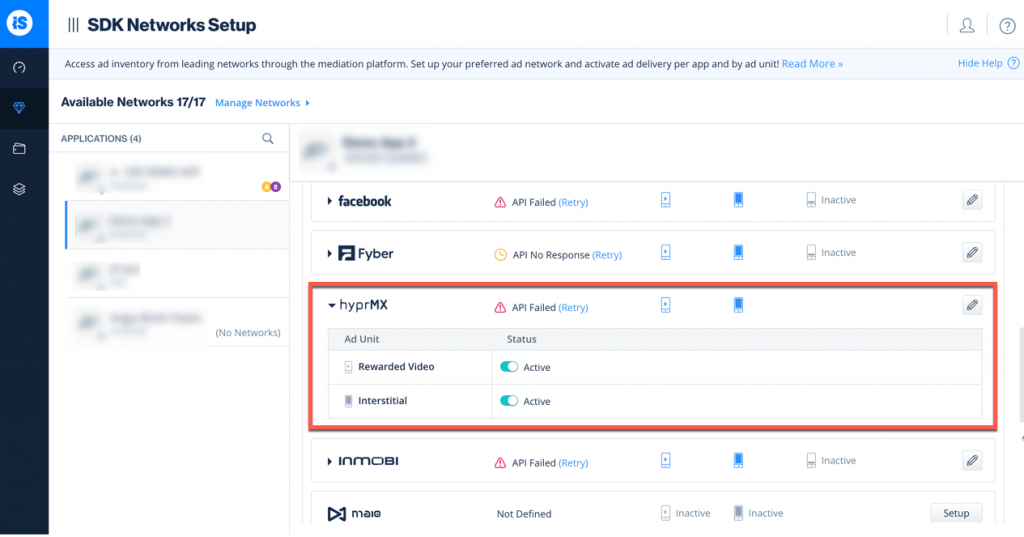
- 設定ダッシュボードで**、HyprMX** がメディエーションに対してアクティブと表示されます。
HyprMX Adapter をビルドに追加する
これで、アプリケーション内で HyprMX を提供する準備が整いました。
次のステップ
LevelPlay Mediation を通じて追加の広告ネットワークを活用するには、アダプタを統合し、インテグレーションガイドに従ってください。