SuperAwesome インテグレーション
LevelPlay SDK を使用して、React ネイティブ アプリケーションに SuperAwesome をメディエーションネットワークワークとして統合します。
読み終わるまでの所要時間 4 分最終更新 1ヶ月前
前提条件
- SuperAwesomeネットワークでは、動画リワード広告、インタースティシャル広告、バナー広告がサポートされています。
- サポートされているバナーサイズは次のとおりです。バナー、MREC、および Leaderboards。スマートバナーサイズを使用して、バナーとリーダーボードの両方をサポートできます。
- SuperAwesome に必要な Xcode バージョン 14.3 以降
SuperAwesome アカウントの作成
SuperAwesome ネットワークのアカウントを作成するには、 に連絡する
SuperAwesome ネットワークでのアプリケーションの作成
SuperAwesome アプリケーションを作成するには、次の手順に従います。
- SuperAwesome アカウントで、apps and sites (アプリとサイト) に移動します。
- Create (作成) を選択します。
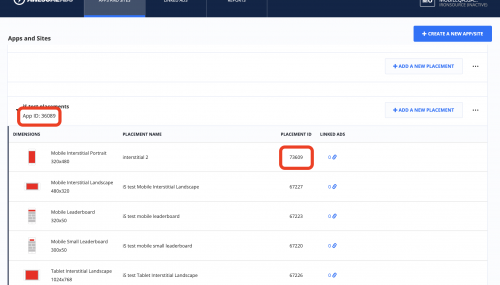
- すべての設定を入力し、アプリケーションを保存する
- 少なくとも 1 つの配置を作成
- すべての必須の認証情報を取得します。
- App ID (アプリ ID)
- プレースメント ID
- キーSuperAwesome アアカウントマネージャーにお接触ください
SuperAwesome ネットワーク のアクティベート
- LevelPlay アカウントにログインし、LevelPlay サイドのナビゲーション バー> 設定> Networks に移動します。
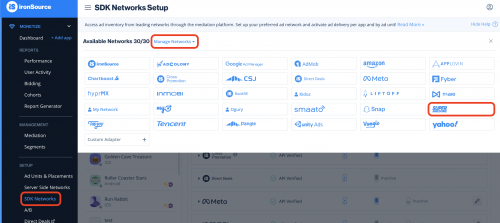
- [Available Networks] のテーブルから [SuperAwesome] を選択し、アクティベートを選択します。すべての認証情報を挿入します。次に、Save (保存) を選択します。
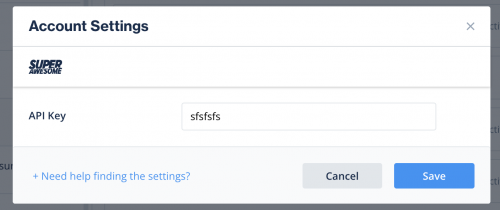
- 広告ネットワークのリストから SuperAwesome を選択し、設定 を選択します。
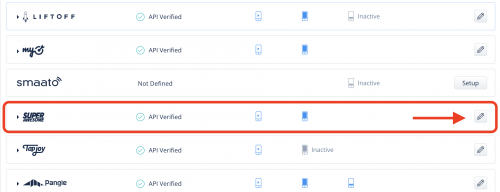
- SuperAwesome App IDと配置IDを入力します。状態を Active (アクティブ) に設定し、Save (保存) を選択します。
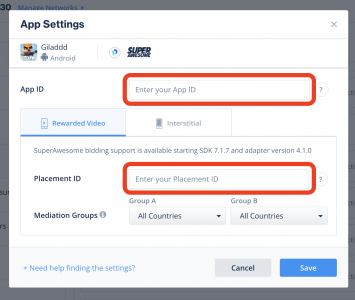
設定ダッシュボードにSuperAwesomeがメディエーションに対してアクティブと表示されます。
SuperAwesome Adapter をビルドに追加する
完了!これで、アプリケーション内で SuperAwesome を使用できるようになりました。
次のステップ
LevelPlay Mediation を通じて追加の広告ネットワークを活用するには、アダプタを統合し、インテグレーションガイドに従ってください。