使用示例:在赛季结束时用游戏内货币奖励排名靠前的玩家
Reward your top players with in-game currency at the end of a season using Triggers.
阅读时间7 分钟最后更新于 5 天前
此使用示例演示了如何在赛季结束时使用游戏内货币奖励排名靠前的玩家。此示例使用 Leaderboards 服务发出的
reset先决条件
首先需要创建具有所需访问角色的服务帐户,并配置 UGS CLI。使用服务帐户进行身份验证
在调用 Triggers 服务之前,需要使用服务帐户进行身份验证。- 导航到 Unity Dashboard。
- 选择 Administration(管理)> Service Accounts(服务帐户)。
- 选择 New(新建) 按钮并输入服务帐户的名称和描述。
- 选择 Create(创建)。
- 选择 Manage product roles(管理产品角色)。
- 将以下角色添加到服务帐户:
- 从 LiveOps 下拉选单中,选择以下角色:
- Triggers Configuration Editor(Triggers 配置编辑者)
- Triggers Configuration Viewer(Triggers 配置查看者)
- Economy Resource Editor(Economy 资源编辑者)
- Economy Resource Viewer(Economy 资源查看者)
- Leaderboards Admin(Leaderboards 管理员)
- Leaderboards Viewer(Leaderboards 查看者)
- 如果要部署 Cloud Code 模块,请添加以下角色:
- Cloud Code Editor(Cloud Code 编辑者)
- Cloud Code Viewer(Cloud Code 查看者)
- 如果要部署 Cloud Code 脚本,请添加以下角色:
- Cloud Code Editor(Cloud Code 编辑者)
- Cloud Code Viewer(Cloud Code 查看者)
- Cloud Code Publisher(Cloud Code 发布者)
- 从 Admin(管理)下拉选单中,选择 Unity Environments Viewer(Unity 环境查看者)。
- 从 LiveOps 下拉选单中,选择以下角色:
- 选择 Save(保存)。
- 选择 Add Key(添加密钥)。
- 使用 base64 编码方式对 Key ID(密钥 ID) 和 Secret key(密钥) 进行编码。格式为“key_id:secret_key”。请记下此值。
配置 UGS CLI
按照以下步骤操作以开始使用 UGS CLI:- 安装 UGS CLI。
-
使用以下命令配置您的 Project ID 和环境:
ugs config set project-id <your-project-id>
ugs config set environment-name <your-environment-name> - 使用您先前验证身份的服务帐户进行身份验证。请参阅接受身份验证。
检查 reset 事件
在重置排行榜时,Leaderboards 服务发出reset事件有效负载作为参数传递给 Cloud Code。 请参阅 Leaderboards 重置事件以了解更多信息。{ "leaderboardId": "string", "leaderboardVersionId": "string"}
创建部署文件
此示例的实现方法是使用 UGS CLI 为每个服务部署相应的配置文件。 为了实现此使用示例,您需要设置以下文件:- :包含 Economy 货币配置。
COIN.ecc - :包含 Leaderboards 配置。
leaderboard.lb - :包含 Triggers 配置。
triggers-config.tr - 一个 Cloud Code 模块或脚本,用于定义逻辑,以便在排行榜重置时使用游戏内货币奖励排名靠前的玩家。
reward-top-players设置 Economy
为了用游戏内货币奖励排名靠前的玩家,您需要在 Economy 中创建虚拟货币。 使用 UGS CLI 创建 Economy 配置文件:在ugs economy currency new-file COIN.ecc
COIN.ecc该配置定义了虚拟货币和名称{ "$schema": "https://ugs-config-schemas.unity3d.com/v1/economy/economy-currency.schema.json", "initial": 0, "name": "Coin"}
Coin设置 Leaderboards
使用 UGS CLI 创建 Leaderboards 配置文件:在ugs leaderboards new-file leaderboard.lb
leaderboard.lb该配置定义了一个采用升序排序顺序的排行榜,用于保存最佳分数。文件名与排行榜 ID 相对应。{ "$schema": "https://ugs-config-schemas.unity3d.com/v1/leaderboards.schema.json", "SortOrder": "asc", "UpdateType": "keepBest", "Name": "leaderboard"}
设置 Cloud Code
您需要创建 Cloud Code 模块或脚本来定义逻辑,以便在排行榜重置时使用游戏内货币奖励排名靠前的玩家。Cloud Code C# 模块
您可以使用 Economy 和 Leaderboards Client SDK 来与 Economy 和 Leaderboards 服务进行交互。 使用 UGS CLI 创建新的 Cloud Code 模块:然后,将以下内容添加到示例解决方案中。创建一个包含字符串参数ugs cc m new-file RewardTopPlayers RewardTopPlayers
leaderboardIdusing System;using System.Collections.Generic;using System.Threading.Tasks;using Microsoft.Extensions.DependencyInjection;using Microsoft.Extensions.Logging;using Unity.Services.CloudCode.Apis;using Unity.Services.CloudCode.Core;using Unity.Services.CloudCode.Shared;using Unity.Services.Economy.Model;using Unity.Services.Leaderboards.Model;namespace RewardTopPlayers;public class RewardTopPlayers{ private const string CoinsKey = "COIN"; private const int Amount = 10; private readonly ILogger<RewardTopPlayers> _logger; public RewardTopPlayers(ILogger<RewardTopPlayers> logger) { _logger = logger; } [CloudCodeFunction("IssueReward")] public async Task Reward(IExecutionContext ctx, IGameApiClient gameApiClient, string leaderboardId, string leaderboardVersionId) { var top5Players = await GetTop5(ctx, gameApiClient, leaderboardId, leaderboardVersionId); foreach (var score in top5Players) { try { // Retrieve the player's configuration to ensure currency configuration is synced var configResponse = await gameApiClient.EconomyConfiguration.GetPlayerConfigurationAsync(ctx, ctx.ServiceToken, ctx.ProjectId, score.PlayerId); var res = await gameApiClient.EconomyCurrencies.IncrementPlayerCurrencyBalanceAsync(ctx, ctx.ServiceToken, ctx.ProjectId, score.PlayerId, CoinsKey, new CurrencyModifyBalanceRequest(amount: Amount), configResponse.Data.Metadata.ConfigAssignmentHash); _logger.LogInformation("Incremented balance for playerId {playerId} by {amount}", score.PlayerId, Amount); } catch (ApiException e) { _logger.LogError(e, "Failed to increment balance for playerId {playerId}. Error: {Error}", score.PlayerId, e.Message); throw; } } } public async Task<List<LeaderboardEntry>> GetTop5(IExecutionContext ctx, IGameApiClient gameApiClient, string leaderboardId, string leaderboardVersionId) { try { var results = await gameApiClient.Leaderboards.GetLeaderboardVersionScoresAsync(ctx, ctx.ServiceToken, new Guid(ctx.ProjectId), leaderboardId, leaderboardVersionId, 0, 5); return results.Data.Results; } catch (ApiException e) { _logger.LogError(e, "Failed to get top players for leaderboard: {LeaderboardId}. Error: {Error}", leaderboardId, e.Message); throw new Exception($"Failed to get top players for leaderboard: {leaderboardId}. Error: {e.Message}"); } } public class ModuleConfig : ICloudCodeSetup { public void Setup(ICloudCodeConfig config) { config.Dependencies.AddSingleton(GameApiClient.Create()); } }}
Cloud Code JavaScript 脚本
您可以通过创建 Cloud Code 脚本来实现相同的结果。 使用 UGS CLI 创建新的 Cloud Code 脚本:然后,将以下内容添加到示例脚本文件中:ugs cc s new-file RewardTopPlayers.js
JavaScript
const axios = require("axios");const { CurrenciesApi, ConfigurationApi } = require("@unity-services/economy-2.4");const { LeaderboardsApi } = require("@unity-services/leaderboards-1.1");module.exports = async ({ params, context, logger }) => { // Get top 5 players from the Leaderboard const leaderboardsApi = new LeaderboardsApi(context); const cointAmount = 10; let result; try { result = await leaderboardsApi.getLeaderboardVersionScores(context.projectId, params.leaderboardId, params.leaderboardVersionId, 0, 5); } catch (err) { logger.error("Failed to retrieve players from the leaderboard", { "error.message": err.message }, { "leaderboardId": params.leaderboardId }); throw err; } const currencyId = "COIN"; const currenciesApi = new CurrenciesApi(context); const configApi = new ConfigurationApi(context); // Reward currency to every player const promises = result.data.results.map(async (score) => { try { // Retrieve the player config to get the configAssignmentHash. // This is needed to ensure the currency is synced var config = await configApi.getPlayerConfiguration({ playerId: score.playerId, projectId: context.projectId, }); await currenciesApi.incrementPlayerCurrencyBalance({ currencyId, playerId: score.playerId, projectId: context.projectId, configAssignmentHash: config.data.metadata.configAssignmentHash, currencyModifyBalanceRequest: { amount: cointAmount }, }); } catch (err) { logger.error("Failed to increment currency for player", { "error.message": err.message }, { "affectedPlayerId": score.playerId }); return; } }); await Promise.all(promises);};
设置触发器
要将 Cloud Code 资源关联到计划,请创建触发器。触发器会在触发事件时(例如,排行榜重置时)执行 Cloud Code 脚本或模块。如果您创建了 Cloud Code 模块,请使用以下配置:ugs tr new-file triggers-config.tr
如果您创建了 Cloud Code 脚本,请使用以下配置:{ "$schema": "https://ugs-config-schemas.unity3d.com/v1/triggers.schema.json", "Configs": [ { "Name": "reward-leaderboard", "EventType": "com.unity.services.leaderboards.reset.v1", "ActionUrn": "urn:ugs:cloud-code:RewardTopPlayers/IssueReward", "ActionType": "cloud-code" } ]}
{ "$schema": "https://ugs-config-schemas.unity3d.com/v1/triggers.schema.json", "Configs": [ { "Name": "reward-leaderboard", "EventType": "com.unity.services.leaderboards.reset.v1", "ActionUrn": "urn:ugs:cloud-code:RewardTopPlayers", "ActionType": "cloud-code" } ]}
部署配置文件
您的reward-top-players- - 包含 Economy 货币配置。
COIN.ecc - - 包含 Leaderboards 配置。
leaderboard.lb - - 包含 Triggers 配置。
triggers-config.tr
- 文件夹 - 包含 Cloud Code 模块。
RewardTopPlayers.sln - - 包含 Cloud Code 脚本。
RewardTopPlayers.js
ugs deploy .
可选:向排行榜添加分数
您可以运行以下 Cloud Code 脚本,从 Unity Dashboard 向排行榜添加分数。请确保在每次测试运行时重新生成玩家 ID 令牌,以便添加新玩家。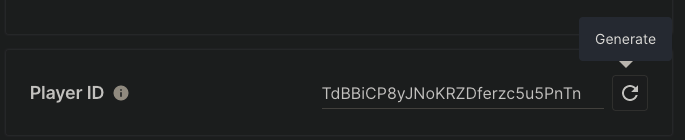
JavaScript
这样就可以向排行榜添加分数并测试该使用示例。const { LeaderboardsApi } = require("@unity-services/leaderboards-1.1");const _ = require("lodash-4.17");module.exports = async ({ params, context, logger }) => { const leaderboardsApi = new LeaderboardsApi({ accessToken: context.accessToken }); const leaderboardID = "leaderboard"; var randomScore = _.random(1, 100); try { await leaderboardsApi.addLeaderboardPlayerScore(context.projectId, leaderboardID, context.playerId, { score: randomScore }); } catch (err) { logger.error("Failed to add score to the leaderboard", { "error.message": err.message }); }};
验证结果
要验证结果,请在重置排行榜之前记下排行榜上的一个玩家 ID:- 导航到 Unity Dashboard。
- 选择 Products(产品)> Leaderboards。
- 选择 Overview(概览) 部分。
- 选择 排行榜。
leaderboard - 选择 Entries(条目) 选项卡。
- 记下排名靠前的玩家 ID 之一。
- 导航到 Unity Dashboard。
- 选择 Products(产品)> Leaderboards。
- 选择 Overview(概览) 部分。
- 选择 排行榜。
leaderboard - 选择 Reset Leaderboard(重置排行榜)。
- 启用 Archive current scores(存档当前分数)。
- 选择 Products(产品)> Player Management(玩家管理)。
- 在搜索字段中,输入您先前记下的玩家 ID,然后选择 Find Player(查找玩家)。
- 导航到 Economy > Currencies(货币) 部分。如果成功,您会发现玩家已获得 10 个游戏币的奖励。