使用示例:向分数被超过的玩家发送推送消息
Send a push message to a player whose leaderboard score was beaten by another player.
阅读时间7 分钟最后更新于 5 天前
此使用示例演示了如何使用 Triggers 向排行榜中分数被超过的玩家发送推送消息。此示例需要使用 Leaderboards 服务中的
score-submitted先决条件
必须首先创建具有所需访问角色的服务帐户,并配置 UGS CLI。使用服务帐户进行身份验证
在调用 Triggers 服务之前,必须使用服务帐户进行身份验证。- 导航到 Unity Dashboard。
- 选择 Administration(管理)> Service Accounts(服务帐户)。
- 选择 New(新建) 按钮并输入服务帐户的名称和描述。
- 选择 Create(创建)。
- 选择 Manage product roles(管理产品角色)。
- 将以下角色添加到服务帐户:
- 从 LiveOps 下拉选单中,选择 Triggers Configuration Editor(Triggers 配置编辑者)、Triggers Configuration Viewer(Triggers 配置查看者) 和 Leaderboards Admin(Leaderboards 管理员)。
- 从 Admin(管理)下拉选单中,选择 Unity Environments Viewer(Unity 环境查看者)。
- 从 LiveOps 下拉选单中,选择 Triggers Configuration Editor(Triggers 配置编辑者)、Triggers Configuration Viewer(Triggers 配置查看者) 和 Leaderboards Admin(Leaderboards 管理员)。
- 选择 Save(保存)。
- 选择 Add Key(添加密钥)。
- 使用 base64 编码方式对 Key ID(密钥 ID) 和 Secret key(密钥) 进行编码。格式为“key_id:secret_key”。请记下此值。
配置 UGS CLI
按照以下步骤操作以开始使用 UGS CLI:- 安装 UGS CLI。
-
按如下方式配置 Project ID 和环境:
ugs config set project-id <your-project-id>
ugs config set environment-name <your-environment-name> - 使用您先前创建的服务帐户进行身份验证。请参阅接受身份验证。
设置 Leaderboards
要按照此示例操作,应创建一个排行榜。 您可以使用 UGS CLI 部署以下leaderboard.lbnew-file文件名与排行榜 ID 相对应。使用以下配置来更新ugs leaderboards new-file leaderboard
leaderboard.lb使用 UGS CLI 工具部署此文件:{ "$schema": "https://ugs-config-schemas.unity3d.com/v1/leaderboards.schema.json", "SortOrder": "asc", "UpdateType": "keepBest", "Name": "leaderboard"}
您现在已经创建了排行榜,接下来可以向其中添加分数。ugs deploy leaderboard.lb
可选:向排行榜添加分数
您可以运行以下 Cloud Code 脚本,从 Unity Dashboard 向排行榜添加分数。请确保在每次测试运行时重新生成玩家 ID 令牌,以便为新玩家生成分数。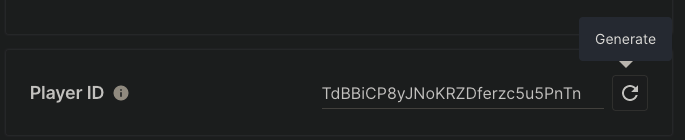
JavaScript
const { LeaderboardsApi } = require("@unity-services/leaderboards-1.1");const _ = require("lodash-4.17");module.exports = async ({ params, context, logger }) => { const leaderboardsApi = new LeaderboardsApi({ accessToken: context.accessToken }); const leaderboardID = "leaderboard"; var randomScore = _.random(1, 100); try { await leaderboardsApi.addLeaderboardPlayerScore(context.projectId, leaderboardID, context.playerId, { score: randomScore }); } catch (err) { logger.error("Failed to add score to the leaderboard", { "error.message": err.message }); }};
检查 score-submitted 事件
在将新分数提交到排行榜时,Leaderboards 服务发出score-submitted该事件会将事件有效负载作为参数传递给 Cloud Code。 请参阅 Leaderboards:提交分数以了解更多信息。{ "leaderboardId": "leaderboard", "updatedTime": "2019-08-24T14:15:22Z", "playerId": "5drhidte8XgD4658j2eHtSljIAzd", "playerName": "Jane Doe", "rank": 42, "score": 120.3, "tier": "gold"}
设置 Cloud Code
定义一个模块终端,向分数被超过的玩家发送推送消息。 创建一个包含如下内容的SendPushNotification部署该模块。 请参阅部署 Hello World 以了解如何部署模块。using Microsoft.Extensions.DependencyInjection;using Microsoft.Extensions.Logging;using Unity.Services.CloudCode.Apis;using Unity.Services.CloudCode.Core;using Unity.Services.CloudCode.Shared;namespace LeaderboardsNotification;public class LeaderboardsNotification{ private readonly ILogger<LeaderboardsNotification> _logger; public LeaderboardsNotification(ILogger<LeaderboardsNotification> logger) { _logger = logger; } [CloudCodeFunction("SendPlayerMessage")] public async Task SendPlayerMessage(IExecutionContext context, IGameApiClient gameApiClient, PushClient pushClient, string playerId, string playerName, string leaderboardId, double score) { try { var closestPlayers = await gameApiClient.Leaderboards.GetLeaderboardScoresPlayerRangeAsync(context, context.ServiceToken, new Guid(context.ProjectId), leaderboardId, playerId, 1); if (closestPlayers.Data.Results.Count != 0) { var player = closestPlayers.Data.Results[^1]; string message = $"The player {playerName} has just beaten your score of {player.Score} on the {leaderboardId} leaderboard by {score-player.Score} points!"; await pushClient.SendPlayerMessageAsync(context, message, "Information", player.PlayerId); } } catch (ApiException e) { _logger.LogError("Failed to send push notification to player {playerId}. Error: {Error}", playerId, e.Message); throw new Exception($"Failed to send push notification to player {playerId}. Error: {e.Message}"); } }}public class ModuleConfig : ICloudCodeSetup{ public void Setup(ICloudCodeConfig config) { config.Dependencies.AddSingleton(PushClient.Create()); config.Dependencies.AddSingleton(GameApiClient.Create()); }}
配置触发器
要将 Cloud Code 资源关联到 Leaderboardsscore-submittednew-file使用以下配置来更新ugs triggers new-file triggers-config
triggers-config.tr使用 UGS CLI 工具部署此配置:{ "$schema": "https://ugs-config-schemas.unity3d.com/v1/triggers.schema.json", "Configs": [ { "Name": "score-beaten-message", "EventType": "com.unity.services.leaderboards.score-submitted.v1", "ActionUrn": "urn:ugs:cloud-code:LeaderboardsNotification/SendPlayerMessage", "ActionType": "cloud-code" } ]}
成功的响应类似于以下内容:ugs deploy triggers-config.tr
此示例触发器会在玩家注册时执行 Cloud Code 模块函数。Deployed:triggers-config.tr
验证结果
要验证结果,您可以设置一个订阅推送消息的 Unity 项目,并使用您先前创建的 Cloud Code 脚本将新分数提交到排行榜。先决条件
要订阅推送消息,需要安装 Cloud Code SDK,并将 Unity Gaming Services(Unity 游戏服务)项目关联到 Unity 编辑器。关联项目
将 Unity Gaming Services(Unity 游戏服务)项目与 Unity 编辑器关联。您可以在 Unity Dashboard 中找到您的 UGS Project ID。- 在 Unity 编辑器中,选择 Edit(编辑)> Project Settings(项目设置)> Services(服务)。
-
关联您的项目。
如果项目没有 Unity Project ID:- 选择 Create a Unity Project ID(创建 Unity Project ID)> Organizations(组织),然后从下拉选单中选择一个组织。
- 选择 Create project ID(创建 Project ID)。
如果已有 Unity Project ID:- 选择 Use an existing Unity project ID(使用现有 Unity Project ID)。
- 从下拉选单中选择组织和项目。
- 选择 Link project ID(关联 Project ID)。
UnityEditor.CloudProjectSettings.projectIdSDK 安装
要安装适用于 Unity 编辑器的最新 Cloud Code 包,请执行以下操作:- 在 Unity 编辑器中,打开 Window(窗口)> Package Manager(包管理器)。
- 在 Package Manager(包管理器)中,选择 Unity Registry(Unity 注册表) 列表视图。
- 搜索 或在列表中找到 Cloud Code 包。
com.unity.services.cloudcode - 选择该包,然后选择 Install(安装)。
创建 Monobehaviour 脚本
要订阅玩家级消息,请设置一个MonobehaviourMonoBehaviour首次运行using System;using System.Threading.Tasks;using Newtonsoft.Json;using Unity.Services.Authentication;using Unity.Services.CloudCode;using Unity.Services.CloudCode.Subscriptions;using Unity.Services.Core;using UnityEngine;namespace CloudCode{ public class CloudCodePushExample : MonoBehaviour { async void Start() { await UnityServices.InitializeAsync(); await AuthenticationService.Instance.SignInAnonymouslyAsync(); Debug.Log(AuthenticationService.Instance.PlayerId); await SubscribeToPlayerMessages(); } // This method creates a subscription to player messages and logs out the messages received, // the state changes of the connection, when the player is kicked and when an error occurs. Task SubscribeToPlayerMessages() { // Register callbacks, which are triggered when a player message is received var callbacks = new SubscriptionEventCallbacks(); callbacks.MessageReceived += @event => { Debug.Log(DateTime.Now.ToString("yyyy-MM-dd'T'HH:mm:ss.fffK")); Debug.Log($"Got player subscription Message: {JsonConvert.SerializeObject(@event, Formatting.Indented)}"); }; callbacks.ConnectionStateChanged += @event => { Debug.Log($"Got player subscription ConnectionStateChanged: {JsonConvert.SerializeObject(@event, Formatting.Indented)}"); }; callbacks.Kicked += () => { Debug.Log($"Got player subscription Kicked"); }; callbacks.Error += @event => { Debug.Log($"Got player subscription Error: {JsonConvert.SerializeObject(@event, Formatting.Indented)}"); }; return CloudCodeService.Instance.SubscribeToPlayerMessagesAsync(callbacks); } }}
MonobehaviourGot player subscription Message: { "data_base64": <BASE64-ENCODED-DATA>, "time": "2023-09-19T10:26:40.436878688Z", "message": "The player AdjacentMowingToga#7 has just beaten your score of 120.3 on the my-leaderboard leaderboard by 51.3 points!", "specversion": "1.0", "id": <ID>, "source": "https://cloud-code.service.api.unity.com", "type": "com.unity.services.cloud-code.push.v1", "projectid": <PROJECT-ID>, "environmentid": <ENVIRONMENT-ID>, "correlationid": <CORRELATION-ID>, "messagetype": "Information"}