프로젝트 오류를 인식하지 못하는 경우
Resolve unrecognized project errors in Unity Build Automation and configure project paths correctly.
읽는 시간 1분최근 업데이트: 10달 전
증상
다음 오류와 함께 빌드가 실패합니다.
[error] Error: unrecognized project! Please check your app configuration - if this is a Unity application, We expect your "Project Subdirectory" to be set to the path which directly contains the ProjectSettings and Assets directories. For a native app, this should be set to the path which directly contains the project file (.xcodeproj, project.properties, etc).
원인
Unity Build Automation은 Unity 프로젝트의 빌드만 지원합니다. 이 오류는 와 폴더가 소스 코드 저장소나 사용자 저장소에서 Unity Build Automation이 타게팅하는 폴더의 하위 디렉토리에 포함되는 경우 가장 흔하게 발생합니다.
ProjectSettingsAssets해결 방법
프로젝트가 Unity 프로젝트이고 하위 디렉토리에 있는 경우 새 타겟을 생성하고 프로젝트 하위 디렉토리 경로의 이름을 정의할 수 있습니다. 이렇게 하면 Unity Build Automation에서는 이 하위 디렉토리에서 빌드해야 하는 프로젝트를 찾습니다.
Unity Dashboard에서 타겟을 변경하려면 다음 단계를 따릅니다.
- Build Automation > Configurations를 선택합니다.
- 편집하려는 빌드에서 편집 버튼을 선택합니다.
- Basic settings 탭에서 타겟을 편집합니다.
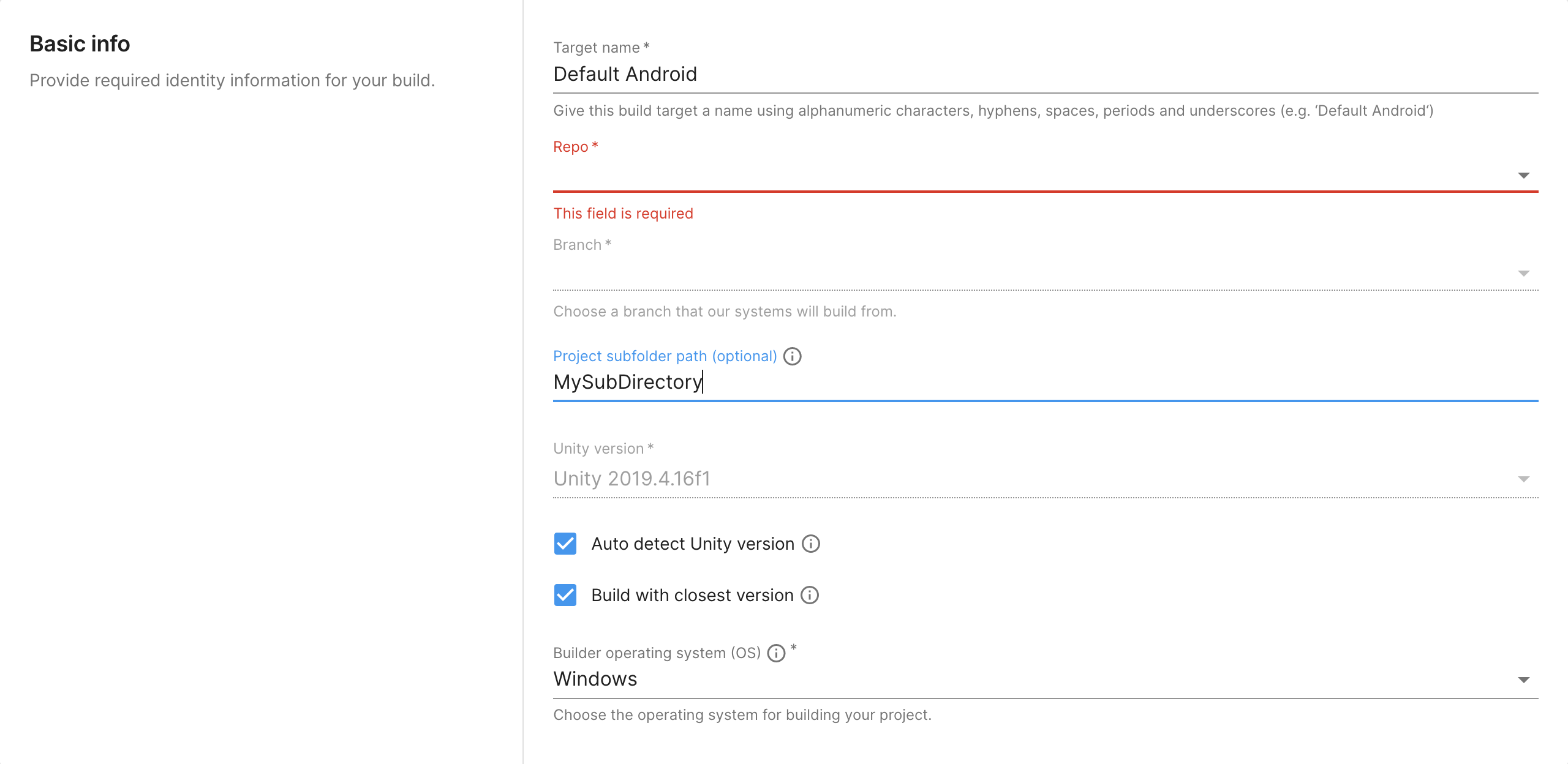
‘UBA - 프로젝트 하위 디렉토리’
추가 리소스
- 향후의 Unity Build Automation에 대한 자세한 내용은 Unity DevOps 로드맵을 참고하십시오.