timeSinceStartup
The time since the editor was started. (Read Only)
Read time 1 minuteLast updated 6 days ago
Definition
- Type: Property
- Namespace: UnityEditor
- Assembly: UnityEditor
public static double timeSinceStartup { get; }
Remarks
This property contains the time since the editor was started, in seconds. Unlike Time.realtimeSinceStartup, this is not reset when starting play mode.
Additional Resources: Time.realtimeSinceStartup
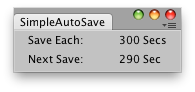
Simple Editor Window that saves each 300 seconds the current Scene.
Examples
// Simple editor window that autosaves the working Scene// Make sure to have this window opened to be able to execute the auto save.using UnityEngine;using UnityEditor;using UnityEngine.SceneManagement;using UnityEditor.SceneManagement;public class SimpleAutoSave : EditorWindow{ static float saveTime = 300.0f; static double nextSave = 0; static int autoSaveLabel = 1; [MenuItem("Examples/Simple autoSave")] static void Init() { SimpleAutoSave window = (SimpleAutoSave)GetWindowWithRect( typeof(SimpleAutoSave), new Rect(0, 0, 160, 60)); window.Show(); } void OnGUI() { EditorGUI.LabelField(new Rect(10, 10, 80, 20), "Save Each:"); EditorGUI.LabelField(new Rect(80, 10, 80, 20), saveTime + " secs"); double timeToSave = nextSave - EditorApplication.timeSinceStartup; EditorGUI.LabelField(new Rect(10, 30, 80, 20), "Next Save:"); EditorGUI.LabelField(new Rect(80, 30, 80, 20), timeToSave.ToString("N1") + " secs"); this.Repaint(); // when time has reach zero then save the Scene if (EditorApplication.timeSinceStartup > nextSave) { Scene scene = SceneManager.GetActiveScene(); string name = scene.name + autoSaveLabel; EditorSceneManager.SaveScene(scene, "Assetswibble" + name + ".unity", true); autoSaveLabel = autoSaveLabel + 1; nextSave = EditorApplication.timeSinceStartup + saveTime; Debug.Log("Saved Scene: " + name); } }}