Payment Security
Enable two‑step verification in the Tapjoy User Acquisition dashboard to receive payments.
Read time 1 minuteLast updated 3 months ago
As part of our ongoing efforts to safeguard your data, you’re required to set up two-step verification for payments before your August payment date.
This short process will require you to provide and verify a mobile phone number. Only one phone number can be accepted for your company, so you should decide who is the authorized user.
To enable two-step verification, complete the following steps:
- Navigate to your Payment settings by selecting the top-right menu button and then selecting Account.
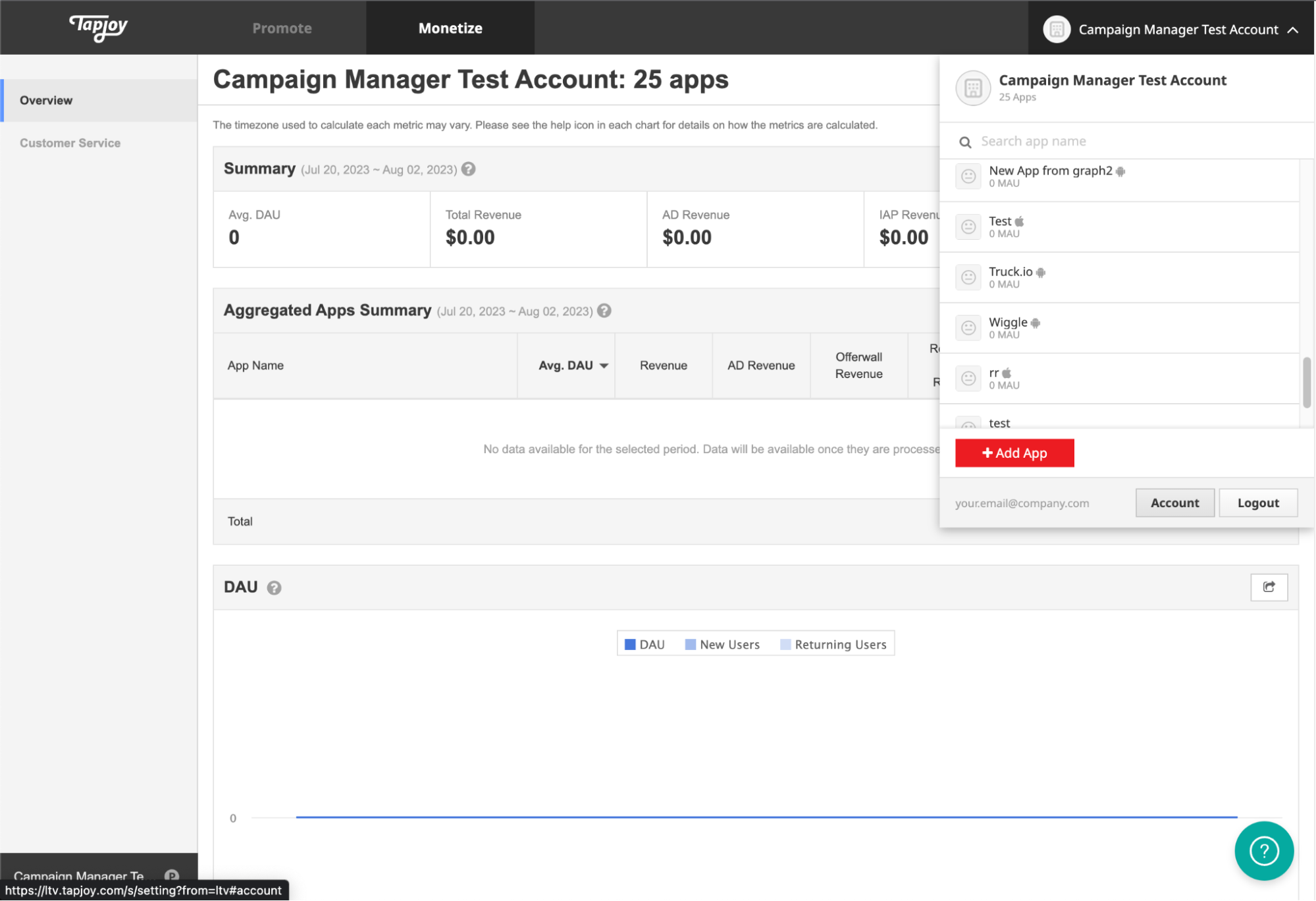
- From the left hand navigation menu, select Billing, then select Payment Information from the sub menu underneath the Billing heading.
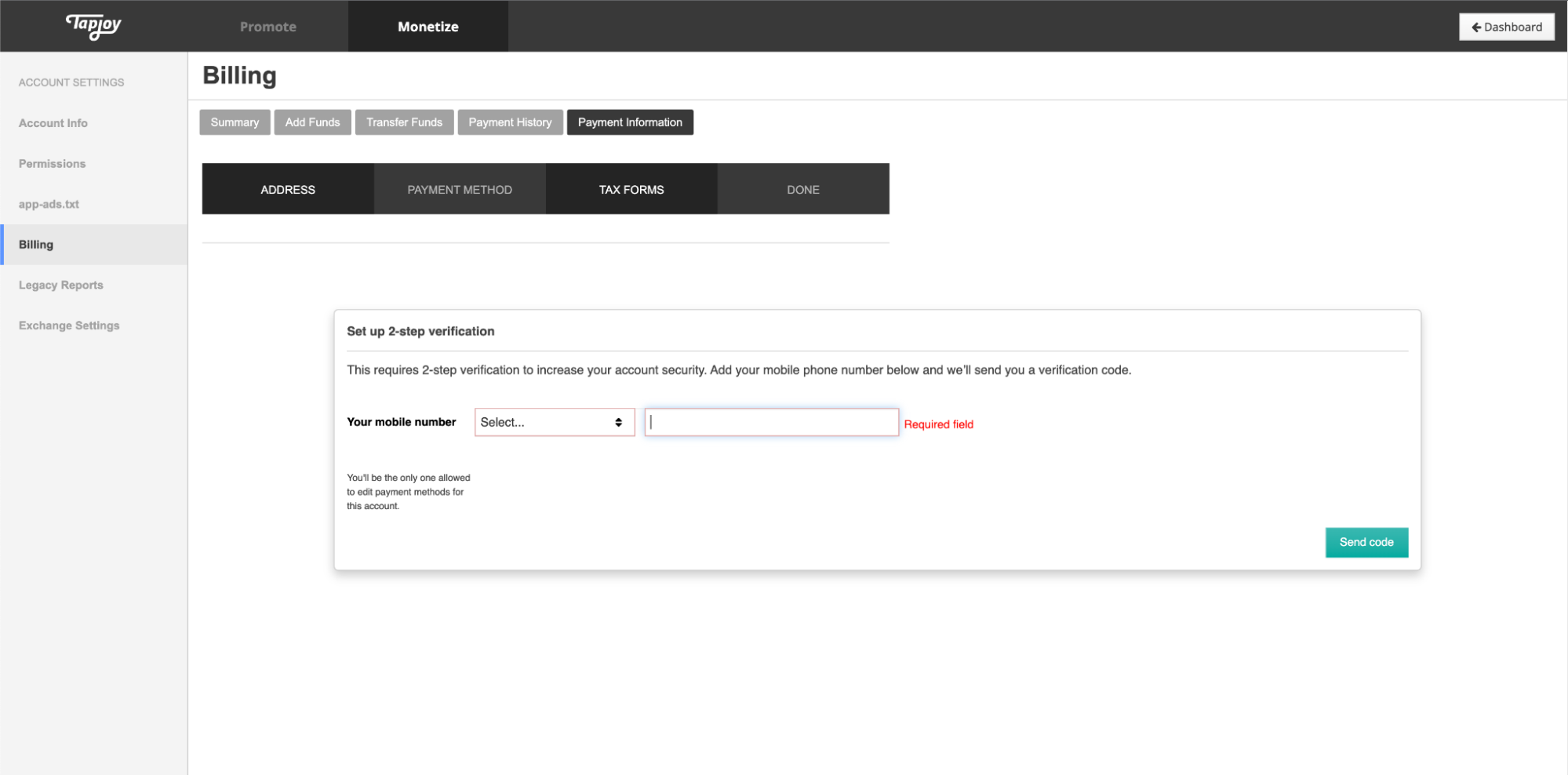
-
Enter your contact information, then select Send Code.
-
Enter the code correctly as a final step to enabling two-step verification.