文档

LevelPlay SDK - React Native

Smaato integration

Integrate Smaato as a mediation network in your React Native app using the LevelPlay SDK.
阅读时间2 分钟最后更新于 2 天前

This guide will instruct you step-by-step on how to set Smaato live as an ad network on LevelPlay Mediation platform.

Prerequisites

Make sure you have correctly integrated LevelPlay's banner ads into your application.

Create a Smaato Account

To access Smaato ad inventory through LevelPlay's mediation platform, you must create an account with Smaato. You can do so here.

Retrieve Your Smaato Account IDs and Report Keys

Follow these steps to retrieve your Smaato account keys which need to be inserted into your LevelPlay Network Setup Module in order for Smaato to work correctly in connection with LevelPlay:
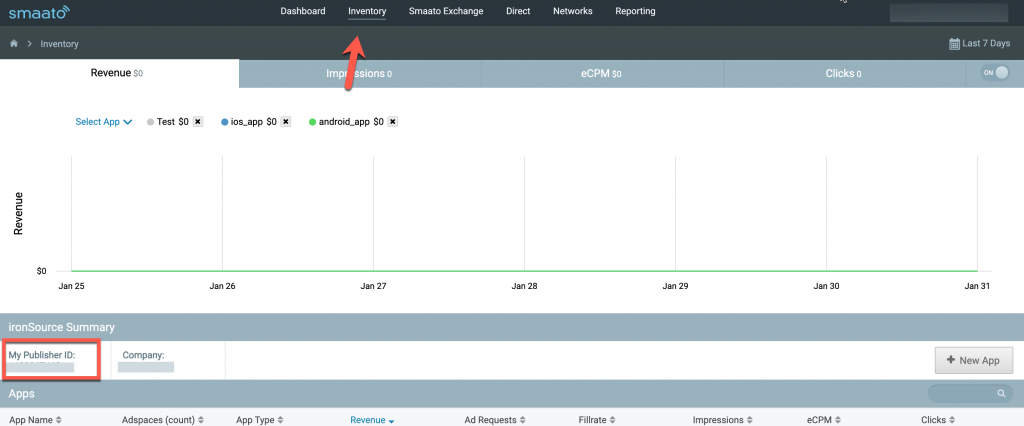
  1. Publisher ID – In your Smaato account go to Inventory > Publisher ID
The Publisher ID location in the Smaato dashboard.
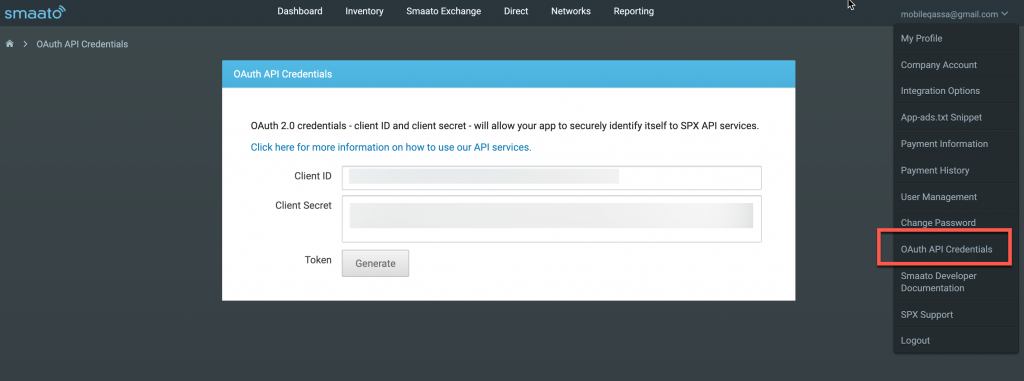
  1. Client ID and Client Secret – Go to QAuth API Credentials > Client ID and Client Secret
The Client ID and Secret location in the Smaato dashboard.

Create an Application in Smaato Network

Follow these steps to create your Smaato application:
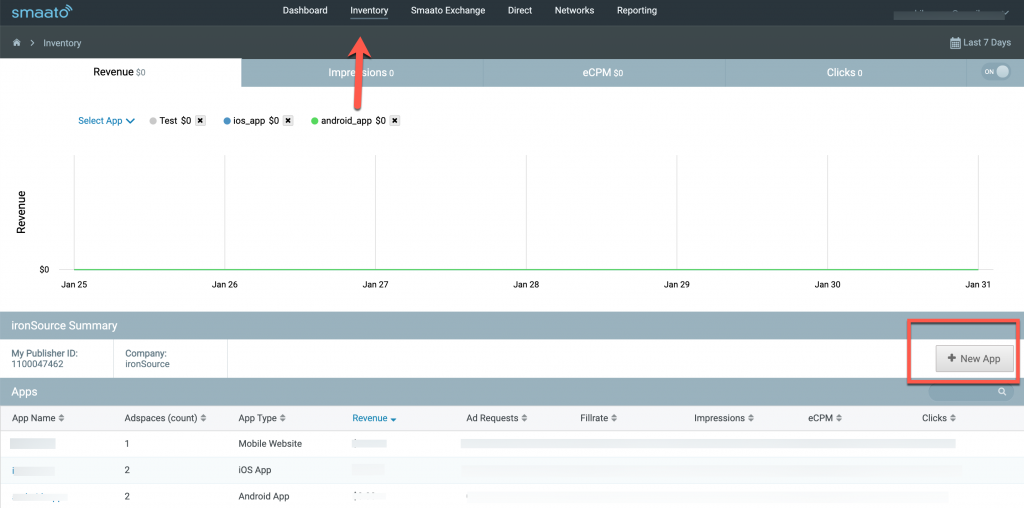
  1. In your Smaato account go to Inventory > New App
The New App button in the Smaato dashboard.
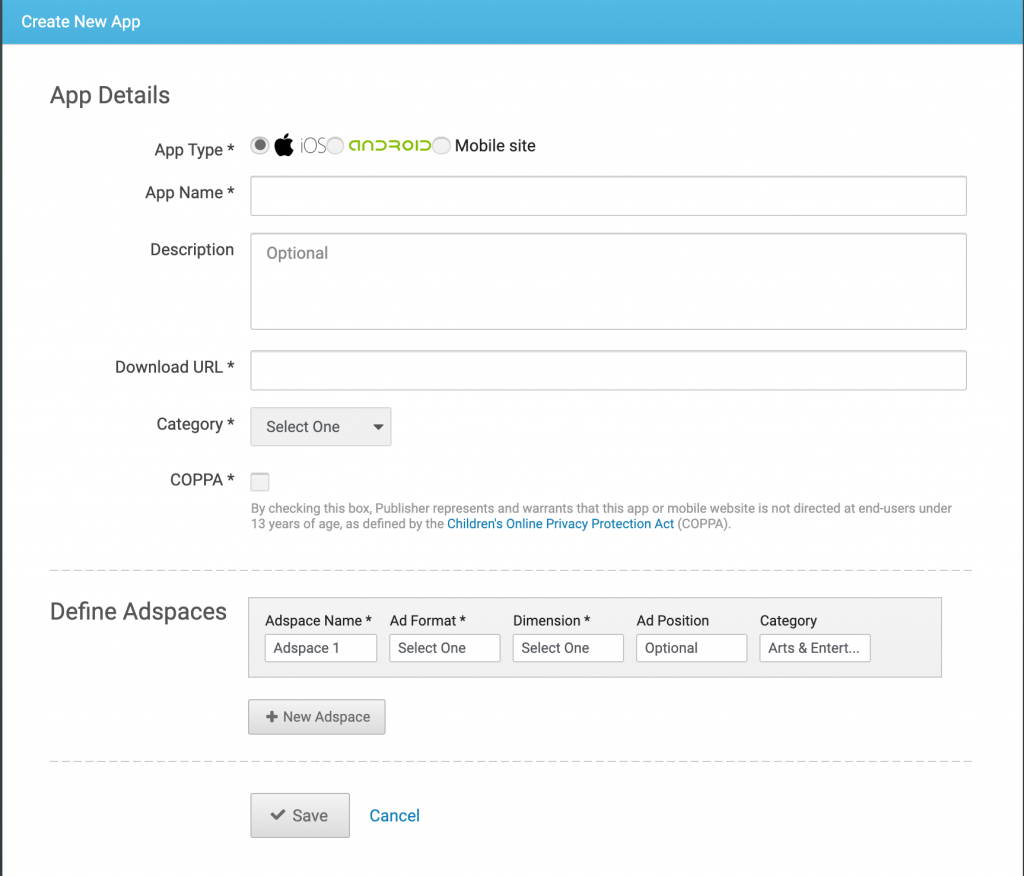
The Create new app form in the Smaato dashboard.

Activate Smaato Network

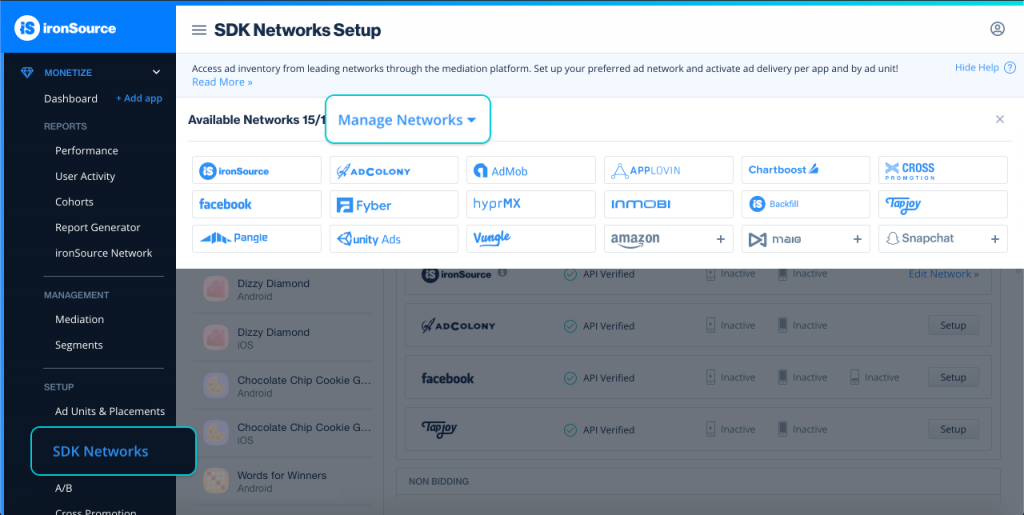
  1. When you have all the required parameters, log in to your LevelPlay account and go to Monetize > Setup > SDK Networks
The LevelPlay SDK Networks setup page for Smaato.
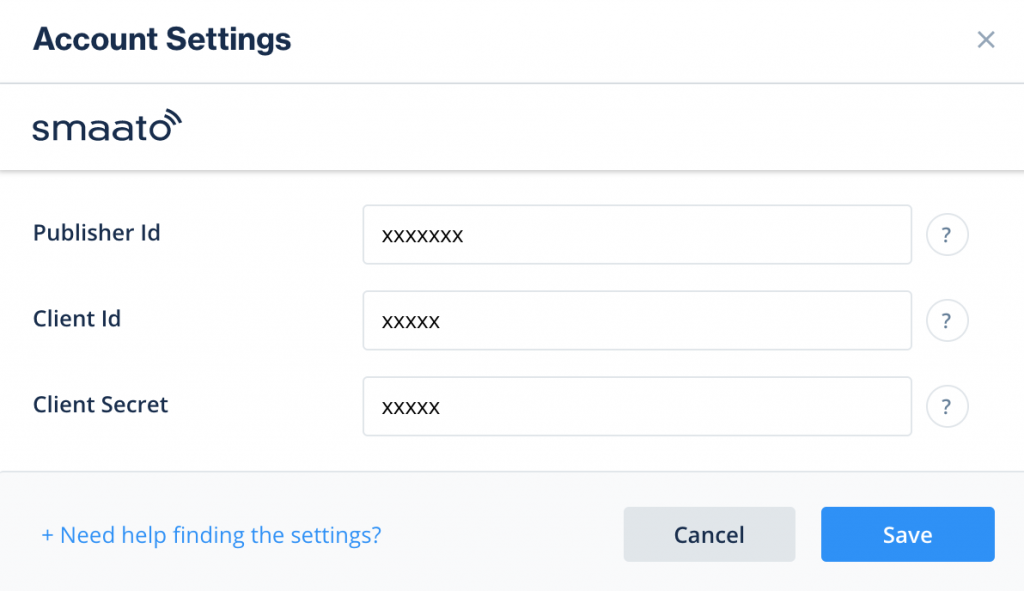
  1. Select Smaato from the table of Available Networks, add the parameters, and select Activate. Then select Save.
The Smaato account settings for API verification.
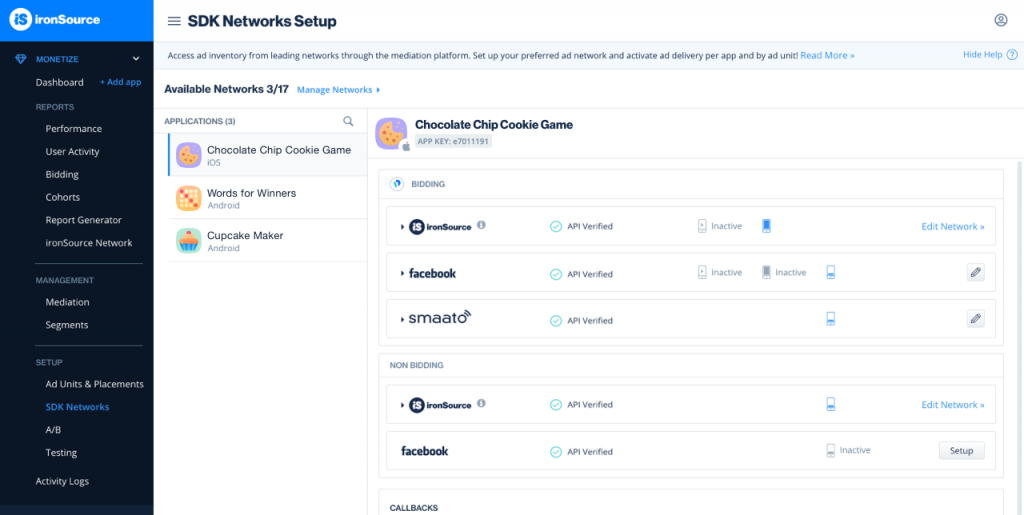
  1. Select Smaato from the list of ad networks and select Setup.
The API verification fields in the LevelPlay Smaato setup.
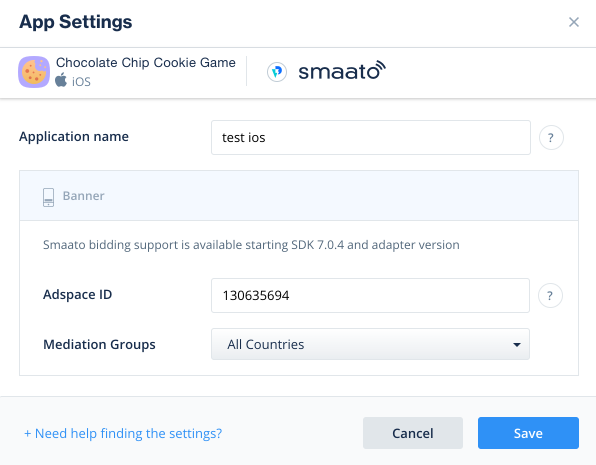
  1. Enter your app's Smaato App name and Adspace ID. Set the status to Active and select Save. You'll see Smaato listed as Active for Mediation on your Setup dashboard.
The app settings modal in the LevelPlay Smaato setup.

Add the Smaato Adapter to Your Build