Blueprint Integration
Learn how to implement authentication using Unreal Engine Blueprints.
Read time 8 minutesLast updated 9 months ago
Add the Authentication SDK as a dependency
Before you continue with the following blueprint demonstrations, make sure you’ve successfully installed the Authentication SDK plugin and can view Authentication-related functions in a Blueprint’s event graph or function under Unity Gaming Services > Authentication.
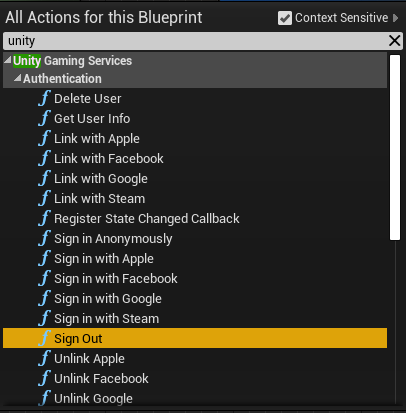
All actions for this blueprint.
Sign In Anonymously
Use to anonymously authenticate. This is a quick way to authenticate without any user information, and requires no interaction with external providers. If successful, this populates the current player profile with the retrieved credentials returned from the Unity Authentication servers.
Sign In AnonymouslySign In AnonymouslyFAuthenticationSignInOptionsThe response from the SDK can be handled in a custom event, which needs to take in an Authentication Response as an output pin. To isolate response variables, right-click the response body output pin and select Split Pin.
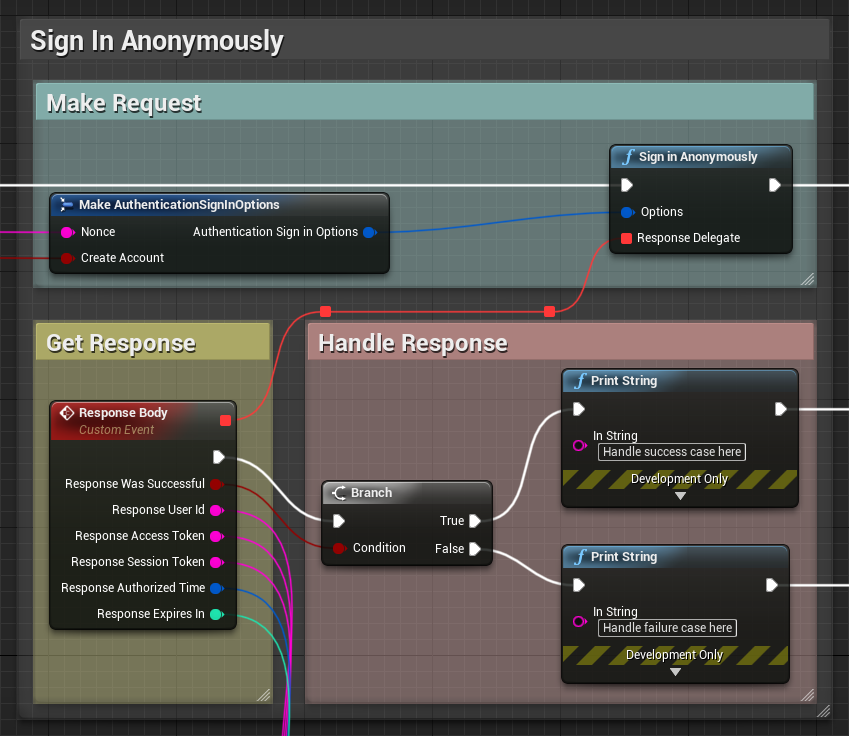
Sign in anonymously
Get User Info
Use to retrieve information about the currently authenticated user. This includes their user Id, authentication timestamps, and any external Identity providers that are linked to their session.
Get User InfoThe response from the SDK can be handled in a custom event, which needs to take in an Authentication User Response as an output pin, representing the user response from the Authentication SDK. To isolate response variables, right-click the response body output pin and select Split Pin.
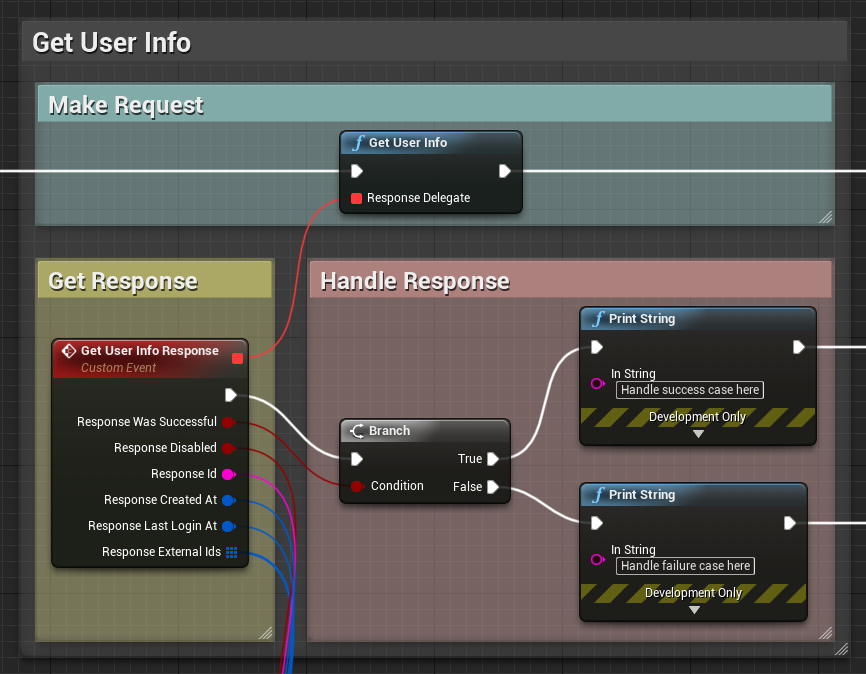
Get user info
Delete User
Use to delete all information related to the currently authenticated player. This function also signs out the player, and deletes all player preferences and profiles connected to the player.
Delete UserThe response from the SDK can be handled in a custom event, which needs to take in a as an output pin, representing whether the deletion was a success.
Boolean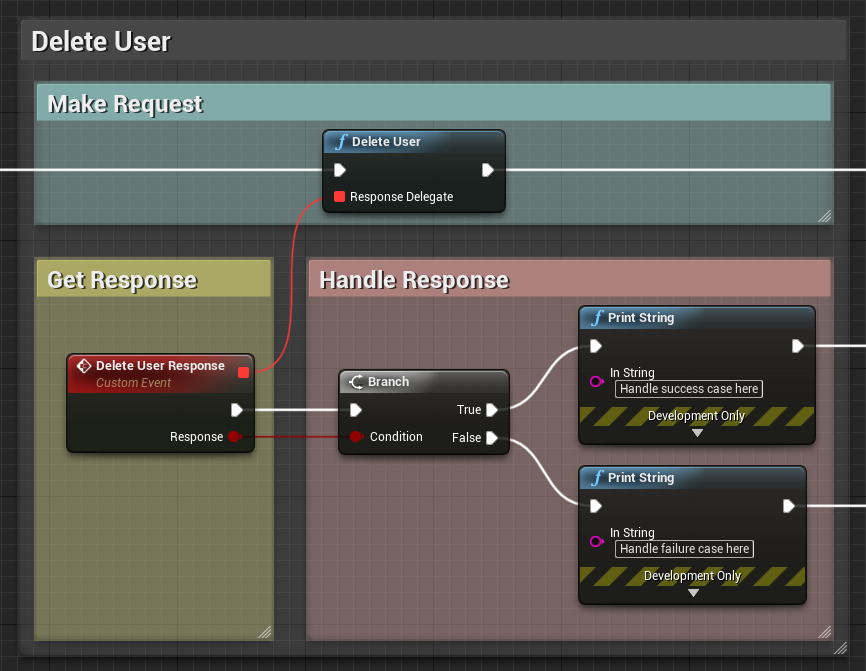
Delete user
Register State Changed Callback
Use to assign a callback function that invokes upon the state of the subsystem changing. For instance, the assigned function executes when a player has successfully authenticated and the subsystem state has changed to .
Register State Changed CallbackAuthorizedThe response from the SDK can be handled in a custom event, which needs to take in an Authentication State Changed Response as an output pin, representing the response from the Authentication SDK. To isolate response variables, right-click the response body output pin and select Split Pin.
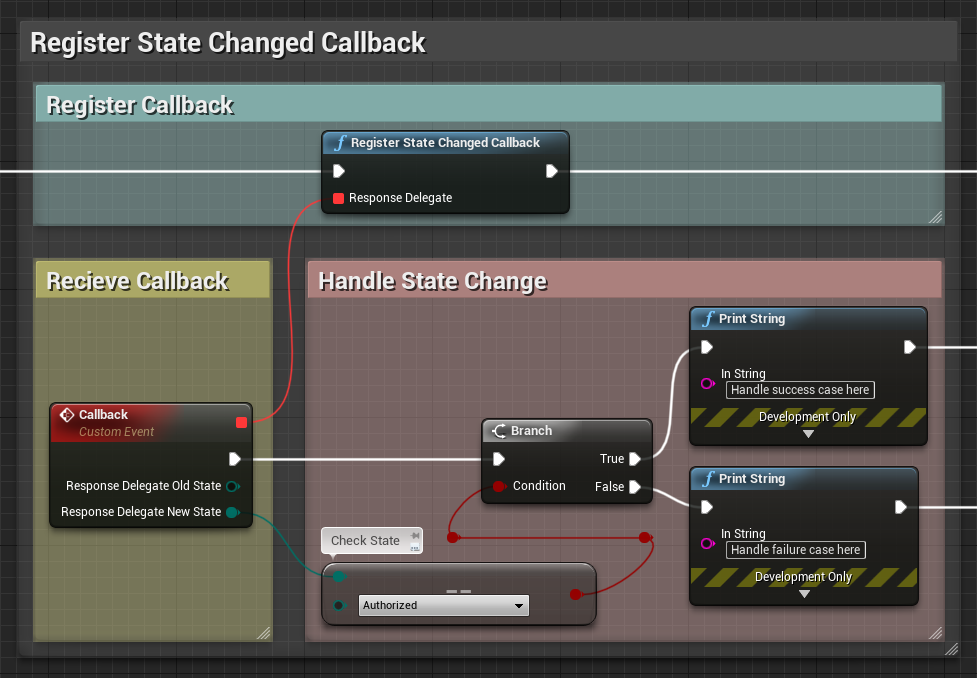
Register state changed callback
Sign Out
Use to sign-out of the currently authenticated player profile. This removes the current player profile and switches to the default profile. This function also has an optional parameter to remove any stored credentials associated with this player.
Sign OutThis function returns a representing whether the operation was a success.
Boolean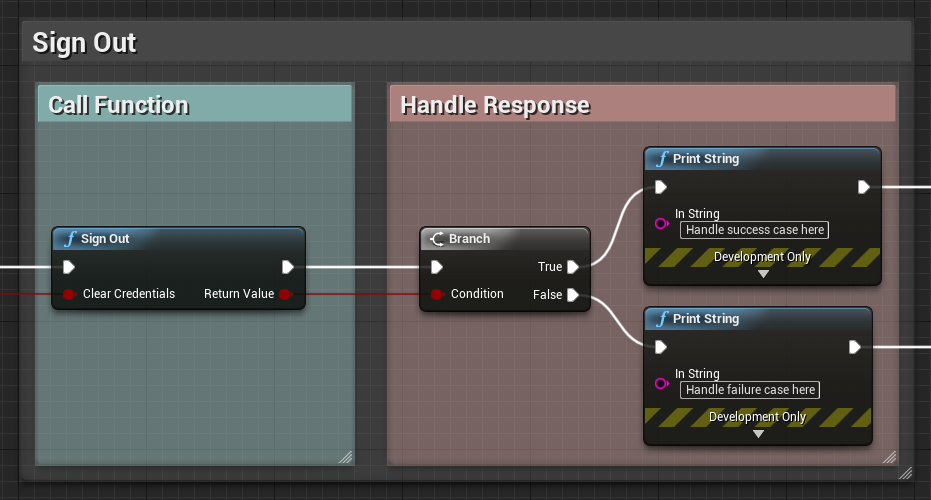
alt_text
Switch Profile
Use to switch to, or create, a player profile.
Switch Profile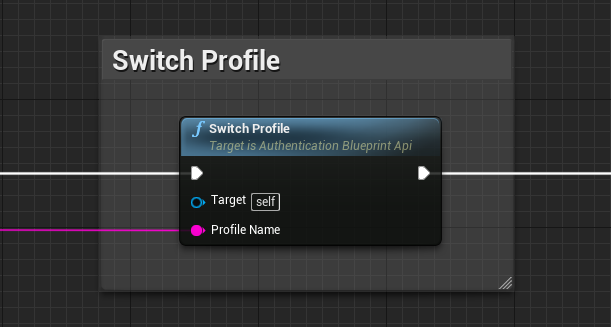
Switch profile
Profile Exists
Use to check if a given profile exists in the current session.
Profile ExistsThis function returns a representing whether the given profile name exists in the current list of player profiles.
Boolean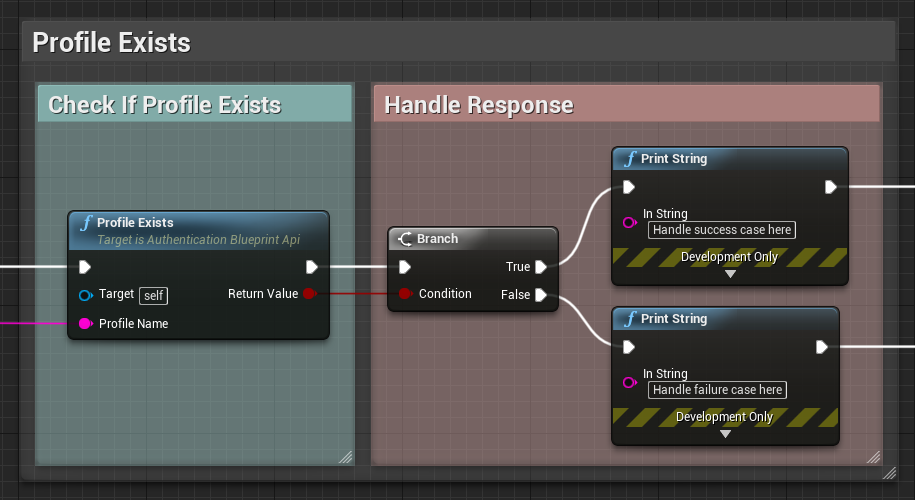
Profile exists
Get Current Profile Name
Use to retrieve the name of the current player profile.
Get Current Profile NameThis function returns a representing the name of the current player profile being used by the Authentication subsystem.
String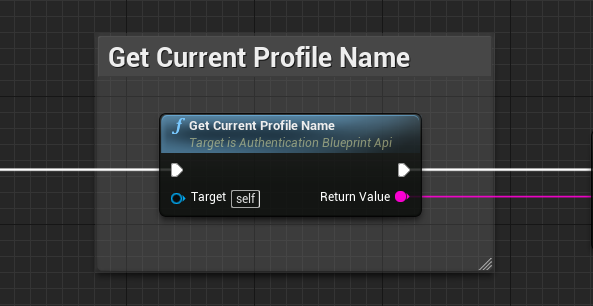
Get current profile name
Get Profile Names
Use to retrieve a list of all player profile names being used in the current session.
Get Current Profile NamesThis function returns a representing all the names of the player profiles being used by the Authentication subsystem.
String Array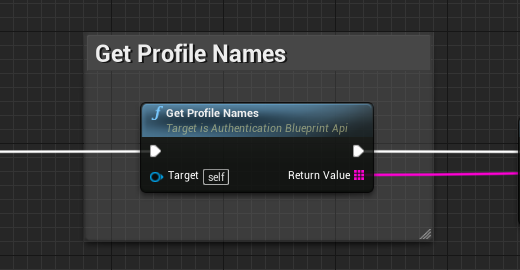
Get profile names
Register Profile Changed Callback
Use to assign a callback function that invokes when a player profile changes. For instance, the assigned function executes when
Switch Profile has executed successfully.
Register Profile Changed CallbackThe response from the SDK can be handled in a custom event, which needs to take in an Authentication Player Profile Changed Response as an output pin. To isolate response variables, right-click the response body output pin and select Split Pin.
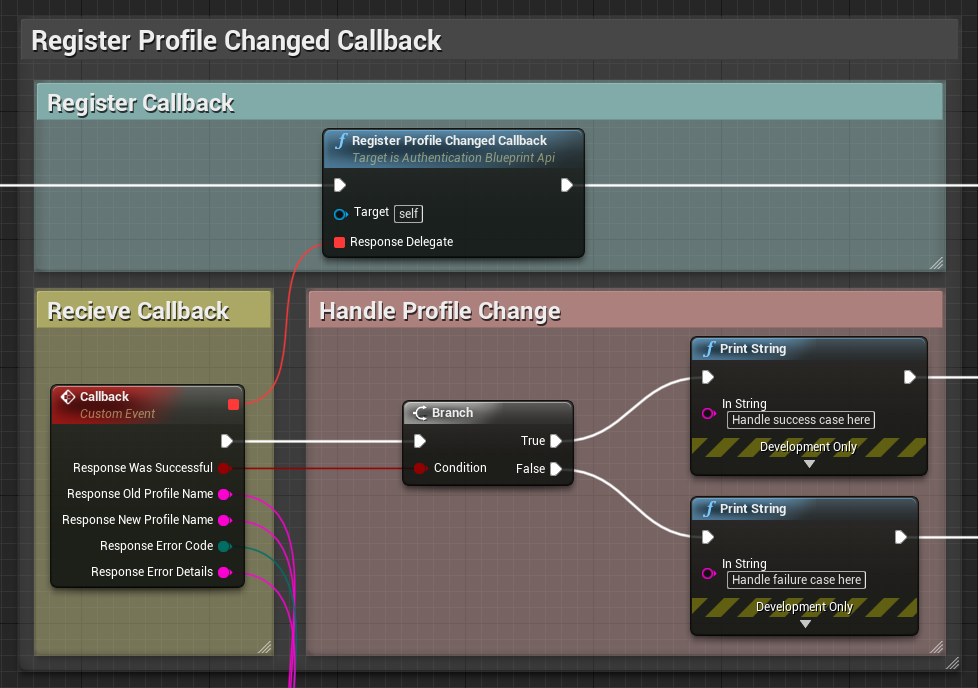
Register profile changed callback
Register Profile Deleted Callback
Use the function to assign a callback function that invokes when a player profile is removed from the current session. For instance, the assigned function executes when Sign Out has executed successfully.
Register Profile Changed CallbackThe response from the SDK can be handled in a custom event, which needs to take in an [Authentication Player Profile]
Authentication Player Profile Deleted Response as an output pin. To isolate response variables, right-click the response body output pin and select Split Pin.
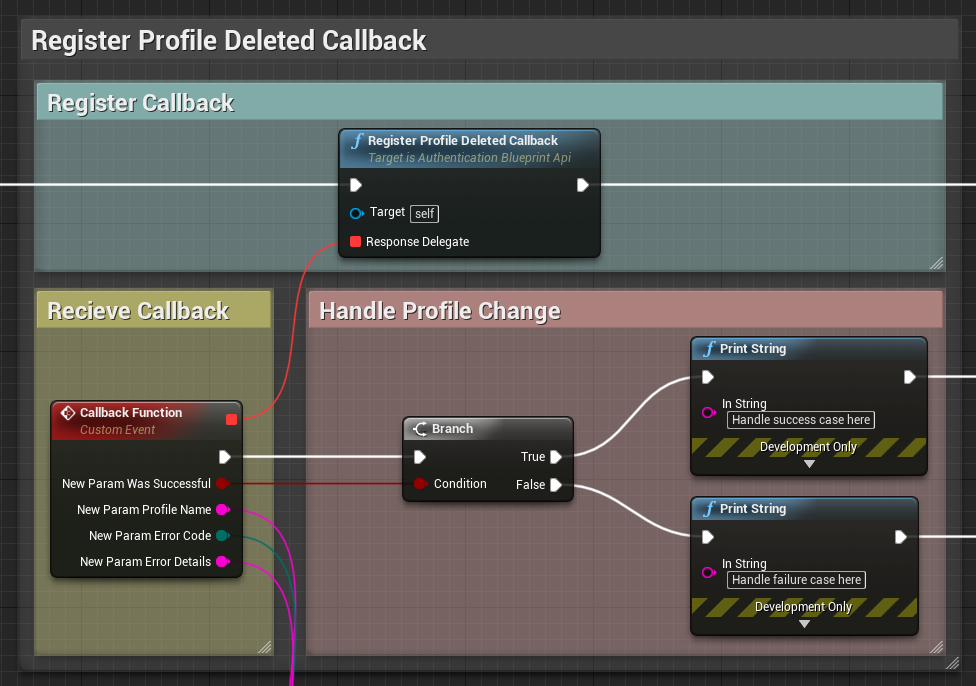
Register profile deleted callback
Is Signed In
Use to check whether the current player profile is signed-in. Being “Signed-In” is defined as being either Authorized or Expired.
Is Signed InThis function returns a representing whether the current player profile is signed-in.
Boolean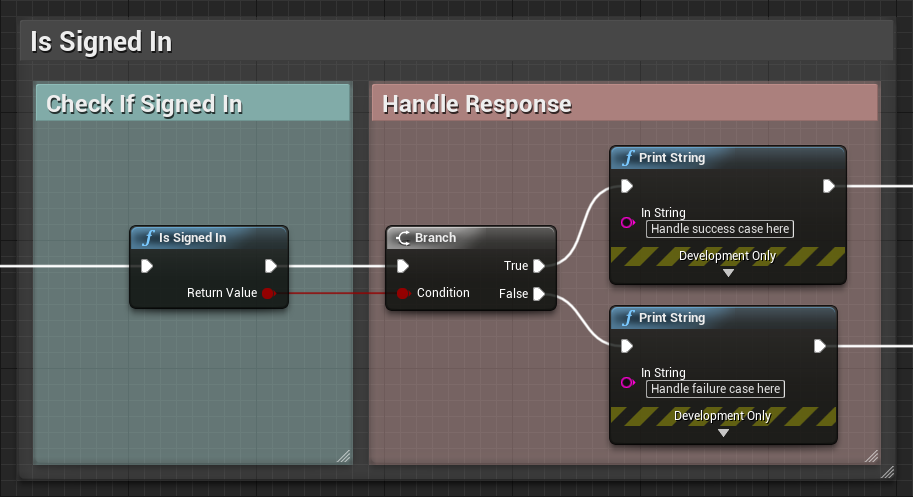
Is signed in
Is Anonymous
Use to check whether the current player profile is signed-in anonymously. This should return true after executing successfully.
Is AnonymousSign In AnonymouslyThis function returns a representing whether the current player profile is signed-in anonymously. If the last sign-in was anonymous, this returns true even if the session has expired.
Boolean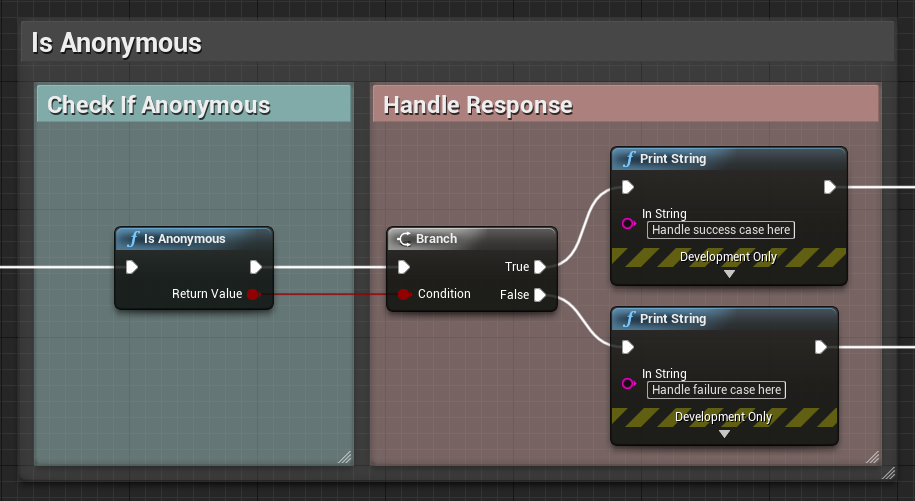
Is anonymous
Is Authorized
Use to check whether the current player profile is signed-in and currently authorized.
Is AuthorizedThis function returns a representing whether the current player profile is signed-in and has been authorized successfully. This should return true after executing any sign-in function while the expiration time has not yet passed.
Boolean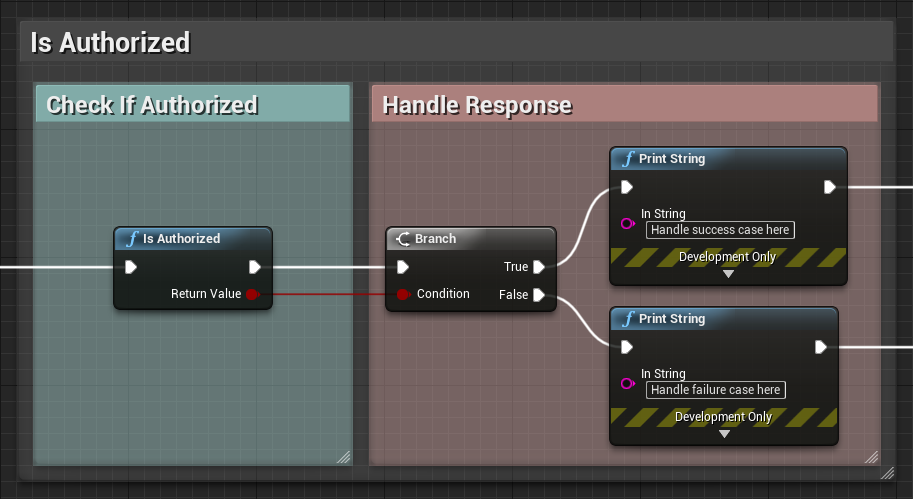
Is authorized
Is Expired
Use to check whether the current player profile’s session has expired.
Is ExpiredThis function returns a representing whether the current player profile’s session has gone past the returned expiry time from its initial Authentication Response.
Boolean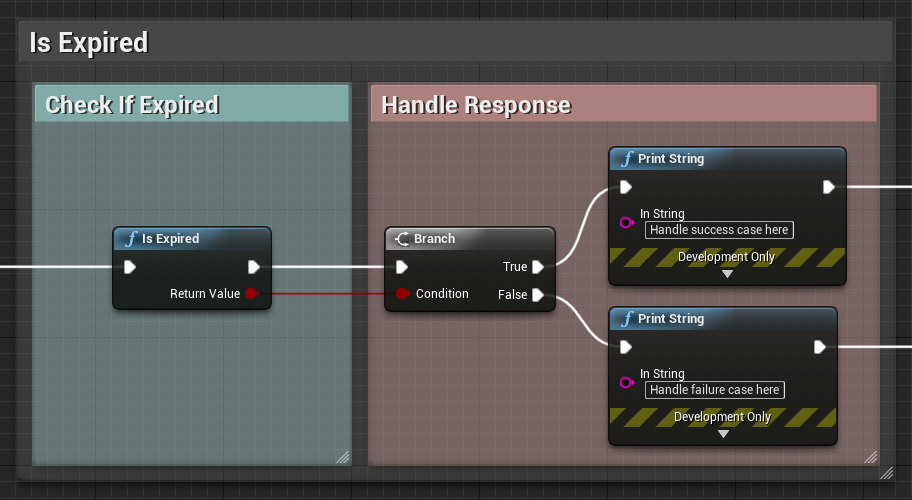
Is expired
Session Token Exists
Use to check whether a session token exists in player preferences for the current player profile.
Session Token ExistsThis function returns a representing whether the session token exists.
Boolean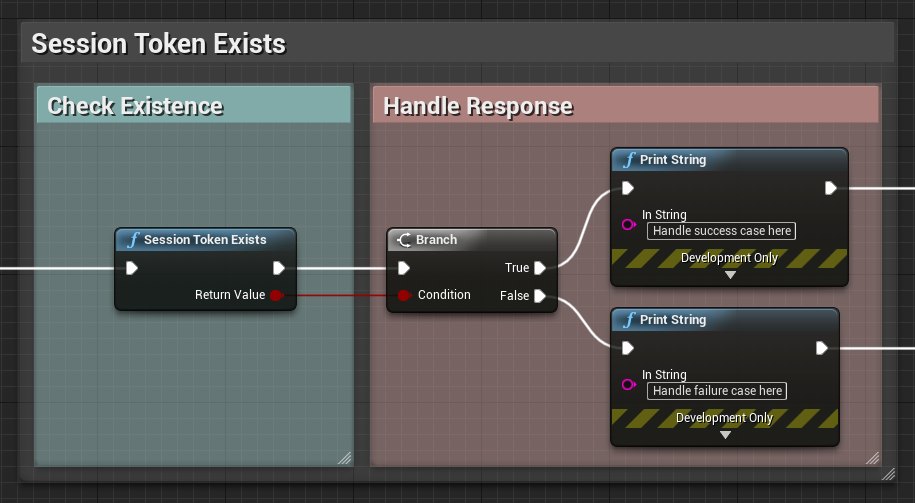
Session tokene exists
Get Unity Project Id
Use to retrieve the Unity Project Id associated with the current authentication session.
Get Unity Project IdThis function returns a representing the current Project Id in use.
Guid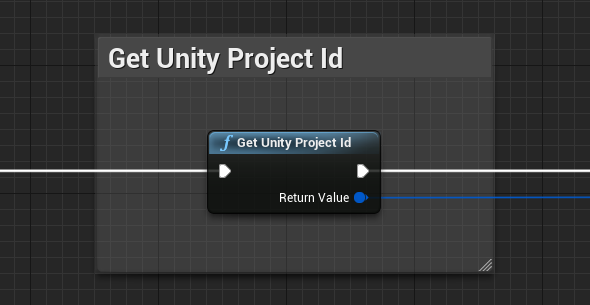
Get Unity project ID
Get Unity Environment Name
Use to retrieve the name of the Unity Environment Name associated with the current authentication session.
Get Unity Environment NameThis function returns a representing the current Environment in use.
String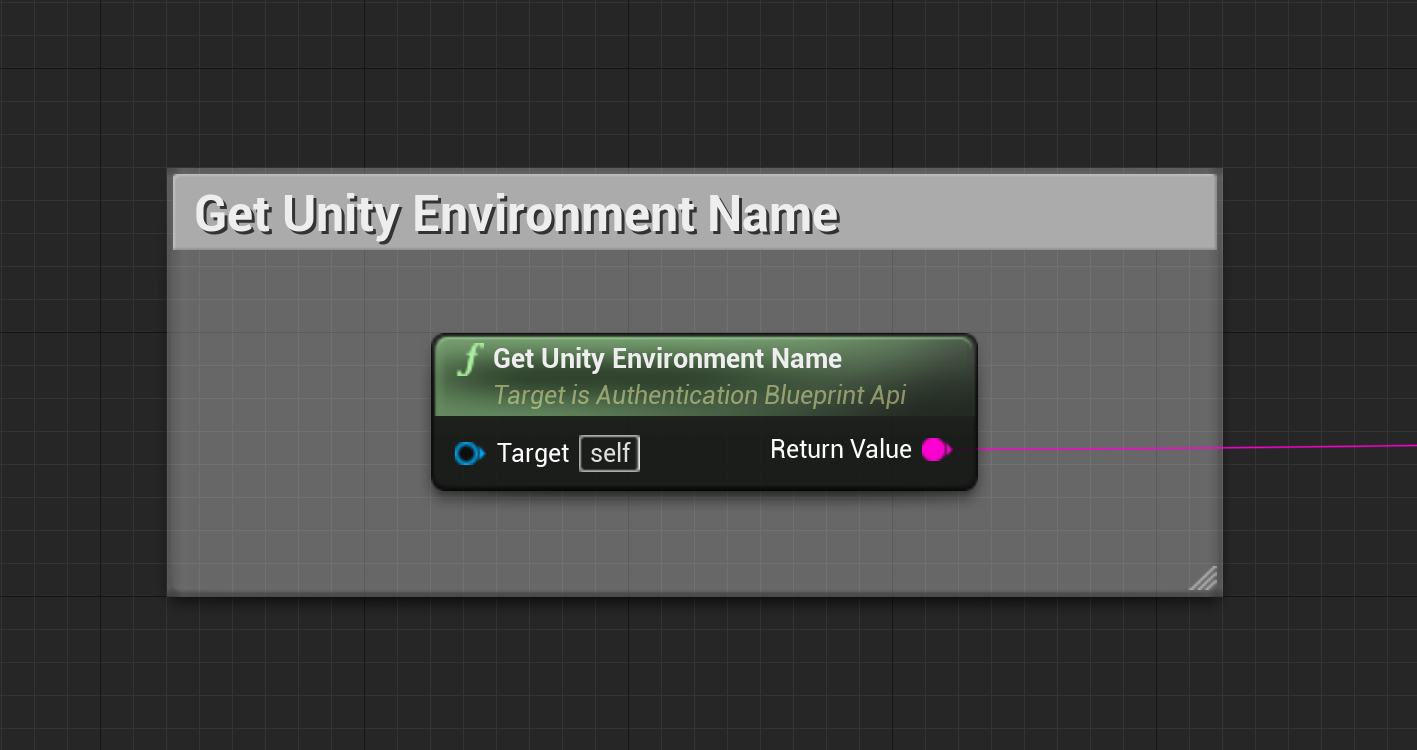
Get Unity Environment Name
Get Access Token
Use to retrieve the access token for the current session. If none exists, this returns an empty string.
Get Access Token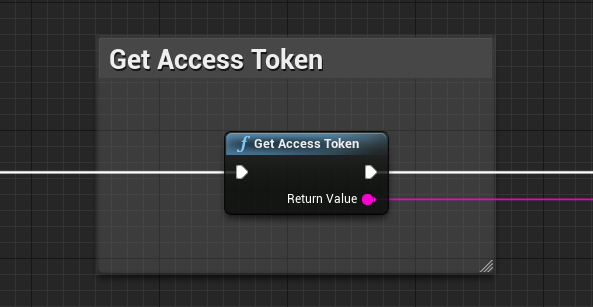
Get access token
Get Session Token
Use to retrieve the session token for the current session. If none exists, this returns an empty string.
Get Session Token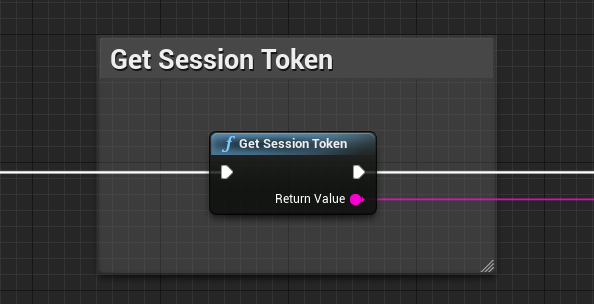
Get session token
Get User Id
Use the function to retrieve the user Id for the current session.
Get User IdThis function returns a representing the current player profile’s user Id. If none exists, this returns an empty string.
String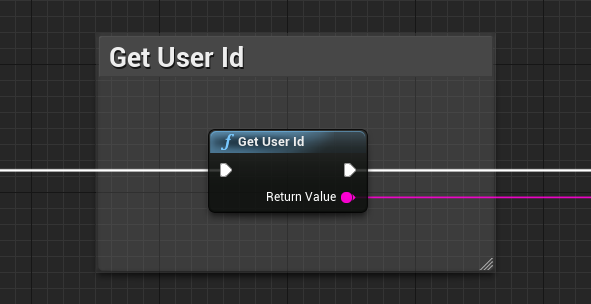
Get user ID
Get State
Use the function to retrieve the current state of the authentication session.
Get StateThis function returns an representing the state of the subsystem.
Enum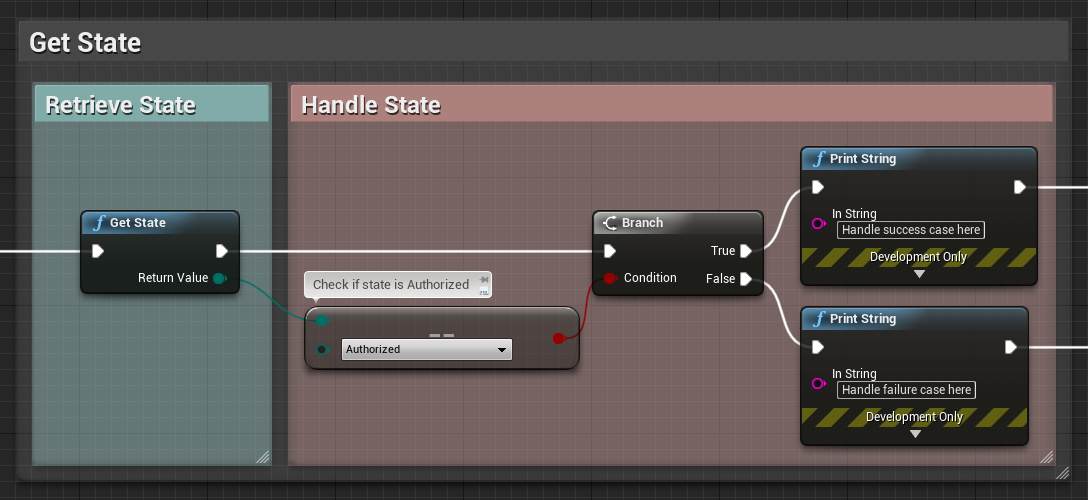
Get state
Set Unity Project Id
Use to set the Unity Project Id for the current authentication session. This function takes a .
Set Unity Project IdGuid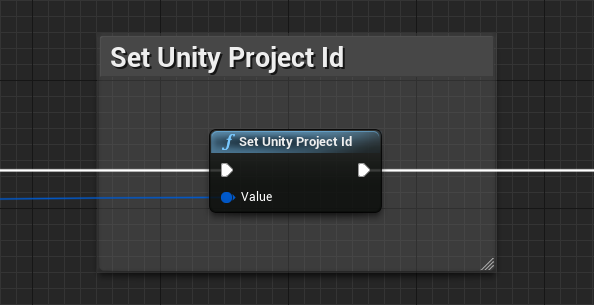
Set Unity project ID
Set Unity Environment Name
Use to set the Unity Environment Name for the current authentication session. This function takes a .
Set Unity Environment NameString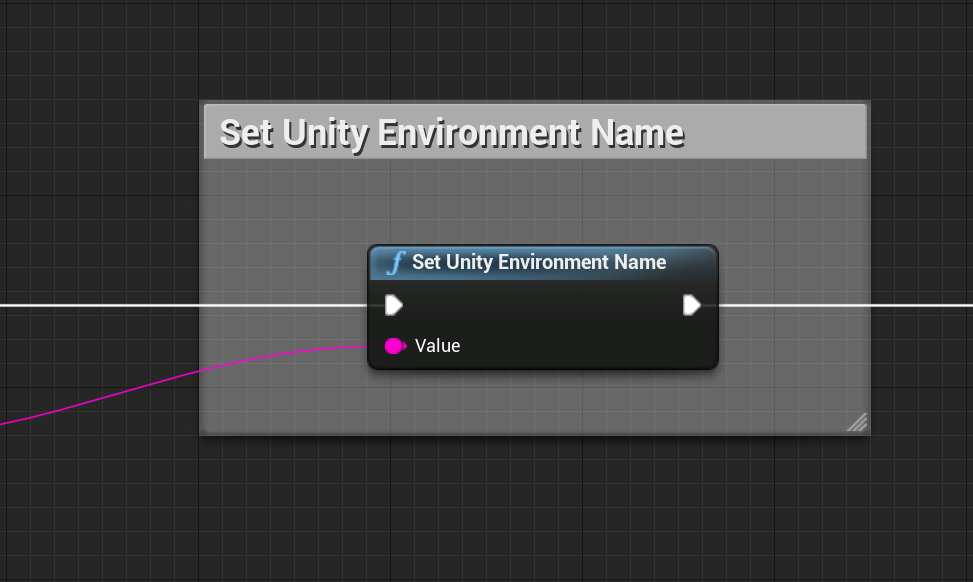
Set Unity Environment Name