Blueprint 集成
Learn how to integrate Multiplay Hosting with Unreal Engine Blueprints.
阅读时间6 分钟最后更新于 2 天前
了解如何在 Unreal Engine 中使用 Blueprint Visual Scripting 系统集成 Multiplay Game Server SDK。 Multiplay Game Server SDK 可以与以下接口交互:
安装 Multiplay Game Server SDK 插件
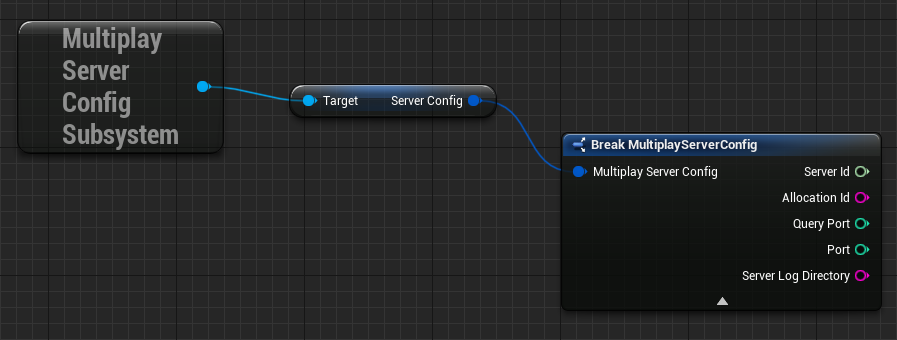
在继续操作之前,请确保已正确安装 Multiplay Game Server SDK 插件。Multiplay 服务器配置子系统
该子系统具备当前会话的服务器配置。 该子系统会在子系统初始化时从server.json- 服务器 ID
- 分配 ID
- 服务器查询协议端口
- 会话的连接端口
- 游戏服务器保存日志文件的目录
Multiplay Game Server 子系统
Multiplay Game Server 子系统允许您订阅(和响应)游戏服务器事件,如游戏服务器得到分配时和游戏服务器为玩家准备就绪时。请参阅游戏服务器生命周期和服务器就绪。
使用 MultiplayGameServerSubsystem 的实例,可通过以下 Blueprint 与 Multiplay Game Server 子系统交互:
SubscribeToServerEvents
拥有 MultiplayGameServerSubsystem 实例后,您可以使用 Subscribe Blueprint 来订阅 Multiplay 事件,包括 OnAllocate、ReadyServerForPlayers、UnreadyServer 和 OnDeallocate。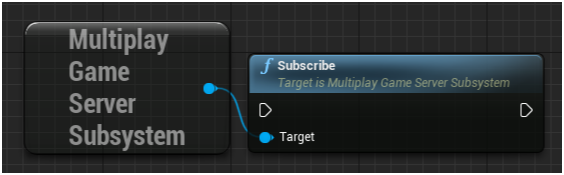
OnAllocate
使用此 Blueprint,在玩家进入游戏服务器进行游戏对战前执行所需的设置逻辑,如通过 ReadyServerForPlayers 加载游戏资源和启动回填。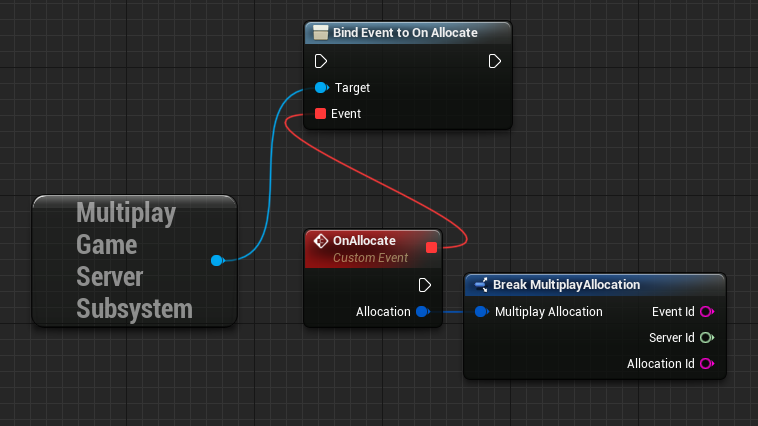
ReadyServerForPlayers
使用此 Blueprint,可让 Multiplay 了解游戏服务器何时准备好接受玩家进行游戏对战。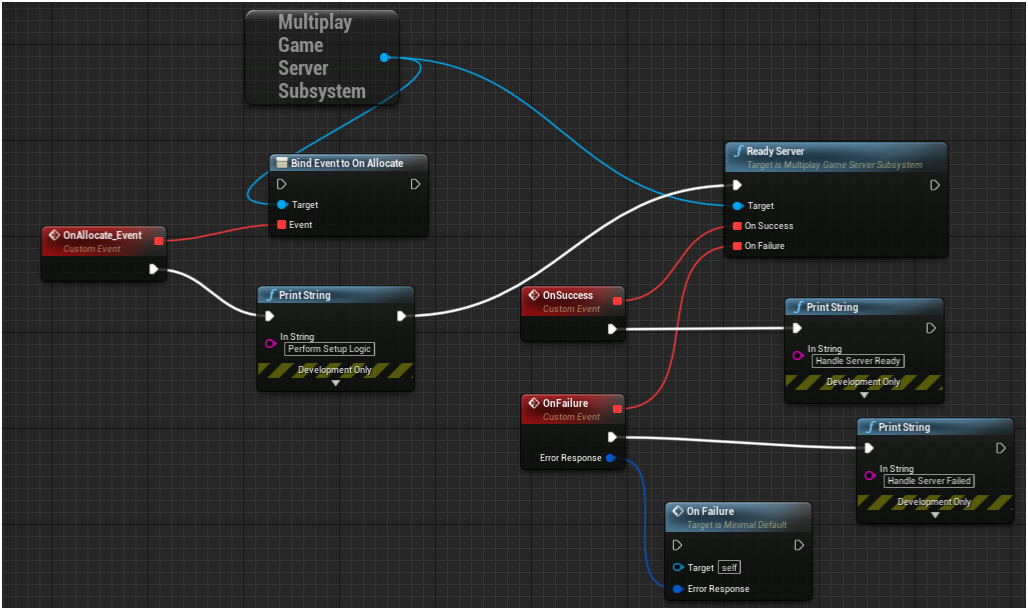
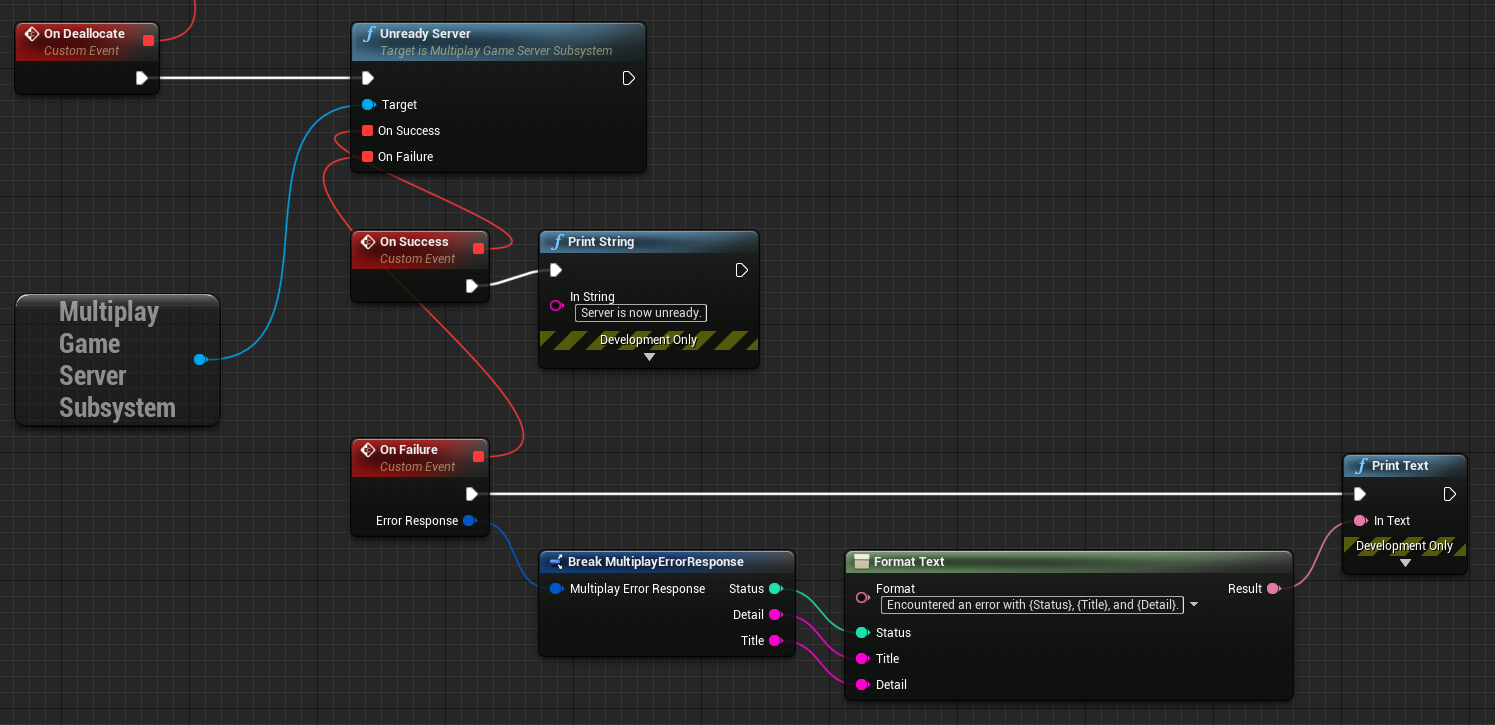
UnreadyServer
使用此 Blueprint,可让 Multiplay 了解游戏服务器不再准备好接受玩家。 您在以下情况下可能会想要使用 UnreadyServer Blueprint:- 游戏对战快要完成
- 游戏对战已完成
- 游戏服务器已满载
OnDeallocate
使用此 Blueprint,可了解 Multiplay 何时取消分配游戏服务器。OnDeallocate Blueprint 可提供机会,以供您在游戏服务器关闭前执行所需的最后时刻清理或记录操作。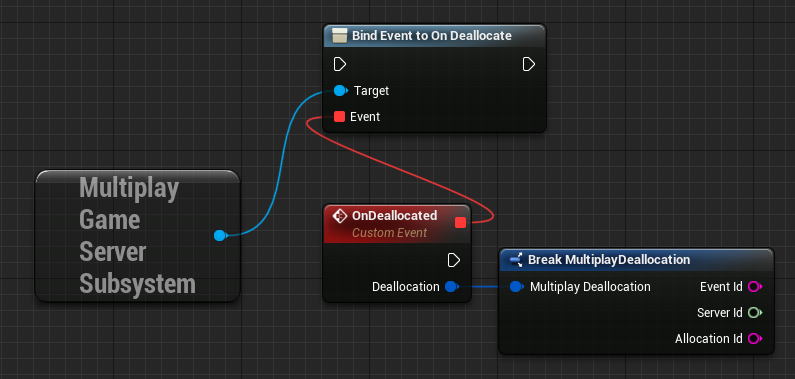
Multiplay Server Query Handler 子系统
借助 Multiplay Server Query Handler 子系统,您可以设置游戏服务器变量,这些变量由游戏服务器查询协议进行监控。该实现使用 SQP。请参阅服务器查询协议。 您可以使用UMultiplayServerCheckSubsystem- 连接游戏服务器
- 断开与游戏服务器的连接
- 使用 setting Blueprint 配置游戏服务器查询值
- 使用 accessor Blueprint 访问游戏服务器查询值
Setting Blueprint
使用以下 setting Blueprint,可为游戏服务器设置查询值。这些 setting Blueprint 包括 SetCurrentPlayers、SetMaxPlayers、SetServerName、SetGameType、SetBuildId、SetMap 和 SetPort。SetCurrentPlayers
使用此 Blueprint,可设置连接到游戏服务器的玩家人数。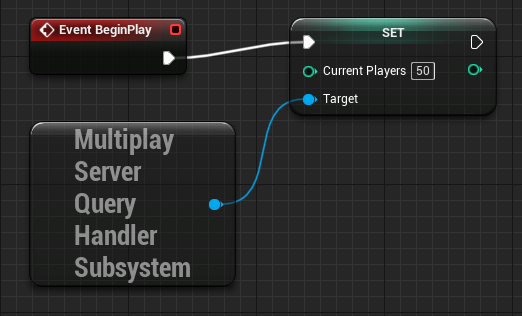
SetMaxPlayers
使用此 Blueprint,可设置连接到游戏服务器的最大玩家人数。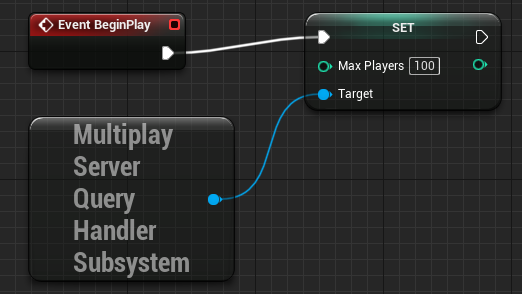
SetServerName
使用此 Blueprint,可设置游戏服务器当前名称。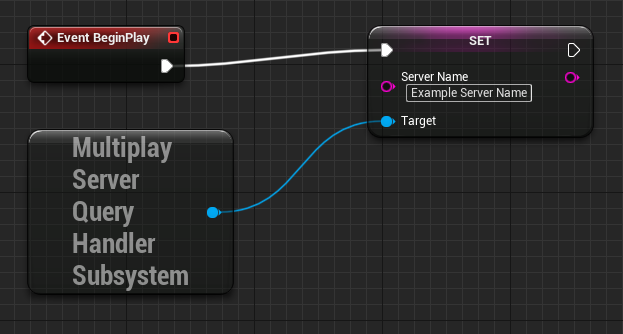
SetGameType
使用此 Blueprint,可设置游戏服务器正在运行的游戏类型。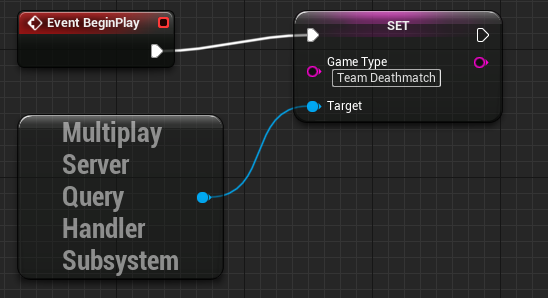
SetBuildId
使用此 Blueprint,可设置游戏服务器当前版本 ID。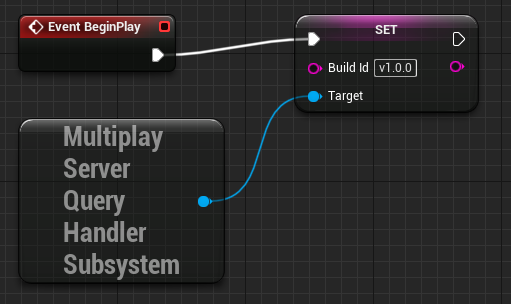
SetMap
使用此 Blueprint,可设置游戏服务器当前地图。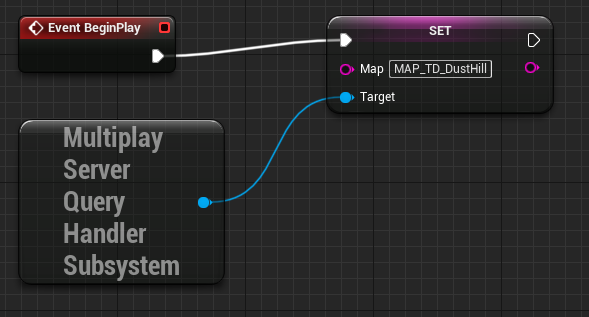
SetPort
使用此 Blueprint,可设置游戏服务器端口编号。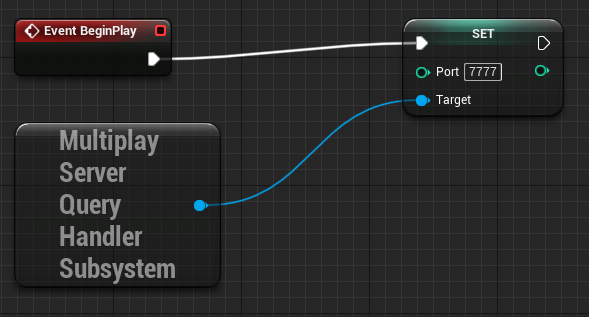
Connect Blueprint
使用此 Blueprint,可与游戏服务器建立连接。您必须与游戏服务器建立连接,然后才可以使用 Accessor Blueprint。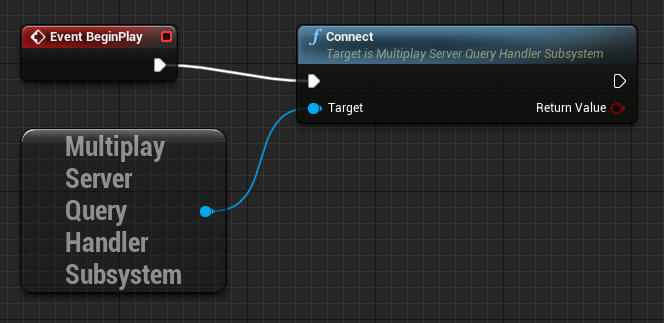
Accessor Blueprint
使用此 Blueprint,可访问您设置的值。这些 Accessor Blueprint 包括 GetCurrentPlayers、GetMaxPlayers、GetServerName、GetGameType、GetBuildId、GetMap 和 GetPort。GetCurrentPlayers
使用此 Blueprint,可获取当前连接到游戏服务器的玩家人数。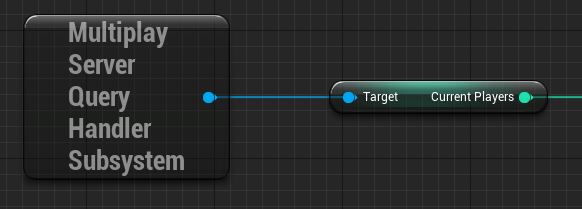
GetMaxPlayers
使用此 Blueprint,可获取允许连接到游戏服务器的最大玩家人数。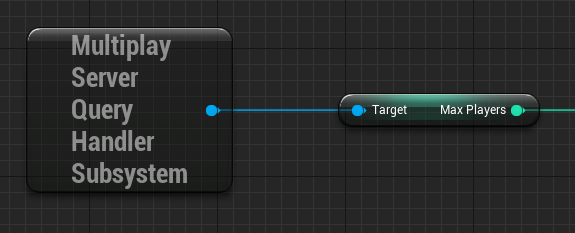
GetServerName
使用此 Blueprint,可获取游戏服务器当前名称。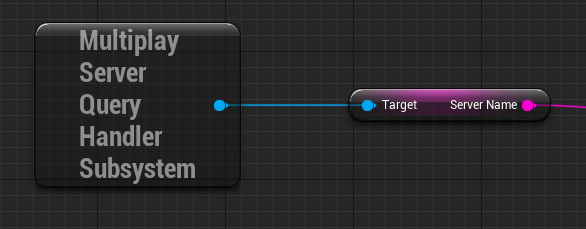
GetGameType
使用此 Blueprint,可获取游戏服务器正在运行的游戏类型。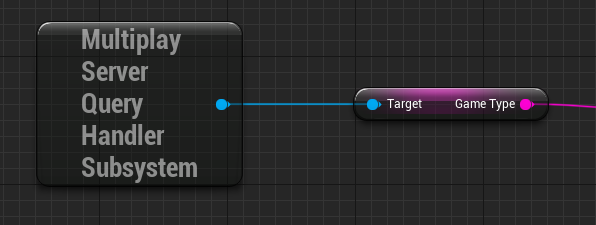
GetBuildId
使用此 Blueprint,可获取游戏服务器正在运行的版本的 ID。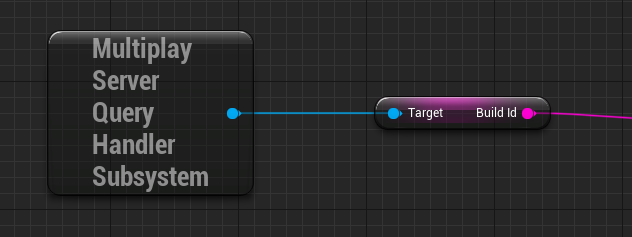
GetMap
使用此 Blueprint,可获取游戏服务器当前地图。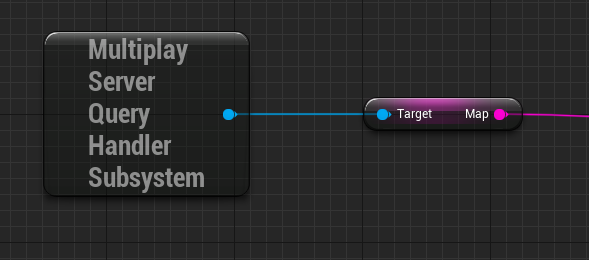
GetPort
使用此 Blueprint,可获取游戏服务器当前端口。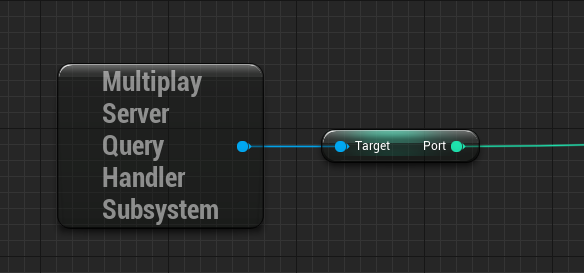
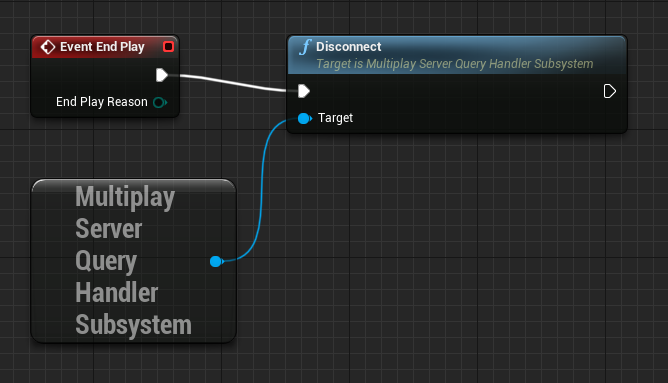
Disconnect Blueprint
使用此 Blueprint,可在关闭游戏服务器前断开与它的连接。