Configure the server for SAML authentication
Configure SAML on your Unity Version Control On-Prem server with the web administration console or command line.
읽는 시간 2분최근 업데이트: 20시간 전
Configure your Unity Version Control (UVCS) On-Prem server to use SAML authentication. Use the details from your Microsoft Entra ID app registration.
Configuring the server is the second of three tasks to set up SAML authentication. For an overview, refer to Introduction to SAML authentication with Microsoft Entra ID.
Prerequisites
Configure the server
You can configure the server in the web administration console or in the command-line interface (CLI). Both methods save your SAML parameters in the file.
server.confConfigure the server in the web administration console
SAML authentication is enabled by default. The authentication page of the web administration console displays SAML as a working mode option.
To use it:
- Select SAML.
- Enter your settings in the SAML details section.
- Select Save.
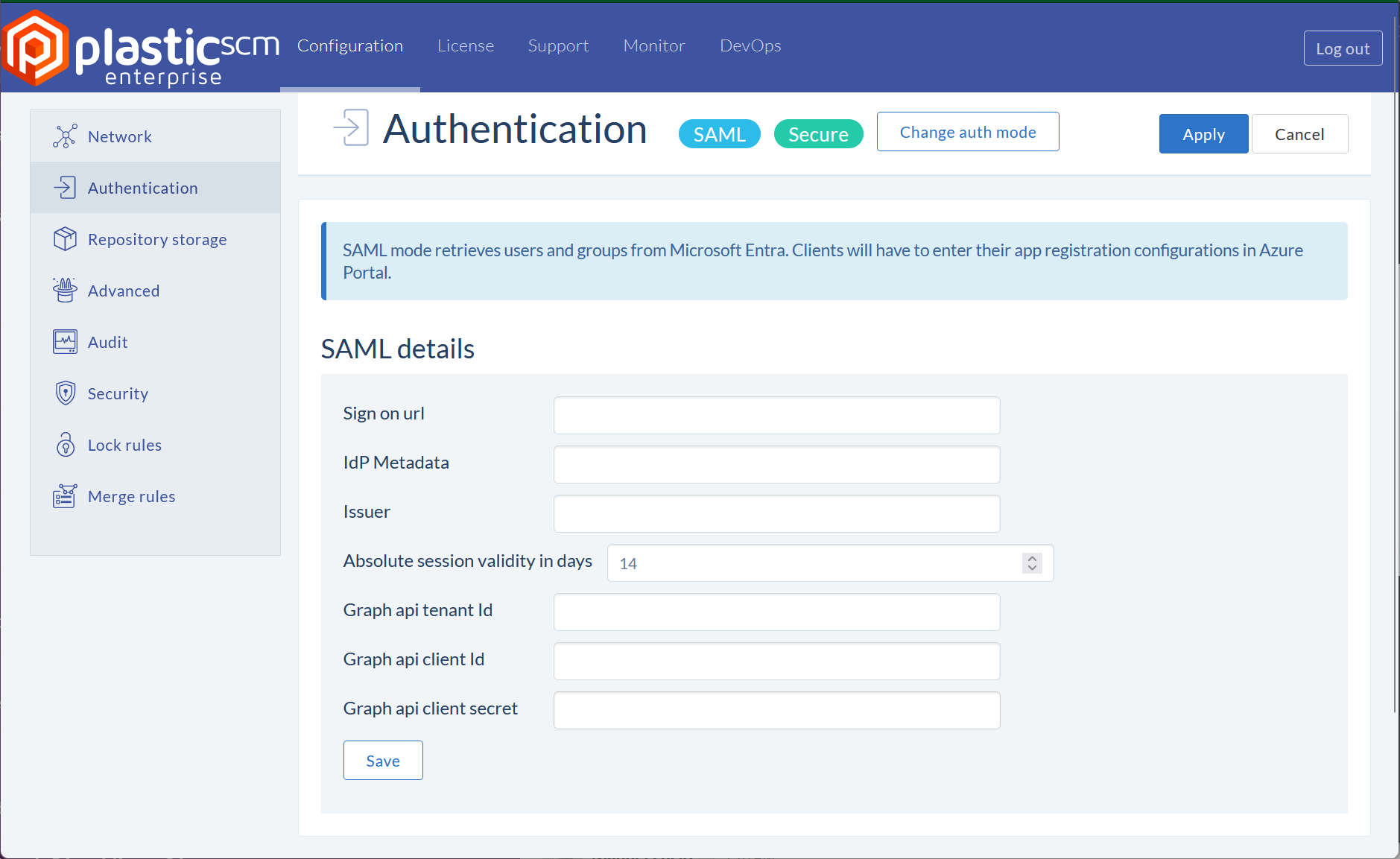
The web administration console page that you use to configure SAML authentication.
Configure the server in the CLI
To configure the server in the CLI:
- Open a terminal as an administrator.
- Run the server configuration wizard for your operating system:
- Windows:
plasticd configure - Linux:
/opt/plasticscm5/server/plasticd configure - macOS:
/Applications/PlasticSCMServer.app/Contents/MacOS/plasticd configure
- Windows:
- Select a language.
- Enter your server port numbers. The wizard shows the default value in brackets. To keep the default, press Enter.
- Server TCP listening port: default
8087 - Server SSL secured port: default
8088
- Server TCP listening port: default
- Select the authentication mode.
SAMLWorkingMode (SAML) - Enter the following authentication data:
- SAML Authentication: Sign-in URL (SAML-P sign-on endpoint).
- SAML Authentication: IdP metadata (federation metadata document).
- SAML Authentication: Application (client) ID.
- SAML Authentication: Absolute session validity in days. The default is 14.
- Graph API: Application registration tenant ID.
- Graph API: Application registration client ID.
- Graph API: Application registration client secret.
- To skip the license token, press Enter.