DisplayProgressBar(string, string, float)
Displays or updates a progress bar.
Read time 1 minuteLast updated 4 days ago
Definition
- Type: Method
- Namespace: UnityEditor
- Assembly: UnityEditor.CoreModule
public static void DisplayProgressBar(string title, string info, float progress)
Parameters
Remarks
The window title will be set to and the info will be set to . Progress should be set to a value between 0.0 and 1.0, where 0 means nothing done and 1.0 means 100% completed.
titleinfoThis is useful when you perform a long blocking operation in an Editor script, and want to notify the user about the progress. Use this method for long operations that make the editor non-responsive. For long operations that happen in the background, use the Progress class instead.
After you display the progress bar, clear it using EditorUtility.ClearProgressBar.
Additional Resources: EditorUtility.DisplayCancelableProgressBar, EditorUtility.ClearProgressBar methods, Progress class.
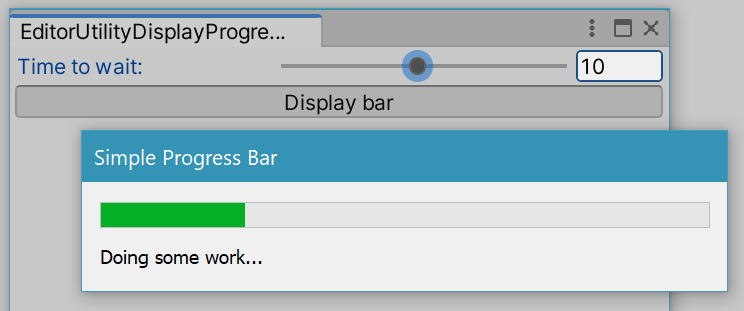
Progress bar in the Editor.
Examples
using System.Threading;using UnityEditor;using UnityEngine;// Shows a progress bar for the specified number of seconds.public class EditorUtilityDisplayProgressBar : EditorWindow{ public float secs = 5f; [MenuItem("Examples/Progress Bar Usage")] static void Init() { var window = GetWindow(typeof(EditorUtilityDisplayProgressBar)); window.Show(); } void OnGUI() { secs = EditorGUILayout.Slider("Time to wait:", secs, 1.0f, 20.0f); if (GUILayout.Button("Display bar")) { var step = 0.1f; for (float t = 0; t < secs; t += step) { EditorUtility.DisplayProgressBar("Simple Progress Bar", "Doing some work...", t / secs); // Normally, some computation happens here. // This example uses Sleep. Thread.Sleep((int)(step * 1000.0f)); } EditorUtility.ClearProgressBar(); } }}