DisplayDecisionDialog(string, string, string, string, DialogIconType)
Displays a decision dialog box with a title, icon, message, and two buttons.
Read time 2 minutesLast updated 2 months ago
Definition
- Type: Method
- Namespace: UnityEditor
- Assembly: UnityEditor.CoreModule
public static bool DisplayDecisionDialog(string titleText, string messageText, string yesButtonText, string noButtonText, DialogIconType iconType = DialogIconType.Warning)
Parameters
The title of the dialog box. If left null, defaults to "Unity".
The message to display in the dialog box.
The text to display on the Yes button. If left null, it defaults to "Yes".
The text to display on the No button. If left null, it defaults to "No".
The icon to display in the dialog box. Defaults to DialogIconType.Warning.
Returns
Type | Description |
|---|---|
| bool | Returns |
Remarks
If is null or whitespace, an is thrown. If is longer than 512 characters, it is truncated and the full message is logged to the console in markdown format.
messageTextArgumentNullExceptionmessageTextIf any button's text is longer than 64 characters, an is thrown.
ArgumentExceptionThe default button is the Yes button. If the user presses the enter key (return key on macOS), the Yes button is clicked. The other button is the No button. If the user presses the escape key or closes the dialog, the No button is clicked. On macOS, the orientation of the buttons might be horizontal or vertical depending on the length of the message.
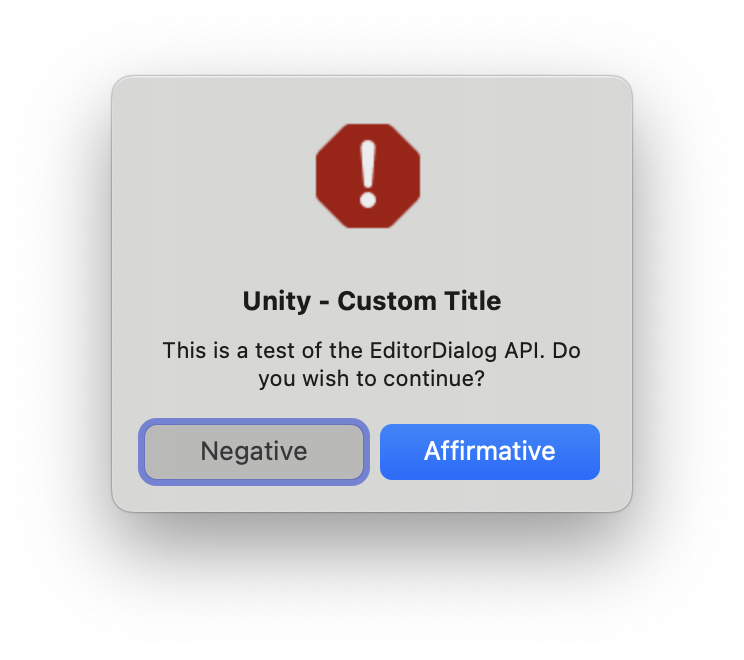
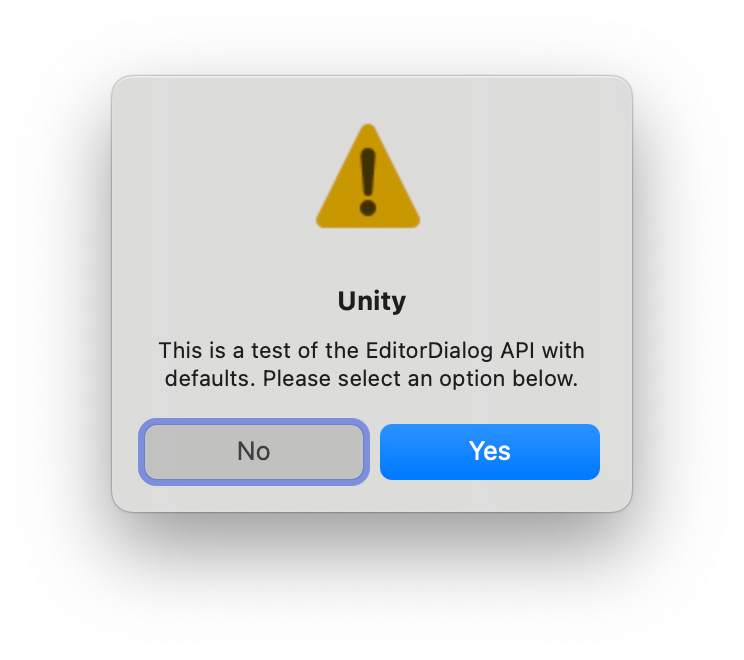
The following example demonstrates how to display a decision dialog box with a warning icon, a title, a message, and Yes and No buttons.
using UnityEditor;using UnityEngine;namespace Examples{ public class DisplayDecisionDialogExamples : MonoBehaviour { [MenuItem("Window/EditorDialog Example/DisplayDecisionDialog with all parameters specified")] public static void DisplayDecisionDialogExample() { bool userResponse = EditorDialog.DisplayDecisionDialog( "Unity - Custom Title", "This is a test of the EditorDialog API. Do you wish to continue?", "Affirmative", "Negative", DialogIconType.Info); Debug.Log(userResponse); } [MenuItem("Window/EditorDialog Example/DisplayDecisionDialog with defaults")] public static void DisplayDecisionDialogSimpleExample() { bool userResponse = EditorDialog.DisplayDecisionDialog(null, "This is a test of the EditorDialog API with defaults. Please select an option below.", null, null); Debug.Log(userResponse); } }}
Produces the following dialog boxes on macOS: