Push Notifications SDK
Register for Push Notifications and configure the SDK for your platform.
읽는 시간 5분최근 업데이트: 8달 전
Push Notifications SDK를 사용하여 이미지가 포함된 다양한 푸시 알림 등 푸시 알림 캠페인을 사용자에게 전송합니다.
플랫폼 지원
본 SDK에서는 iOS 및 Android가 모두 지원됩니다. iOS 10 이상 및 Android SDK 26(Oreo) 이상이 지원됩니다.
빠른 시작
SDK에서 제공되는 샘플 스크립트로 푸시 알림을 등록할 수 있습니다. 샘플을 프로젝트에 추가하고 에디터의 Project Settings에서 관련 설정을 지정합니다.
Push Notifications 등록
Push Notifications를 등록하려면 다음 3단계를 따릅니다.
- 에디터에서 설정을 채웁니다. Project Settings > Services > Push Notifications에서 확인할 수 있습니다.
- Unity 서비스를 초기화하면 필수 분석 이벤트가 Unity Analytics로 전송될 수 있습니다. 또한 필수 이벤트의 개인정보 보호 플로가 구현되어야 올바르게 전송될 수 있습니다.
- 게임의 시작 코드에 알림을 등록하여 알림이 누락되지 않도록 합니다. 그러나 첫 등록 시 사용자에게 권한 요청이 표시되므로 이 호출이 게임 내에서 지장을 주지 않는 위치에 나타나도록 해야 합니다. SDK에서는 이미지, 제목, 메시지 본문 등의 알림 콘텐츠 표시를 처리합니다.
코드 샘플:
using Unity.Services.Analytics;using Unity.Services.Core;using Unity.Services.PushNotifications;...await UnityServices.InitializeAsync();bool userGaveConsent = ...;if (userGaveConsent){ AnalyticsService.Instance.StartDataCollection();}try{ string pushToken = await PushNotificationsService.Instance.RegisterForPushNotificationsAsync(); PushNotificationsService.Instance.OnNotificationReceived += notificationData => { Debug.Log("Received a notification!"); };}catch (Exception e){ Debug.Log("Failed to retrieve a push notification token.");}
알림 수신 콜백
알림을 받으면 C# 이벤트 콜백을 수신하도록 대리인을 등록하여 해당 포인트에서 커스텀 동작을 수행할 수 있습니다. 이렇게 하려면 위의 샘플에 표시된 대로 에 대리인 및 메서드 콜백을 추가합니다.
PushNotifications.OnNotificationReceivedPush Notifications 설정
SDK가 제대로 작동하려면 여러 가지 설정이 완료되어야 합니다. 일부 설정은 설정 이름에 표시된 일부 플랫폼에서만 사용할 수 있습니다. Android(Firebase) 설정은 다음과 같이 지정할 수 있습니다.
Unity 에디터 > Edit > Project Settings > Services > Push Notifications에서 이러한 설정을 확인합니다. 아래의 모든 필드 값은 Firebase 대시보드의 ‘Settings’ 페이지에서 확인할 수 있습니다.
- FirebaseWebApiKey: Android의 Firebase Cloud Messaging API에 사용되는 Firebase 프로젝트의 ‘Web API Key’입니다. 프로젝트에 표시되지 않으면 먼저 Firebase Authentication을 활성화해야 나타날 수도 있습니다.
- FirebaseProjectNumber: Android의 Firebase Cloud Messaging에 사용되는 ‘Project Number’입니다.
- FirebaseAppID: Android의 Firebase Cloud Messaging API에 사용되는 Firebase 애플리케이션의 ‘App ID’입니다.
- FirebaseProjectID: Android의 Firebase Cloud Messaging API에 사용되는 Firebase 프로젝트의 ‘Project ID’입니다.
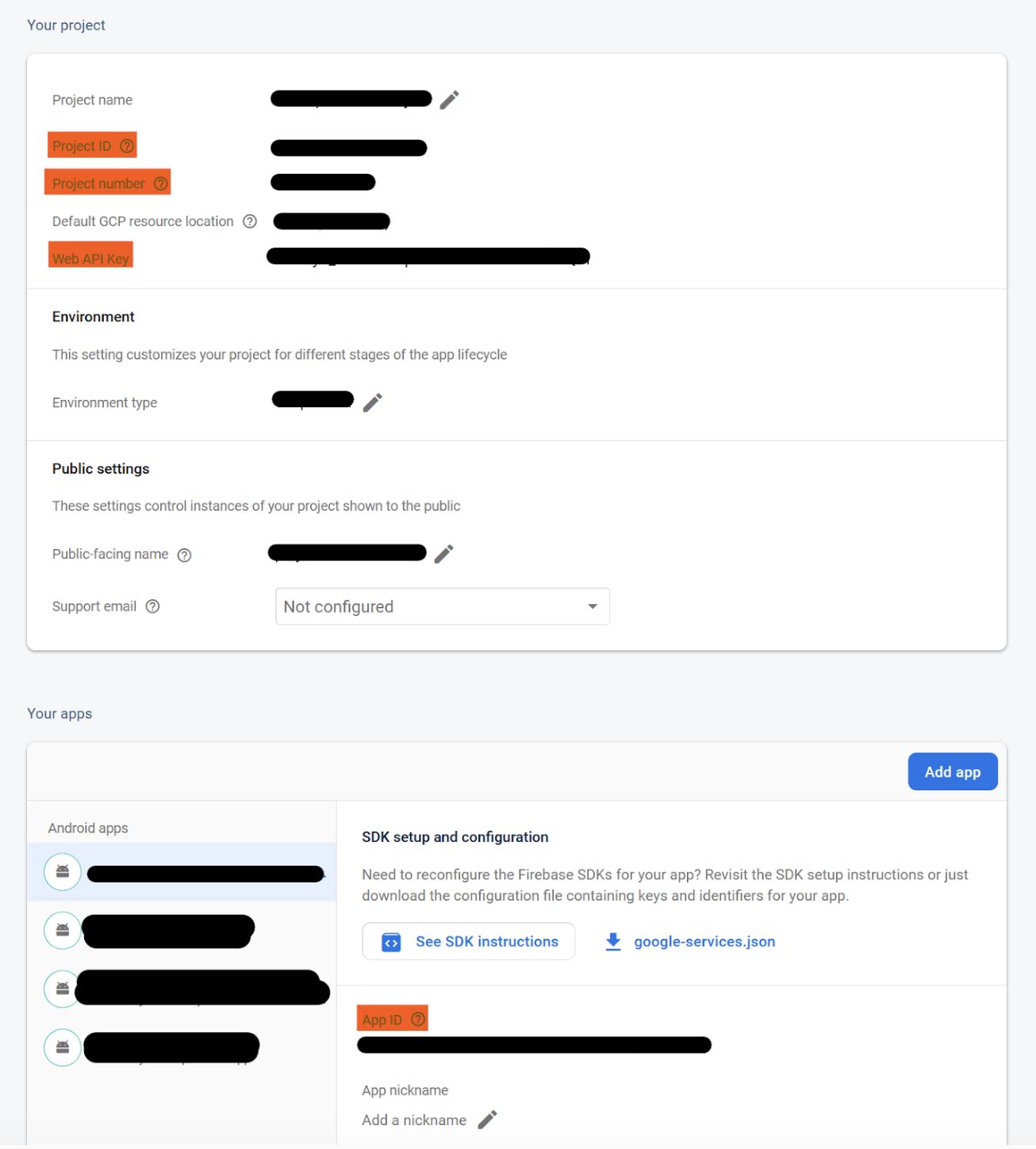
이러한 설정은 Edit > Project Settings > Services > Push Notifications에서 지정합니다.
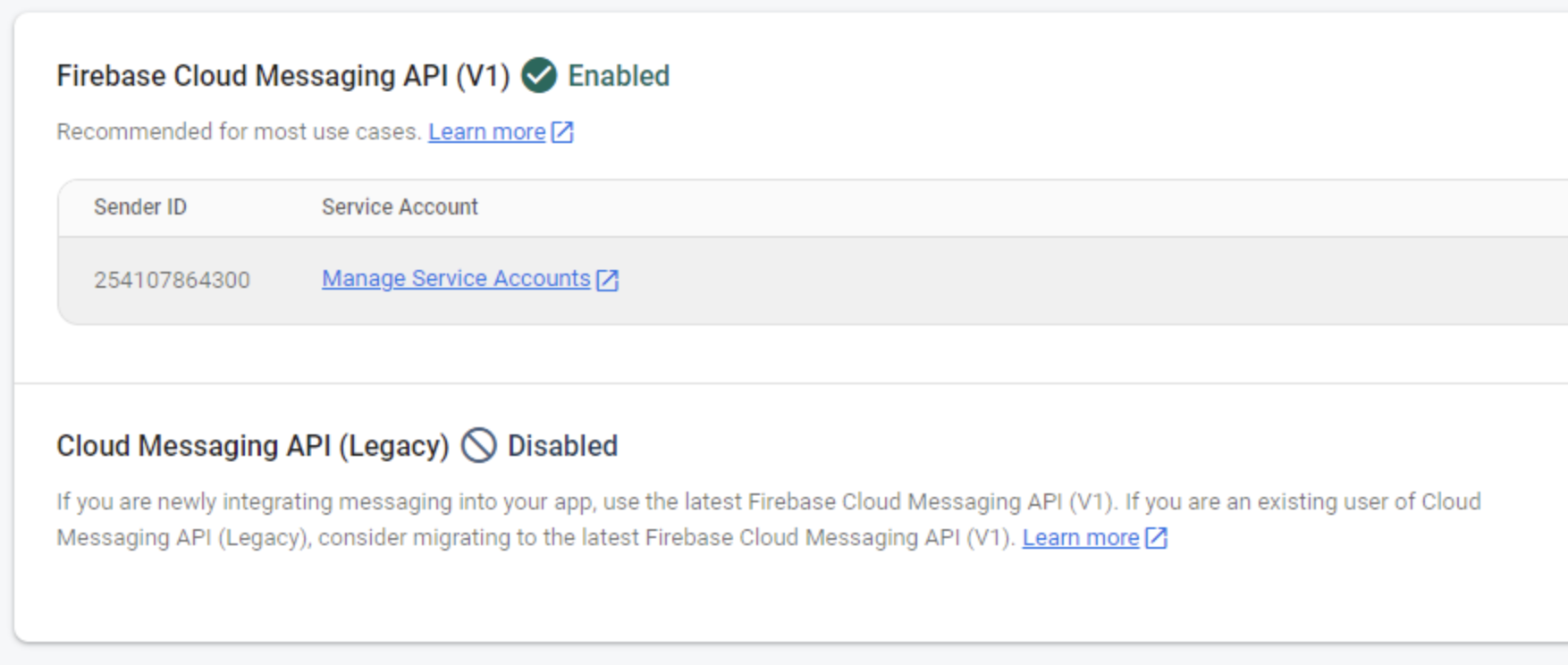
최신 프로젝트에서는 다음과 같이 Cloud Messaging API를 활성화해야 합니다.
- 비활성화 상태인 Cloud Messaging API (Legacy) 옆의 점 세 개를 선택합니다.
- ENABLE Cloud Messaging API (Legacy)를 선택합니다.
- Firebase 콘솔을 새로 고칩니다.
Analytics
SDK에서는 다음의 Analytics 이벤트 2가지를 기록합니다.
- notificationServices: 이 이벤트는 클라이언트에 새 토큰이 등록될 때마다 기록됩니다. 푸시 토큰을 예로 들 수 있으며, 이는 해당 토큰을 백엔드 서비스에 등록하고 Unity Dashboard에서 알림을 전송하는 데 사용됩니다. 본 제품이 제대로 작동하기 위해 필요합니다.
- notificationOpened: 이 이벤트는 사용자가 알림을 열 때마다 기록됩니다. 사용자가 포함되어 있는 캠페인과 집단, 알림에서 앱이 실행되었는지 여부에 관한 데이터가 여기에 포함됩니다.
Analytics 전용 모드
필요한 경우 기존 푸시 알림 서비스를 SDK와 연동할 수 있습니다. 이렇게 하려면 위에 표시된 대로 등록 메서드를 호출하지 말고 의 메서드 2가지와 기존 구현을 함께 사용합니다.
PushNotificationsService.Instance.AnalyticsRecordPushTokenUpdatedPushNotificationsService.Instance.Analytics.RecordPushTokenUpdated(token);RecordNotificationOpenedPushNotificationsService.Instance.Analytics.RecordNotificationOpened(notificationData);이렇게 하면 Unity Dashboard에서 알림을 전송하고 예약할 수 있습니다. 그러나 구현된 다른 푸시 알림 설정에 따라 크게 영향을 받고 알림에서 이미지나 다른 콘텐츠가 누락될 수도 있으므로 가능하면 SDK와 연동된 Push Notifications 솔루션만으로 표준 설정을 사용하는 것이 가장 좋습니다.
SDK 연동 테스트
앱에서 다음 단계에 따라 Push Notifications SDK 연동을 테스트할 수 있습니다.
-
앱에서 PushNotificationsService 토큰을 가져와 ‘Debug.Log’를 사용하여 로그에 기록합니다.
-
앱 로그를 읽고 로그 토큰을 가져옵니다.
- Android의 경우: Android Logcat 패키지를 사용합니다.
- iOS의 경우: 앱을 실행할 때 XCODE 내부의 로그를 확인합니다.
-
UGS 대시보드에서 기존 Push Notification Campaign으로 이동하거나 새 더미를 생성합니다.
-
‘Content’ 단계에서 필요에 따라 알림을 생성하고 ‘Test on Device’로 이동합니다.
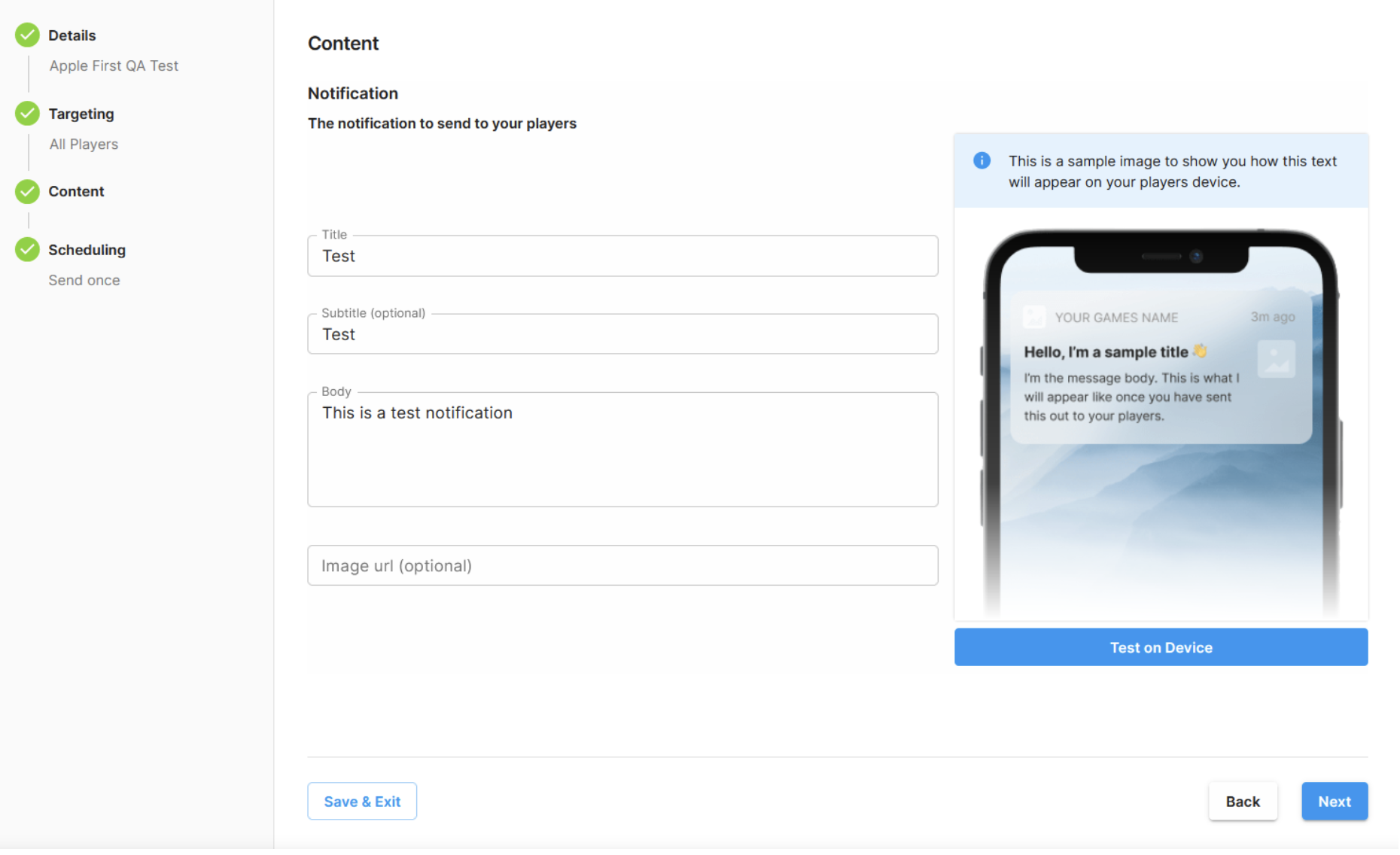
- 타겟 디바이스를 선택하고 가져온 토큰을 입력합니다.
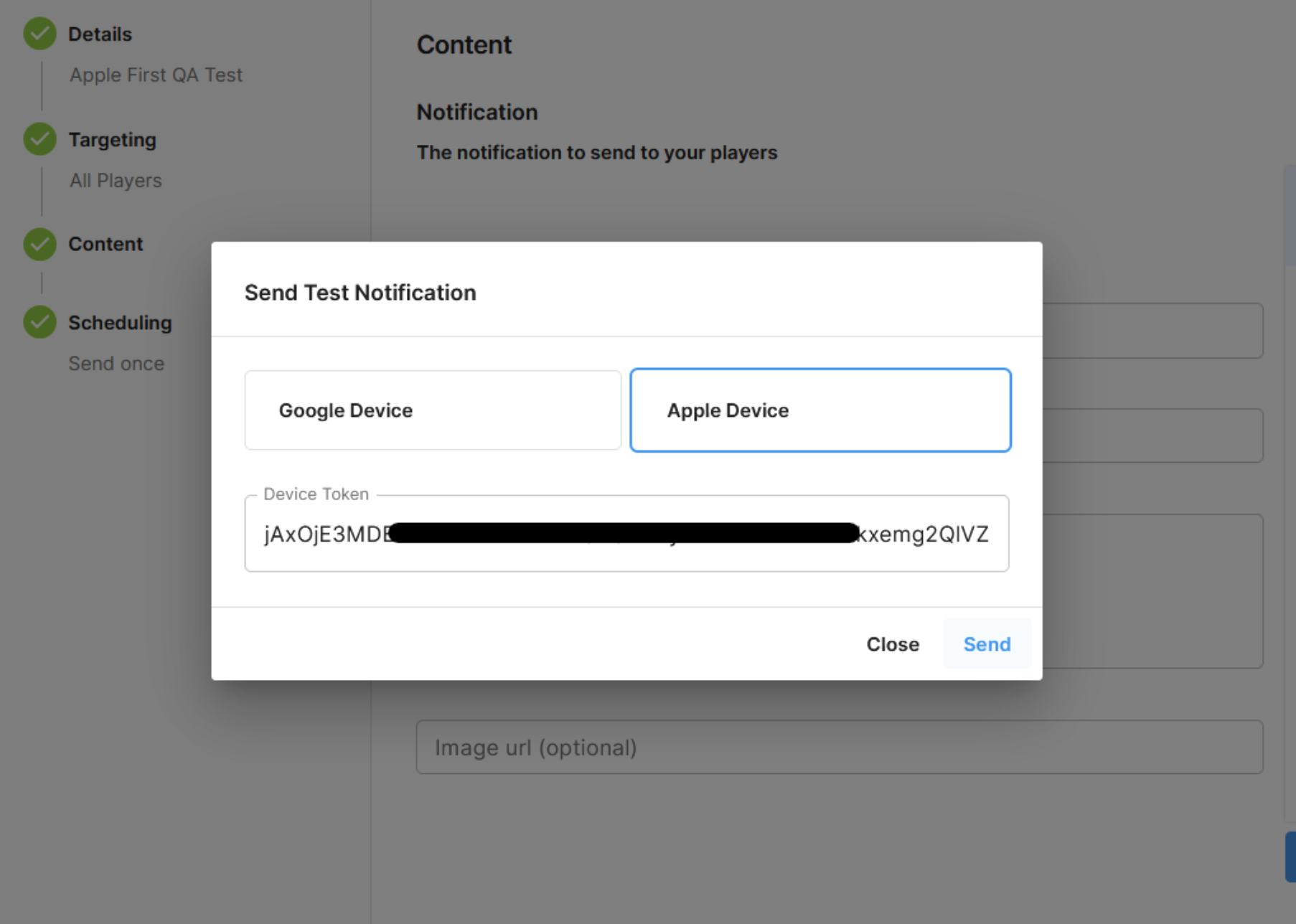
- Send를 선택하고 디바이스에 알림이 수신되었는지 확인합니다.
EDM4U(External Dependency Manager for Unity) 지원
Google Firebase 통합 패키지를 비롯한 기타 SDK 또는 Unity 패키지의 경우, EDM4U(External Dependency Manager for Unity) 또는 MDR(Mobile Dependency Resolver)을 사용하여 Unity 프로젝트 내부의 종속성을 해결합니다.
Push Notifications SDK에서는 EDM4U 또는 MDR을 사용하여 Unity 프로젝트 내에서 종속성을 해결할 필요가 없으며, 기본적으로 EDM4U 또는 MDR을 재배포하거나 사용하지도 않습니다.
그러나 버전부터 EDM4U 또는 MDR을 사용하는 경우 Push Notifications SDK가 이와 연동되어 종속성 파일(PushSDKDependencies.xml)을 생성함으로써 자동 생성된 디렉토리 내에서 사용됩니다.
3.0.1-pre.1Assets/Push Notifications/Editor/Android애플리케이션을 빌드하기 전에 또는 (둘 다 Assets > External Dependency Manager > Android Manager에 있음)를 실행하여 Push Notifications SDK의 종속성을 해결합니다. 해당 종속성이 해결되었는지 확인하려면 옵션을 사용합니다. 이는 Assets > External Dependency Manager > Android Manager > Display Libraries에서 찾을 수 있습니다.
ResolveForce ResolveDisplay Libraries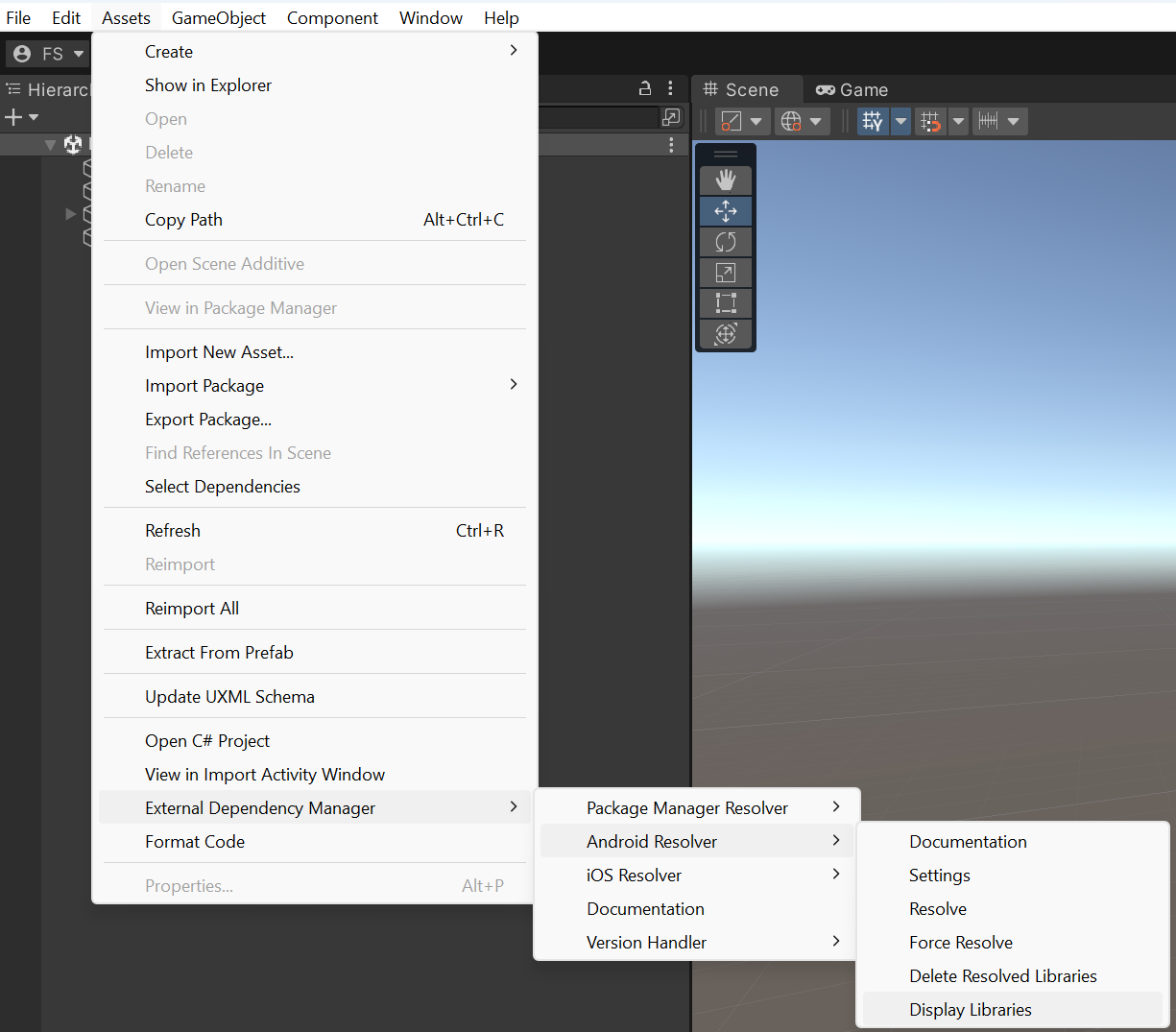
다음 줄이 표시됩니다.
implementation 'com.google.firebase:firebase-messaging-ktx:22.0.0' // Assets/Push Notifications/Editor/Android/PushSDKDependencies.xml:9
다른 패키지에서도 동일한 종속성이 필요한 경우 코멘트는 다를 수 있다는 점을 참고하시기 바랍니다. 이 경우 EDM4U는 인접한 코멘트에 종속성이 추출된 모든 파일을 나열합니다. 종속성 파일 경로()가 코멘트 내에 표시된다면 EDM4U 또는 MDR이 종속성 파일을 감지하고 읽은 것으로 해석할 수 있습니다.
Assets/Push Notifications/Editor/Android/PushSDKDependencies.xml:9이 줄이 표시되지 않으면 종속성 파일이 디렉토리에 있는지 확인하고, Assets > External Dependency Manager > Android Manager > Force Resolve에 있는 옵션을 다시 사용하여 시도합니다.
Assets/Push Notifications/Editor/AndroidForce Resolve종속성 파일이 생성되지 않으면 프로젝트를 다시 엽니다. 종속성 파일은 이 프로세스에서 생성되어야 하는 파일입니다.