Set up iOS Custom product pages
Set up Custom product pages for iOS campaigns in the User Acquisition dashboard.
Read time 2 minutesLast updated 2 months ago
You can add a unique Product page for apps in the Apple App Store when setting up creative packs or add the Custom product page to your creative pack information later.
Refer the following instructions to connect Custom product pages to your creative packs in the Unity User Acquisition dashboard.
You complete two tasks when you connect Custom product pages to your creative packs:
Locate your product page ID
To add a Custom product page to a creative pack, you need to locate your PPID. Refer to the following instructions to locate your PPID in the Apple App Store:
- Open your Custom product page in a web browser.
- Locate the PPID at the end of the URL. The ID is the string of characters following in the URL.
?ppid=

Product page ID in the App Store URL
- Copy the product page ID. Refer to the following examples to verify you have copied the correct part of the URL:
Correct PPID | Incorrect PPID |
|---|---|
| |
Connect the Custom product page to your creative pack
To connect your Custom product page to new or existing creative packs, follow these instructions:
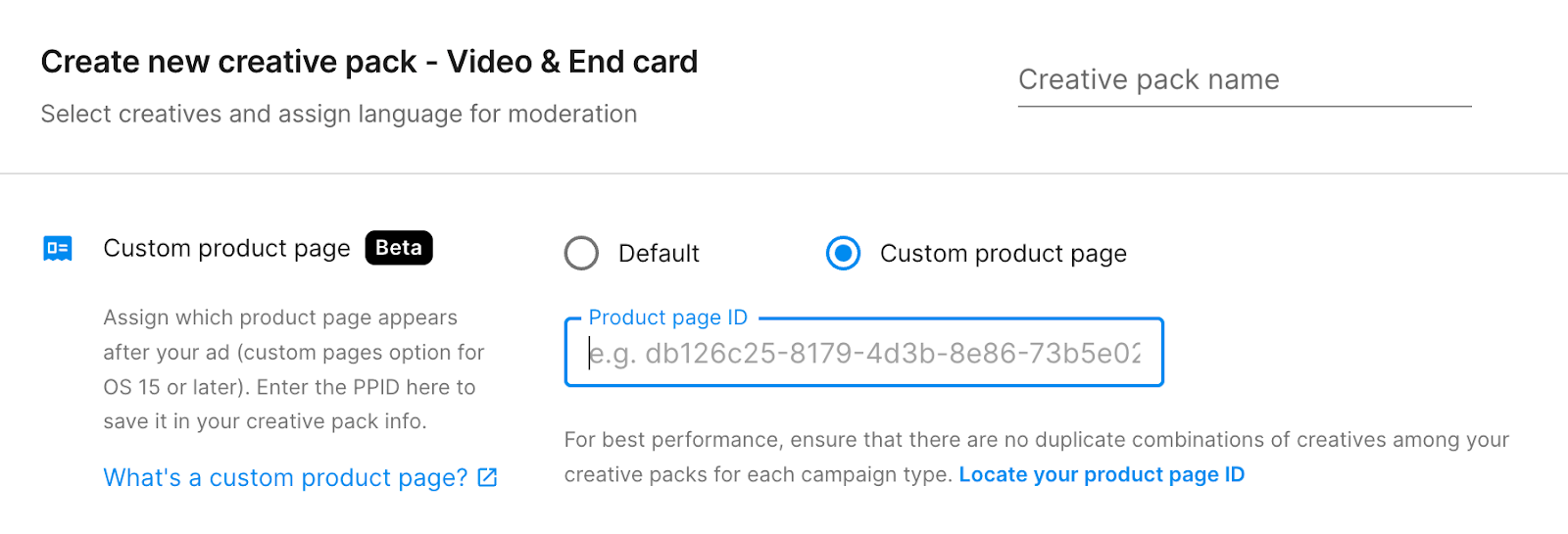
To add a Custom product page when you create a new creative pack from the Creative library, do the following:
- Go to the Creative Packs tab.
- Select Create creative pack to open the Create new creative pack dialog.
- Select the Creative pack type, App, and enter the Creative pack name.
- In the Custom product page section, enter the Custom product page ID (PPID).