Relay servers
Understand how Relay servers facilitate message delivery between players without exposing their addresses.
Read time 4 minutesLast updated 2 months ago
The Relay service accessible through the Multiplayer Services SDK facilitates multiplayer support without dedicated game servers by allowing players to communicate with each other through Relay servers. Relay service acts as an interface between players so that players don't need to connect directly to each other. The Relay servers deliver messages between connected players using optimized, low-latency datagram exchange between game clients. Relay servers are ideal for games that use a listen server pattern where one player (the host player) acts as the server and the other players (the joining players) act as clients.
Refer to the following diagram to understand how the Multiplayer Services SDK interacts with the contained Relay SDK.
Relay servers act as public endpoints reachable by all players. This design addresses common issues of changing networks and IP addresses, network address translation (NAT), and firewalls between players. Each player can connect to the same IP address and port (the selected Relay server’s IP address and port), and game clients can trust that the connection information remains the same throughout the session. Through this indirection, players in a session don't need to know each other's IP address, thereby increasing security and privacy.
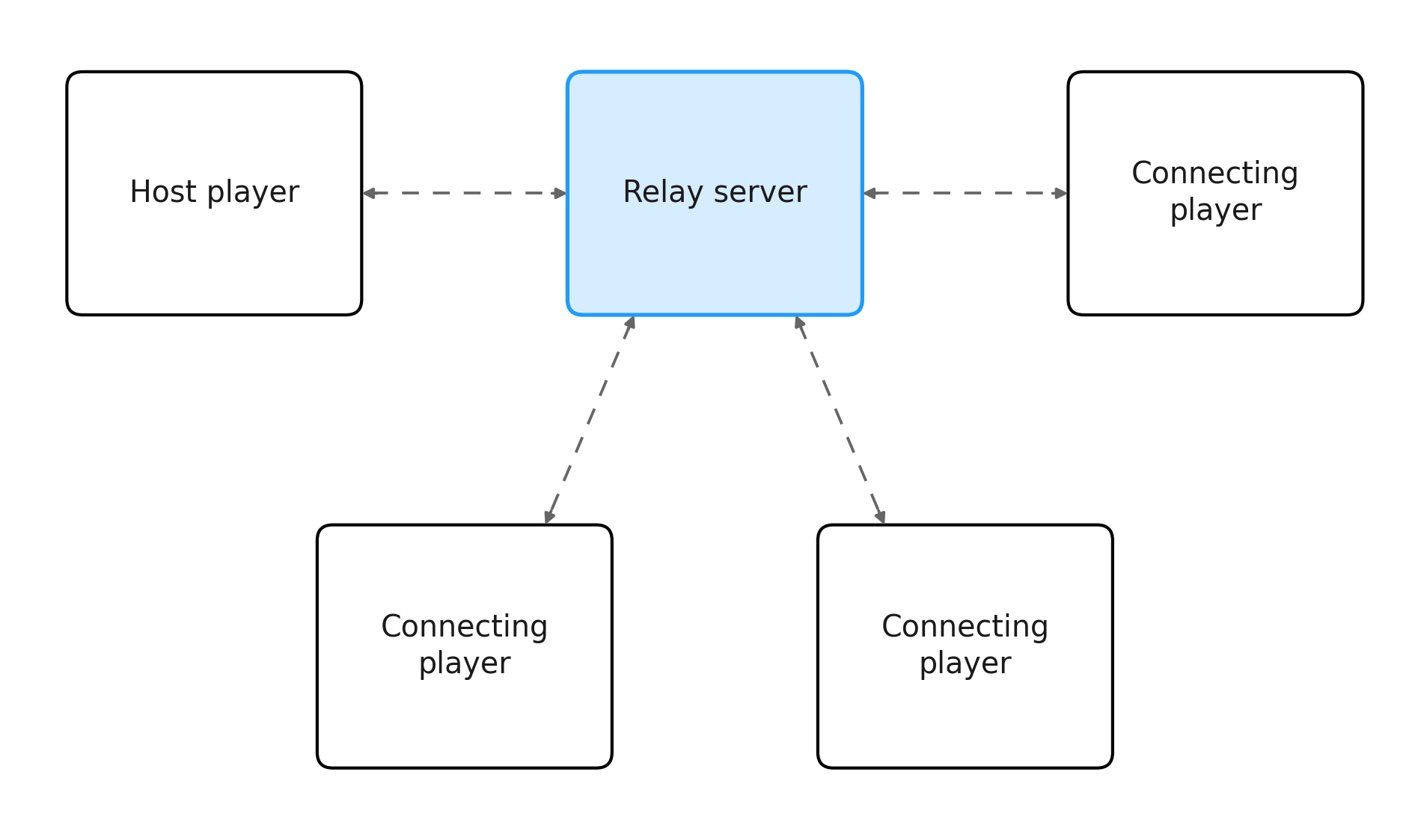
A diagram showing how players send all messages through the Relay server
Capacity
The host player’s game client defines the maximum number of players the session supports when it creates an allocation.
Relay server lifecycle
Relay servers are long-running and multi-tenanted connection points. As a result, the Relay server lifecycle is independent of the session lifecycle.
A Relay server disconnects a player if the player connection times out. The default time to live (TTL) before Relay disconnects a client is 10 seconds. The disconnect TTL is 60 seconds when the host in alone (after the message but before a peer connects to them with a message). To prevent an unintended timeout, the game client can send periodic messages to the Relay server to keep the connection alive.
BINDCONNECTPINGA player or game client can explicitly disconnect from a Relay server at any point by sending a message.
CLOSEJoin
The Multiplayer Services SDK allows for different networking solutions. The host configures the session networking type before the player joins. Joining does not guarantee a Relay session, the player joins whatever networking type the host has set.
The following code is an example of how to join a session and connect to the configured network type:
public async Task JoinSessionByCode(string joinCode){ try { var session = await MultiplayerService.Instance.JoinSessionByCodeAsync(joinCode); Debug.Log($"Joined session {session.Id}. Network state: {session.Network.State:G}"); session.Network.StateChanged += state => Debug.Log($"Network state changed: {state:G}"); } catch (SessionException e) { Debug.LogError($"Failed to join session: {e.Error}"); }}
Disconnect
You can disconnect from a relay server by using for the host or the client, or for host only.
session.LeaveAsync()session.AsHost().Network.StopNetworkAsync()session.LeaveAsync()session.AsHost().Network.StopNetworkAsync()The following code is an example of how to disconnect from a relay server using :
session.LeaveAsync()async Task LeaveSession(ISession session){ try { await session.LeaveAsync(); Debug.Log("Left the session and disconnected from Relay."); } catch (SessionException e) { Debug.LogError($"Failed to leave session: {e.Error}"); }}
The following code is an example of how to disconnect from a relay server using :
session.AsHost().Network.StopNetworkAsync()async Task StopRelayNetworkAsHost(ISession session){ if (!session.IsHost) { Debug.LogWarning("Only the host can stop the session's network directly."); return; } try { IHostSession hostSession = session.AsHost(); await hostSession.Network.StopNetworkAsync(); Debug.Log("Relay network stopped; session remains active."); } catch (SessionException e) { Debug.LogError($"Failed to stop network: {e.Error}"); }}
Allocate
When using the Multiplayer Services SDK there's no separate allocate relay call for a server. on triggers the Relay allocation as part of session creation. Pass into to control protocol and region.
WithRelayNetwork()SessionOptionsRelayNetworkOptionsWithRelayNetwork(...)The following code is an example of how to use :
WithRelayNetwork()async Task<ISession> AllocateRelayAndCreateSession(){ var options = new SessionOptions { MaxPlayers = 4 }.WithRelayNetwork(); var session = await MultiplayerService.Instance.CreateSessionAsync(options); Debug.Log($"Session {session.Id} created with a Relay allocation. Join code: {session.Code}"); return session;}