Documentation

Support

Moderation dashboard

Moderation dashboard

Provide feedback

Submit feedback to improve the accuracy of incident detection and moderation.
Read time 1 minuteLast updated 2 days ago

Player details

The Player details table allows the moderators to provide feedback on the demographics data and the scores attributed to each player. To modify the value:
  1. Select the … icon.
  2. Select Correct, Wrong or Not Sure (only available for Characteristics).
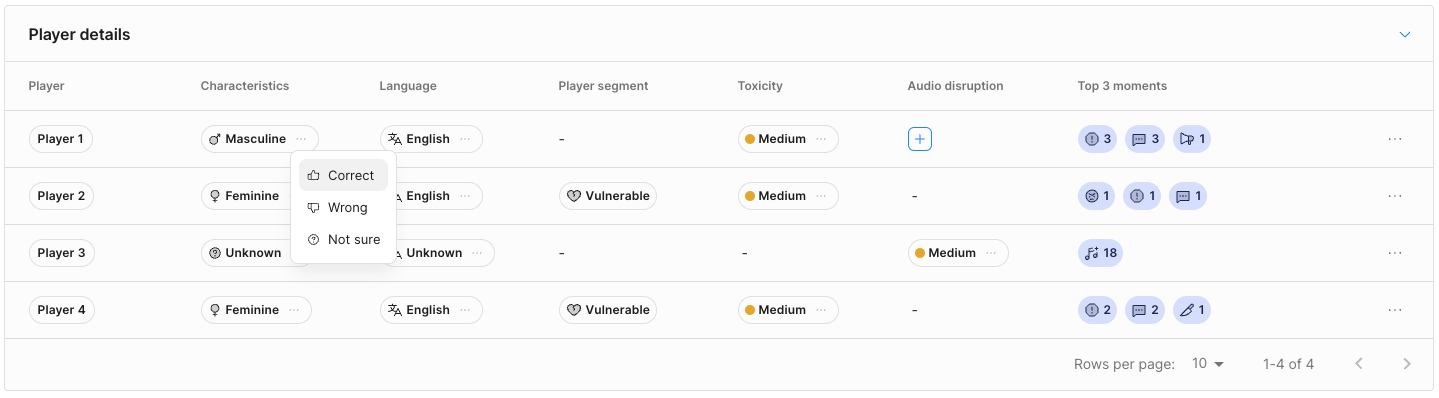
Based on the selected option, an icon will appear confirming the provided feedback.
Dialog to confirm or correct a player detail value.
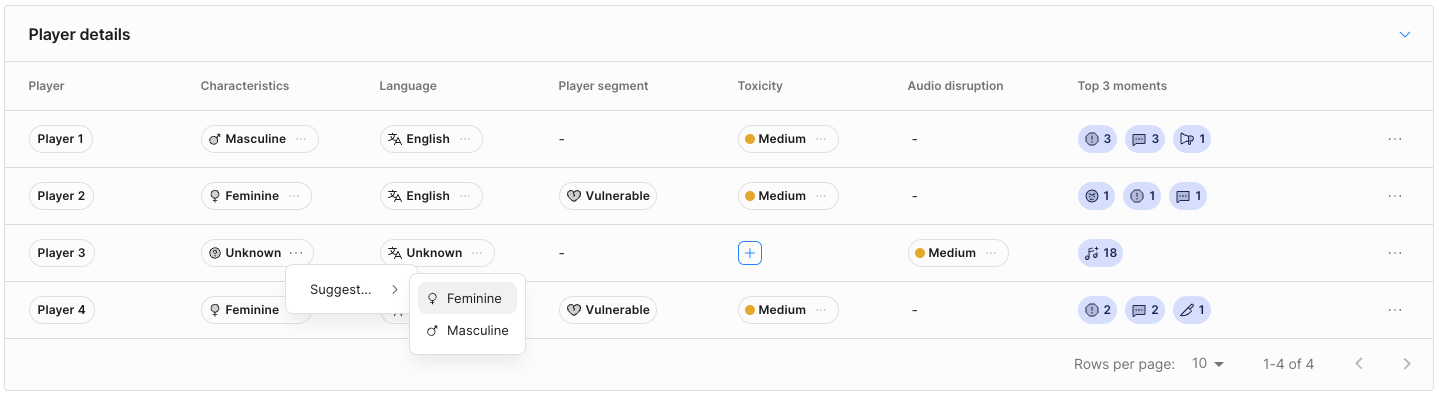
In the case of unknown values, it’s possible to suggest one:
Suggesting a value to an unknown detail.
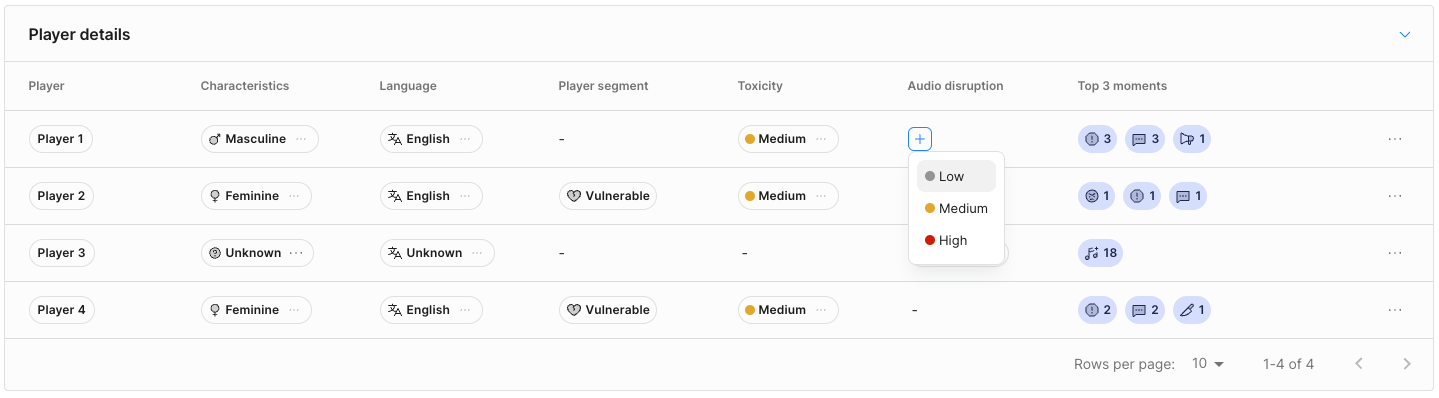
For scores, you can suggest a value if one is not attributed:
Manually inputting a value that was left empty.
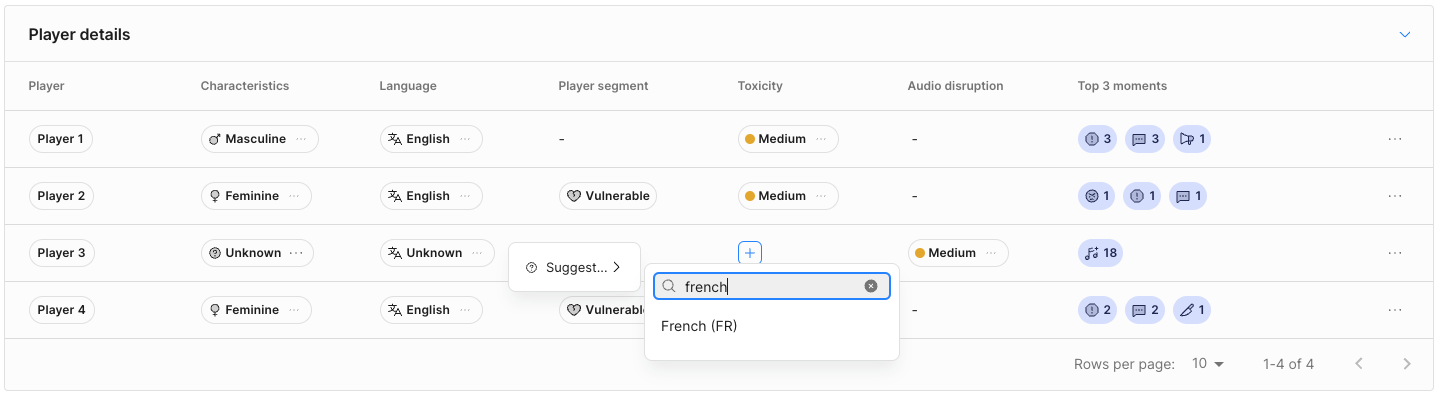
For languages, you can confirm the predicted language, or suggest a value if one is not attributed:
Manually inputting a value that was left empty.
You can remove feedback by deselecting the previous option or by clicking the X icon if it was a suggestion.

Moments

The Moment tooltip allows moderators to suggest moment tags and to validate the accuracy of the existing ones. You can remove feedback by deselecting the previously selected option. For suggested toxicity tags, remove them by clicking on the X icon displayed on the right side of the chip.
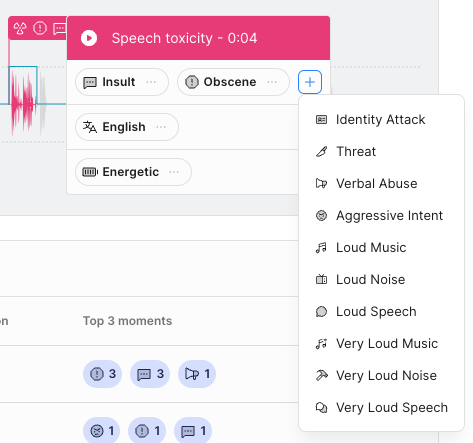
A detailed view of hte Moments tab.