Player list
Search and view players and their moderation status in the Moderation Platform.
Read time 1 minuteLast updated 2 days ago
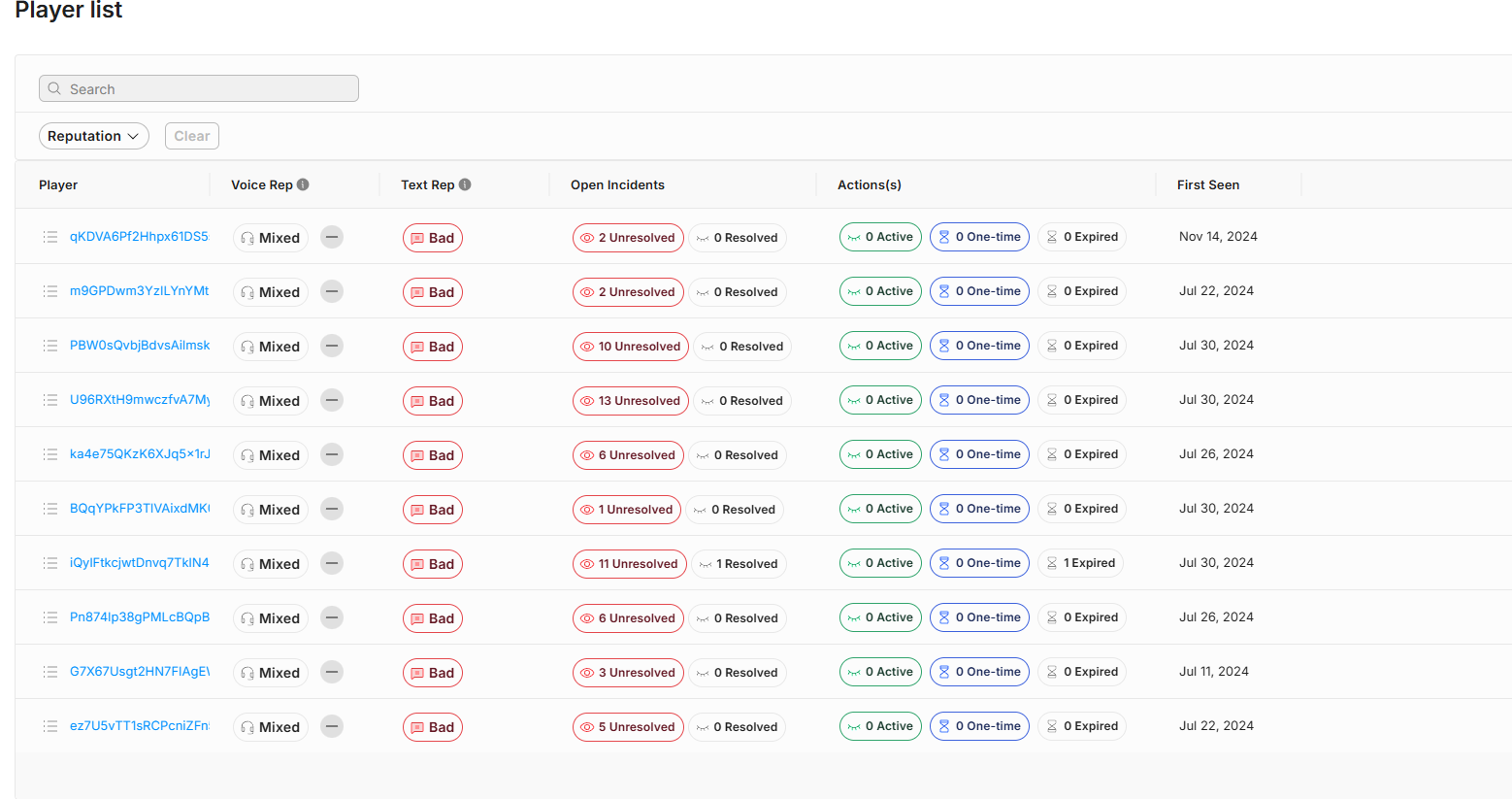
The player list lets you review all the players that have been part of an incident in the Moderation service. All the players listed along with their reputation score from Safe Text if you have enabled that service. The list contains the number of resolved and unresolved incidents for each player in the Open Incidents column. By selecting a badge, either Unresolved or Resolved, the Moderation Queue opens, filtered for this specific player. The Actions column displays past actions taken against the player, indicating how many are active, and how many have expired. For more details about each player, select the player name, which opens the Player History panel.