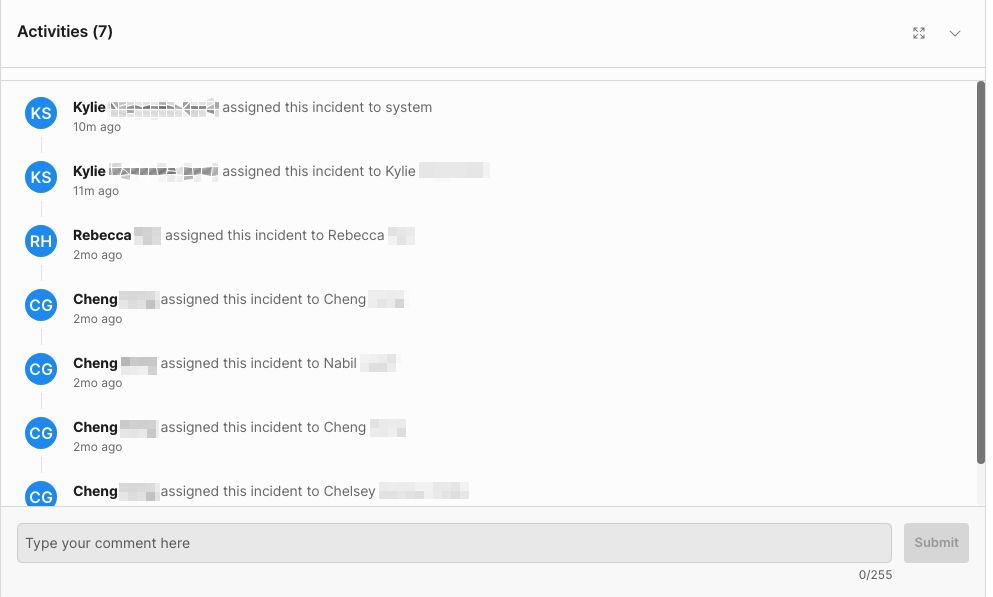
View incident details
Examine incident details including reports, evidence, and moderation history.
Read time 1 minuteLast updated 22 days ago
You can view the details of an incident by selecting the incident ID. Incident details are grouped into three categories on the incident page:
- Incident details
- Evidence
- Activities
Incident details
Details available include the ID, a timestamp, offense type, reporter, and offender. If your project is connected to Safe Text, a risk score is listed representing the highest risk in Safe Text detections. Safe Text behaviours will also appear if applicable. You can assign a user to an incident from the incident page by selecting a user from the Assign to list.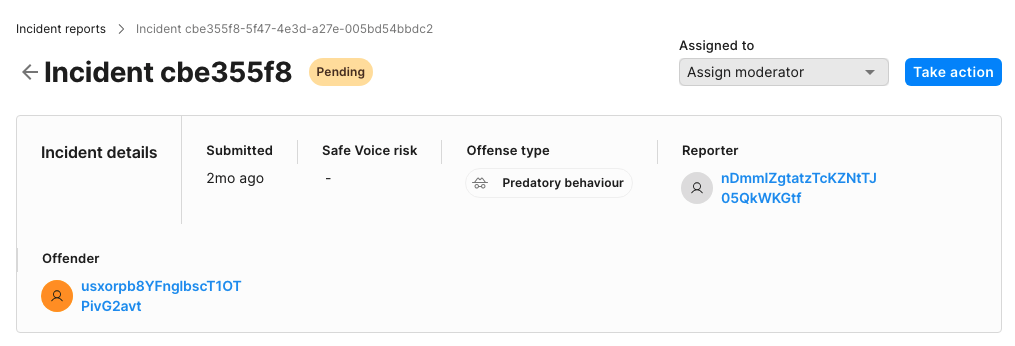
Evidence
Player Reports
Evidence is broken down into Text sessions and Event Logs. Text Sessions list the sessions included in the incident and contextual text detections generated by context analysis. For more information about these details, refer to Context analysis. Events available in the Event Logs view include the events around the incident report. Events included in the Event Logs include:- A player joining the channel
- A player leaving the channel
- A player muting another player
- A player unmuting another player
- A player reporting another player
Safe Text incidents
When accessing Safe Text detections, the evidence section directly shows the text session screen.Activity
Activities available in the Activity view include all the activities linked to the incident, such as creating the incident and assigning an Organization Owner or User. Activities include the following actions:- Incident created
- Incident assignments
- Comments
- Resolutions
- Revoked actions
- Overwritten actions