Adapter range support
Implement a versioning system to ensure Unity ad network adapters are compatible with a range of LevelPlay SDK versions, minimizing the need for frequent updates.
Read time 1 minuteLast updated 10 months ago
With LevelPlay SDK 8.4.0, each ad network adapter will be compatible with a range of LevelPlay SDK versions, so you will no longer need to update your ad network adapters with every release of the LevelPlay SDK.
This will make it easier for you to maintain compatibility between the LevelPlay SDK and adapters.
iOS and Android
Compatibility can be achieved and maintained as long as the ad network adapter version falls within the range of compatible LevelPlay SDK versions.
You will be required to update an ad network adapter only when you install a version of the LevelPlay SDK that is outside of the supported range of the ad network adapter, otherwise it will be optional. The range of support will be noted in the Changelog for each ad network SDK in Unity Docs.
Unity
A versioning system has been introduced that allows a range of versions to be compatible between the Unity Package and the LevelPlay SDK. This same system is applied between the LevelPlay SDK and ad network adapters. Similar to iOS and Android, you will be required to update an ad network adapter only when you install a version of the Unity Package/LevelPlay SDK that is outside of the supported range of the ad network adapter, otherwise it will be optional.
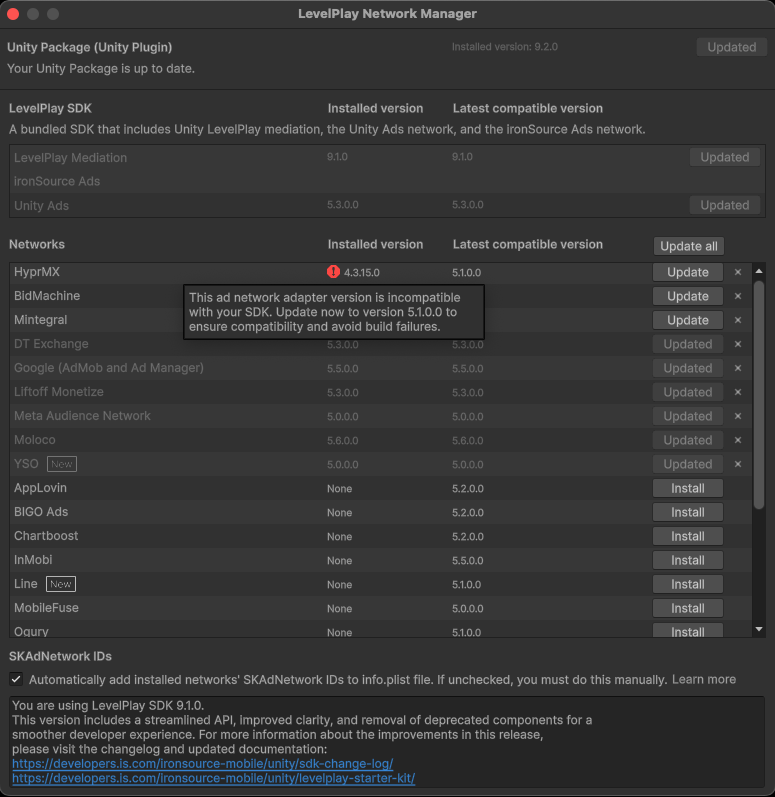
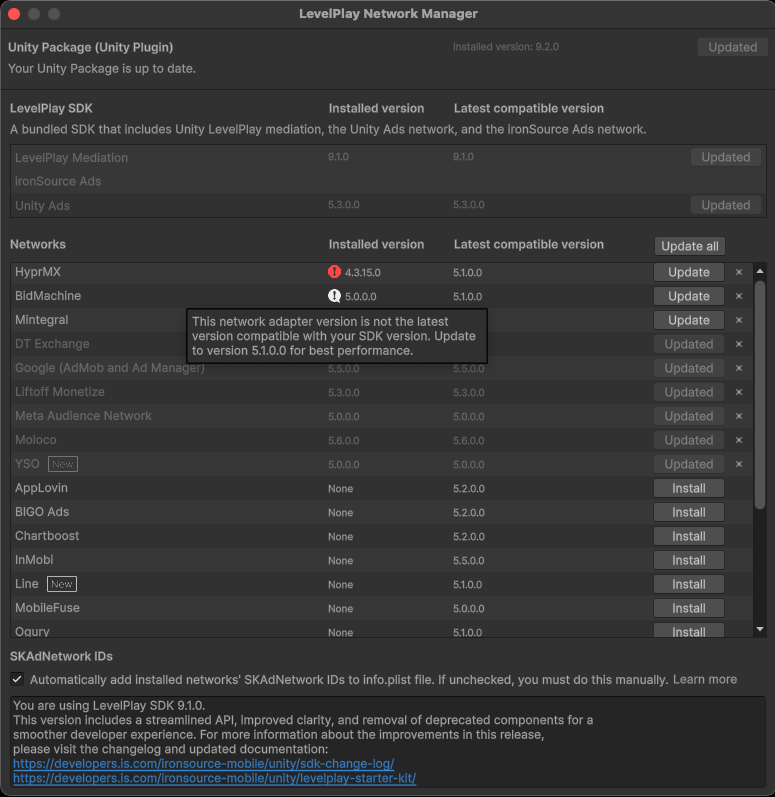
The LevelPlay Network Manager will now display an icon next to adapters (or the LevelPlay SDK) to show when an update is optional and when it is mandatory.
Compatibility Information
- For versions up to and including LevelPlay SDK 8.3.0, compatibility can be viewed in the compatibility matrix: Unity, iOS, Android.
- For iOS and Android versions 8.4.0 and above, supported ranges will be noted in the Ad Network Changelog under Mediated networks > Adapters Changelog > [Network] (for example: Unity Ads Changelog).
- In Unity for versions 8.4.0 and above, the LevelPlay Network Manager will display when an update is available and when it is optional (white exclamation point) or mandatory (red exclamation point).
Examples: