What's new in Unity Studio - Version 0.38
Learn about the new features and bug fixes introduced in Unity Studio 0.38.
阅读时间2 分钟最后更新于 1 年前

New features
The following features are new in this version of Unity Studio:
Enhance a screenshot with AI
Use the Screenshot tool (camera icon) to capture your scene and apply AI-powered enhancements that improve lighting, textures, and visual quality.
The following are some important notes about this feature:
- Unity Studio provides a default prompt best suited to enhance a single asset. However, you can update and tailor the AI prompt as required.
- After the generation finishes, you can download the improved screenshot as an image file.
- You have a daily limit on the number of screenshot enhancements you can perform.
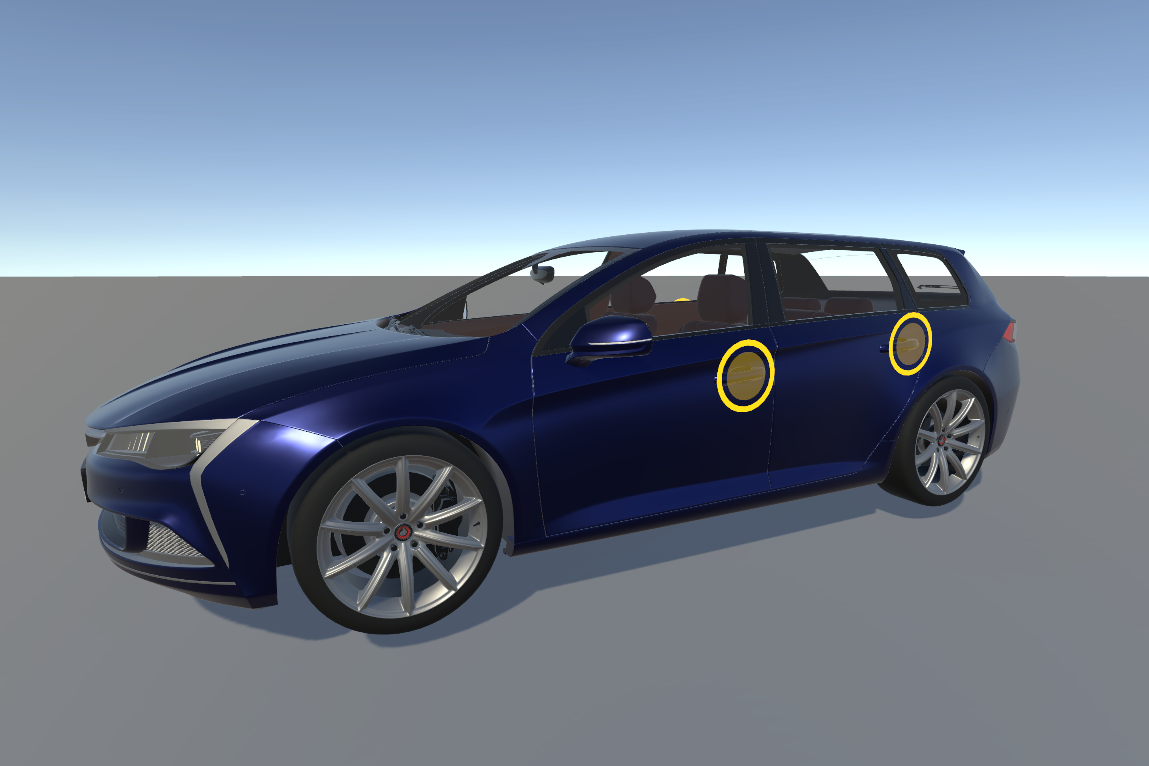

An example of a Unity Studio scene screenshot before and after AI enhancements.
Email access
The Unity Studio support email address is now accessible from the top-left menu (Contact Support).
When you select this button, Unity Studio opens a new message within your default email application addressed to the support email address.
Bug fixes
The following is a list of bug fixes in this version of Unity Studio:
- Asset rotation values in the Inspector now correctly display the actual rotation of assets in the scene.
- Animation Editor playback speed now matches Play mode performance, which removes the previous delay where one second animations took three to five seconds to play.
- You can now assign mesh collider components to imported assets and mesh collider components now correctly register collisions.
- Assets without a scene index now render correctly when you add them to the scene, which ensures all imported assets display as expected.
- When you duplicate an object that contains a script, the reference in the script now correctly points to the duplicated object rather than the original object.
Me