Player segmentation
Divide players into separate pools based on game modes and custom attributes to optimize matching.
阅读时间2 分钟最后更新于 1 个月前
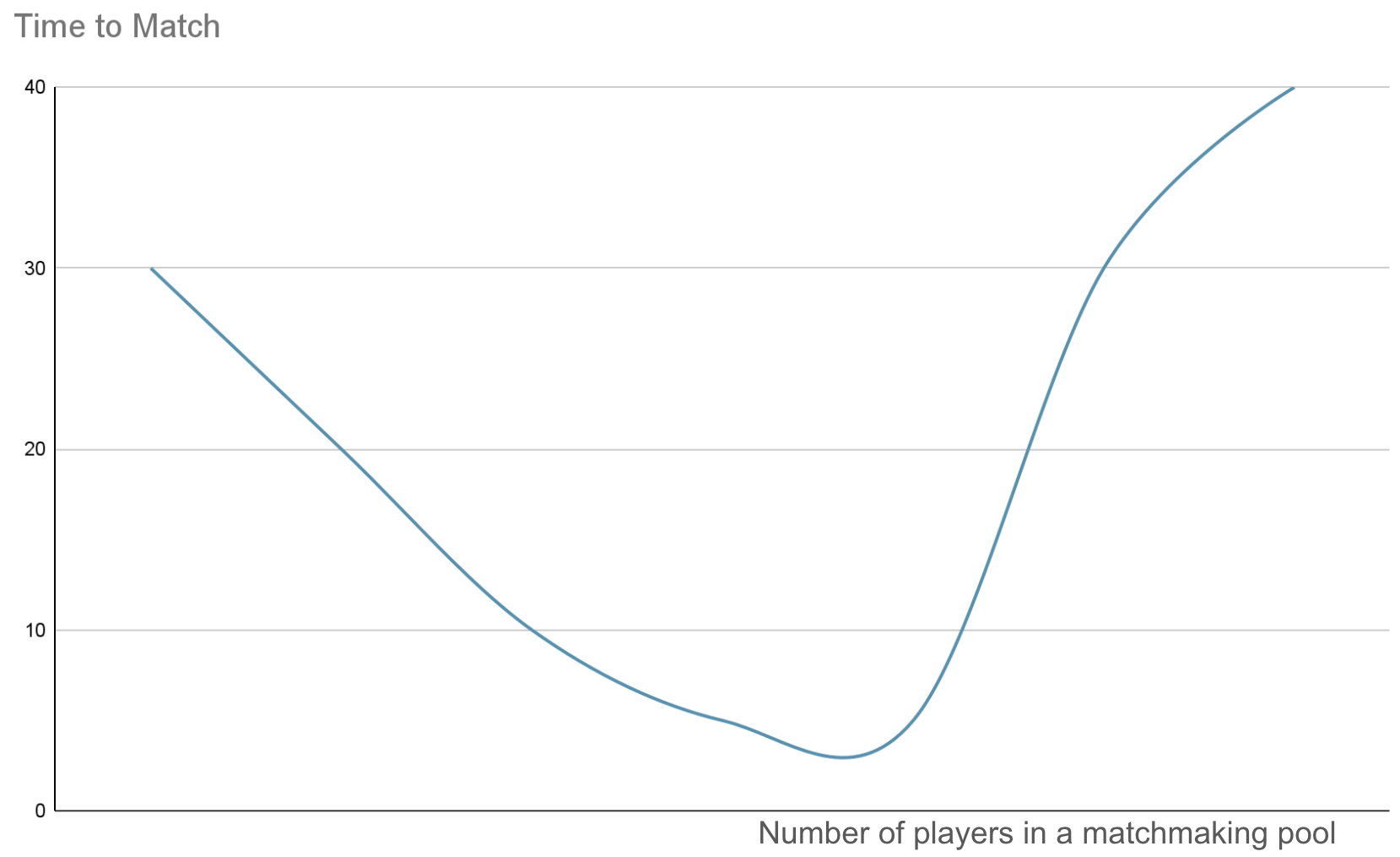
Player segmentation is important in matchmaking as it impacts the number of players that can be matched with each other. This number impacts the time it takes to find another player.
The more players there are in a pool of tickets, the higher the chances of finding players to match with. At the same time, if there are too many players, then it takes time to go through all the players and find a match for them.
However, if there aren't enough players in a pool of tickets, it takes Matchmaker time to find other players to match together.
The following diagram shows the relationship between time to match players and the number of players in a pool.
Segment player population
You can segment your player population in several ways. Game driven segmentation is one example, such as grouping players by game mode. You never want to match players from different game modes together, for example, don't match someone looking for a 1v1 game with someone looking for a 3v3 game.
In Matchmaker, this segmentation is represented by queues.
Examples:
- Competitive
- Casual
- 1v1
- 5v5
- Free For All
The second type of segmentation is a segmentation based on attributes that are provided by the player who wants to join a match.
This type of segmentation is dynamic and based on filters and represented by pools. Pools always belong to a queue. Players from different pools could potentially be matched together. Matchmaker will use the attributes of a ticket to determine if a ticket matches the filters defined in a pool.
Pools can be used to dynamically merge/split player population in case a population is too small or too large.
Examples:
- Platforms
- Windows / XBOX® / PlayStation®5 / Nintendo Switch™
- Player properties
- Ranks
- Cheaters
- Sportsmanship
- Game versions
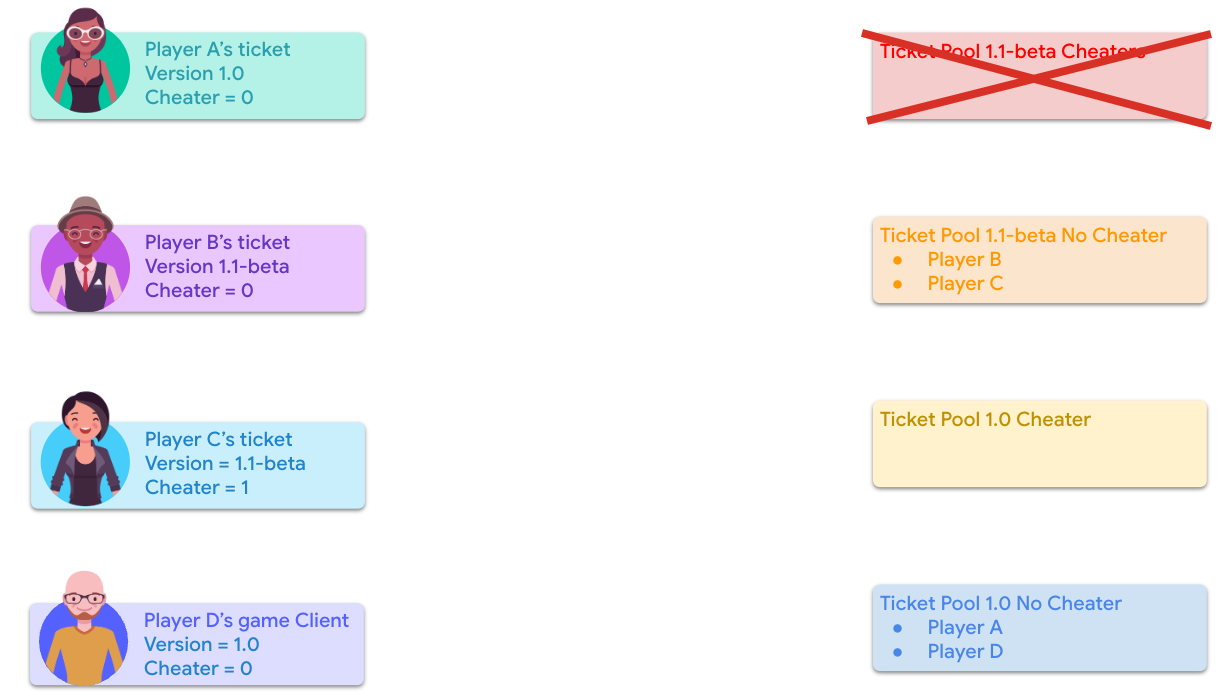
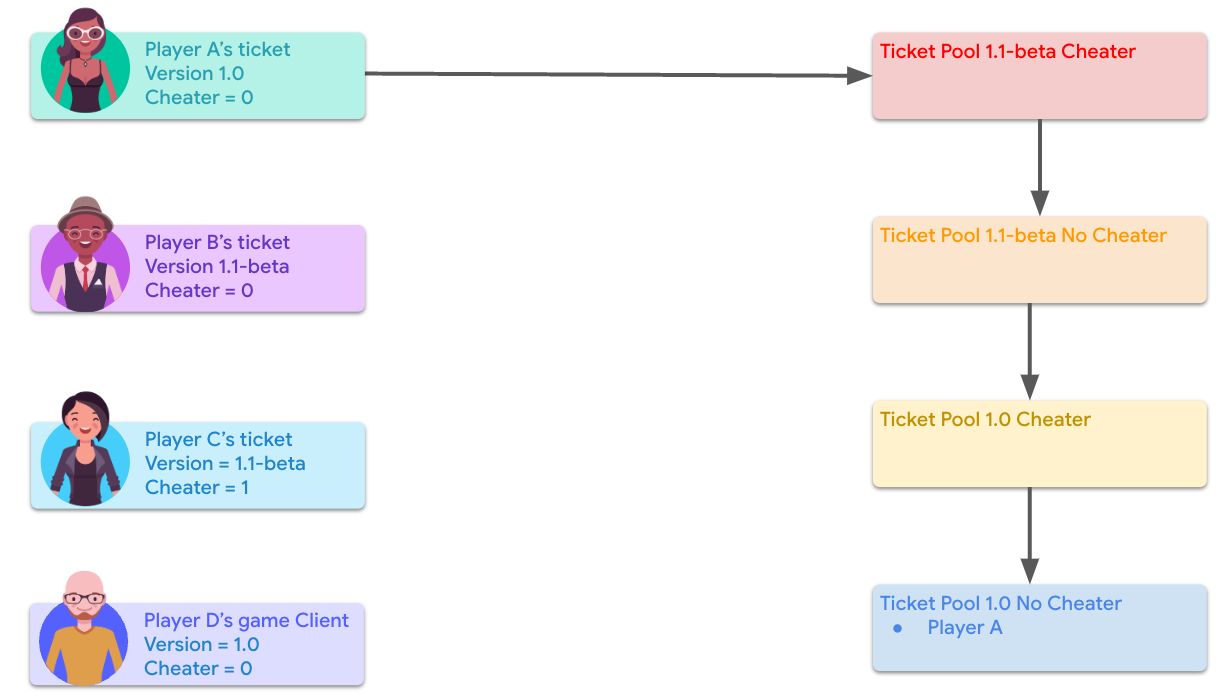
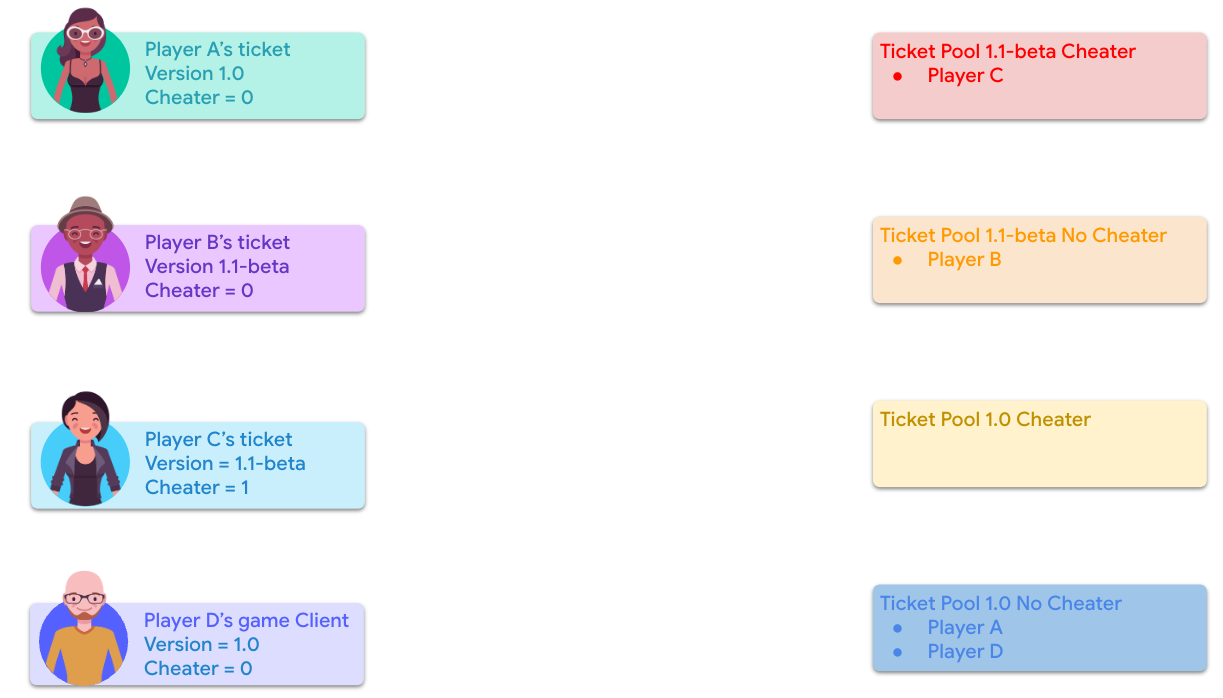
The following diagrams show how the dynamic partitioning works:
1 - Player A will fall in Ticket Pool 1.0 No Cheater.
2 - The different players are distributed in the different pools as followed using the attributes on their ticket and the pools filters.
3 - The number of tickets for the pools of the beta version is too small and the cheater pool is removed. Tickets targeting 1.1-beta, cheater or not, will now all end up in the same pool.